Key Takeaways:
- Mine support tickets, chat logs, and sales call notes to create an FAQ section rooted in real questions, not marketing guesses.
- Organize questions by topic and by who's asking, such as prospects versus customers or billing versus technical, instead of one flat list.
- Google stopped showing FAQ rich results in May 2026 and says its AI search features need no special schema. Clear questions with direct answers matter more than markup.
- Self-service has room to grow. Gartner found only 14% of customer service issues are fully resolved in self-service, often because customers can't find relevant content.
- Once your FAQ passes about 30 questions or needs step-by-step guides, move to a full knowledge base. Pair it with AI that finds missing answers in your tickets and drafts them.
Three agents answered the same integration question this week. A billing FAQ lives in a Google Doc that nobody updates. A new customer churned because they could not figure out SSO setup at 11 PM, and your team did not find out until Monday morning.
If you run support, this pattern is familiar. Your agents type the same answers they typed yesterday, while customers would rather find those answers alone. Per CEB research in Harvard Business Review, 81% of customers try to solve an issue themselves before contacting a live representative.
The fix is simple, and most teams still get it wrong. They guess at questions, paste generic answers and never look at the page again.
This guide shows how to build an FAQ section from real ticket data and organize it for the people who use it. It also covers getting answers read by AI tools and proving the FAQ works by counting the tickets it deflects.
Why Your FAQ Section Matters More Than You Think
An FAQ section delivers three measurable outcomes.
Ticket deflection is the headline number
Gartner found only 14% of service issues are fully resolved in self-service. The most common reason self-service failed: in 43% of cases, customers couldn't find content relevant to their issue.
An FAQ built from your ticket data closes that gap, so your agents spend their time on problems that need a person.
Prospect conversion depends on self-service
Gartner found 67% of B2B buyers prefer a rep-free buying experience.
A prospect who finds a clear answer to "Are you SOC 2 certified?" stays on your site. One who doesn't moves to the next tab.
AI search is a new distribution channel
Google AI Overviews, ChatGPT, and Perplexity lift short, direct answers to common questions, which is what a good FAQ holds.
Previsible tracked AI-referred sessions rising 527% across 19 sites in the first five months of 2025, compared with the same period in 2024.
7 Steps to Build an FAQ Section That Deflects Tickets
Here is the process, start to finish:
- Mine your support tickets for real questions.
- Organize by persona and customer journey stage.
- Write answers from the customer's point of view.
- Design for self-service, not just reading.
- Add FAQ schema markup for AI search visibility.
- Publish and promote. Do not just post it.
- Review quarterly and measure what matters.
1. Mine Your Support Tickets for Real Questions
The most common FAQ mistake is inventing questions. Marketing teams brainstorm what they think customers ask. The result is an FAQ that answers questions nobody has.
Start with data instead. Pull the top 20 to 30 questions from these sources:
- Support ticket subject lines and tags from the past 90 days.
- Live chat transcripts, filtered by the most repeated topics.
- Sales call objections recorded in your CRM or Gong.
- Google Search Console queries driving impressions to your help pages.
- Reddit, Quora, and community forums where your product category gets discussed.
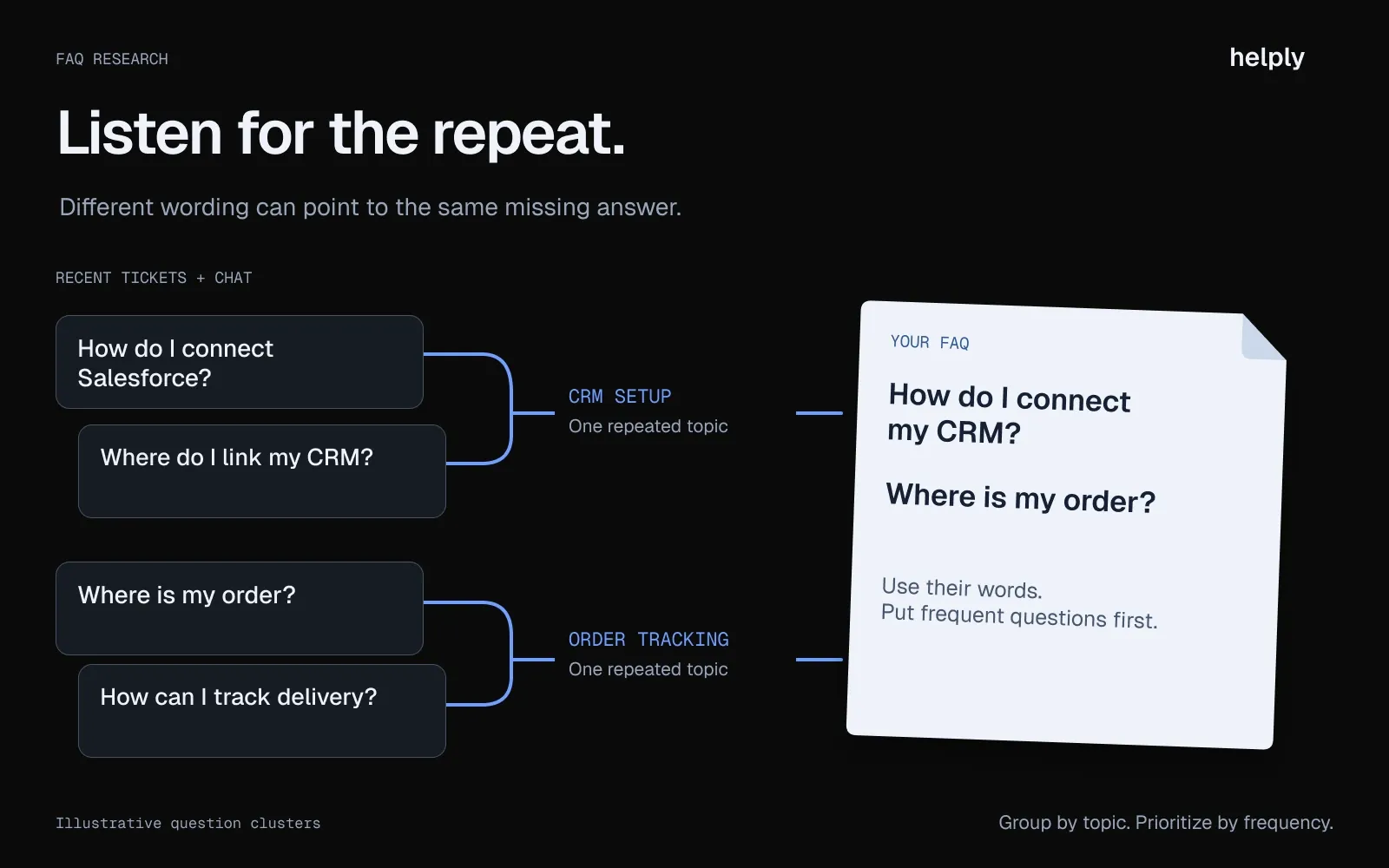
Use the customer's exact language, not your internal terminology. If customers write "How do I hook up Salesforce?" do not rephrase it as "CRM Integration Configuration Guide."
Four topics dominate most FAQs. Software companies see integrations, billing, security and onboarding, while online stores see orders, shipping, returns and payments. Start with yours.
2. Organize by Persona and Customer Journey Stage
A flat list of 40 questions serves nobody well. Prospects and existing customers have different questions. Technical leads and finance managers care about different things.
Split your FAQ into two groups at minimum. Prospect questions cover pricing, security, compliance, integrations, and how your product compares to alternatives. Customer questions cover setup, configuration, troubleshooting, billing, and account management.
Within each group, sort by frequency. The questions your team answers most often go at the top. If you use accordion-style expandable sections, this ordering ensures the most-needed answers require the least scrolling.
A sample structure for a software company's FAQ:
- For Prospects: What does the product do? How does pricing work? What integrations do you support? What security certifications do you hold? How do you compare to [Competitor]?
- For Customers: How do I connect my CRM? How do I add team members? What happens if I exceed my plan limits? How do I export my data? How do I contact support?
An online store splits the same way. Before buying, shoppers ask about sizing, delivery times and the returns policy. After buying, they ask where their order is and how to start a return.
3. Write Answers from the Customer's Point of View
Write the question the way a customer would ask it. The customer is "I" and your company is "you." This matches natural language, reduces confusion, and aligns with how people search.
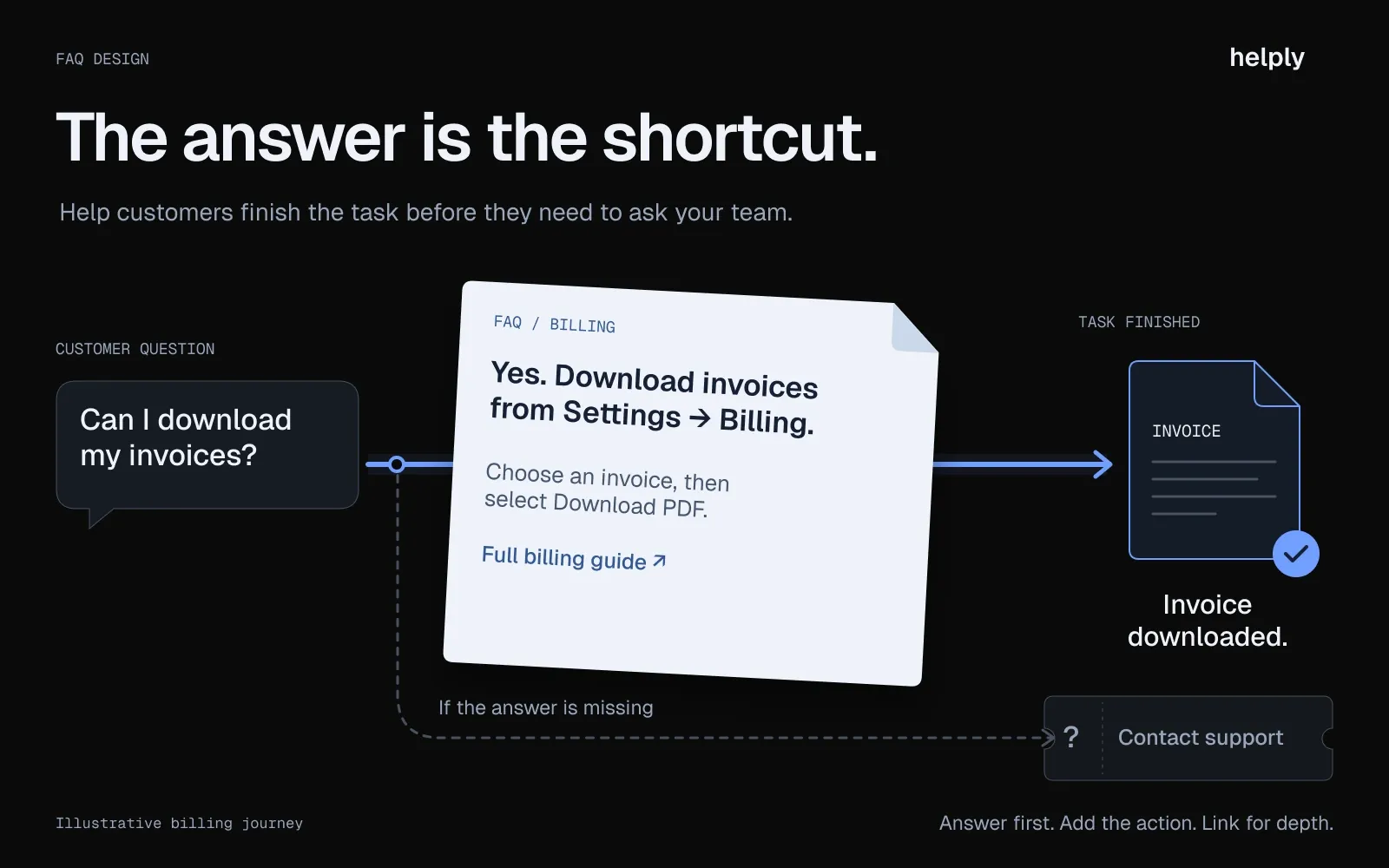
Start yes/no questions with "Yes" or "No." A direct answer builds confidence. Compare these two versions:
Vague: "Data security is a priority for our platform. We implement industry-standard encryption and access protocols..."
Direct: "Yes. All data is encrypted at rest and in transit using AES-256. We are SOC 2 Type II certified and GDPR compliant. Annual third-party penetration tests are published in our security center."
Keep answers under 100 words. If the answer requires a walkthrough with screenshots, the question belongs in your knowledge base, not your FAQ. Link to the detailed guide and give a short summary in the FAQ.
Skip jargon. Write at the vocabulary level your customers use, not your engineering team. "Connect your CRM" beats "Configure third-party CRM integration via OAuth 2.0."
4. Design for self-service
Design decides whether people use your FAQ or head straight to the support inbox.
Use accordion-style expandable sections
They keep the page scannable without overwhelming visitors with a wall of text. Readers click only the questions they care about.
Add a search bar once you exceed 15 questions
Without search, visitors have to scan every heading. A search bar lets them type their question and land on the answer in seconds.
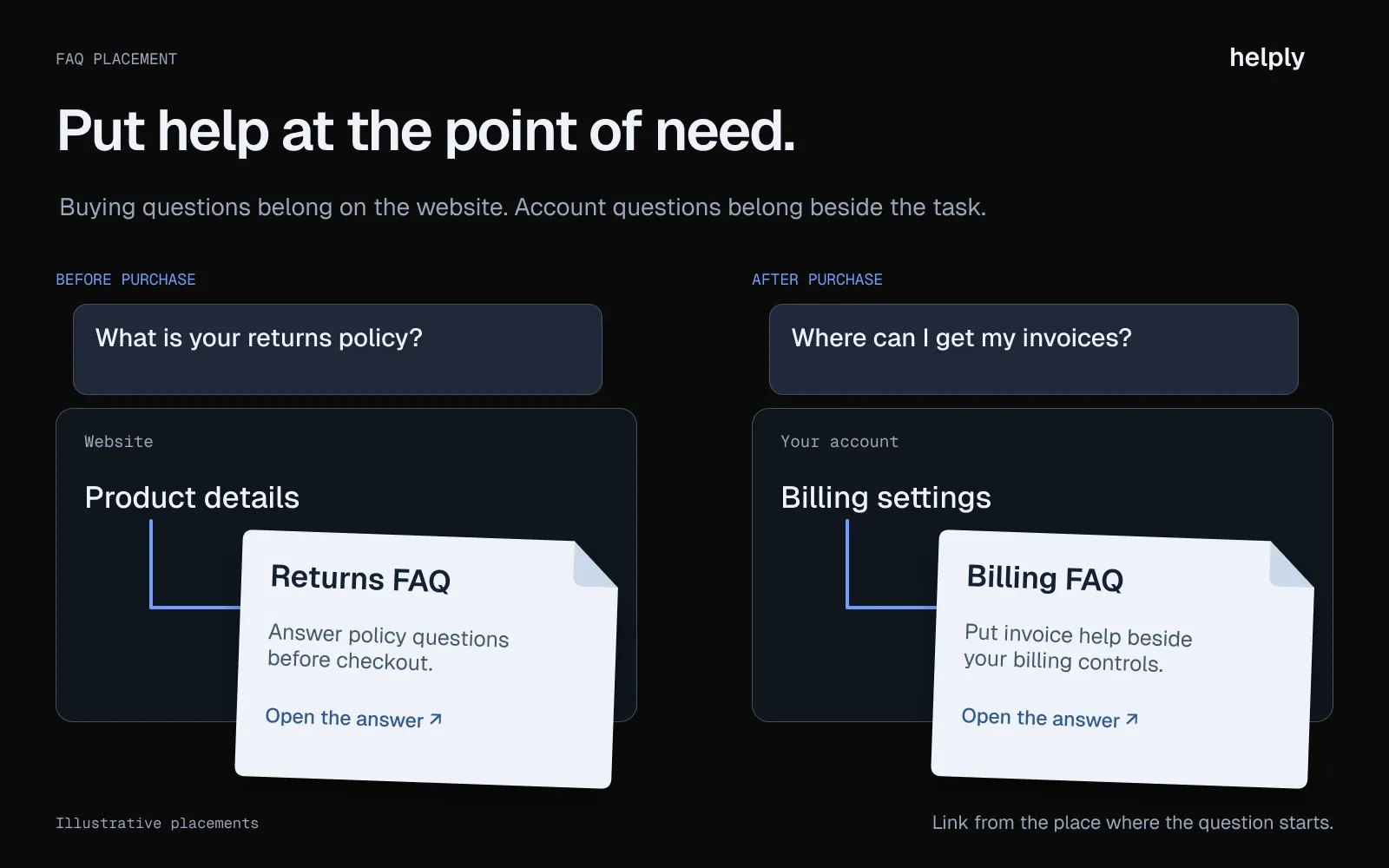
Place the FAQ where people need it, which usually means two locations
Pre-purchase questions about pricing, security and integrations belong on the marketing site, linked from the main navigation or footer.
Post-purchase questions about setup, billing and troubleshooting belong inside the product, next to the features they reference.
A billing FAQ beside the invoice section on the settings page gets used. One buried three clicks deep on the marketing site does not.
Design for mobile and accessibility
Use proper heading hierarchy so screen readers can navigate. Ensure sufficient color contrast. Test accordion interactions on touchscreens.
5. Format answers so search engines and AI tools can quote them
Write each entry so it stands alone: the question as a heading, the answer in the first sentence, the details after. Readers skim an FAQ this way, and AI tools quote it the same way.
Schema matters less than it did. Google stopped showing FAQ rich results for every site on May 7, 2026. Its AI optimization guide says generative AI search needs no special markup.
An Ahrefs study of 1,885 pages that added schema found no major uplift in citations across AI Overviews, AI Mode, or ChatGPT. FAQPage markup is still valid, and many CMSs add it for you. If yours doesn't and you want it, this is the format:
<script type="application/ld+json">{"@context": "https://schema.org","@type": "FAQPage","mainEntity": [{"@type": "Question","name": "How do I connect my CRM to [Product]?","acceptedAnswer": {"@type": "Answer","text": "Go to Settings > Integrations > CRM. Select your provider (Salesforce, HubSpot, or Pipedrive), authenticate with your admin credentials, and choose which fields to sync. Setup takes under 5 minutes."}},{"@type": "Question","name": "What security certifications does [Product] hold?","acceptedAnswer": {"@type": "Answer","text": "[Product] is SOC 2 Type II certified, GDPR compliant, and encrypts all data at rest and in transit using AES-256."}}]}</script>
Keep the schema and the on-page content identical. Don't add questions to the markup that readers can't see on the page.
6. Publish and Promote it
An FAQ section that nobody finds is an FAQ section that deflects zero tickets.
Link it from your main navigation or footer. Include it in onboarding email sequences for new customers. Train support agents to send relevant FAQ links alongside their replies, not instead of them. Add the FAQ link to your chatbot handoff flows so customers see self-service options before entering the queue.
Embed contextual FAQ links inside the product too. A one-line "Common billing questions" link on the billing settings page does more work than a generic FAQ page.
After launch, tell your existing customers. Send a short email pointing to the new FAQ. Mention it in your next product update or changelog. The FAQ only deflects tickets if people know it exists.
7. Review Quarterly and Measure What Matters
An FAQ section is a living document. Product changes, new integrations, and pricing updates all create new questions your FAQ needs to answer.
Set a quarterly review cadence. Pull the top 20 support ticket topics from the past 90 days. Compare them against your existing FAQ coverage. Add questions for new gaps. Retire questions that no longer apply. Rewrite answers that are getting negative feedback or high bounce rates.
Do not wait for the quarterly cycle when something changes. A pricing update or new feature launch should trigger an immediate FAQ review.
A quarterly review can catch gaps up to three months late. Helply's Knowledge Agent watches conversations continuously. It flags repeated questions your articles miss and answers that no longer match what your team tells customers.
Book a demo to see it on your own tickets.
FAQ Section Examples Worth Studying
These help centers are worth studying for structure.
- Stripe. Stripe's support center leads with a search box and "Popular articles" cards, some showing the share of users each one helped. One reads: "This article helped 95% of Stripe users solve their issue." A 16-topic grid covers areas from payments and payouts to disputes and billing.
- Notion. Notion's help center opens with a search bar and six popular-topic tiles, from Getting started to Databases. Category pages close with a short FAQs block.
- Calendly. Calendly's help center is organized by product area, such as Scheduling, Integrations and Payments. Each area has its own FAQ page of about 10 questions, with two- or three-sentence answers and links to full articles.
- Linear. Linear has no standalone FAQ page. Instead, docs articles such as Security end with a short collapsible FAQ that answers each question in a sentence or two.
All four keep answers short and link to deeper guides instead of answering everything in one paragraph.
FAQ Question Templates by Category
Use these as starting points. Replace the bracketed text with your product and company details.
Product and Features
- What does [Product] do?
- How is [Product] different from [Competitor]?
- What integrations do you support (Salesforce, HubSpot, Stripe, Slack)?
- Do you offer an API?
Pricing and Billing
- How does pricing work?
- Is there a free plan?
- What happens if I exceed my plan limits?
- Can I change plans mid-billing cycle?
- Do you offer annual discounts?
Orders, Shipping and Returns
- Where is my order?
- How long does delivery take to [country]?
- How do I return or exchange an item?
- When will I get my refund?
- Can I change or cancel my order after placing it?
Security and Compliance
- Is [Product] SOC 2 certified?
- Where is my data stored?
- Do you support SSO and SAML?
- Are you GDPR compliant?
- Do you have a DPA available?
Onboarding and Setup
- How long does implementation take?
- Do I need a developer to set up [Product]?
- How do I migrate from [Competitor]?
- Is there a sandbox or test environment?
Account Management
- How do I add or remove team members?
- How do I export my data?
- What happens to my data if I cancel?
Support
- How do I contact support?
- What are your support hours?
- Do you offer dedicated account management?
FAQ Section vs. Knowledge Base: When Do You Need Which?
An FAQ section works when you have 10 to 30 short questions with concise answers.
An FAQ section works when you have 10 to 25 short questions with concise answers. Think pre-purchase concerns, simple policies, and quick reference material. Each answer is a few sentences. The whole thing fits on one page.
A knowledge base is necessary when answers require step-by-step walkthroughs, screenshots, video, or troubleshooting trees.
If your product has multiple configuration options, complex workflows, or frequent feature releases, a flat FAQ cannot keep up.
| Dimension | FAQ Section | Knowledge Base |
|---|---|---|
| Best for | Quick answers, pre-purchase questions | Detailed how-tos, troubleshooting |
| Typical size | 10 to 30 questions | 50 to 500+ articles |
| Answer depth | 1 to 3 sentences | Full articles with media |
| Search needed | Optional (above 15 questions) | Essential |
| Maintenance | Quarterly review | Continuous with product releases |
| Upgrade signal | 30+ questions or step-by-step needs | Already there |
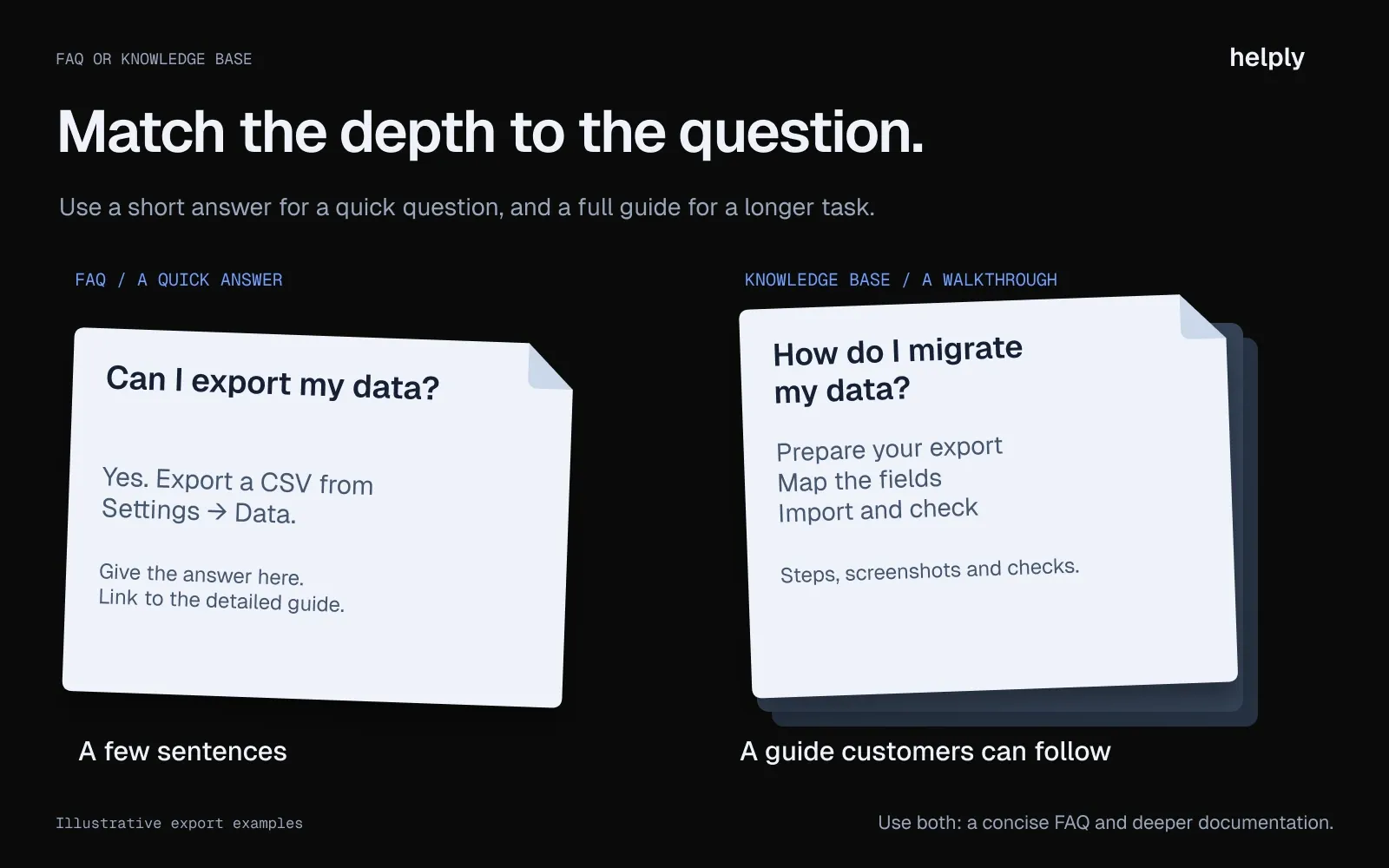
Most companies benefit from both: a short FAQ on the marketing site for prospect questions, and a knowledge base for everything else.
Helply's knowledge base finds missing and outdated answers in your support conversations and drafts the fix. The same articles power its AI agents.
How Do You Measure Whether Your FAQ Section Is Working?
Page views tell you the FAQ exists. They do not tell you it works. Track these five metrics instead:
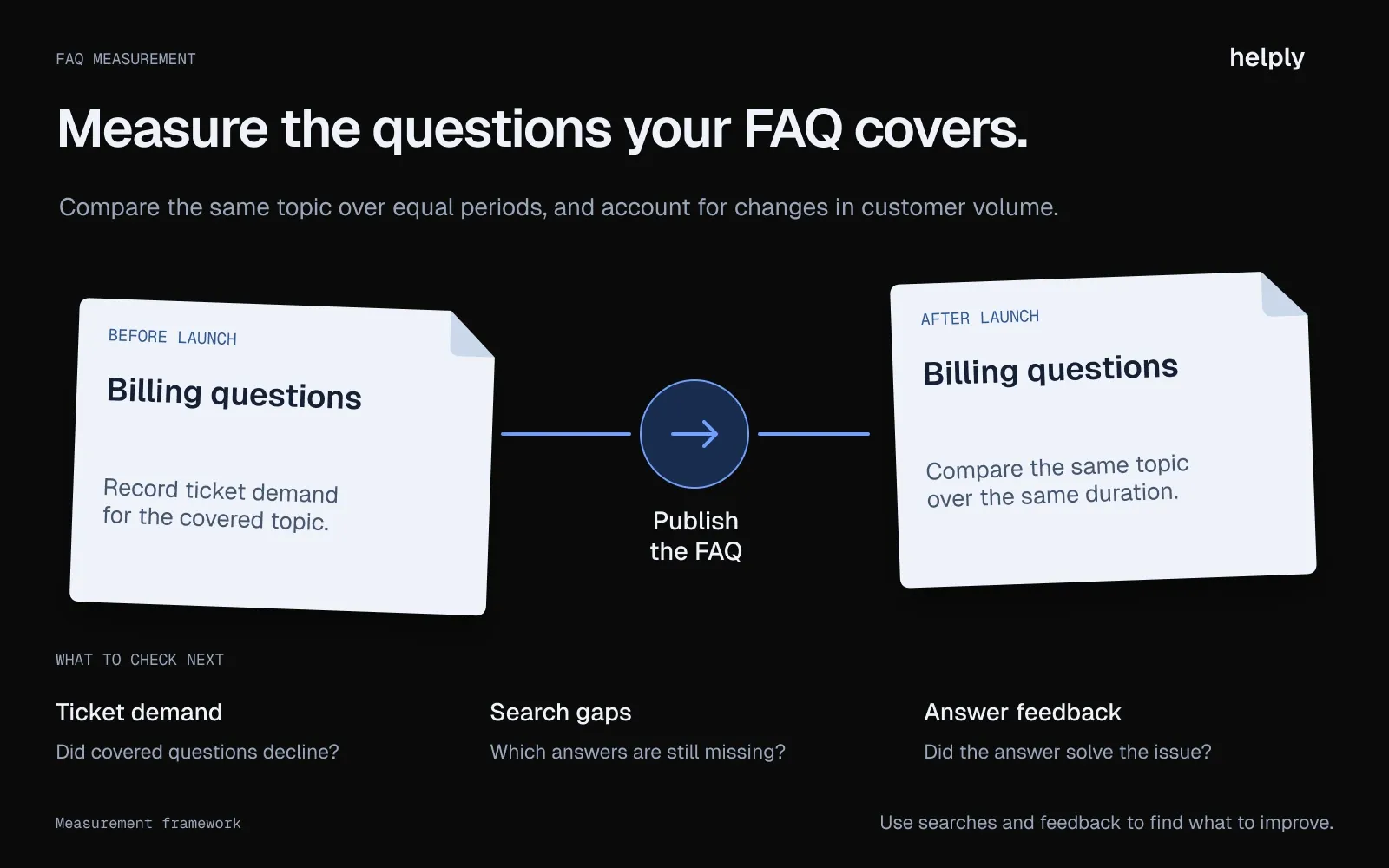
- Ticket deflection rate. Compare ticket volume on FAQ-covered topics before and after launch. If your FAQ covers billing questions and billing tickets do not decline, the answers are not good enough or people cannot find them.
- FAQ page views vs. support ticket ratio. Plot FAQ views against ticket submissions over time. A healthy FAQ shows rising views and stable or declining tickets. If both rise together, the FAQ is not solving the problem.
- Bounce rate. A high bounce rate signals that visitors are not finding their answers. Check whether questions match what people search for and whether answers are clear enough.
- On-site search queries. What are people typing into your site search? Queries that have no matching FAQ entry are gaps you need to fill. This data also reveals the exact language customers use.
- Time on page. Very short visits (under 10 seconds) suggest people are not finding their answer. Very long visits (over 3 minutes on a FAQ page) suggest answers are too complex or hard to locate.
Review these monthly and run a full audit each quarter. Helply's Insights Agent clusters what customers raise across your conversations and surfaces rising themes. You see which topics your FAQ should cover next.
7 FAQ Section Mistakes That Kill Self-Service
- Writing questions nobody asks. Marketing teams brainstorm FAQ questions in a conference room instead of pulling them from ticket data. The result: a page full of questions customers never search for.
- Using internal jargon instead of customer language. "How do I configure the OAuth 2.0 handshake?" is not how customers ask about connecting their CRM. Write the way they talk.
- Answering with links instead of actual answers. "See our pricing page" is not an FAQ answer. Give the answer on the page. Link to more detail if needed, but the core response should be right there.
- Not updating after product changes. A FAQ that references a feature you deprecated six months ago erodes trust faster than having no FAQ at all. Stale content signals that nobody is maintaining the product either.
- Burying the FAQ in site navigation. If visitors need three clicks to find your FAQ, most will hit the support inbox instead. Place it in your header, footer, or help widget.
- Treating every question the same. Sort by frequency. The question that generates 200 tickets a month goes at the top, not alphabetically mixed with a question asked once a quarter.
- Building an FAQ when you need a knowledge base. If your answers need screenshots, code samples, or multi-step instructions, a flat FAQ is the wrong format. Graduate to a knowledge base before the FAQ becomes unwieldy.
What Is the Best Way to Use AI to Build and Maintain an FAQ Section?
A quarterly FAQ audit is the minimum. AI turns it into a continuous process.
Draft from ticket patterns. AI can analyze your last 90 days of support tickets and surface the 20 most common questions with suggested answers pulled from your existing responses and documentation. You start from real questions instead of guesses.
Fill knowledge gaps automatically. Instead of waiting for a quarterly review to discover that 15 percent of tickets are about a topic your FAQ does not cover, AI monitors ticket flow in real time. When a new pattern emerges, it flags the gap and suggests a draft entry.
Translate for multilingual audiences. Companies selling internationally need FAQ content in several languages. AI translation, reviewed by a native speaker, scales this without multiplying your content work.
Keep answers current. When a product update ships, AI can cross-reference the changelog against existing FAQ answers and flag anything that needs revision. This turns the maintenance step from a manual audit into an automated alert.
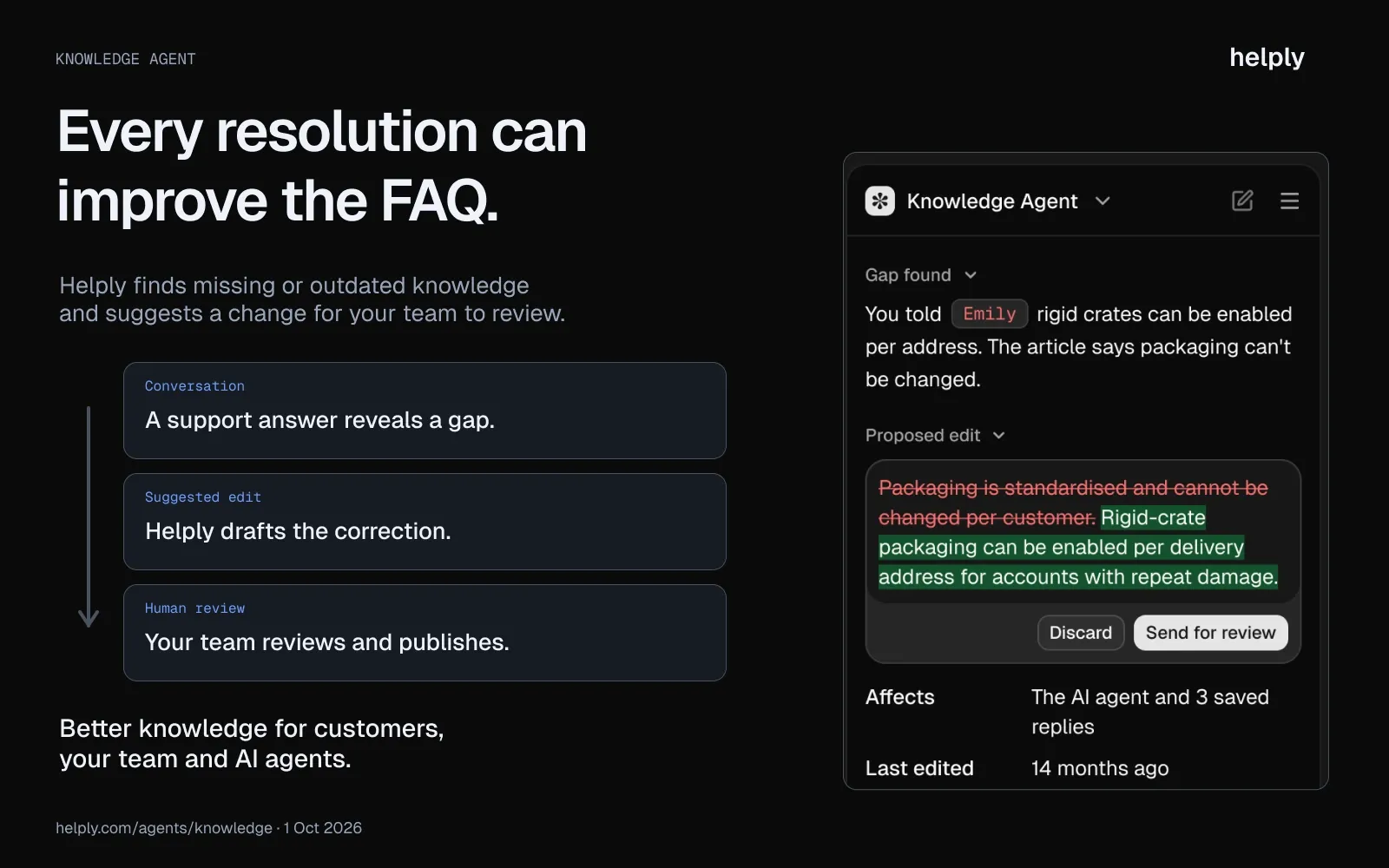
Covidence uses Helply this way: repeated questions become drafted articles for the team to approve. Razia Aliani, Senior Systematic Reviewer, says: "[N]ow when one of us solves something hard, the platform remembers it for everyone. Our expertise finally compounds instead of evaporating."
Your FAQ Section Is Step One
Creating an FAQ section starts with real support data, not guesswork. Structure it for the people who use it, write in their words, answer each question first, and measure tickets deflected.
As your support volume grows, the FAQ becomes one part of a larger system. That system is a help desk, a knowledge base that stays up to date, and AI agents that resolve what self-service can't.
Frequently asked questions
Aim for 10 to 30 well-researched questions. Fewer misses common queries, and more signals you need a full knowledge base.
Review quarterly at minimum, and update immediately after any product launch, pricing change, or new integration.
Not for rich results: Google stopped showing FAQ rich results on May 7, 2026, and says AI features need no special schema. An Ahrefs study of 1,885 pages found adding schema produced no major uplift in AI citations. Clear questions and direct answers matter more.
An FAQ page provides short answers to common questions (under 100 words each), while a knowledge base contains detailed articles with step-by-step guides and media.
Yes, when it answers the questions customers ask most. Gartner found only 14% of service issues are fully resolved in self-service. The most common reason it failed was that customers couldn't find relevant content. An FAQ built from your ticket data targets that gap.
Both. Pre-purchase FAQs (pricing, security, integrations) on the marketing site and post-purchase FAQs (setup, billing, troubleshooting) inside the product.
Most FAQs cover pricing and billing, account setup, security and integrations, plus orders, shipping and returns for online stores. The templates above list about 30 starting questions by category.
Put each question in the customer's words as a heading, answer it in the first sentence, and keep the answer under 100 words. Group questions by topic, and add a search bar once you pass 15 questions.
FAQs. The plural of FAQ takes no apostrophe, the same as other acronyms such as PDFs.
About the author

Bildad Oyugi
Head of Content
Bildad is a digital marketing expert with over 5 years of experience in copywriting, content marketing, and editing. Outside of work, he enjoys videography and spending time with his family.


