The quick verdict
Zendesk suits large contact centers already built around its ticketing and marketplace, with budget for per-seat licenses plus AI add-ons. Helply is the better fit for teams that want AI to do the work rather than assist human agents, with economics that scale on value rather than headcount.
- Helply: unlimited users on plans from $49 a month, with AI work billed in credits. Zendesk Suite Professional is $115 per agent, plus $50 for Copilot.
- Zendesk: $115 per agent on Suite Professional, Copilot $50 more, AI agents billed per resolution.
- Helply is built around autonomous AI agents; Zendesk layers AI onto a traditional agent workflow.
- Best for teams that want AI to do the work, not just assist human agents.
Helply vs. Zendesk at a glance
Two different approaches to customer support.
| Capability | Helply | Zendesk |
|---|---|---|
| Built around | AI agents | Traditional help desk + AI |
| Pricing | Unlimited users, AI billed in credits | Per-seat pricing |
| AI model | Metered on use | AI products / usage |
| AI agents | Native | Added to support suite |
| Human + AI | Built around both | Agent-centric workflow |
| Customer context | Support + account + product | Primarily support |
| Revenue signals | Churn + expansion | Varies by product |
| Team access | Cross-functional | Seat-based |
A different way to run customer support
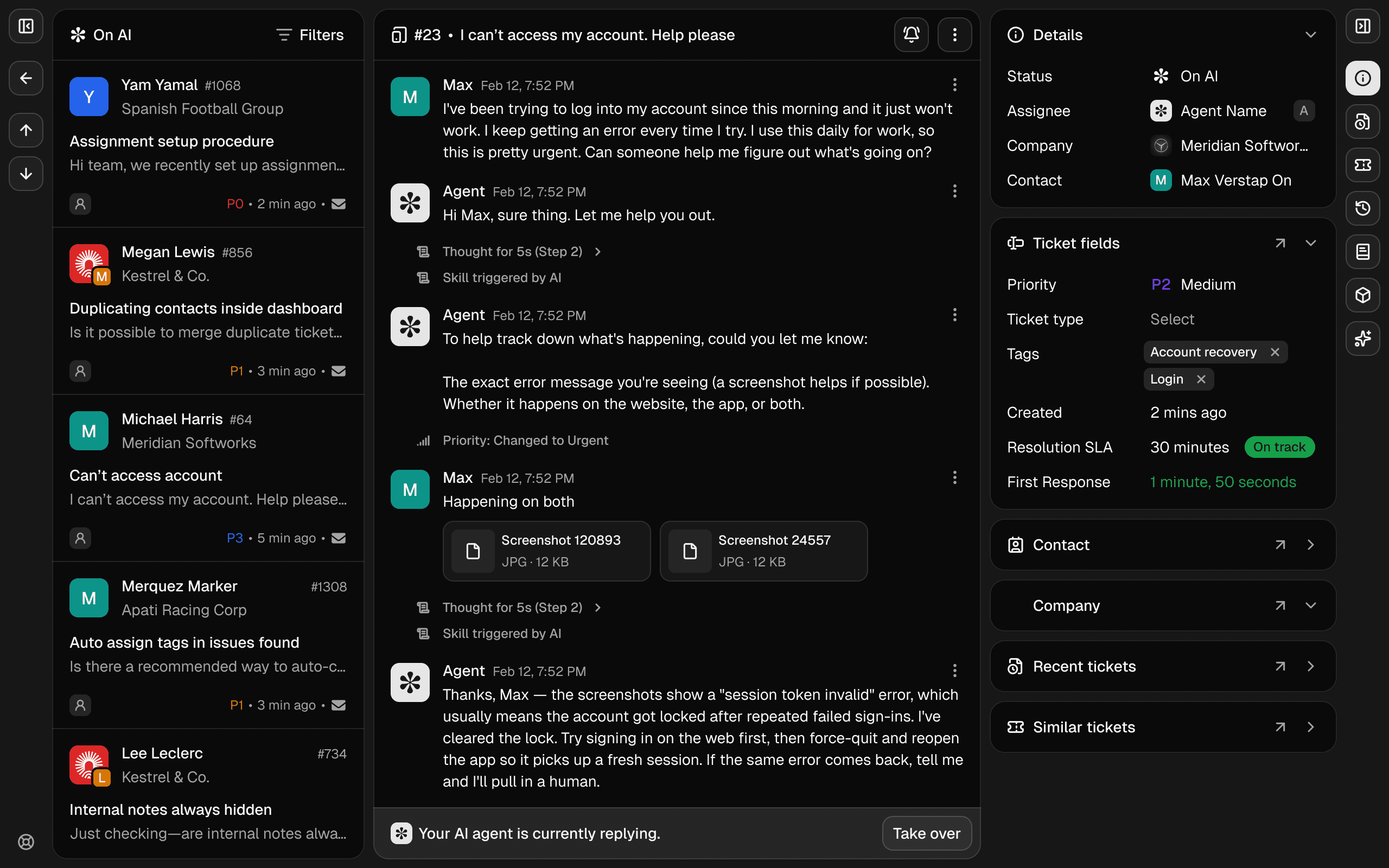
AI isn’t an add-on
Helply’s AI agents investigate, resolve, act, maintain knowledge, and surface customer signals across every conversation, rather than sitting in a separate AI product bolted onto the help desk.
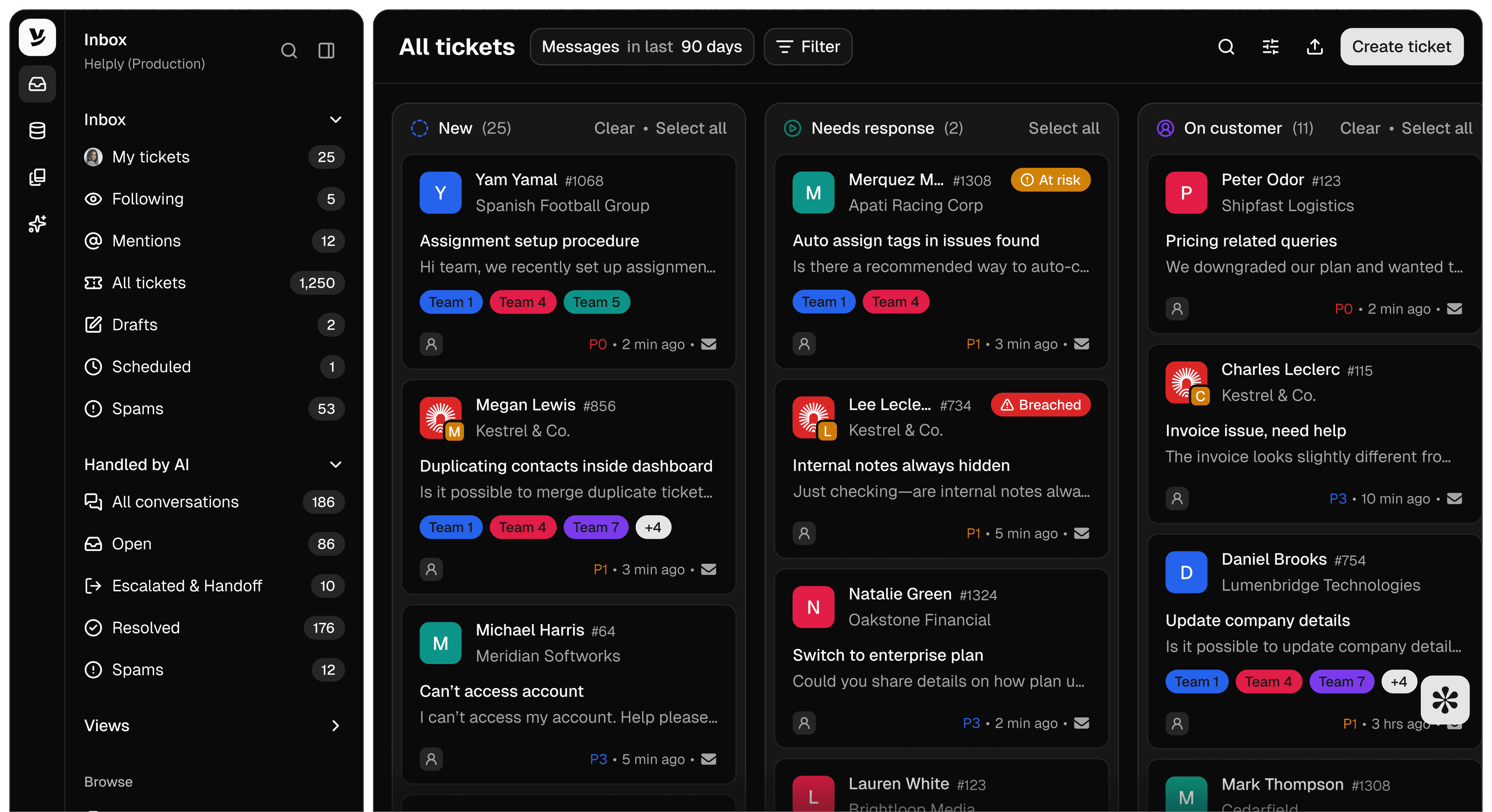
Bring in the whole company
Support, Success, Product, Engineering, and leadership can all work in Helply, without paying per seat.
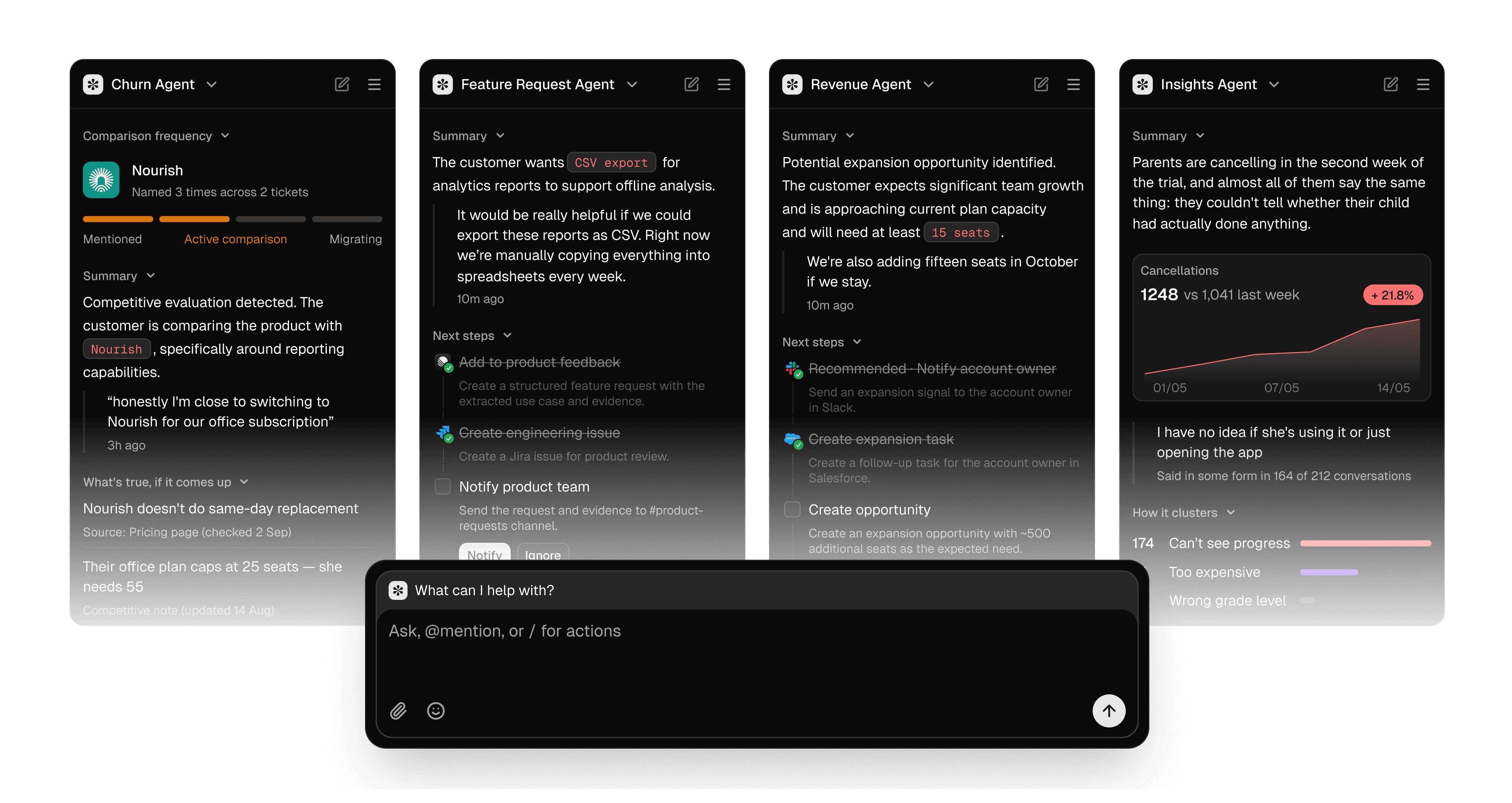
Every conversation becomes a signal
Helply turns support conversations into actionable intelligence across churn, expansion, bugs, feature requests, and knowledge gaps, instead of letting them disappear once the ticket closes.
The economics
| Capability | Helply | Zendesk |
|---|---|---|
| Plan compared | Any plan | Suite Professional |
| Price per agent per month, billed annually | No per-user price | $115 |
| Five agents | Included in the plan price | $575 |
| Plan price | From $49 a month, unlimited users | Included in seat price |
| AI agent | Included on every plan. Work billed in credits: 1 for a draft, 4 for a lookup, 12 for a full investigation. | Included, billed per automated resolution (price not published) |
| When the AI bills | Per AI action, by complexity. Never for retries, failed actions, or drafts your team rejects. | Per automated resolution |
| Team assistant add-on | Assist Agent included on every plan. | Copilot $50 per agent |
| Users without a paid seat | Unlimited users, every plan | Up to 100 light agents on Suite Professional (read tickets and add private comments) |
Zendesk stacks per-agent seat costs and separate AI products, so your bill climbs with both headcount and AI usage. It is easy to end up paying for licenses and add-ons you never fully use.
Helply never charges per seat. Plans start at $49 a month with unlimited users, and AI work is billed in credits weighted by complexity, so your bill grows with the work the AI does rather than with your headcount.
Users
Unlimited
On every plan
Plans
$49
From, per month
Trial
14 days
1,000 credits, no card
Teams that switched
“The two-knowledge-base problem that broke every other tool just worked, it routed to the right product on its own. And I set it up myself, no engineering ticket. Now my whole team can see support conversations without me buying a license for each of them.”
Jacqueline Antworth, Director of Customer Experience · Proposify
Results
- Zendesk replaced across two products and two knowledge bases
- 52% of conversations resolved end-to-end
- 34% drop in ticket volume
“It doesn’t deflect technical questions, it resolves them, and it finally remembers how. We describe a workflow in plain English and it becomes a Skill. Living docs showed us exactly where our documentation was lying to customers, and fixed it.”
Tamas Deak, Founder & CEO · Kameleo
Results
- Zendesk + GitHub setup replaced with one platform
- 79% of technical questions resolved end-to-end
- 3x faster responses
Switching from Zendesk
For most teams switching is low-risk: you run Helply alongside Zendesk first, then cut over once AI resolution rates and workflows are dialed in. There is no big-bang migration.
- Start a 14-day free trial and run Helply alongside Zendesk on a slice of your queue.
- Bring your history, macros, knowledge, and customer context across.
- Cut over once AI resolution rates and workflows are where you want them.
Here is what comes with you:
- Tickets and conversation history
- Help center articles and macros
- Customer and organization records
Which should you choose?
Choose Zendesk if:
- You depend on specific marketplace apps that only run on Zendesk.
- You’re standardized on Zendesk workflows across a large contact center.
Choose Helply if:
- You want AI agents to investigate, resolve, and act autonomously, not just assist.
- You want unlimited users and AI billed for the work it does, not per seat.
Frequently asked questions
Yes. Helply provides the ticketing, inbox, knowledge base, and workflows teams expect from a help desk, with AI agents built in from the start rather than added on.
Zendesk charges per agent seat, plus separate AI products and usage. Helply has unlimited users on plans from $49 a month, and AI work is billed in credits, so the bill tracks what the AI does rather than how many people log in.
Yes. You can bring your support history, macros, knowledge, and customer context so your AI agents and human teammates start with full context on day one.
It does. Inboxes, assignment, SLAs, macros, and reporting are all included, the difference is that AI agents work the queue alongside your team rather than sitting in a separate product.
AI agents resolve what they can, draft and gather context on the rest, and hand off to the right person with everything they need. Humans stay in control of judgment calls and edge cases.
Compare Helply with
Helply vs. Intercom
Helply vs. Intercom: AI agents without the per-seat bill
Helply vs. Pylon
Helply vs. Pylon: The same Slack-first depth, AI billed on delivery
Helply vs. Freshdesk
Helply vs. Freshdesk: AI shouldn’t be an add-on
Helply vs. Front
Helply vs. Front: Beyond the collaborative inbox
Helply vs. Plain
Helply vs. Plain: The same modern base, different AI economics
Helply vs. Help Scout
Helply vs. Help Scout: Keep support simple, give it an AI team
Helply vs. BoldDesk