Key Takeaways
- Calm the conversation before you offer a fix, so the customer can hear it.
- Check the customer's history first. Zendesk's CX Trends 2026 report states that 74% of customers find it frustrating to retell their story to different agents.
- Add something extra, like an apology, to a refund. Complainants who received both were more satisfied: 60%, compared with 43% with the refund alone (2020 National Customer Rage Study).
- Treat repeat contact about the same problem as an early churn warning. Route it to whoever owns the customer relationship.
- Anger and abuse need different responses. Warn an abusive customer once, end the conversation if it continues, and back the rep who ends it.
A customer writes in for the third time about a refund that never arrived. The subject line is in capitals, and the first sentence says they are done with you.
Messages like this one are getting more common. In CCMC's 2025 National Customer Rage Survey, 77% of customers had a product or service problem in the past year. Half of them raised their voice about it, up from 43% in the 2023 survey.
Use these seven steps with an upset, irate, or disgruntled customer. In steps 1 to 4, you calm them, and in steps 5 to 7, you fix the problem.
Anger With an Audience
Some angry messages arrive with other people watching. A manager sits in cc, the complaint is a public post, or a shared Slack channel has a dozen people in it.
Write for the angry customer and for every reader over their shoulder. Short sentences, plain facts, and a clear next step work for all of them.
How to Deal With Angry Customers in 7 Steps
Lower the temperature first, then fix the problem. Stay calm and listen; read their history; name the feeling; restate; apologize; offer options; and follow up.
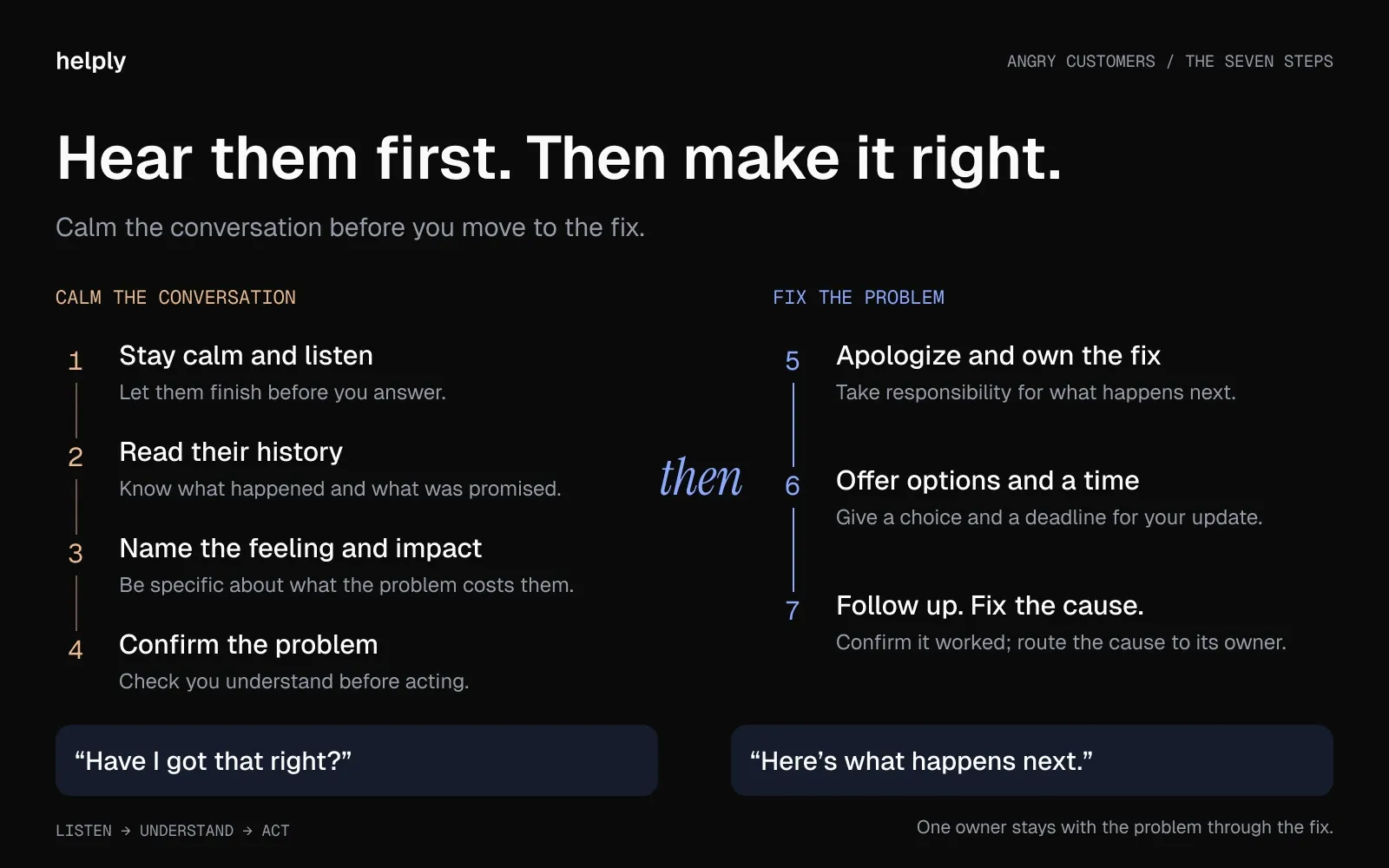
1. Stay Calm and Listen
Keep your voice level and your pace slow, and let the customer finish before you answer. Note each fact they give you as they talk.
On the phone, lower your volume a little and leave a pause before you speak. In writing, wait a minute before you reply, and read the message twice.
- Say: "I'm here, and I'm going to help you sort this out."
- Avoid: "Please calm down." It treats the anger as the problem.
The customer is angry at a broken order or a surprise charge, and you happen to be the person in front of it. The customer may direct the words at you, but in most cases, the anger is about the problem.
2. Check Their History Before You Answer
Read the customer's past messages, orders, and account before you reply, so they never have to repeat themselves. According to Zendesk's CX Trends 2026, 74% of customers find it frustrating to tell their story repeatedly to different agents.
Look for what they tried, what your team promised, and what went wrong last time. If your first reply shows you know the story, the customer won't have to tell it again.
- Say: "I can see you wrote in on Monday and again yesterday. I have the whole thread here."
- Avoid: "Can you explain the problem from the start?"
In Helply, your rep can ask the Assist Agent to summarize the thread and search the customer's history before replying. Helply prices AI work in credits, and a summary costs 1. For 4 credits, your rep can ask, "Is this contact usually this frustrated?" to see if this anger is new.
3. Name the Feeling and the Impact
Say what the customer feels and what the problem costs them, in words specific to their situation. A named impact shows you understood, whereas a stock phrase sounds like a script.
Empathy counts in written replies. A 2023 Journal of Marketing study tested this on social media complaints. Replies with active listening and empathy left upset customers grateful before the fix arrived.
- Say: "I can see why this is upsetting. You paid for next-day delivery for a birthday, and the parcel hasn't arrived."
- Say: "Your team can't send invoices while the integration is down. That stops your whole week."
- Avoid: "I understand your frustration" as the entire reply.
4. Restate the Problem and Confirm It
Repeat the problem in your own words, then ask if you have it right. The customer hears that you listened, and you catch a misunderstanding before you act on it.
- Say: "So the refund for order 4471 never reached your card, and you've written three times. Is that right?"
- Avoid: Jumping to a fix before the customer agrees on what broke.
Skip the recap if the customer is short on time and the problem is obvious. A long summary of an obvious issue reads as stalling.
5. Apologize and Own the Fix
Apologize for the experience, then own the fix, whether a courier, a supplier, or another team caused it. Arguing about blame delays the fix the customer wants.
A refund lands better with something extra. In the 2020 National Customer Rage Study, 60% of complainants who got their money back, plus something else, such as an apology, were satisfied. Of those who got their money back alone, 43% said the same.
- Say: "I'm sorry. We picked the courier, so the delay is on us. I'm handling it from here."
- Avoid: "That's a problem with the courier, not us."
Ohio State researchers ranked the parts of an apology. In their experiments, 755 people rated a job candidate's apology in a hypothetical hiring scenario. Acknowledging responsibility ranked highest, an offer to repair came second, and asking for forgiveness ranked lowest.
For apology wording by severity, use these customer apology letter templates and apology email examples.
6. Offer Options and a Time for the Next Update
Give the customer two or three ways forward, and say when they will hear from you next. A choice gives the customer some control back, while a set time lets them plan around the wait.
Options depend on the problem: a refund or a replacement, a credit or faster shipping, a workaround today or a fix next week. For a business customer, a call with an engineer is one option.
- Say: "I can refund the $89 today or ship a replacement by Thursday. Which works better for you?"
- Say: "You'll hear from me before 5 p.m. today, with the fix or with progress."
- Avoid: "Someone will get back to you."
Keep the time you set. If you can't meet it, send an update with a new time before the deadline.
Bring in a colleague when you can't fix it yourself. A specialist handles billing or technical problems, and a team lead handles requests for a manager. Stay in the conversation until they take over, so the customer never feels passed along.
7. Follow Up, Then Fix the Cause
Check back after the fix to confirm it held, then send the cause to the team that owns it. A bug goes to engineering, a courier failure to operations, and a confusing policy to whoever wrote it.
A next-day message covers most problems. For a serious failure, have a team lead check in a week later.
- Say: "Checking in on yesterday's refund. Has it reached your account?"
- Avoid: Closing the ticket before the customer confirms the fix worked.
Our guide to following up with customers has timing and templates for each scenario.
What to Say to an Angry Customer: Phrases That Calm Things Down
Phrases that calm an angry customer let you show you listened, take ownership, or promise a time. Match the phrase to the moment in the conversation.
| Moment | Say | Avoid |
|---|---|---|
| First reply | "Thanks for telling me. I'm on it." | "Unfortunately…" |
| They're venting | "Go on. I want the full picture." | "Let me stop you there." |
| Naming the feeling | "Waiting a week for a refund is maddening." | "We understand your frustration," with nothing specific after it |
| They've written before | "I have your earlier messages, so you won't need to repeat anything." | "Can you send me more details?" |
| Checking the facts | "Let me make sure I've got this right." | "As I said before…" |
| Taking ownership | "This one's on us, and I'll fix it." | "That's our policy." |
| Saying no | "I can't do that, and I can offer you this instead." | "There's nothing I can do." |
| Buying time | "I'll update you by 3 p.m., fix or no fix." | "We're looking into it." |
| They're mistaken | "That setting changed the charge. I'll show you where to find it." | "You made a mistake." |
| Closing | "Thanks for staying with me on this." | "Sorry for any inconvenience caused." |
Swap "but" for "and" when you deliver bad news. After "I hear you, but…", the customer stops hearing the first half.
Angry Customer Script Examples for Common Situations
Adapt these examples of dealing with angry customers to your product and policies. Most follow the same order: the feeling, the facts, ownership, then options or a time.
A Late, Wrong or Damaged Order
"I'm sorry your order [arrived late / arrived damaged / wasn't what you ordered]. You needed it for [occasion], and we let you down."
"I'm sending a replacement by express today, at no cost, and it arrives [date]. If you'd rather have a refund, reply 'refund' and I'll process it today."
A Surprise Charge
"I can see the $[amount] charge from [date], and I understand why it caught you off guard. It came from [reason]."
"I've refunded it, and it will appear on your statement within [timeframe]. I've [turned off auto-renewal / added a reminder], so it won't happen again without warning."
An Outage or Bug That Blocks Work
"Your team can't [task] while [feature] is down, and that holds up your work. So far we know [cause or symptom], and our engineers are on the fix."
"I'll post an update here by [time], fixed or not. Until then, [workaround] keeps you moving."
The Third Message About the Same Problem
"I'm sorry you've had to write in three times about this. I've read all three conversations, so you won't need to explain again."
"The delay came from [reason], and I've [action taken]. I'm staying on this myself until it's fixed, and you'll hear from me by [time]."
The Customer Is Wrong
Correct the fact and protect the customer's dignity. Then fix whatever made the mistake easy to make.
"Thanks for flagging this. I checked your account, and the charge was due to the plan change on [date].
"The [billing] page makes that setting easy to miss. To change it, go to [path]. I've asked our product team to make it clearer."
The Answer Is No
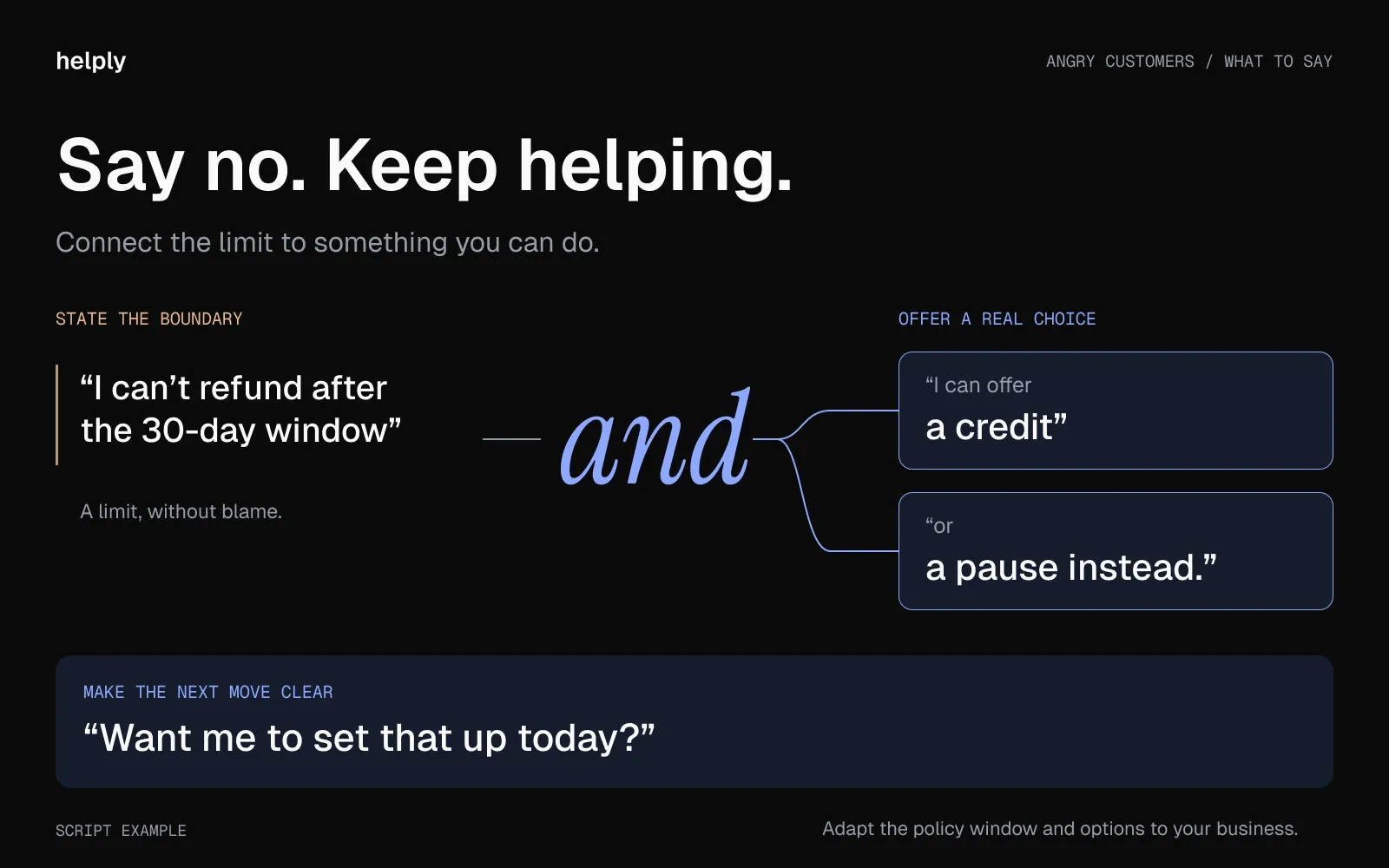
"I can't refund the plan after the [30-day] window, and I know that's not the answer you wanted. I can offer [a credit / a pause / a downgrade] instead. Want me to set that up today?"
A Threat to Cancel or Post a Review
Treat the threat as a deadline, and skip the argument.
"I'd rather fix this than lose you. Give me until [time] to put it right. After that, the choice is yours, and if you want to cancel, I'll process it myself with no extra steps."
How to Handle an Angry Customer by Channel
Each channel changes the pace and the audience. Email gives you room for detail, chat needs short turns, and on the phone your tone does most of the work.
A Sample Reply to an Angry Customer Email
Template: A problem that needs investigation
Hi [Name],
You're right to be frustrated. [Specific issue] stopped you from [what they were trying to do], and I'm sorry.
I've [first action taken]. The next step is [next step], and you'll hear from me by [time and date]. Until then, [workaround].
I'll stay on this until it's fixed.
[Your name]
For more scenarios, see the de-escalation template in our customer service email templates.
In Live Chat
Template: Acknowledging in real time, sent as three short messages
I can see the problem on your account: [what you see].
I'm bringing in [specialist] to fix it. You'll hear back within [time].
I'll stay in this chat until it's sorted.
Send short messages, one at a time. A long block of text in chat reads like a script.
On the Phone: De-Escalating an Angry Caller
Script: Opening a call with an angry customer
[Name], thanks for calling. I have your account open, and I can see [issue]. Before I explain the fix, tell me what this is stopping you from doing.
The opening uses the customer's name, shows you are prepared, and shifts the conversation from anger to impact. Keep holds short. If you need to check something, say how long it will take, and come back before then.
If you transfer the call, use a warm handoff: brief the next person while the customer is on the line. A customer who has to start over gets angrier.
Shared and Public Channels: Slack, Teams and Social Media
In a shared Slack or Teams channel, or a public reply on social media, everyone in the channel sees your answer. Acknowledge the problem in public, then move the details to a thread or a private message.
Template: Acknowledging in a shared channel
We see this and we're on it. Expect an update in this thread by [time]. I'll keep the details in the thread so the channel stays clear.
Follow three rules in shared channels. Skip emoji reactions on angry messages, reply within 15 minutes during business hours, and never write "I'll look into it" without a time.
Template: A public reply on social media
Sorry about this, [Name]. I've sent you a direct message so we can fix it without sharing your account details here.
Template: Delivering a resolution update
[Resolved] We've fixed [problem].
Cause: [one sentence]. Fix: [one sentence]. Prevention: [one sentence].
Your team can get back to work, and if anything looks off, reply here.
Give the cause, the fix and the prevention in that order, so the customer's leadership can close the matter on their side. Everyone else in the channel sees that you followed through.
Helply brings Slack and Microsoft Teams conversations, including Slack Connect, into the same queue as email and chat. Its AI agents can use the full thread, the customer's history, and your connected tools. Internal notes stay separate from the conversation the customer sees.
In Person
Move the conversation to a quieter spot if you can, so the customer isn't performing for a crowd. Keep your voice low, your body still, and some space between you.
If you feel unsafe, step away and call a manager or security.
Why Customers Get Angry
Common causes include lost time or money, a slow answer, bouncing between agents, and feeling ignored. In CCMC's 2025 survey, one in four complainants posted their problem on social media, and 43% of them said the company never responded.
Slow answers hurt most when the customer has to decide fast. StaffTraveler, a Helply customer, serves airline crew who decide on standby flights in real time. "A great answer that arrives eight hours later is useless," says Laurens, its co-founder and head of support.
The angry customer in your queue took the trouble to tell you. In Qualtrics' 2026 Consumer Experience Trends research, 29% of customers reported a bad experience with the company itself, down 7.5 points from 2021. Another 30% said nothing.
Rude, Passive-Aggressive or Abusive Customers: How to Tell the Difference
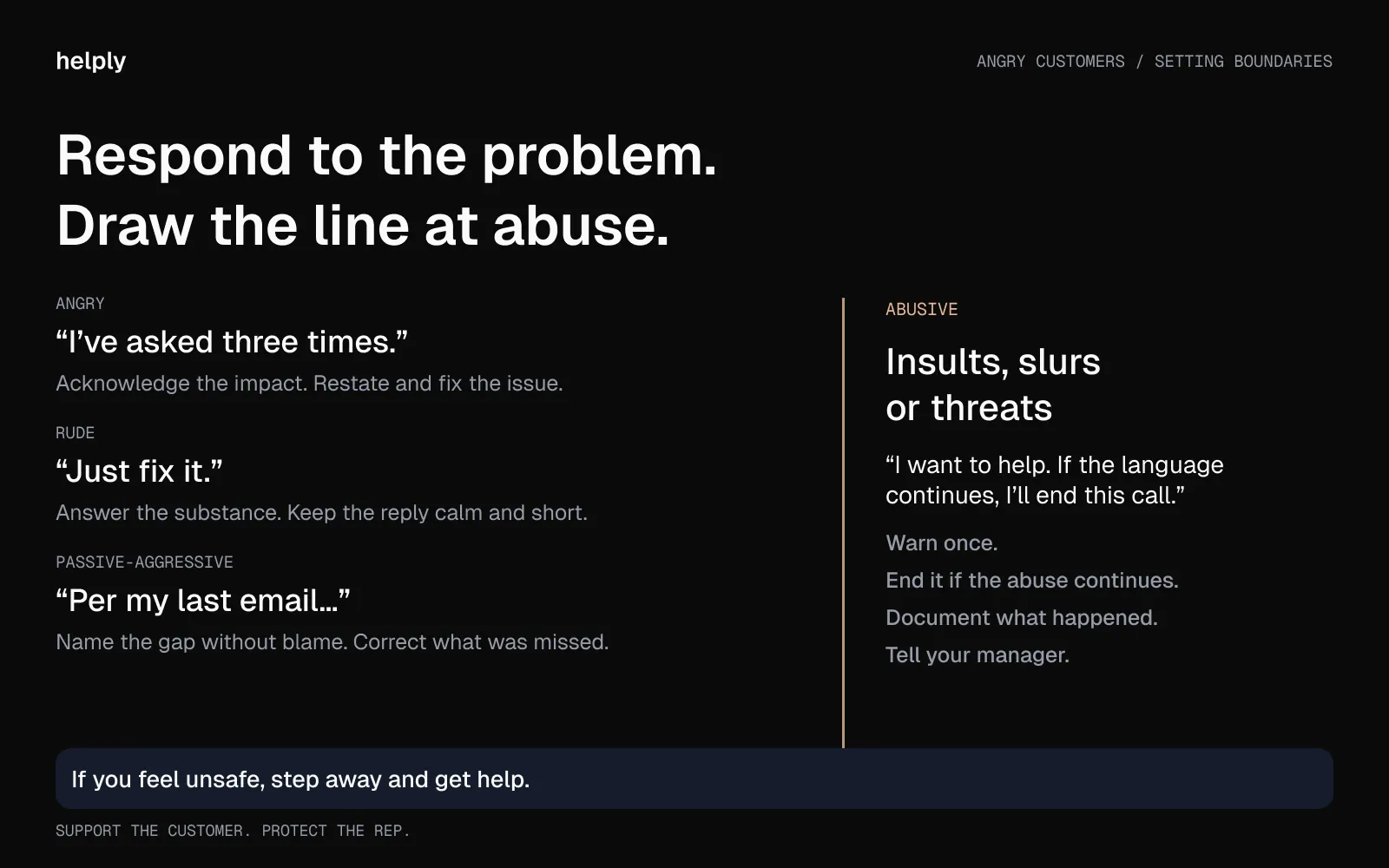
An angry customer goes after the problem, while an abusive one goes after you. Match your response to the type.
| Type | Sounds like | What to do | A line to use |
|---|---|---|---|
| Angry | Loud and upset about a real problem | Calm them, restate the problem and fix it | "You have every reason to be upset, and I'm going to fix this." |
| Rude | Short, sarcastic or dismissive | Answer the substance and ignore the tone | "Understood. I'll keep this quick and get you the fix." |
| Passive-aggressive | "Per my last email…" or "Must be nice to…" | Name the gap without blame | "It sounds like my last answer missed the mark. Let me fix that now." |
| Abusive | Insults, slurs or threats | Warn once, then end the conversation | "I want to help, and I can't continue if the language continues." |
How to End a Conversation With an Abusive Customer
Anger at a problem is part of support work. Insults, slurs, and threats cross a line, and your reps don't have to absorb them.
- Give one calm warning. "I want to help you with this. If the language continues, I'll end this call."
- End the conversation if it continues. "I'm ending the call now. You can reach us again at [channel], and we'll pick up from here."
- Document it. Note what the customer said, when, and what you did in the ticket.
- Tell a manager. The manager decides on the next contact: a senior rep, a written-only contact, or ending the relationship.
Australia's federal workplace safety regulator, Comcare, backs this approach for phone calls. It instructs contact centers to follow a call-termination procedure: warn the caller first, then end the call if the abuse continues.
Write the policy down, and make sure a rep who ends an abusive call never loses points for it.
Can AI Help You Respond to Angry Customers?
AI can handle the routine part of an angry ticket: reading the history, summarizing it, and drafting a calm reply. A person should make the judgment calls.
Customers notice when AI gets in the way. A 2026 Gartner survey of 3,566 customers found that 87% say companies using GenAI must offer a way to reach a human agent. In a second release from the same survey, 27% said they would try a chatbot again after a bad experience.
When AI Drafts Work
- Routine problems with a known fix, such as a documented bug or a late refund.
- A spike in the same complaint, where every customer needs the same accurate answer.
- First replies that acknowledge the problem and set a time while a person investigates.
Tickets That Need a Person
- Your highest-value customers, or anyone with a contract or renewal at stake.
- Customers who have complained about automated replies.
- Conversations that have bounced between agents or channels.
- Messages where the customer needs reassurance more than information.
The Hybrid: AI-Drafted, Human-Reviewed
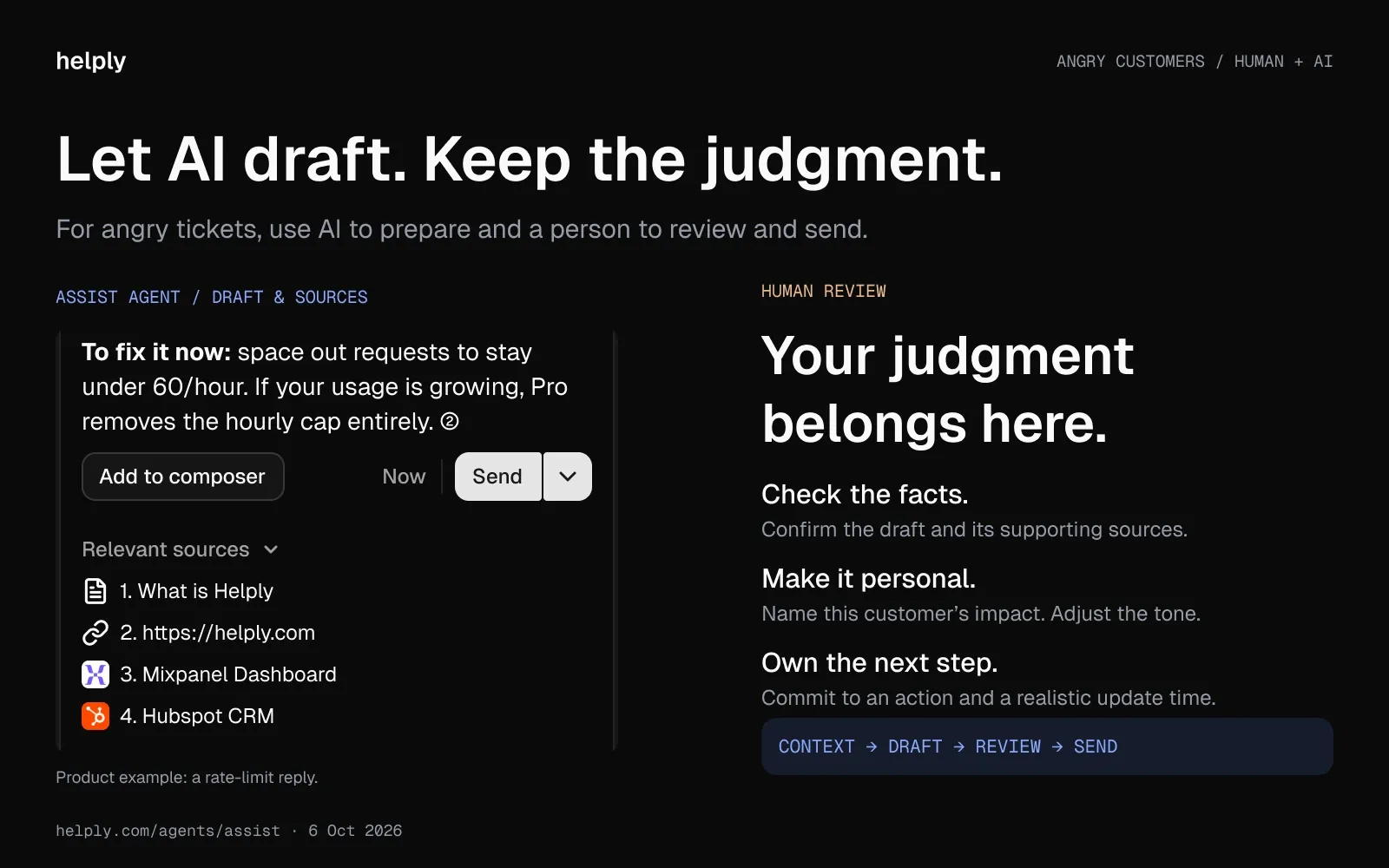
The AI drafts the reply from the thread and the customer's history, and your rep edits the tone and sends it. The rep adds what the AI can't know: a personal note, a judgment call, or a flag for the account owner.
In Qualtrics' 2026 research, nearly one in five consumers who used AI for customer service saw no benefit. Keep a rep on angry tickets, so a weak AI reply never reaches an upset customer.
In Helply, a draft from the thread costs 1 credit, and a draft your rep rejects before sending costs nothing. The Support Agent resolves routine tickets from start to finish. It escalates anything it can't resolve with confidence, and your rep gets the investigation and customer context with it.
When an Angry Customer Is a Churn Signal
You can't judge churn risk from one angry ticket. Look for a pattern across several.
The Churn-Signal Triage Framework
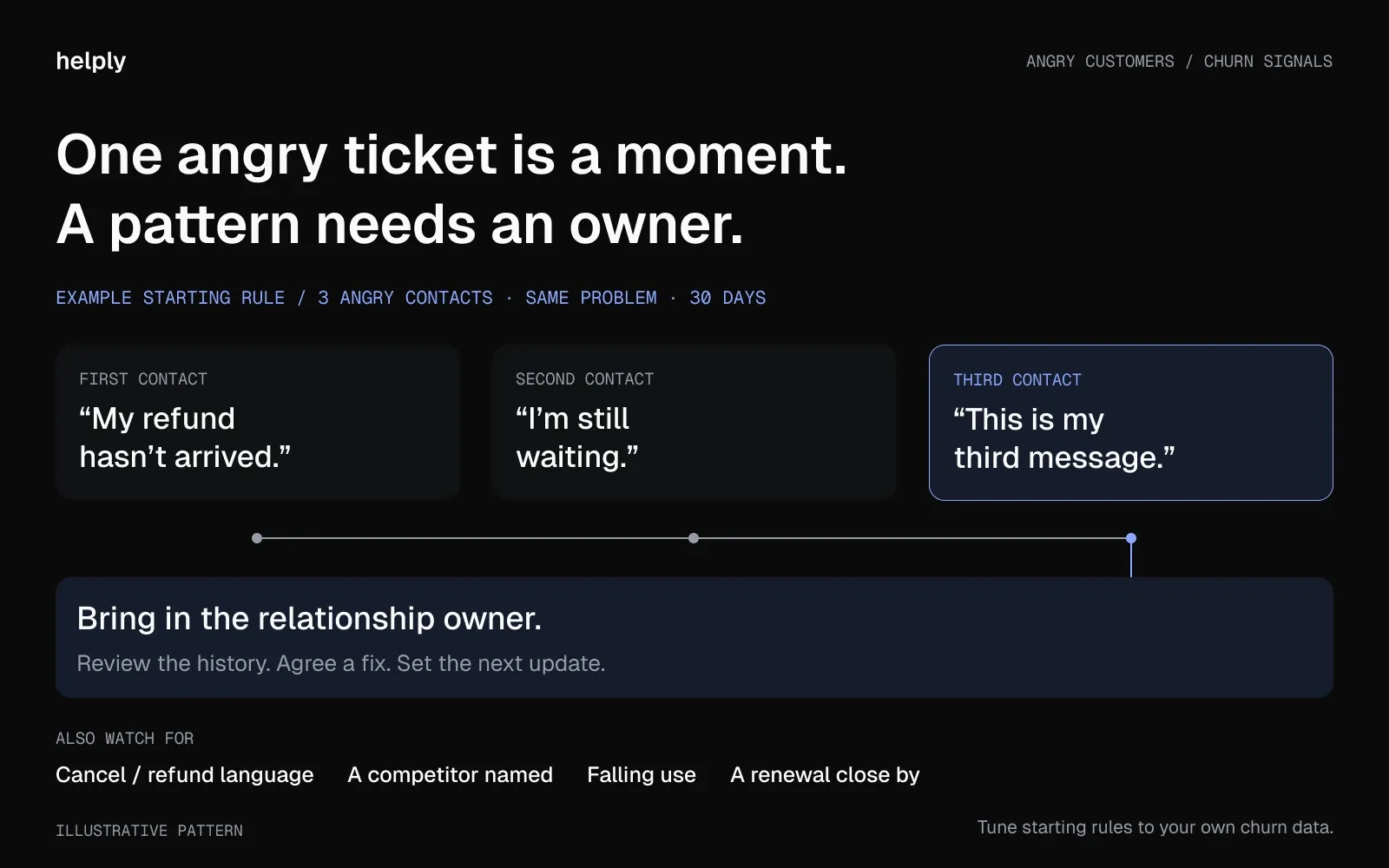
- Repeat contact. Three angry messages about the same problem in 30 days. Bring in whoever owns the relationship.
- Cancel or refund language. "Cancel my plan" or "I want my money back." Reply the same day with a fix or a clear way out.
- A competitor named. "We're looking at other options." Tell the account owner or your sales team the same day.
- Falling use. Fewer orders or logins after a complaint. Reach out before the customer goes quiet.
- A renewal close by. An angry ticket within 90 days of a renewal. Ask the account owner to check in.
Treat these as starting rules, and tune the numbers to your own churn data. Support sees the signals first, so route each one to someone who can act on it.
Helply's Churn Agent monitors conversations for signs of frustration, sentiment shifts, and recurring issues. You define the signals it watches for and what happens next. If a customer writes in angrily for the third time, it can alert whoever owns the relationship, update their record, or trigger a workflow.
How to Recover After an Angry Customer
Hostility toward frontline staff is common. In the UK, the Institute of Customer Service found that 42% of frontline workers faced customer hostility in the past six months. More than a third are considering leaving their jobs because of aggressive behavior.
Aggression hurts the work itself. In four experiments, customer verbal aggression impaired the thinking of the people it targeted. In the first, they recalled less of what the customer had asked for.
If a customer got angry at you today, the anger was about the problem, unless they turned to insults. Write down what happened, tell your lead, and take a few minutes before the next ticket.
Reset After a Hard Conversation
Give reps a short break after an abusive or draining conversation, before the next ticket. A walk, a glass of water, or a few slow breaths all help.
WorkSafe Queensland advises short breaks for contact center workers after interactions with aggressive clients. A 2022 meta-analysis in PLOS ONE found that breaks of 10 minutes or less led to a small increase in energy and reduced fatigue.
Rotate the Hardest Customers
Spread difficult customers across the team, so one rep doesn't carry all of them. Rotate when a new conversation starts, and keep one owner on each problem until the fix lands.
In Helply, assignment rules can send each new conversation to the right person or team.
Turn Angry Customers Into Early Warnings
Calm the conversation first, fix the problem second, and send what you learn to the team so they can prevent the next one. Back your reps when a customer crosses into abuse. Start this week by sharing the phrases table with your team and writing down your abuse policy.
Helply is an AI-native customer support platform. Every plan comes with unlimited users, and Helply's AI agents investigate, resolve, and act across your connected tools. For angry tickets, they review the history, check whether a refund is due, and prepare a calm draft for your rep to send.
Frequently asked questions
Lower the temperature before you solve anything. Stay calm and listen, check their history, name the feeling and the impact, and restate the problem. Then apologize, offer options with a time, and follow up.
Phrases that name the feeling, show you listened and set a time work best. Try "I can see why this is upsetting," "I've read your earlier messages" or "You'll hear from me by the end of today."
Avoid "Calm down," "That's our policy," "There's nothing I can do" and "You made a mistake." Each one shifts blame to the customer or closes the door on a fix.
Use their name, lower your volume and let them finish. Tell them you have their account open, ask what the problem is stopping them from doing, and keep any hold short.
Correct the fact without blaming the person. Show them the cause, explain how to fix it, and pass any confusing screen or policy to the team that owns it.
Answer the substance and ignore the tone. With a passive-aggressive message, name what the earlier reply missed, and fix it in the same message. If the customer starts insulting or threatening you, warn once, then end the conversation.
End it after one calm warning, if insults, slurs or threats continue. Tell the customer how to reach you again, note what happened in the ticket and tell a manager. Comcare, Australia's federal workplace safety regulator, backs the same warn-then-end approach for phone calls.
Angry and rude customers are common. In CCMC's 2025 Rage Survey, 50% of US customers who had a problem raised their voice about it. In the UK, 42% of frontline staff had faced hostility within six months, according to the Institute of Customer Service in January 2026.
A useful starting rule is three angry contacts about one problem within a month. Flag it sooner if a renewal is close or the customer names a competitor.
Yes, with a rep in the loop. Use AI to read the history and draft the reply, and let a rep review it before it goes out. A 2026 Gartner survey found 87% of customers say a company using GenAI must let them reach a person.
Describe a real case in order: you stayed calm, listened, restated the problem and owned the fix. Name the options you offered, the time you promised and how you followed up. For example: "We charged a customer twice, so I apologized, refunded it that day and checked in the next morning."
Give reps a short break after a hard conversation, and rotate the most difficult customers. Write an abuse policy that lets reps end a call, and back every rep who uses it.
About the author

Bildad Oyugi
Head of Content
Bildad is a digital marketing expert with over 5 years of experience in copywriting, content marketing, and editing. Outside of work, he enjoys videography and spending time with his family.


