Key Takeaways:
- Most teams leave Zoho Desk for the same three reasons: a cluttered interface with a steep learning curve, the best features (AI, multi-brand, skill-based routing) locked to the Enterprise tier, and reporting that stays thin until you pay up.
- Zoho Desk is one of the cheapest desks per seat, so the real reason to switch is rarely price. It's fit, AI quality, and whether support does anything beyond closing tickets.
- Helply is an AI-native B2B support platform that reads your CRM, Stripe, and product usage on every ticket, then surfaces churn risk, upsell intent, and competitor mentions and routes them to the right owner.
- Helply keeps the helpdesk free with unlimited seats and charges only for AI outcomes, starting at $0.25 per drafted reply and $0.50 per resolution, so cost tracks value instead of headcount.
- Freshdesk is the closest like-for-like swap, Zendesk fits large enterprises, and the other eight tools each win a specific use case that this guide maps out.
You picked Zoho Desk because it was affordable, it plugged into the rest of Zoho, and it promised to do everything.
Then a new agent joined. They opened the ticket view and froze. Small icons everywhere, menus inside menus, a screen that packs three days of context into one busy pane. It took a week to get them productive.
The complaints tend to repeat themselves. Setup takes patience. Building a Blueprint automation means trial and error until something sticks. Performance drags once ticket volume climbs. The reporting you actually want sits behind a higher tier, and the AI you keep hearing about needs the Enterprise plan or your own OpenAI key to switch on.
None of that means Zoho Desk is a bad tool. It means you may have outgrown it, or you were never quite the customer it was built for. If you run support for a B2B software company, that gap gets wider every quarter.
This guide ranks the 10 best Zoho Desk alternatives for 2026. For each one, you'll see why it beats Zoho Desk, where Zoho Desk still wins, and how it stacks up if support is supposed to do more than close tickets.
The Best Zoho Desk Alternatives At A Glance
Helply is the best fit for B2B software teams, Freshdesk is the easiest like-for-like switch, and Zendesk is the safe pick for large enterprise operations.
Everything else on this list wins a narrower use case.
| Tool | Best for | Pricing model | Starting price* | Free tier |
|---|---|---|---|---|
| Helply | B2B software teams; support as revenue | Free helpdesk + pay-per-outcome | $0 base ($0.25–$2.99/outcome) | Yes, free forever, unlimited seats |
| Freshdesk | A cleaner, simpler version of Zoho | Per agent | Free / from ~$19/agent/mo | Yes (limited) |
| Zendesk | Large enterprise operations | Per agent | from ~$19–$115+/agent/mo | Trial |
| Help Scout | Simple, human, email-first support | Per user/contact | from ~$25/user/mo | Free tier |
| Intercom | Chat-first AI resolution | Per seat + per resolution | from ~$29/seat + $0.99/res | Trial |
| HubSpot Service Hub | Teams already in HubSpot CRM | Per seat | from ~$7/seat/mo (Starter, annual) | Free tier |
| Front | Collaborative shared inbox | Per seat | from ~$25/seat/mo | Trial |
| Salesforce Service Cloud | Existing Salesforce orgs | Per user | from ~$25–$175/user/mo | Trial |
| Gorgias | Ecommerce and Shopify support | Ticket-based tiers | ~$10–$750/mo (ticket-based) | Trial |
| LiveAgent | Value all-in-one with call center | Per agent | from ~$15/agent/mo | Free tier |
The 10 Best Zoho Desk Alternatives In 2026
The detailed breakdown starts with the tool built for B2B software teams.
1. Helply: Best For B2B Software Teams That Want Support To Pay For Itself
Helply is an AI-native B2B support platform. The helpdesk layer is free forever with unlimited seats and every channel, and you pay only when AI produces a result. That's the surface. Underneath, Helply reads the same customer data your revenue team relies on and puts it to work the moment a ticket lands.
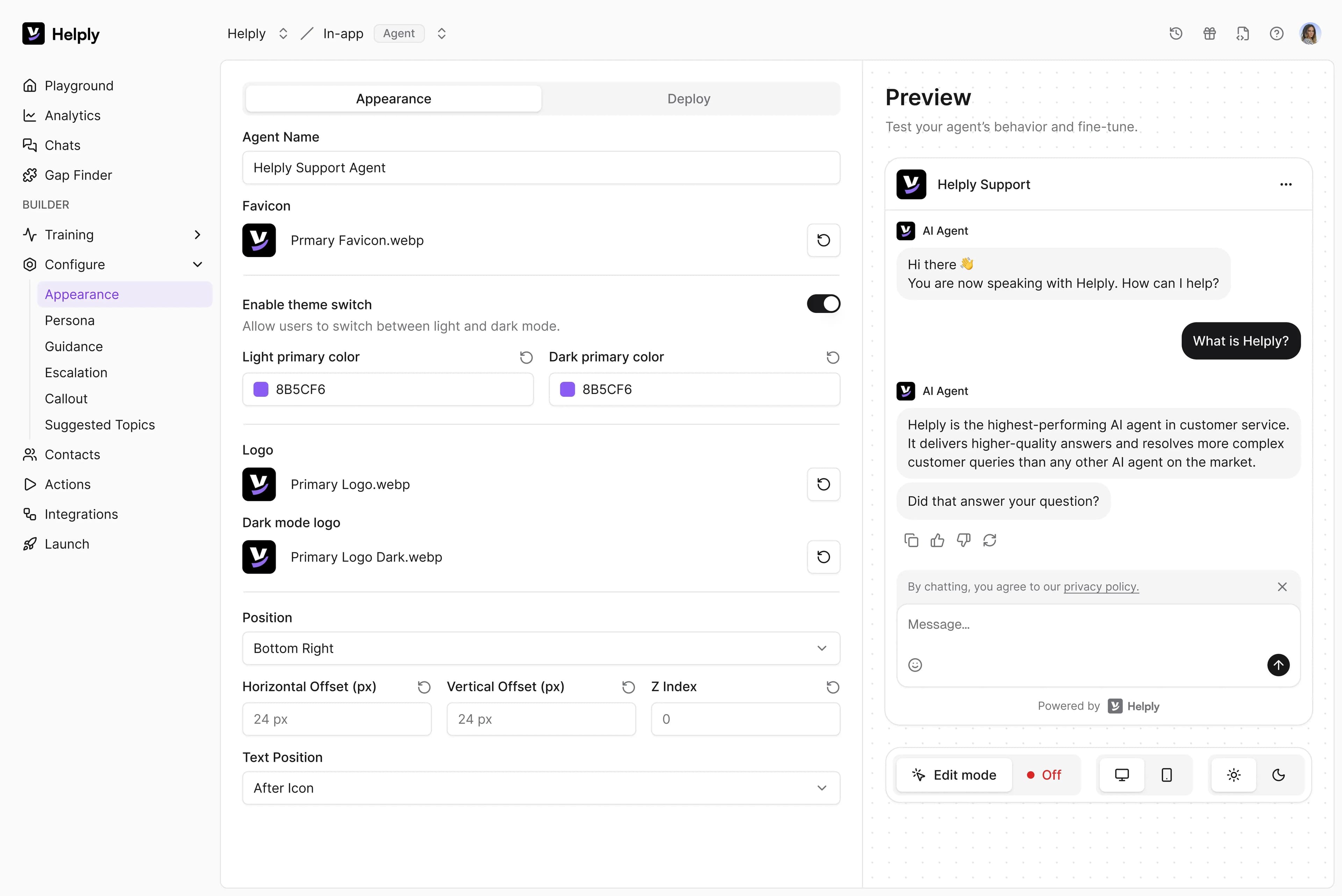
Most desks treat a ticket as a task to close. Helply treats it as a window into the health of an account. When a ticket arrives, Helply already knows the account's ARR, renewal date, plan, product usage, and history.
Then it drafts a reply with sources and full context, so your agent stays in the loop and moves faster. This assistant is the most-used capability for B2B teams, not autonomous deflection.
From there, Helply mines every conversation for signals your revenue team cares about, and routes each one to the person who owns it.
Key features:
- Account Command Center. Every ticket opens inside the full account. ARR, renewal date, product usage, past tickets, CRM and Stripe data load automatically, so agents stop tab-hopping to understand who they're talking to.
- Account Context. The AI learns from more than your inbox. It reads Gong calls, CRM history, Stripe billing, and product usage, so the answer to a technical B2B question is there from the first word.
- Revenue Signals. Helply scans every conversation for churn risk, upsell intent, competitor mentions, and feature requests. A churn alert goes to the CSM, an upsell flag to the AE, a competitor mention to the AE the day it happens.
- Revenue Engine and ROI dashboard. Helply ties each outcome to a dollar amount every month, so support reports a number the board cares about instead of a ticket count.
- Support Intelligence. Ask Helply anything across tickets, accounts, billing, and product data in plain language, and get an answer pulled from your whole support history.
- Deep channel coverage. Slack Connect, Microsoft Teams, Discord, email, in-app chat, SMS, WhatsApp, a customer portal, and a public API all ship first-class and feed the same context layer. Slack Connect matters most for B2B, where customer conversations already live in shared channels.
Pricing:
The helpdesk is free forever with unlimited seats. You pay per AI outcome across four groups:
- Ticket resolution: $0.50 per resolution, $0.25 per draft.
- Revenue intelligence: $2.99 each for Upsell Opportunities, Churn Detection, and Competitor Monitoring.
- Product intelligence: $2.99 per Feature Flag, $0.50 per KB gap identified.
- Knowledge base: $2.99 per article, whether created from a ticket pattern or the AI recorder.
Enterprise adds volume credits, SSO, and white-glove migration on custom terms.
Pros:
- The helpdesk carries no per-seat fee, so adding agents never raises the bill.
- You pay only when AI delivers a result, so cost aligns with value instead of headcount.
- Account context loads with each ticket, so agents answer technical B2B questions without digging.
- Support surfaces churn, upsell, and competitor signals, which no generic desk on this list does.
- Channel depth includes Slack Connect, Teams, and Discord, the channels B2B customers use.
Cons:
- It's purpose-built for technical B2B that sells software, so it's the wrong tool for B2C, ecommerce, retail, agencies, or marketplaces.
- It's a newer platform than 15-year incumbents, so it won't have Zendesk's app-marketplace breadth.
- Outcome pricing rewards teams that connect their data, so the value is smaller if you skip the CRM, Stripe, and product integrations.
Best for: Technical B2B companies that sell software (SaaS, dev tools, data and API platforms, AI infrastructure) in the $1M to $50M ARR range that want support to generate revenue, not just resolve tickets.
Ready to see it on your own tickets?
Request access and connect one channel to watch the account context fill in.
2. Freshdesk: Best Like-For-Like Swap For Cleaner Ticketing
Freshdesk is the most common Zoho Desk alternative for a reason. It covers the same ground, ticketing, automation, omnichannel, a knowledge base, with a friendlier interface and Freddy AI layered on top.
Key features:
- Freddy AI Copilot. Suggests replies and offers live translation inside the agent view, useful for teams serving customers in multiple languages.
- Omnichannel ticketing. Email, chat, phone, and social route into one queue with automation and SLA rules.
- Self-service portals. Branded knowledge base and email bots handle repeat questions.
Pricing:
- Free for up to two agents.
- $19 per agent per month on Growth, $55 on Pro, and up to $89 on Enterprise (billed annually).
- Freddy AI Agent: session-priced at $49 per 100 sessions, after 500 included sessions on Pro and Enterprise.
Pros:
- Cleaner, faster to learn than Zoho Desk's dense interface.
- Strong automation without heavy configuration.
- Generous free tier for small teams testing the waters.
Cons:
- Session-based AI pricing makes monthly AI costs hard to predict.
- Add-ons stack quickly once you want AI and advanced analytics.
- Reporting is limited on lower tiers, the same complaint people have about Zoho.
Best for: Teams that like Zoho Desk's breadth but want a cleaner interface and easier setup.
Why it beats Zoho Desk: A less cluttered UI, quicker onboarding, and AI that doesn't require your own OpenAI key.
Where Zoho Desk still wins: Deeper native customization and a tighter fit if you already run on Zoho One.
3. Zendesk: Best For Large Enterprise Operations (And The Seat-Tax Warning)
Zendesk has the widest feature set on this list and the highest total cost for a growing team. For large operations with dedicated admins, that trade is often worth it. For a small B2B team, the per-seat model is where the math turns painful.
Key features:
- Suite and Copilot. Ticketing, messaging, voice, and a help center, with an AI Copilot add-on for agent assist.
- Advanced routing and analytics. Skills-based routing, SLAs, and reporting built for high volume.
- 1,000-plus app marketplace. Almost any integration exists, though many require setup or paid apps.
Pricing:
- Support plans from around $19 per agent per month; the full Suite from about $55 to $115 per agent per month.
- AI billed on top at roughly $1.50 per outcome attempt, charged whether or not it resolves anything.
- Add-ons for advanced analytics and Slack/Teams.
- It adds up fast: a real operation of 6 agents handling 500 tickets a month runs about $3,884 a month once seats, AI, add-ons, and agent labor are counted.
Pros:
- Battle-tested infrastructure for teams over 50 agents.
- The deepest routing, workflow, and reporting controls in the category.
- An integration for nearly everything.
Cons:
- The highest total cost of ownership here, and add-ons multiply it.
- Setup is complex and usually needs a dedicated admin.
- It can feel heavy and dated for smaller teams.
Best for: Large enterprises with the volume and admin resources to justify the cost and complexity.
Why it beats Zoho Desk: More mature routing, analytics, and integrations at real enterprise scale.
Where Zoho Desk still wins: Much lower cost, and faster to stand up for a small team.
4. Help Scout: Best For Simple, Human, Email-First Support
Help Scout does fewer things than Zoho Desk, and the things it does are clean. It's a shared inbox with a knowledge base and a lightweight widget, with AI features included across plans rather than sold as add-ons.
Key features:
- Shared inbox with collision detection. Agents see when a teammate is already replying, which keeps two people off the same ticket.
- Docs knowledge base and Beacon widget. Self-service that embeds on your site or in-app.
- AI included on paid plans. Draft, summarize, and answer features without an extra line item.
Pricing:
- From about $25 per user per month on Standard, up to roughly $75 on Pro.
- Contact-based limits apply on some plans.
Pros:
- Clean interface that agents learn in an afternoon.
- AI included rather than bolted on as a paid extra.
- Excellent for warm, personal email support.
Cons:
- Contact-based pricing can spike when volume climbs.
- Reporting is basic next to Zendesk or Freshdesk.
- Email-first design means other channels feel secondary.
Best for: Small teams that want simple, personal support without a steep learning curve.
Why it beats Zoho Desk: Far simpler to run, with AI in every plan and no configuration marathon.
Where Zoho Desk still wins: More channels, deeper automation, and no contact-based cost spikes.
5. Intercom: Best For Chat-First AI Resolution
Intercom is built around a chat messenger, not a ticket queue, and its Fin AI agent resolves a real share of conversations for well-documented products.
The flip side: traditional email ticketing isn't where Intercom is strongest, and the pricing has several moving parts.
Key features:
- Fin AI Agent. Resolves chat and email questions when your knowledge base is mature.
- Messenger and product tours. In-app messaging, onboarding flows, and proactive support.
- Help center. Self-service tied to the messenger experience.
Pricing:
- Seats billed per teammate on Essential, Advanced, and Expert tiers (Essential starts around $29/seat).
- Fin AI Agent at $0.99 per resolution, pay-as-you-go with no resolution minimum.
- Copilot ($29/agent/mo) and proactive add-ons cost extra.
Pros:
- One of the strongest AI agents for chat-led support.
- Fast, polished experience for product-led companies.
- Good multilingual handling out of the box.
Cons:
- The $0.99 per resolution stacks quickly at volume.
- "Assumed resolutions" can count even when a customer drops off.
- It needs a well-maintained knowledge base to perform.
Best for: Product-led companies with a strong help center that want chat-first AI deflection.
Why it beats Zoho Desk: A more capable AI agent and a smoother chat experience for self-serve products.
Where Zoho Desk still wins: A smaller bill, stronger classic email ticketing, and no per-resolution meter.
6. HubSpot Service Hub: Best If You Already Live In HubSpot CRM
Service Hub makes sense when your company already runs on HubSpot. Support tickets sit next to the CRM record, so agents see deal history and contact data in one place.
The catch: it's a support module attached to a sales CRM, not a support platform in its own right.
Key features:
- CRM-native tickets. Every ticket links to the HubSpot contact and deal, giving a unified timeline.
- Multiple ticket pipelines. Separate flows for billing, onboarding, and general questions.
- Breeze AI. Reply assistance and knowledge base suggestions inside the HubSpot suite.
Pricing:
- Free tier for up to two users.
- Paid Service Hub from about $7 per seat per month on Starter (billed annually; $20 month-to-month), then $90 on Professional and $150 on Enterprise.
- One-time onboarding fees of $1,500 (Professional) and $3,500 (Enterprise).
Pros:
- Unmatched context if your whole company already uses HubSpot.
- Easy onboarding for teams fluent in HubSpot.
- Clean handoffs between sales, marketing, and support.
Cons:
- The value depends on committing to the HubSpot ecosystem.
- Support depth trails dedicated desks at higher volumes.
- Costs climb fast at the Professional and Enterprise tiers.
Best for: Teams standardized on HubSpot that want support and CRM under one roof.
Why it beats Zoho Desk: Tighter CRM context and smoother sales-to-support handoffs for HubSpot shops.
Where Zoho Desk still wins: A deeper, more configurable dedicated desk if you don't live in HubSpot.
7. Front: Best For Collaborative Shared-Inbox Teams
Front is a shared inbox that keeps the feel of regular email while adding assignment, internal comments, and collaboration. B2B operations teams like it for managing high-touch client email.
It's a better collaboration layer than Zoho, but it's an inbox first and an AI support platform a distant second.
Key features:
- Collaborative inbox. Comments, mentions, and assignments sit alongside email, SMS, and chat.
- Rules and workflows. Route and tag messages automatically.
- Analytics. Track response times and team load.
Pricing:
- $25 per seat per month on Starter, $65 on Professional, and $105 on Enterprise.
- AI Copilot: $20-per-seat add-on (included on Enterprise).
- Autopilot: billed at about $0.05 per conversation.
Pros:
- Excellent team collaboration on shared conversations.
- Familiar, email-like interface with little learning curve.
- Good fit for B2B teams managing client relationships over email.
Cons:
- Per-seat pricing scales poorly as the team grows.
- AI is an add-on, not the foundation.
- Threading can get confusing at high volume.
Best for: Client-facing B2B teams that prize collaboration on shared email.
Why it beats Zoho Desk: Better collaboration and a more natural inbox for high-touch client email.
Where Zoho Desk still wins: A true ticketing system, more automation, and lower per-seat cost.
8. Salesforce Service Cloud: Best For Existing Salesforce Orgs
Service Cloud is enterprise-grade case management with deep CRM ties and Einstein AI. If your company already runs on Salesforce, the integration is the draw. If it doesn't, the cost and complexity are hard to justify.
Key features:
- Case management on the Salesforce platform. Cases sit on the same data model as your sales pipeline.
- Einstein and Agentforce. AI case handling and agent assist at the top tiers.
- Deep customization. Custom objects, flows, and AppExchange integrations.
Pricing:
- From about $25 per user per month on Starter Suite to $100 on Pro Suite and $175 on Enterprise.
- Rising to $350 (Unlimited) and $550 (Agentforce 1 Service).
- Plus implementation costs.
Pros:
- The deepest CRM-to-service integration available for Salesforce orgs.
- Endless customization for complex enterprise workflows.
- Scales to very large operations.
Cons:
- Expensive once you add implementation and admin time.
- Steep learning curve that usually needs specialists.
- Overkill for most teams under $50M ARR.
Best for: Large organizations already committed to Salesforce with admins to run it.
Why it beats Zoho Desk: Deeper enterprise customization and native Salesforce data for big orgs.
Where Zoho Desk still wins: Far cheaper to run, faster setup, and no need for specialist admins.
9. Gorgias: Best For Ecommerce And Shopify Support
Gorgias is the honest outlier on this list. It's built for ecommerce, with Shopify order data inside every ticket, and for online retailers it beats a generic desk like Zoho outright.
Key features:
- Shopify and ecommerce context. Order history, refunds, and subscriptions live in the ticket.
- AI Agent for ecommerce. Handles order-status and returns questions automatically.
- Revenue tracking on support. Attributes sales to support conversations.
Pricing:
Ticket-based across five tiers.
- $10/mo on Starter (50 tickets), $50 on Basic, $300 on Pro, and $750 on Advanced (5,000 tickets).
- Custom Enterprise above that.
- About $0.36–$0.40 per ticket over your plan's limit.
Pros:
- Order context built for online retail workflows.
- AI tuned to ecommerce questions like "where is my order."
- Tracks support-driven ecommerce revenue.
Cons:
- Built for B2C ecommerce, not B2B software.
- Ticket-based pricing can climb with volume.
- Weak fit for account-based, technical support.
Best for: Ecommerce and Shopify brands that want order context inside support.
Why it beats Zoho Desk: Native Shopify order data and ecommerce-tuned AI that Zoho can't match for retail.
Where Zoho Desk still wins: A broader, more flexible desk for non-ecommerce and B2B use.
10. LiveAgent: Best For Value All-In-One With A Built-In Call Center
LiveAgent packs a lot into a low price: ticketing, live chat, and a built-in call center in one tool. It undercuts Zoho on breadth-per-dollar, at the cost of a dated interface and basic AI.
(HappyFox is a close cousin here if your focus is IT and internal ticketing.)
Key features:
- Universal inbox. Email, chat, phone, and social in one queue.
- Built-in call center. VoIP, IVR, and call recording without a separate tool.
- Fast live chat widget. One of the quicker chat widgets in the category.
Pricing:
- Small $15, Medium $29, and Large $49 per agent per month.
- Limited free plan and a 30-day trial.
Pros:
- Strong value with a call center included.
- Wide channel coverage for the price.
- Responsive support during setup.
Cons:
- The interface feels dated next to modern tools.
- AI features are basic.
- The mobile app lags the desktop experience.
Best for: Budget-conscious teams that want an all-in-one desk with phone support built in.
Why it beats Zoho Desk: More bundled channels, including a native call center, at a lower entry price.
Where Zoho Desk still wins: A more modern interface, stronger AI, and deeper customization.
How To Choose A Zoho Desk Alternative
If you want a framework rather than a verdict, weigh these factors in order of how much they'll shape the bill and the outcome:
- The real cost model. Per-seat pricing charges you for headcount whether or not a ticket creates value. Per-resolution meters can spike. Outcome pricing ties cost to results. Model your actual volume, not the sticker price.
- AI that's native, not bolted on. Ask whether AI reads your customer data or only rewrites text. An assistant that knows the account beats a generic reply generator.
- Reporting on the tier you'll actually buy. Many desks gate analytics behind higher plans. Check the reports on the plan you'll pay for, not the demo.
- Channel fit for B2B. If your customers live in Slack Connect or Teams, a tool that treats those as first-class channels matters more than one more email feature.
- Account context. Can the tool see CRM, billing, and product usage on a ticket, or does the agent go hunting across tabs?
- Setup effort and migration. Factor in the time to configure and the help you'll get moving your tickets and contacts across.
That last point trips up a lot of switchers. If you're worried about moving history, Helply's migration path for teams leaving other desks handles tickets and contacts for you.
What's The Best Zoho Desk Alternative For A B2B SaaS Team?
For a B2B SaaS team, Helply is the best Zoho Desk alternative. Freshdesk is the better pick if you only want a cleaner version of Zoho's ticketing, and Zendesk fits a large enterprise with the admins and volume to match.
But those tools, like Zoho, go quiet once the ticket closes.
For B2B, what happens after the ticket closes is the whole decision. The most valuable part of a support conversation isn't the reply you send.
It's the signal about the account behind it:
- The renewal at risk
- The upgrade the customer is ready for
- The competitor they just named
Zoho Desk and most of this list let that signal go.
Helply catches it. The helpdesk is free with unlimited seats. The AI drafts every reply already knowing the account, then surfaces the upsell, churn, or competitor mention buried in the thread and hands it to the CSM or AE who owns the account.
You pay only when AI delivers an outcome, so support reports a revenue number instead of a cost.
Frequently asked questions
For B2B software teams, Helply is the best alternative because it keeps the helpdesk free and charges only for AI outcomes, while Freshdesk is the closest like-for-like swap for simpler ticketing.
Most switch over the steep learning curve and cluttered interface, weak reporting on lower tiers, and the best AI and routing features being locked to the Enterprise plan.
It handles core ticketing fine, but it lacks the account context and revenue signals B2B software teams need, which is why AI-native platforms like Helply fit better.
Zoho Desk is already one of the cheapest desks per seat, so the bigger saving comes from a model like Helply's free helpdesk plus pay-per-outcome pricing that never charges per agent.
Yes, Zia offers auto-tagging, sentiment analysis, and reply suggestions, but the strongest AI features require the Enterprise tier or your own OpenAI API key.
Most modern desks offer guided migration for tickets and contacts, and Helply provides a migration path for teams moving off Zoho Desk.
About the author

Bildad Oyugi
Head of Content
Bildad is a digital marketing expert with over 5 years of experience in copywriting, content marketing, and editing. Outside of work, he enjoys videography and spending time with his family.


