Key Takeaways
- Every Helply plan has unlimited users, so you can hire without raising the bill. You pay for AI work in credits per action: 1 for a draft, 12 for a full investigation.
- With per-user pricing, you pay more for each new hire. Twelve agents on Zendesk Suite Professional cost about $1,380 a month, and Copilot adds $600 more.
- "AI agent" means three different things. One resolves tickets itself, one drafts replies for your team, and one reads every conversation for churn risk and feature requests. Most small teams need the first two from day one.
- Pick for the work your tickets need. A Shopify store needs order data in the reply. A software company needs the account and billing record.
- Check channel coverage before you buy. If your customers write in on Slack, WhatsApp, or Discord, the AI agent has to work there too.
Customer emails are piling up. Your two-agent team is replying to the same ticket again because there is no clear assignment, and a billing question from three days ago is still sitting there, unanswered. And the help desk renewal quote just went up again.
Gartner predicts AI agents will resolve 80% of common customer service issues without human intervention by 2029. The question is which one fits a team your size without multiplying your support bill.
Below are 15 AI customer service agents for small support teams, with current pricing, pros, cons and who each one fits.
The first pick, Helply, is a complete help desk with AI agents and unlimited users, from $49 a month.
Already on Intercom, Zoho or Freshdesk? Each one's AI agent is reviewed below with its real cost. See Helply's pricing to compare as you read.
The 15 Best AI Agents for Small Business Support, Compared
| Tool | Best for | Starting price | Free tier / trial | Channels |
|---|---|---|---|---|
| Helply | Businesses whose support volume is growing faster than the team | $49/mo billed monthly, unlimited users, 500 AI credits included | 14-day trial with 1,000 credits, no card | Email, chat, Slack, Teams, Discord, SMS, WhatsApp |
| Intercom Fin | Teams on Intercom, or adding AI to another help desk | $29/seat ($39) + $0.99 per Fin outcome; Fin alone from $0.99 per outcome, 50-outcome monthly minimum | 14-day trial | Chat, email, voice, WhatsApp, Slack, Discord |
| Tidio Lyro | Solo founders with FAQ-shaped questions | $24.17/mo ($29); Lyro from $32.50/mo ($39) | Free plan + 7-day trial | Chat, email, WhatsApp, Instagram, Messenger |
| Freshdesk Freddy | Ticket-heavy teams wanting AI assist | $19/agent ($23); Copilot $29/agent on Pro and up; AI Agent $49 per 100 sessions after 500 free | 14-day trial; 6-month free program for 2 agents | Email; chat, WhatsApp, social and voice on Freshdesk Omni |
| Zoho Desk Zia | Teams already on Zoho | Free for 3 users; Express $7/user ($9), up to 5 users | Free edition + 15-day trial | Email, social, forms on Express; chat and WhatsApp from Standard |
| Zendesk AI | Teams with complex, multi-team workflows | $19/agent ($25); Suite Professional $115 ($149); Copilot $50/agent on Professional and up | 14-day trial | Email on Support Team; messaging, chat and voice on Suite |
| Help Scout | Human-first email teams | Free plan; $25/user ($30); AI Answers $0.75 per resolution | Free plan + 15-day trial | Email, chat, SMS, WhatsApp, Instagram, Messenger |
| Hiver | Small teams in Gmail or Outlook | $25/user ($35), 2-seat minimum | 7-day trial | Email, chat, WhatsApp, Slack, social; voice add-on |
| Gorgias | Shopify stores | $10/mo helpdesk only; $40/mo with AI Agent (monthly) | 30-day trial | Email, chat, social; SMS and voice add-ons |
| HubSpot Service Hub | HubSpot CRM customers | Free for 2 users; Starter $7/seat (discounted; list $20); Pro $90/seat + $1,500 onboarding | Free plan | Email, chat, WhatsApp; calling from Starter |
| Chatbase | Solo founders, simple FAQs | Free; Hobby $32/mo ($40); Pro $400/mo ($500) | Free plan | Chat widget, Slack, WhatsApp, Messenger, Instagram |
| Ada | High-volume enterprise teams | Custom, conversation- or resolution-based | Demo only | Chat, voice, email, social, 60 languages |
| Fini | Fintech, insurance and healthcare teams | $0.49 to $0.89 per resolution, plan billed in advance; voice extra | 90-day pilot, Enterprise only | Chat, email, voice |
| Crisp | Bootstrapped teams of 1 to 3 | Free (2 seats); Mini $45/mo per workspace | Free plan + 14-day trial | Chat on Free; email from Mini; WhatsApp, SMS, phone from Essentials |
| Kustomer | Funded teams wanting a CRM-style help desk | Custom quote; AI for Reps $40/user/mo; AI for customers $0.60 per engaged conversation | Demo only | Chat, email, SMS, voice, social |
*Annual-billed prices where the vendor offers both, monthly price in brackets. Checked September 2026.
1. Helply: A Complete Help Desk With AI Agents and Unlimited Users
Helply lets a small support team take on more volume without hiring for it. It is an AI-native customer support platform: a complete help desk whose AI agents look up the account, solve the ticket and act.
Everything you expect from Zendesk is there: shared inbox, ticketing, live chat, a help center, workflows and reporting. Email, chat, Slack, Teams, WhatsApp, Discord and SMS land in one queue.
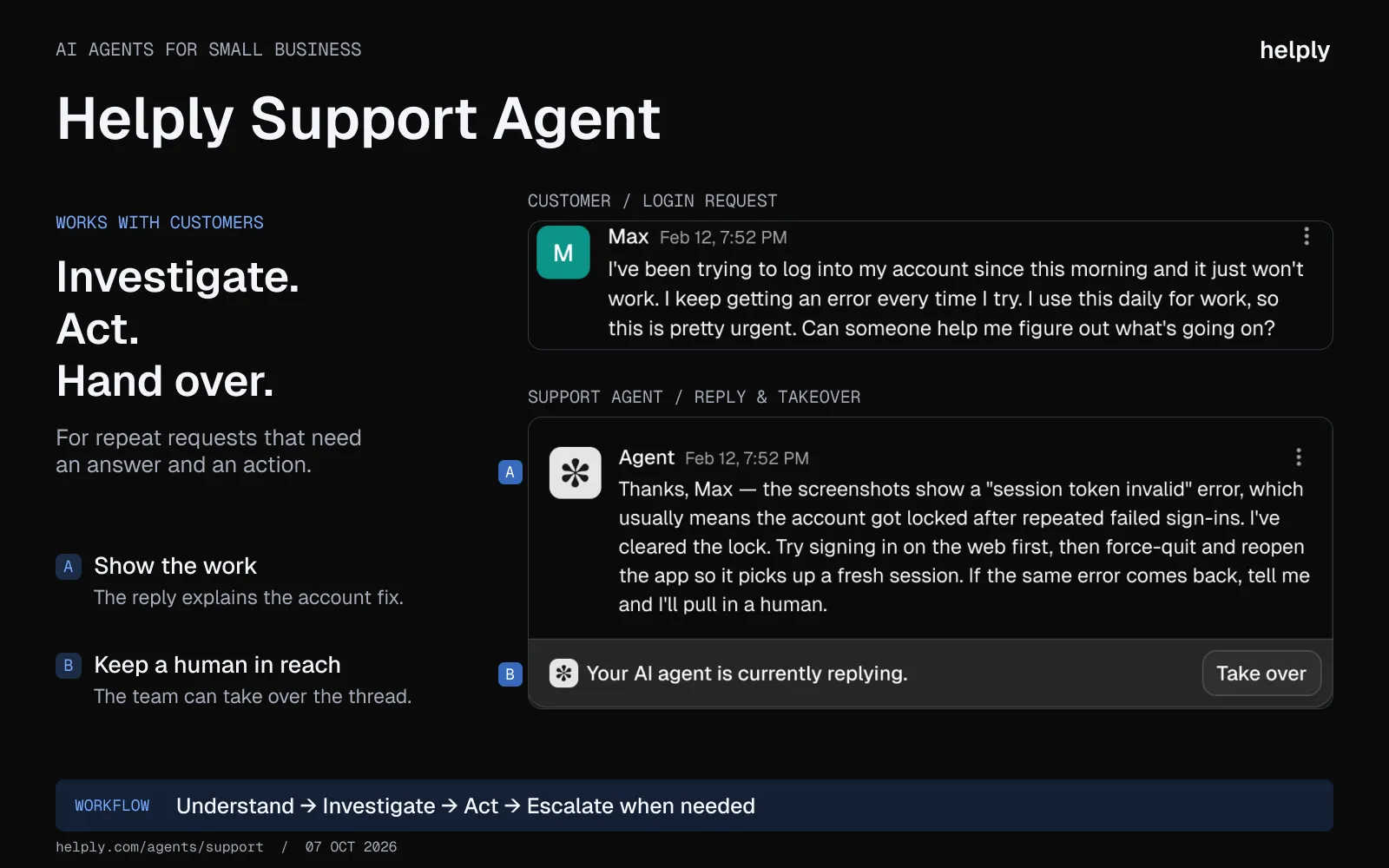
The Support Agent answers customers on every channel and finishes the job. It reads the customer's record in Stripe, Salesforce or HubSpot, takes the actions you allow, such as refunds, and replies with the result. When it isn't sure, it hands the ticket to a person with the investigation already done.
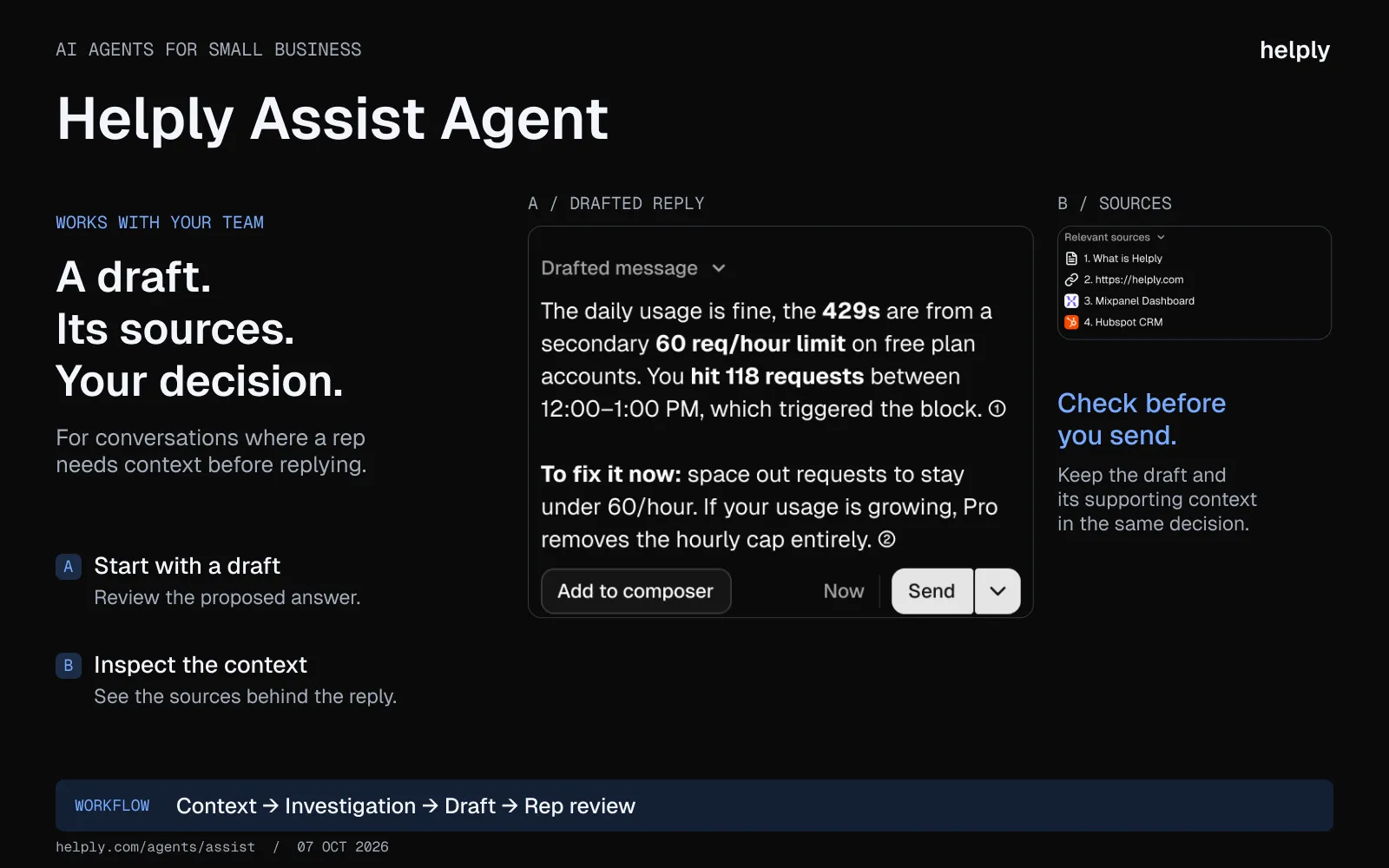
For tickets that need a person, the Assist Agent drafts the reply with billing, CRM data and past conversations already loaded. It opens the Linear or Jira issue when the rep asks.
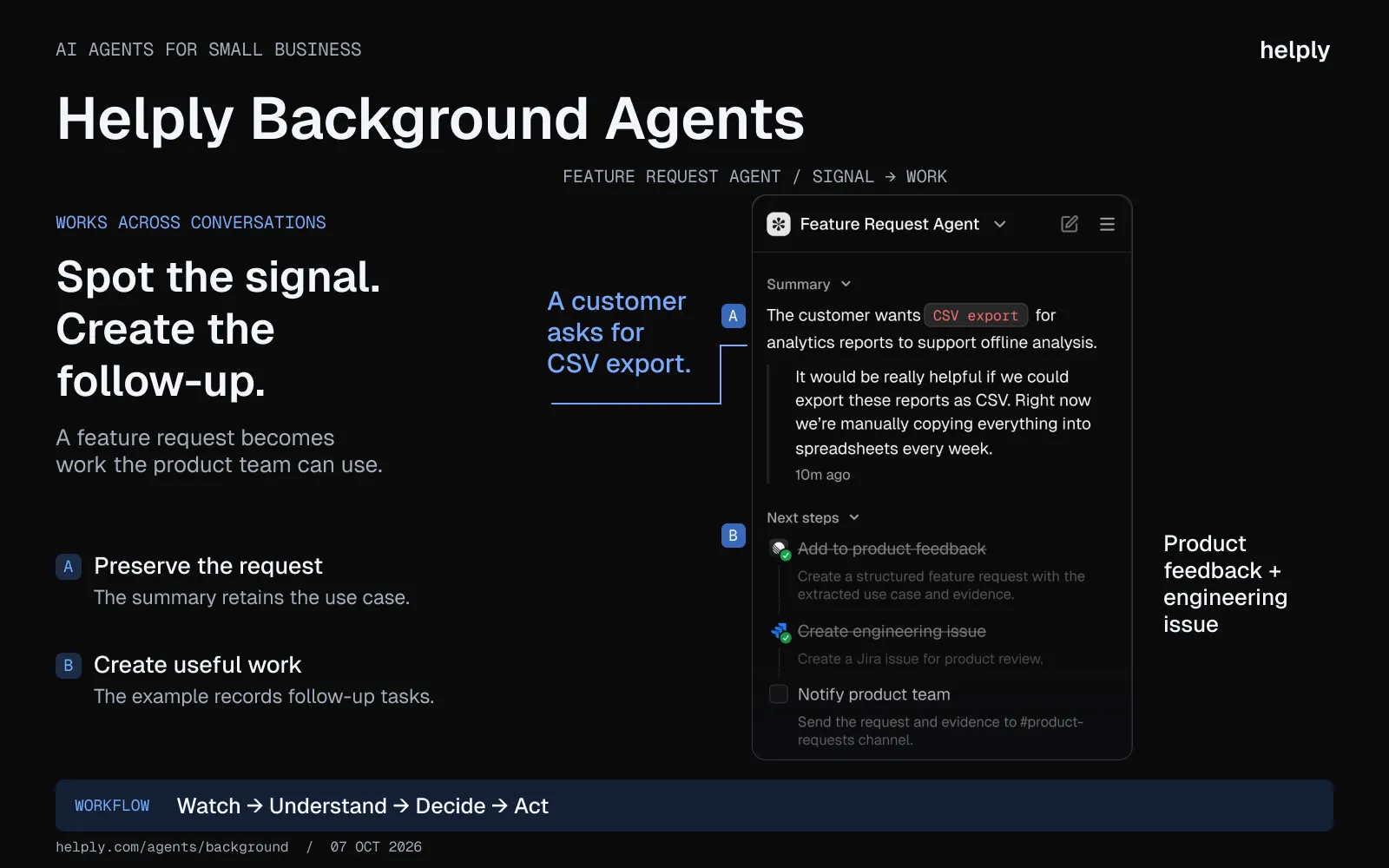
Background Agents read every conversation for churn risk, upgrade intent, feature requests and help center gaps. They alert a teammate, update the record or open the task without being asked.
You set the rules. Guidelines hold your policies and tone, and Skills hold processes such as how to issue a refund.
Escalation rules decide what the AI may do alone.
Sender.net resolves 71% of about 4,000 monthly conversations end to end on Helply, and Covidence resolves 64% with zero drop in accuracy. Helply's own support team is two people covering about 1,400 customers.
Every plan has unlimited users. Plans start at $49 a month with 500 AI credits, and a draft costs 1 credit. Nothing about the bill changes when you hire.
Key features:
- The help desk, with unlimited users. Shared inbox and ticketing, a help center, automations and reporting. Add as many people as you like.
- Support Agent. Talks to customers on every channel and closes routine requests itself. Connect Stripe and it can issue the refunds you allow.
- Assist Agent. Writes a first draft for each reply, using the customer's billing, CRM record and past tickets. The rep reviews it and hits send.
- Background Agents. They read every conversation for churn risk, upgrade questions, feature requests and help center gaps. Then they alert a teammate or open the task.
- One queue for every channel. Email, chat, Slack, Microsoft Teams, Discord, SMS and WhatsApp.
- Your rules. Guidelines set policy and tone, Skills set processes, and Escalation rules set what the AI may do alone. Anything it is unsure about goes to a person.
Pricing:
The entry price is $49 a month, and all plans include unlimited users. The AI is identical on every plan and runs on credits. A simple draft costs 1, a lookup across one or two of your systems 4, and a full investigation 12.
The price follows the monthly credit block: 500 credits cost $49, 7,000 cost $399 and 32,000 cost $1,549.
Unused credits carry into the next month. Retries, failed actions and drafts your team rejects cost nothing.
The trial is 14 days with 1,000 credits and no card.
A spend cap defaults to your plan price, so the bill cannot climb unless you raise it.
Estimate your credits on the pricing page.
Pros:
- More volume, same team. The Support Agent clears the repeat requests, so your people spend their time on the conversations that need judgment.
- Nobody is left out to save on licenses. Engineering, product and the founder can all join the queue at no cost per user.
- The AI is part of the plan. Drafting, resolving and Background Agents share one credit block.
- Replies start from the customer's record in Salesforce, HubSpot and Stripe, not from a generic help article.
Cons:
- Credits take some forecasting. Budget roughly 4 for each consumer conversation and 7 for each business one, then check the estimator.
- The bill grows with AI use. A 500-credit block costs $49 a month, and 32,000 credits cost $1,549.
- It earns its keep on repeat questions such as order status, refunds and password resets. A queue of one-off problems gives the AI little to close.
2. Intercom Fin: $0.99 per Outcome, Plus Seats on Intercom’s Help Desk
Fin is the AI agent inside Intercom's messenger-based platform.
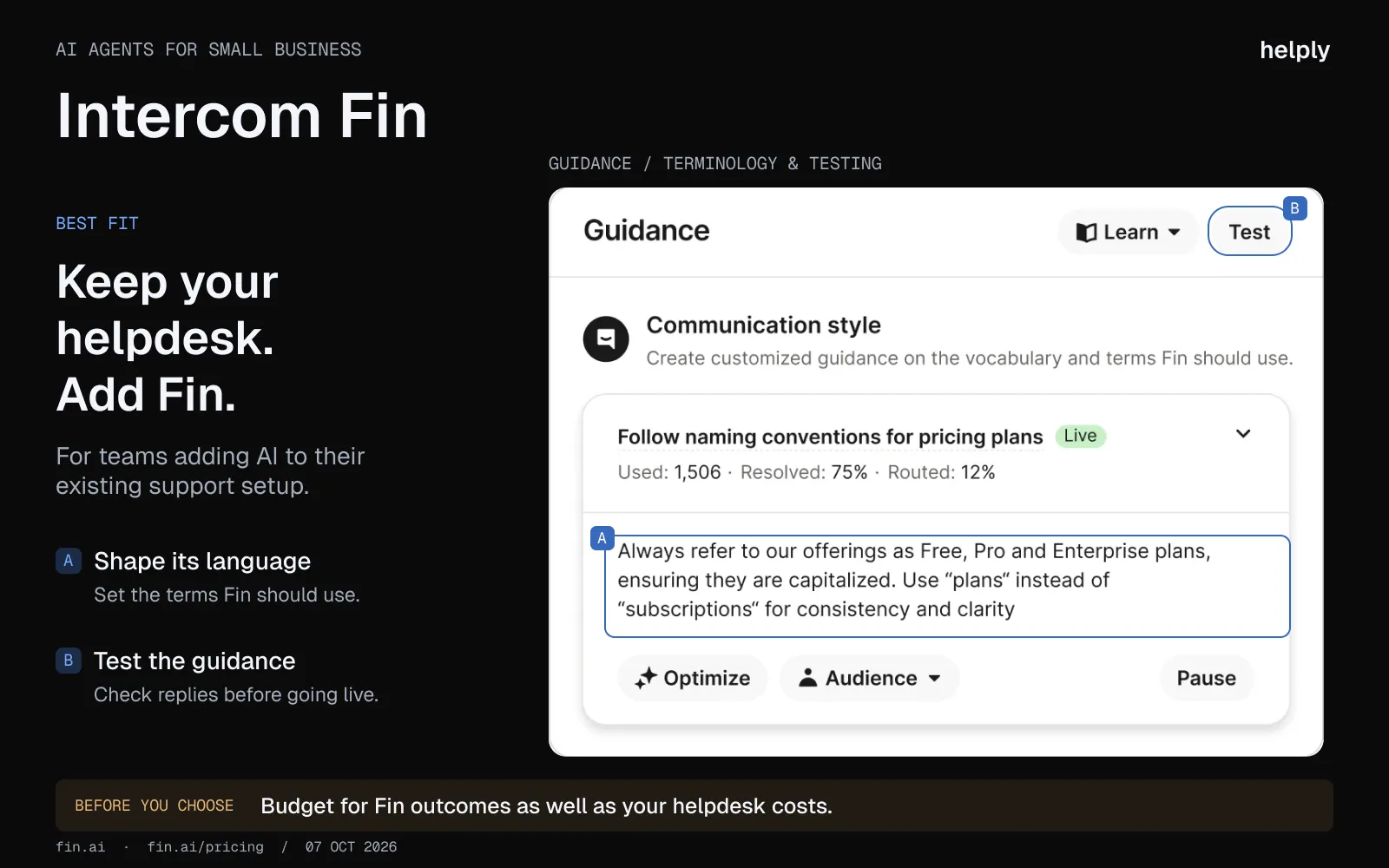
Intercom reports an average 76% resolution rate across more than 12,000 customers. On the Intercom help desk, Fin is billed per outcome on top of each seat, so the bill grows with both. Fin can also run on another help desk with no Intercom seats, at $0.99 per outcome with a 50-outcome monthly minimum.
Key features:
- Per-outcome AI. $0.99 per Fin outcome, which covers resolutions and some handoffs.
- Multi-channel coverage. Chat, email, voice, Slack and Discord. WhatsApp and SMS are billed per conversation or message.
- Integrates with non-Intercom helpdesks. Works on top of Zendesk, Salesforce, Freshdesk, and HubSpot if you do not want to migrate.
- Multilingual. Supports more than 45 languages out of the box.
Pricing:
Intercom seats are $29 billed annually (Essential), $85 (Advanced) or $132 (Expert). Billed monthly they are $39, $99 and $139.
Fin adds $0.99 per outcome. WhatsApp is charged per conversation and SMS per message.
Pros:
- Intercom reports a 76% average resolution rate. Your rate depends on how complete your knowledge base is.
- Strong fit if you are already standardized on Intercom for chat and onboarding messaging.
- Fin runs on Intercom's own AI models and supports more than 45 languages.
Cons:
- Pricing grows with both headcount and volume. Each new agent adds a seat, and each Fin outcome adds $0.99.
- WhatsApp and SMS are usage-billed, which adds a variable line to the bill.h per month.
Best for:
Teams already invested in Intercom for chat and onboarding, which can model resolution costs at their actual ticket volume.
3. Tidio (Lyro): Chat AI for Simple Questions, With Lyro Sold Separately
Tidio is a chat and email platform with an AI agent called Lyro. The entry price is the lowest in the category, and Lyro handles FAQ-shaped tickets well.
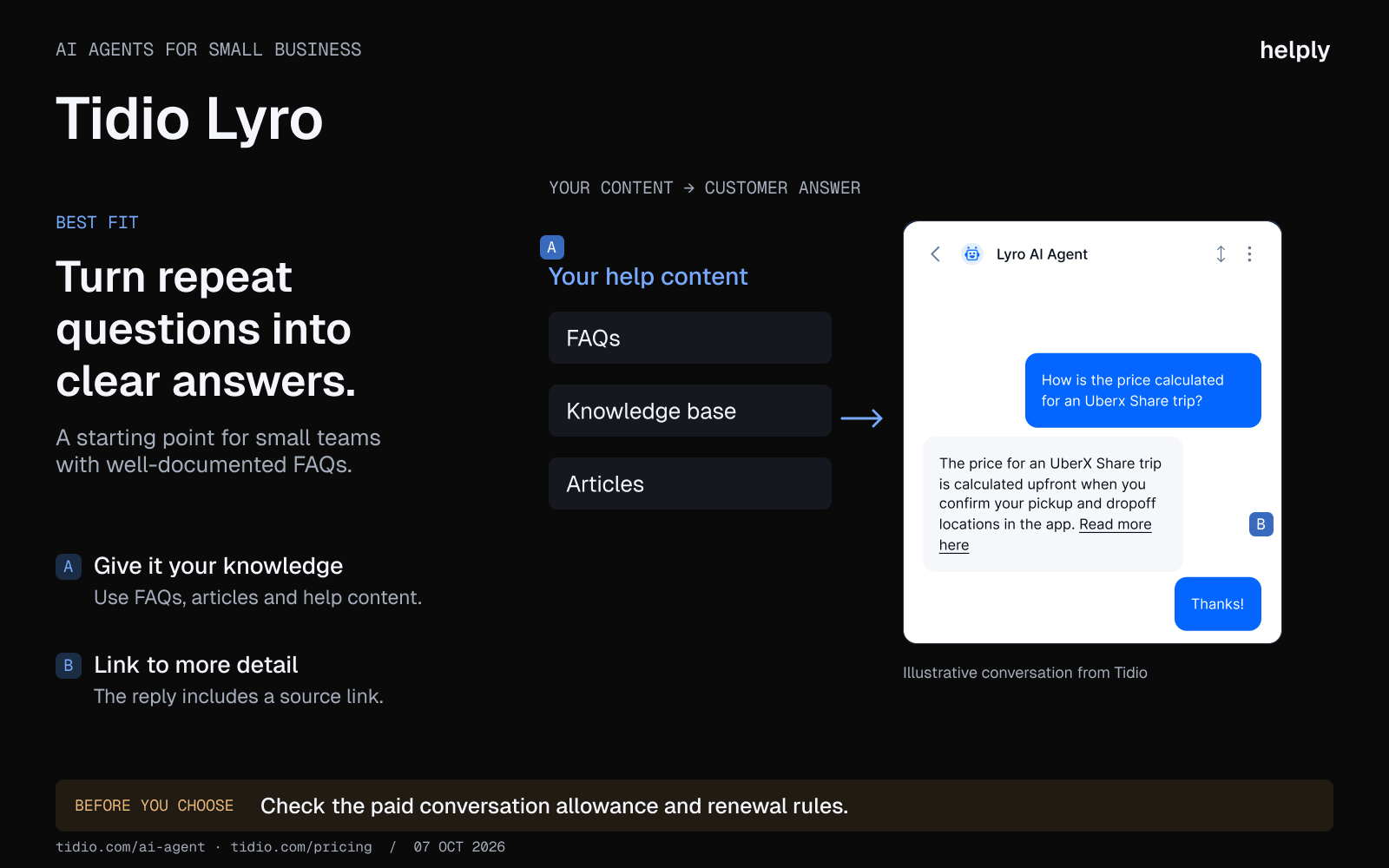
It is the default pick for solo founders and 2 to 3 person teams who are not ready to commit to per-resolution billing.
Key features:
- Lyro AI agent. Trained on your FAQs and help center content, deployed across chat and email.
- Multichannel inbox. Chat, email, Instagram, Messenger, WhatsApp via integration.
- No-code setup. Most teams have Lyro answering questions in under an hour.
- 48 languages supported. Useful for small international teams.
Pricing:
Starter at $24.17/mo billed annually ($29 monthly), with 100 conversations a month and 50 free Lyro conversations for life. Growth from $49.17/mo billed annually ($59 monthly).
Plus from $300/mo plus usage. Premium is custom. Lyro is sold separately from $32.50/mo billed annually ($39 monthly) for 50 conversations.
Pros:
- The lowest credible monthly price among tools with a true AI agent feature.
- Setup is fast. A small team can have Lyro running on their site by the end of the day.
- Free tier with 50 conversations lets you test before paying.
Cons:
- Real-world cost climbs faster than the headline price. On monthly billing, Growth ($59) plus Lyro ($39) plus Flows ($29) comes to $127 a month.
- Live Chat, Flows, and Lyro AI are partially separate systems inside Tidio, so combining a rules-based flow with AI conversation is not as clean as the marketing suggests.
- Analytics are shallow. Reports cover top-level numbers but not the depth needed to optimize resolution rate or CSAT.
Best for:
Solo founders and 2 to 3 agent teams running under 250 conversations per month with simple knowledge bases.
4. Freshdesk (Freddy AI): Per-Agent Seats, With AI Billed on Top
Freshdesk is Freshworks' ticketing platform, with Freddy AI for both assist and autonomous work.
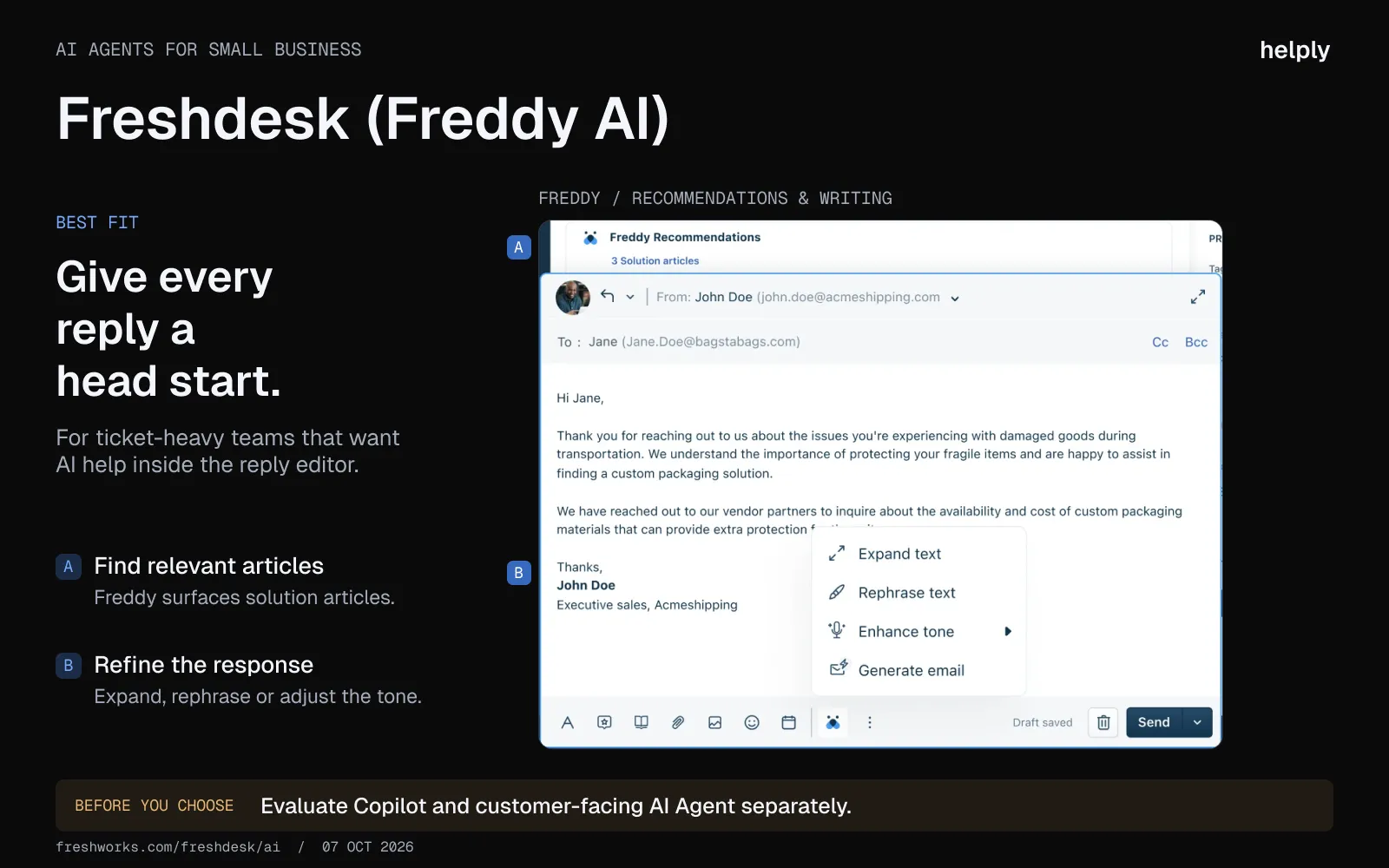
Freshdesk starts at $19 per agent billed annually. Freddy AI Copilot adds drafts and summaries for $29 per agent on Pro and above.
Every paid plan also includes Freddy AI Agent, which can process refunds and take other actions. It costs $49 per 100 sessions after the first 500.
Key features:
- Freddy Copilot. Draft replies, ticket summaries, tone adjustment, and sentiment analysis for human agents.
- Multichannel ticketing. Email on Freshdesk. Chat, WhatsApp, social and voice need Freshdesk Omni, from $29 per agent billed annually.
- 60+ languages. Live translation through Copilot.
- Flexi-add-on model. Freddy Copilot can be added per agent rather than buying it for the whole team.
Pricing:
Growth $19/agent billed annually ($23 monthly), Pro $55 ($66), Enterprise $89 ($107). Freddy AI Copilot is $29/agent billed annually ($35 monthly) on Pro and Enterprise.
Freddy AI Agent: first 500 sessions free, then $49 per 100 sessions. A 6-month free program covers up to 2 agents.
Pros:
- A 3-agent team on Pro plus Copilot pays about $252 a month billed annually.
- Strong multilingual support, including languages most competitors do not cover.
- Freddy Copilot is built to help human agents, which suits teams that want AI assistance before automation.
Cons:
- The AI Agent is billed per session on top of per-agent seats, so cost rises with both.
- Interface and workflow show their age compared to AI-native platforms.
- Pricing is still per-agent, so the bill scales with headcount rather than with results.
Best for:
Ticket-heavy SMB teams who want lower-cost AI assistance for human agents rather than autonomous resolution.
5. Zoho Desk (Zia): For Teams Already on the Zoho Suite
Zoho Desk is the customer service product inside the larger Zoho One suite. Zia is the AI layer across ticket classification, sentiment, and reply assistance.
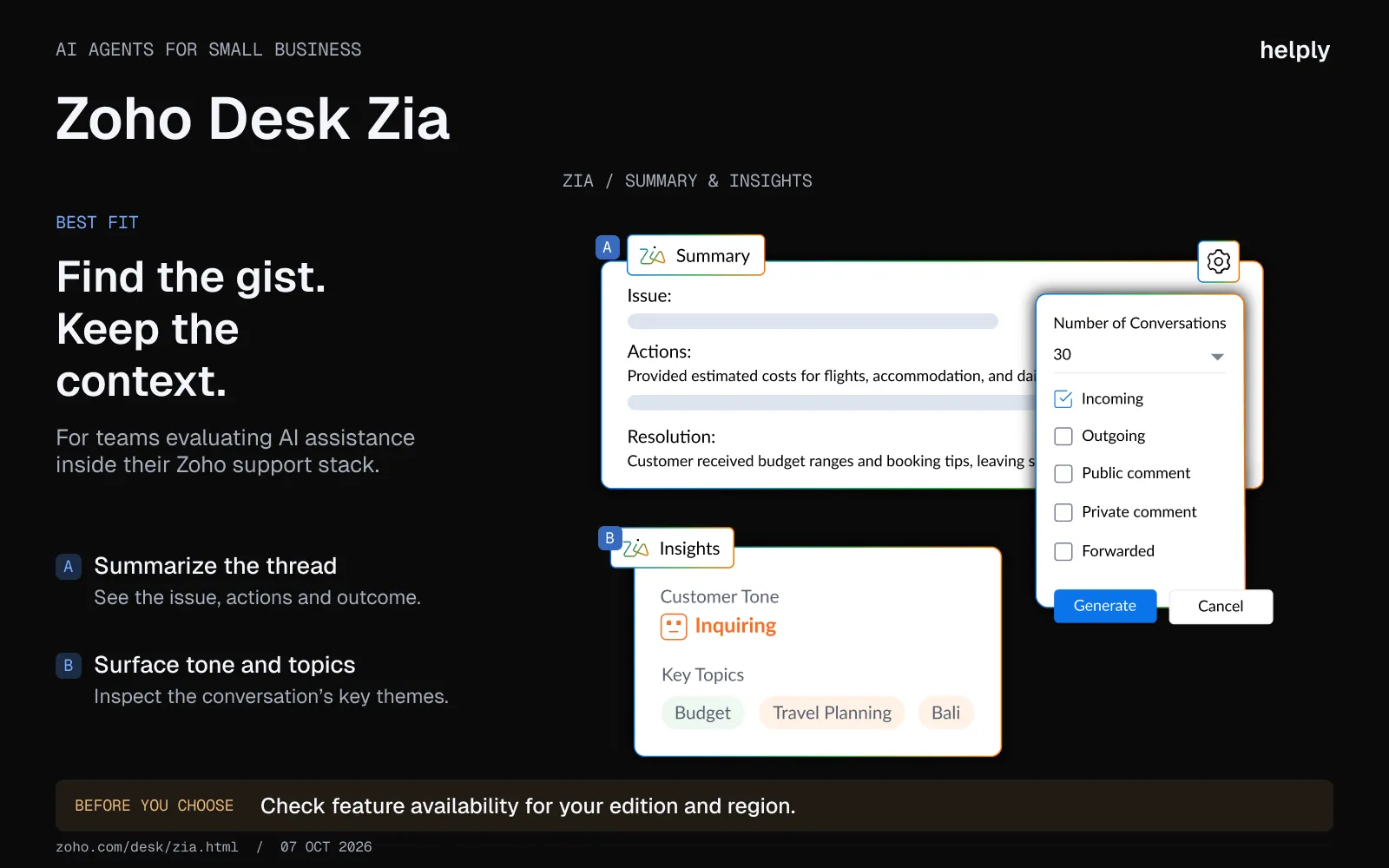
Zoho Desk has a free edition for up to 3 users. Express costs $7 per user billed annually ($9 monthly) for up to 5 users. The value compounds if you already use Zoho CRM, Books, or other suite tools.
Key features:
- Zia AI assistant. Sentiment analysis, auto-tagging, reply suggestions and Answer Bot from Standard; generative AI from Professional.
- Multichannel desk. Email, social and web forms on Express. Chat and WhatsApp from Standard, phone from Professional.
- Native Zoho suite integration. Zoho CRM, Books, Inventory, and Analytics talk to Desk out of the box.
- Visual workflow designer. Build escalation and SLA rules without code.
Pricing:
Free for up to 3 users. Express $7/user billed annually ($9 monthly), up to 5 users.
Standard $14 ($20). Professional $23 ($35). Enterprise $40 ($50).
Pros:
- A 5-agent team on Express pays $35 a month billed annually. Express stops at 5 users.
- Deep integration into the Zoho ecosystem. If you already pay for Zoho One, Desk and Zia are nearly incremental cost.
- SLAs start at Standard. Multi-brand help centers are Enterprise only.
Cons:
- Autonomous agents come through Zia Agent Studio, which takes more setup than the built-in assist features.
- Real value depends on adopting the broader Zoho suite. Standalone Desk feels less interconnected than Salesforce or HubSpot equivalents.
- Configuration learning curve is steeper than Tidio or Crisp, even for non-Zoho features.
Best for:
Teams already on Zoho CRM or Zoho One who want AI in-suite without adding a new vendor.
6. Zendesk AI: Per-Agent Pricing Built for Large, Multi-Team Setups
Zendesk is the legacy mid-market customer service standard. It has the deepest marketplace ecosystem in the category, with 1,800+ apps and integrations.
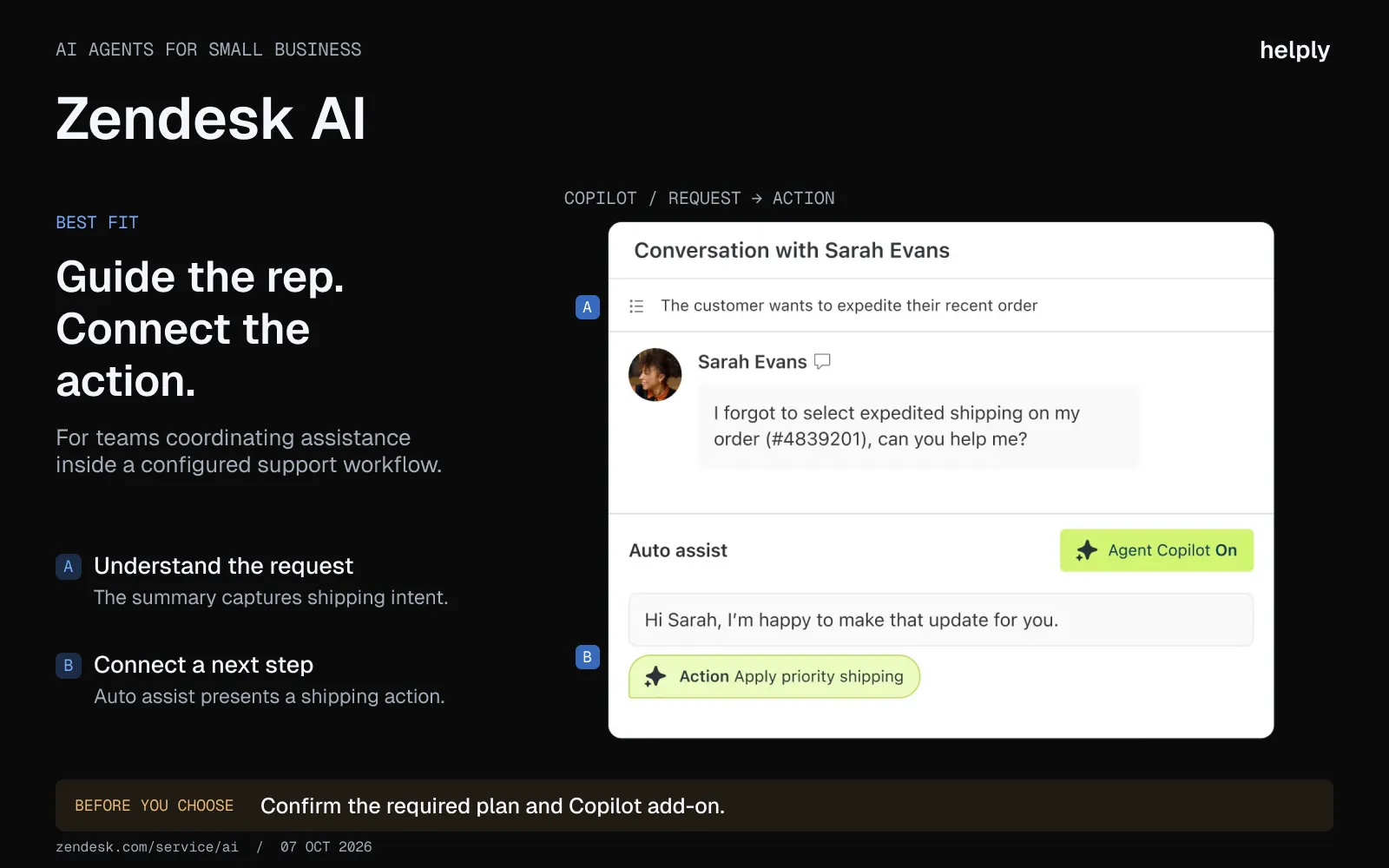
The AI layer was added to an existing platform rather than built in, and the pricing is per-agent before any AI add-on.
A 12-agent team on Suite Professional plus Copilot pays $1,980 a month billed annually, or $23,760 a year.
Key features:
- AI triage. Automatic intent detection, sentiment, language detection, and ticket routing.
- Copilot for agents. Suggested replies, ticket summaries, and macro suggestions inside the agent workspace.
- Customer-facing AI agents. Included on every plan with 5 to 15 automated resolutions per agent a month, then $1.50 to $2.00 each.
- Largest marketplace in the category. 1,800+ apps and integrations across CRMs, voice, WFM, and analytics.
Pricing:
Support Team $19/agent billed annually ($25 monthly). Suite Team $55 ($69). Suite Professional $115 ($149).
Copilot $50/agent on Professional and above. Automated resolutions beyond the included amount cost $1.50 committed or $2.00 pay-as-you-go.
Pros:
- Integration depth keeps many teams from migrating, because switching means rebuilding integrations.
- Reporting and workforce management features are mature, particularly for teams over 30 agents.
- Suite Professional adds AI-powered triage and capped writing tools, and Copilot can be added from Professional up.
Cons:
- Pricing climbs in steps. Many teams move to Suite Professional for automation, reporting and routing, and Copilot only works from Professional up.
- AI agents are included on every plan, but Copilot needs the Professional plan or above.
- A 10-agent team on Suite Professional with AI Copilot pays around $1,650/month, or $19,800/year, before resolution overages.
- Its configuration depth suits teams with a dedicated support operations owner.
Best for:
Established mid-market teams who have already amortized Zendesk configuration costs and can absorb renewal pricing.
7. Help Scout: An Email-First Help Desk With AI Billed per Resolution
Help Scout takes a different philosophy from autonomous resolution.
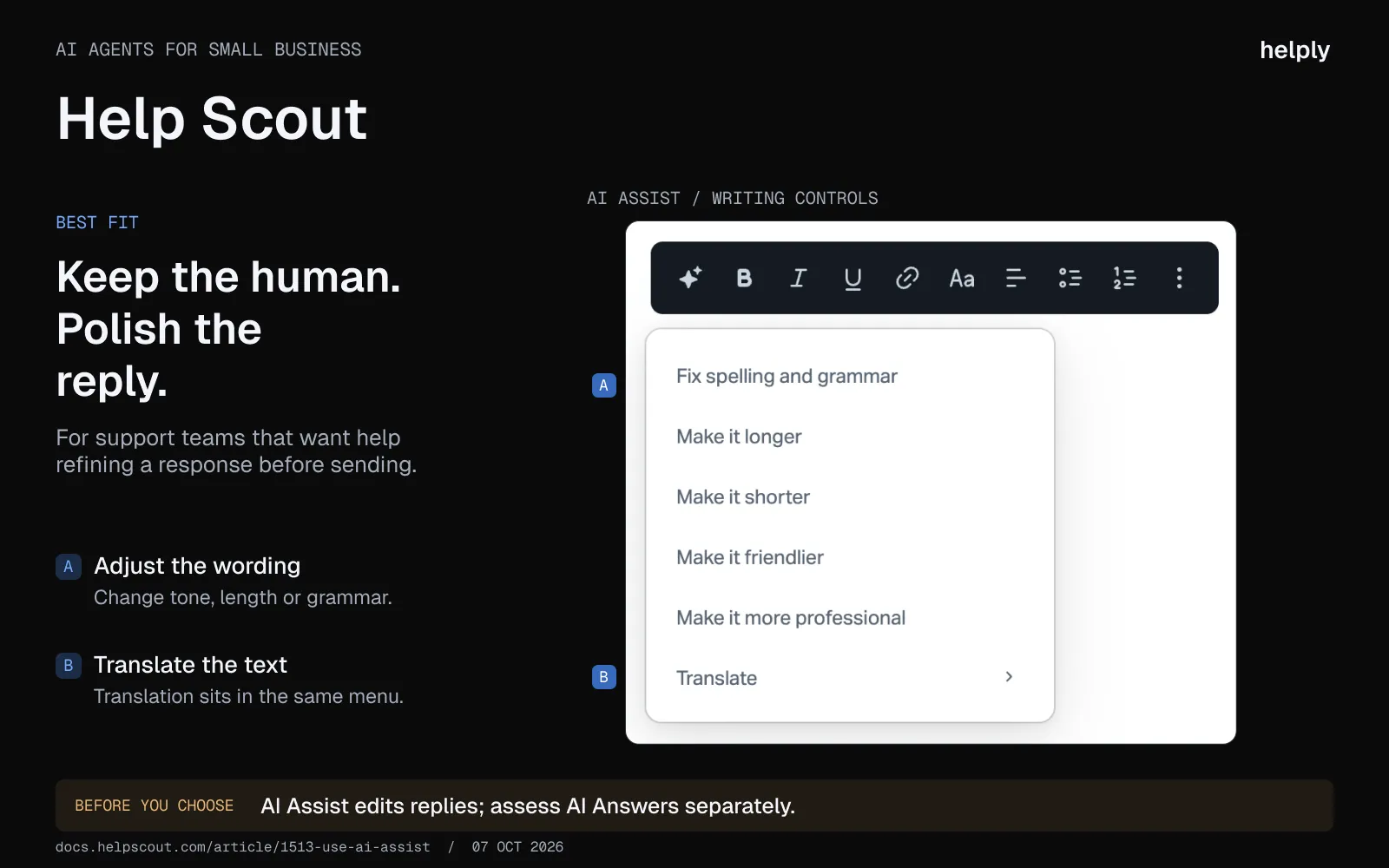
The product is built around the idea that AI should make human agents better, not replace them. AI Answers, its self-service chatbot, is billed at $0.75 per resolution.
Key features:
- AI Drafts. Generates a full reply with one click on Plus and Pro, pulled from past conversations and help articles.
- AI Answers. Self-service chatbot priced per resolution. Three months of unlimited resolutions included free at sign-up.
- AI Summarize. Compresses long email threads into bullets.
- AI Assist. Tone, grammar, shortening and translation..
Pricing:
Free plan for 5 users and 100 contacts a month. Standard $25/user billed annually ($30 monthly). Plus $45 ($54).
Pro $75 ($90), sold through a demo. AI Answers $0.75 per resolution after 3 free months.
Pros:
- AI Answers costs only when it resolves a question, and you can cap monthly spend.
- AI Drafts are included on Plus and Pro.
- The interface is built around email, which suits teams whose support is mostly email.
Cons:
- Help Scout does fewer things than Zendesk or Intercom, and that scope is the point. Teams that want autonomous multi-step resolution will hit the ceiling.
- Its AI drafts and answers from past conversations and help articles. Stripe and Salesforce data show in the sidebar for the human agent.
- Per-user pricing scales with headcount, not results.
Best for:
Teams that want AI drafts and summaries to make human agents faster, not fully autonomous resolution.
8. Hiver: A Help Desk Inside Gmail or Outlook, From 2 Seats
Hiver layers shared inbox and ticketing inside Gmail and Google Workspace.
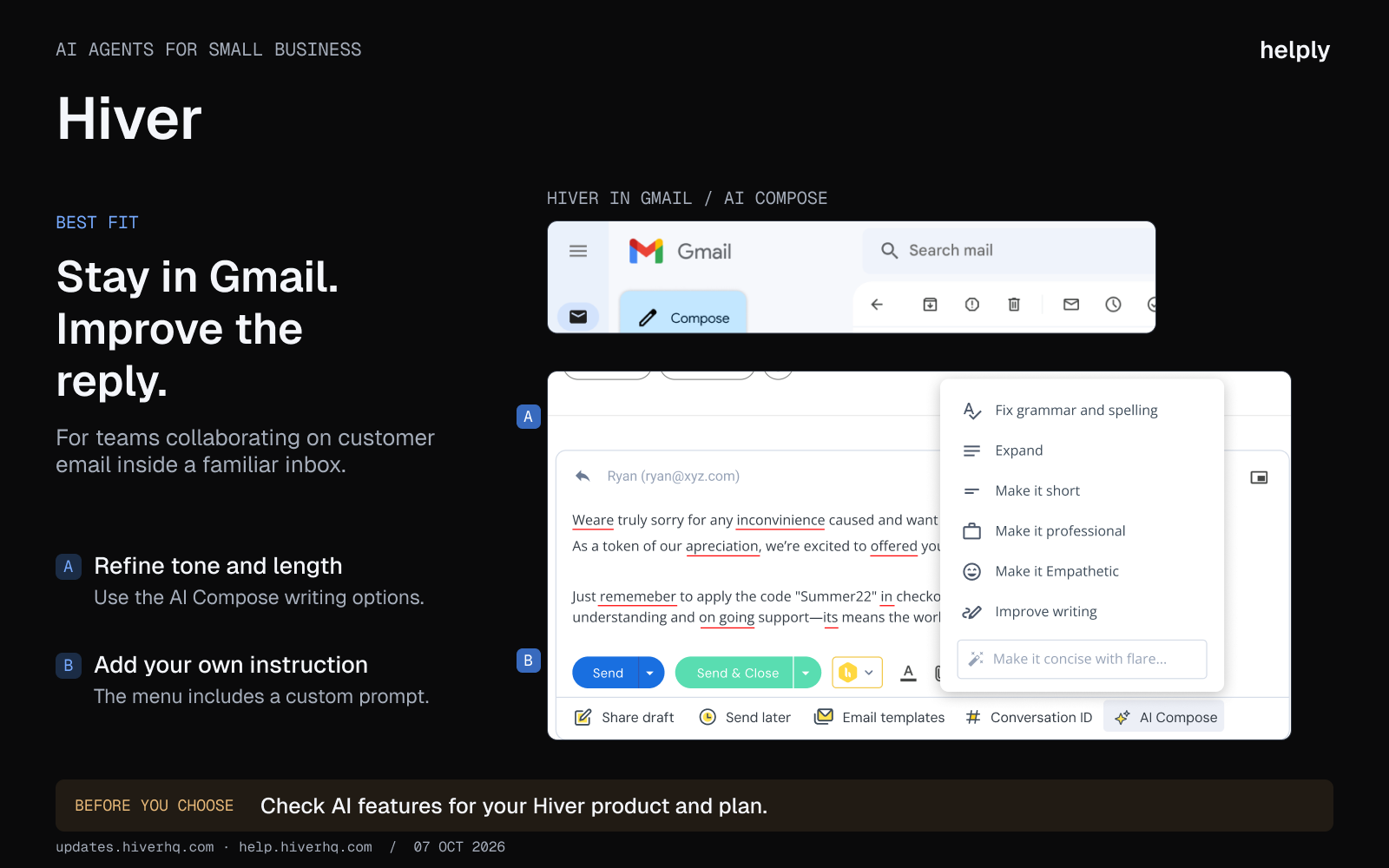
Hiver Omni also works with Outlook and other email providers, and its AI Agents can resolve requests and take actions.
For a 2 to 4 person team that lives in Gmail and is not ready to adopt a full ticketing tool, Hiver is the lowest-friction option in this guide.
Key features:
- Shared Gmail inbox. Assignments, statuses, and collision detection inside the Gmail UI agents already use.
- AI Agents. Triage, resolve requests and act across your systems, such as looking up orders and issuing refunds.
- Multichannel. Adds chat, WhatsApp, voice, and live chat alongside email.
- SLA and analytics. Built for small support teams that need basic reporting without leaving Google Workspace.
Pricing:
Growth $25/user billed annually ($35 monthly). Pro $55 ($65). Elite $85 ($95).
All plans start at 2 seats. Voice is a $30 add-on per seat.
Pros:
- Lowest possible adoption friction. Agents keep using Gmail and get assignments and statuses on top.
- It works inside the inbox a two-person team already uses, so there is no new tool to learn.
- AI Agents handle the tedious tagging and routing work without a heavy setup.
Cons:
- Not a true ticketing platform. Scaling past 10 agents starts to feel cramped.
- The strongest features sit in Hiver Omni, not the Gmail add-on.
- The Gmail version needs Google Workspace. Outlook teams need Hiver Omni.
Best for:
Teams of 2 to 4 running customer email through Gmail or Outlook.
9. Gorgias: For Shopify Stores, With AI That Works on Shopify Only
Gorgias is an ecommerce help desk that connects to Shopify, BigCommerce, Magento and WooCommerce. Its AI Agent works with Shopify stores only.
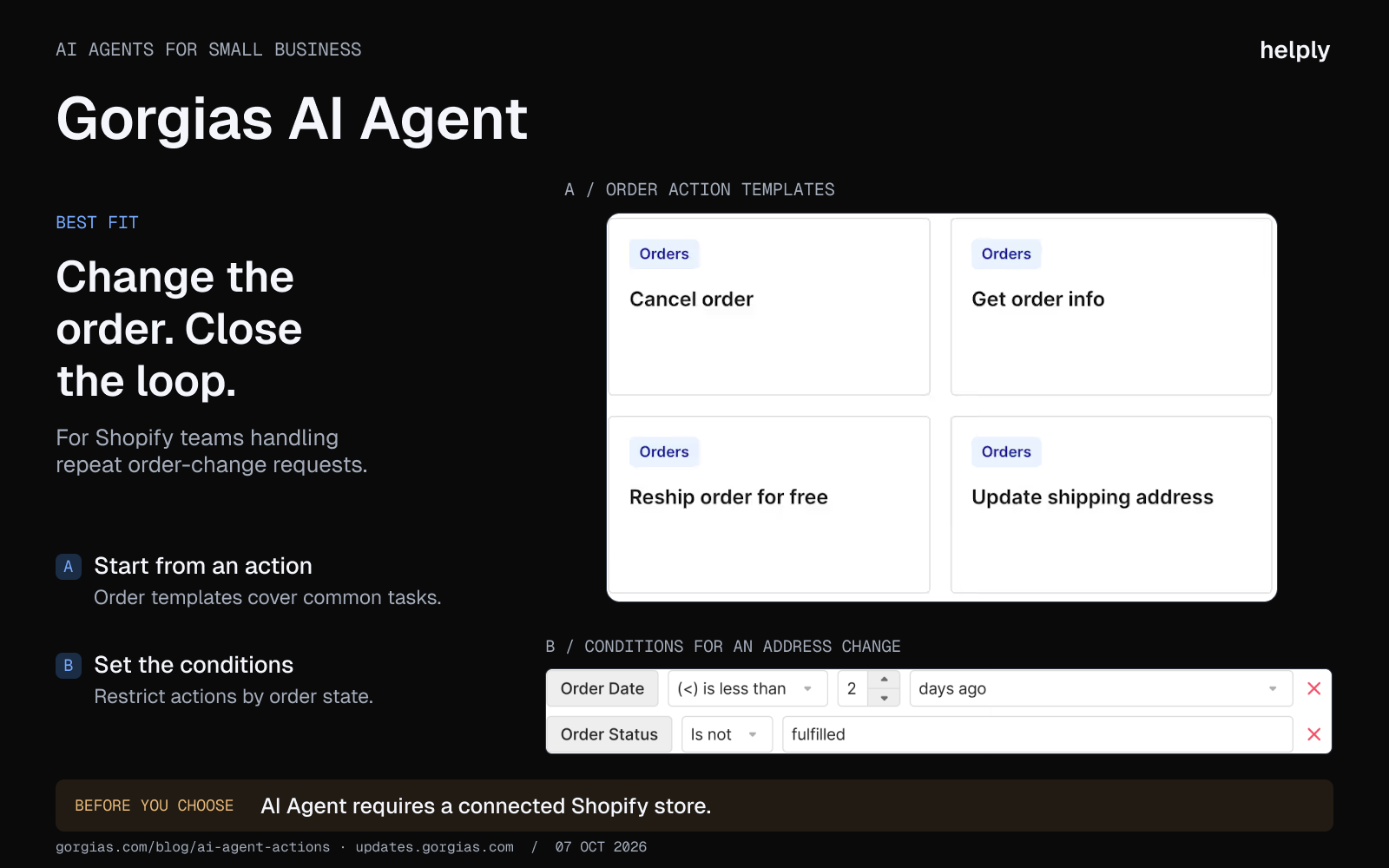
The integrations, automations and language are all tuned to order tracking, refunds and returns. A software company will find little here for account or billing context.
Key features:
- Shopify-native AI. Order data, return policies, and product catalogs feed the AI agent directly.
- AI Agent on every plan. Each plan includes automated interactions at about $0.85 to $1.00 each. Extra ones cost $1.50.
- Multichannel for ecommerce. Email, chat, SMS, and social DMs.
- Revenue attribution. Ties support interactions to revenue impact for DTC brands.
Pricing:
Helpdesk only, billed monthly: Starter $10, Basic $60, Pro $360, Advanced $900. With AI Agent: $40, $90, $550 and $1,430. Annual billing lowers Basic to $50, Pro to $300 and Advanced to $750.
Pros:
- For a Shopify store, the AI Agent is trained on your orders, returns and products.
- AI Agent is included on every plan.
- Pre-built actions for refunds, order lookups, and exchanges are deep.
Cons:
- AI Agent works with Shopify only. BigCommerce, Magento and WooCommerce stores get the help desk without it.
- Gorgias counts each AI-resolved ticket as a helpdesk ticket too, so AI and helpdesk usage draw on the same allowance.
- Gorgias's own case studies report 26% (Psycho Bunny) to 56% (Orthofeet) automation, below the marketed 60%.
Best for:
Shopify stores that want AI trained on their orders, returns and products.
10. Hubspot Service Hub: For Hubspot CRM Teams, With the AI Agent on Professional
HubSpot Service Hub is the customer service product inside HubSpot.
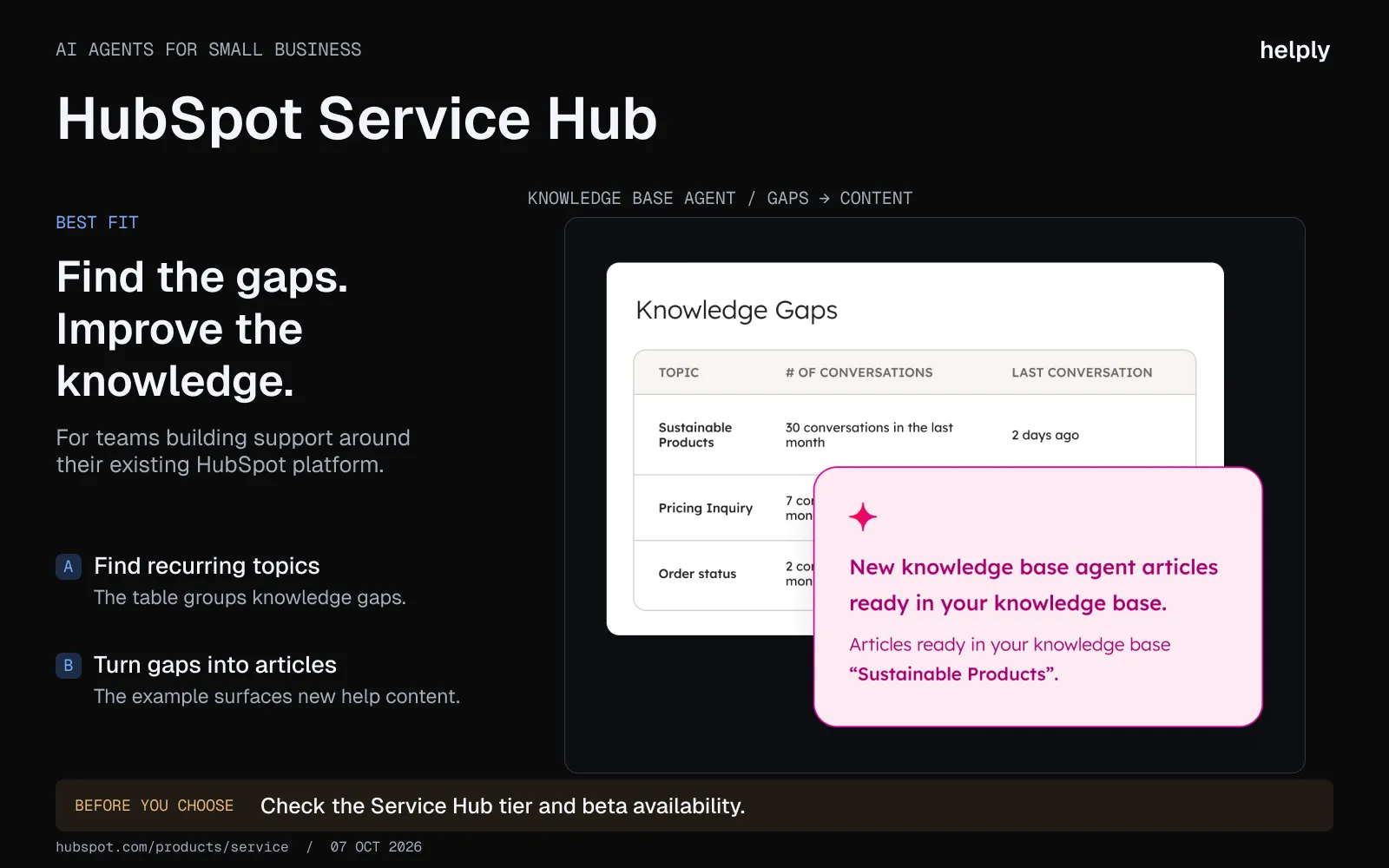
Small teams adopt it because they already pay for HubSpot CRM and want one less vendor. The CRM context is the strength. The AI agent that resolves conversations sits on the higher tiers.
Key features:
- CRM-integrated AI workflows. Ticket context pulls automatically from HubSpot CRM, marketing, and sales objects.
- Shared inbox. AI-powered routing across email, chat, and forms.
- Service automation. SLA management, ticket pipelines, and feedback surveys.
- Customer portal. Branded portal for ticket submission and status, on Professional and above.
Pricing:
Free for up to 2 users. Starter $7/seat billed annually (list price $20).
Professional $90/seat billed annually plus $1,500 onboarding. Enterprise $150/seat billed annually plus $3,500 onboarding.
Pros:
- CRM context is the real value here. Tickets arrive with deal stage, last touch, and lifecycle data already attached.
- The free plan covers 2 users with shared inbox and live chat.
- Pricing alignment with the rest of HubSpot can offset the jump to Professional for teams already on Marketing or Sales Pro.
Cons:
- The customer agent that resolves conversations sits on Professional and above, billed in credits at about $0.45 to $0.50 per resolution.
- Professional costs $90 a seat plus $1,500 onboarding, and most AI features start there.
- Knowledge base setup is more complex than peers, and the AI is dependent on having good docs.
Best for:
HubSpot Professional or Enterprise customers who want service and CRM in one platform.
11. Chatbase: A Chatbot Trained on Your Docs, Not a Full Help Desk
Chatbase lets you upload documentation or point it at a website and get a chatbot that answers from that content.
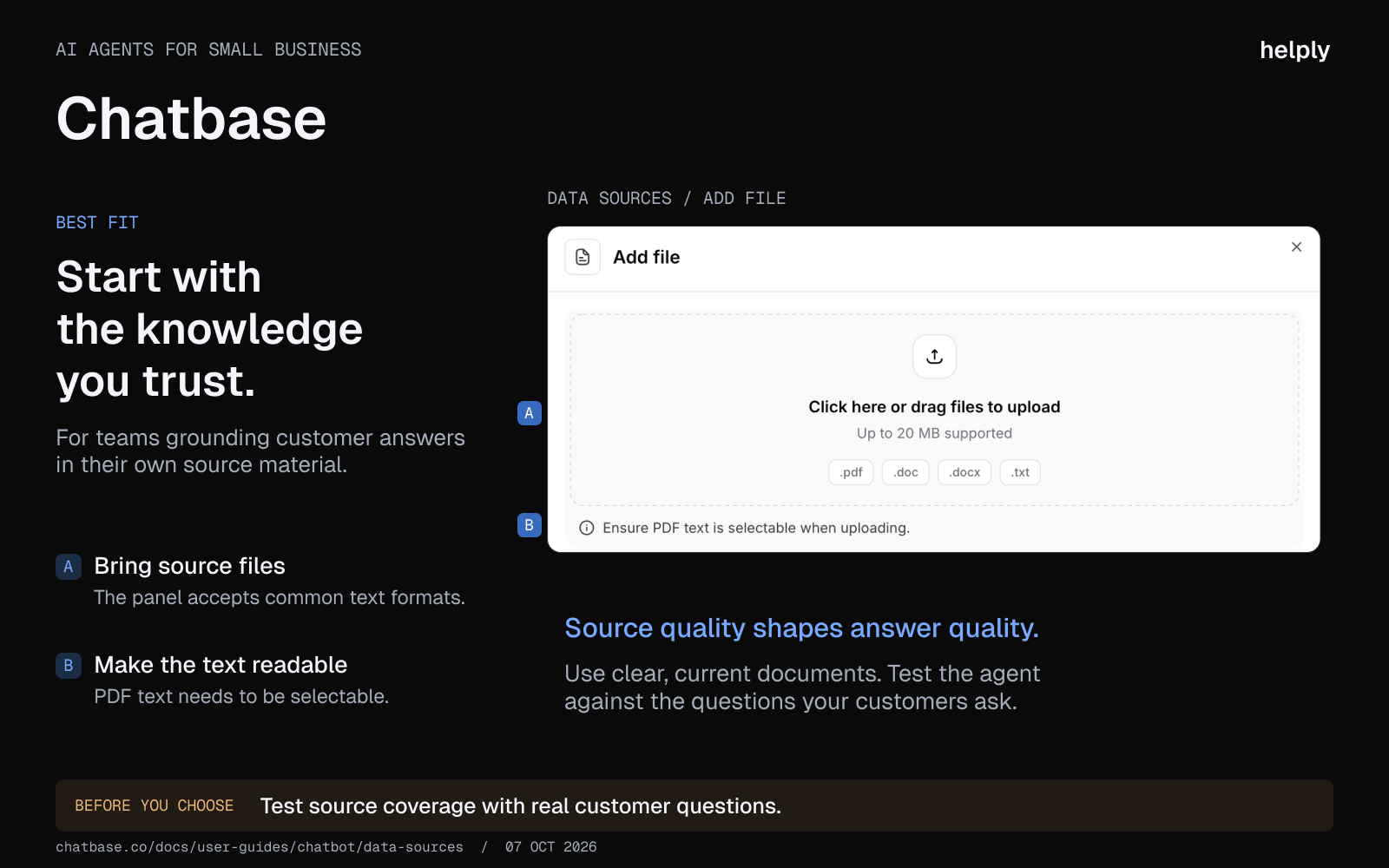
For a solo founder, it is a low-cost entry to an AI agent. It is not a full help desk.
Key features:
- Train on your content. Upload docs, point at a URL, or sync a knowledge base. The chatbot answers from that content only.
- Embed anywhere. Site widget, Slack, WhatsApp, and API access on higher plans.
- Lead capture. Collect emails inside the chat for follow-up.
- Custom branding. Match the bot to your site styling.
Pricing:
Free plan with 50 message credits a month. Hobby $32/mo billed annually ($40 monthly), Standard $120 ($150), Pro $400 ($500). Enterprise is custom.
Pros:
- A founder can ship one for under $50 a month.
- Fast to deploy. Upload docs or point it at a URL.
- You can choose models from OpenAI, Anthropic, Google and others.
Cons:
- Not a full help desk. Helpdesk features and Zendesk handoff start on the Standard plan, $120 billed annually ($150 monthly).
- Best for question answering, not multi-step issue resolution like refunds or account changes.
Best for:
Solo founders with FAQ-shaped questions.
12. Ada: An Enterprise AI Agent, Priced After a Demo
Ada is one of the original AI-native customer service platforms with the highest brand awareness in the AI-native bucket.
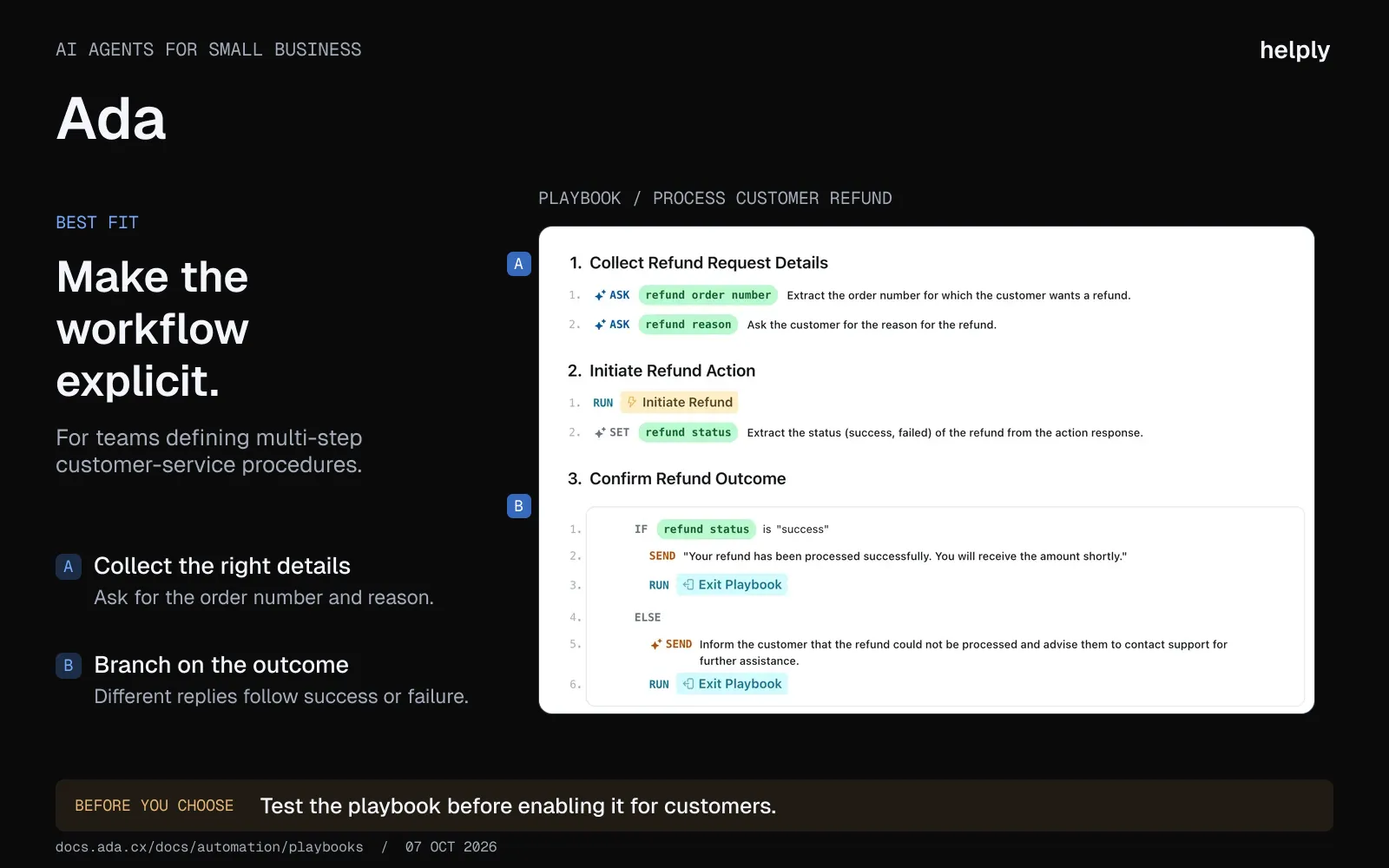
The price tag puts it outside "small business" by any reasonable definition, but it appears in enough lists that it is worth scoping clearly.
Key features:
- Playbooks. A step-based editor for building automations.
- 60 languages.
- Simulations and testing. Test the agent against real scenarios before launch.
- Personalization. Tailor responses based on customer attributes from connected systems.
Pricing:
No public pricing. Ada offers conversation-based pricing and, for some enterprises, resolution-based pricing.
Pros:
- Content ingestion and initial answer quality are strong, particularly for teams with well-organized knowledge.
- Wide language coverage useful for global support teams.
- Mature governance, security, and audit controls.
Cons:
- Pricing is enterprise-only and quoted after a demo.
- No native helpdesk, so you are paying for two stacks in parallel.
- On conversation-based pricing, you pay for every conversation, resolved or not.
Best for:
Enterprise teams handling 5,000+ conversations a day with dedicated CX engineering. Stretches the "small business" definition far beyond what most readers of this guide are sizing for.
13. Fini: Per-Resolution AI for Fintech, Insurance and Healthcare
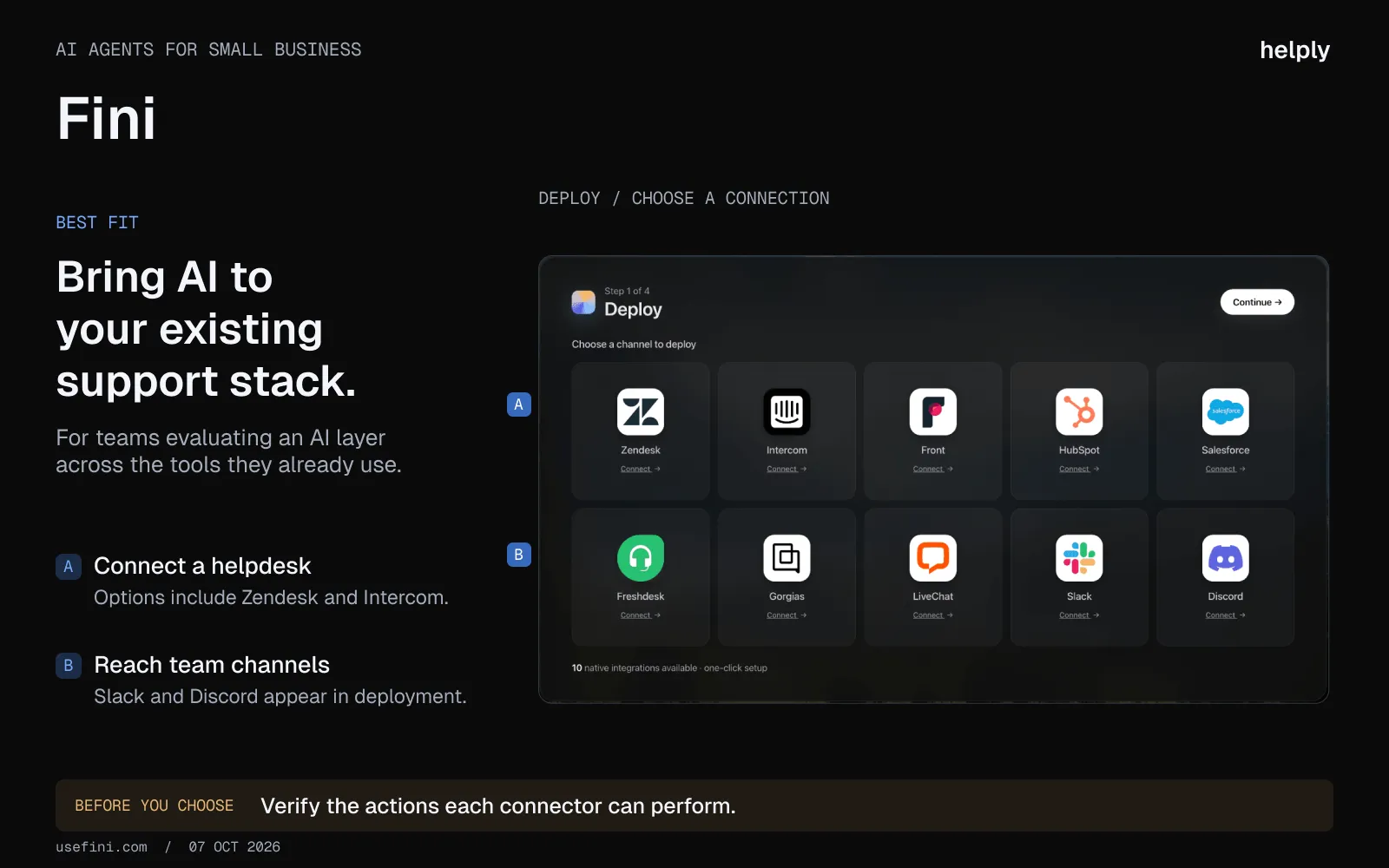
Fini is an AI agent priced per resolved ticket, from $0.49 to $0.89 depending on plan. It is built for fintech, banking, insurance, and healthcare.
Key features:
- Per-resolution pricing. $0.49 to $0.89 per resolved ticket on chat and email. Voice is billed per call.
- Multi-agent orchestration. Smart routing between specialized agents for different ticket types.
- Enterprise compliance. SOC 2 Type II, ISO 27001, GDPR, and HIPAA-compliant handling with a BAA.
- Knowledge base integration. Connects to existing docs and ticket history to deliver accurate answers.
Pricing:
Growth $0.89, Scale $0.69, Enterprise $0.49 per resolution, billed in advance with a monthly ticket allowance.
Voice from $0.89 per answered call. The 90-day free pilot is for Enterprise customers.
Pros:
- Per-resolution pricing drops to $0.49 on Enterprise.
- Compliance posture matters for fintech, insurance and healthcare teams.
- Voice is available on every plan, billed per answered call.
Cons:
- Documentation and community are thinner than market leaders.
- Setup is steeper for complex multi-step workflows.
- Like Ada, no native helpdesk. You will be paying for ticketing separately.
Best for:
Teams in fintech, insurance and healthcare that need compliance and are comfortable with a newer vendor.
14. Crisp: Live Chat First, Priced per Workspace
Crisp is a live chat platform with a built-in AI agent, designed for bootstrapped startups and solo founders.
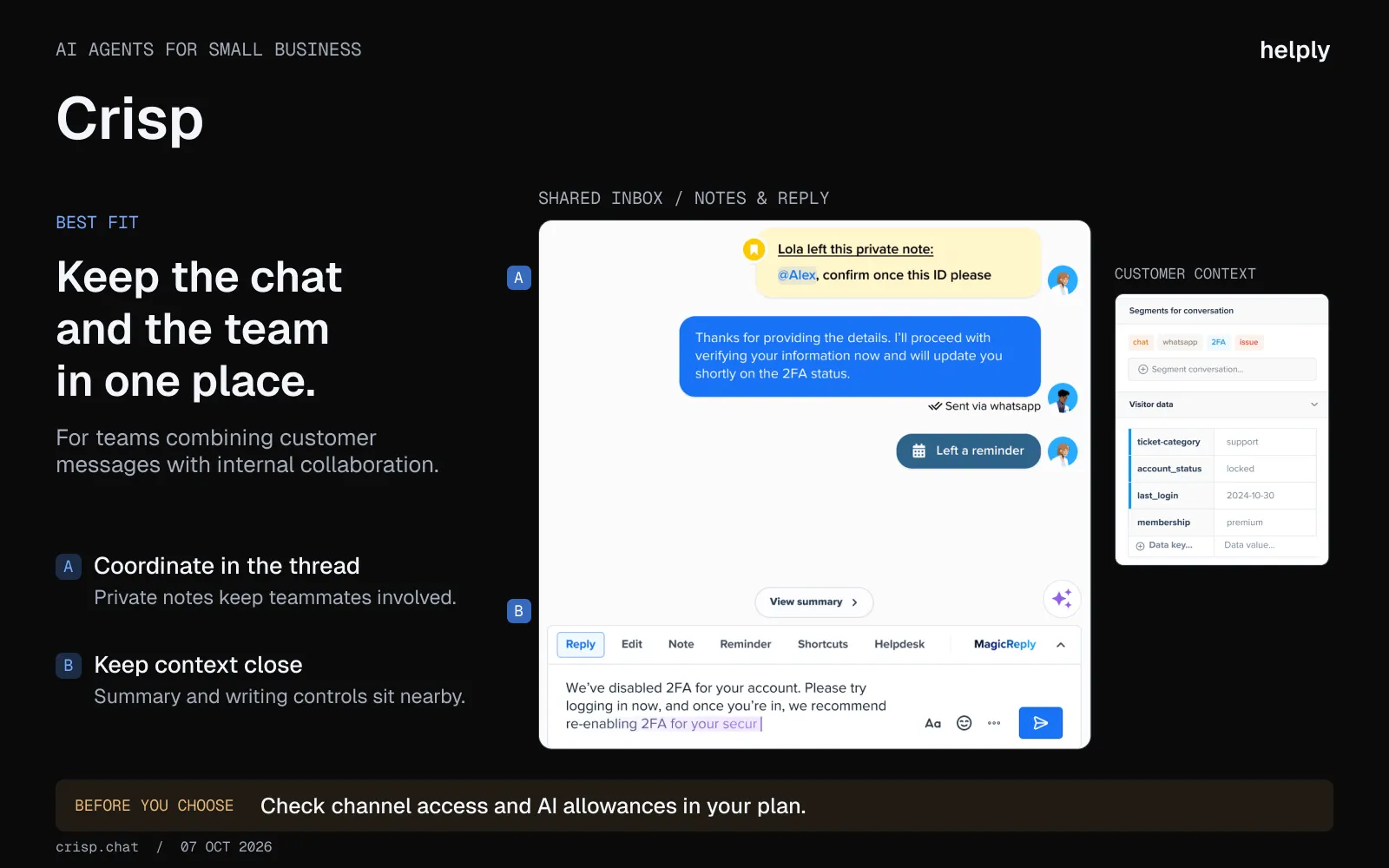
The free plan covers 2 seats with the chat widget. Email, AI and more channels start on paid plans.
Key features:
- Hugo AI agent. Resolves conversations end to end on Mini and above, with AI writing help from Essentials.
- Shared inbox. Email from Mini; WhatsApp, Instagram and SMS from Essentials.
- CRM-lite. Customer profiles and segmentation built in for small teams that do not need a separate CRM.
- Status pages. Public status updates on Essentials and above.
Pricing:
- Free with 2 seats. Mini $45/mo, Essentials $95, Plus $295, each per workspace with seats included. Extra agents cost $10 a month.
Pros:
- The free tier covers two people with live chat.
- Setup takes minutes. Drop the widget on your site and start.
- Flat per-workspace pricing, with no cap on conversations.
Cons:
- AI credits are limited per plan, about 90 automated conversations on Mini.
- Reporting is shallow.
Best for:
Bootstrapped teams of 1 to 3 that want flat pricing and live chat first.
15. Kustomer: A CRM-Style Help Desk With Quote-Only Pricing
Kustomer is an independent CRM-first help desk, spun out of Meta in 2023, with multi-agent AI built in.
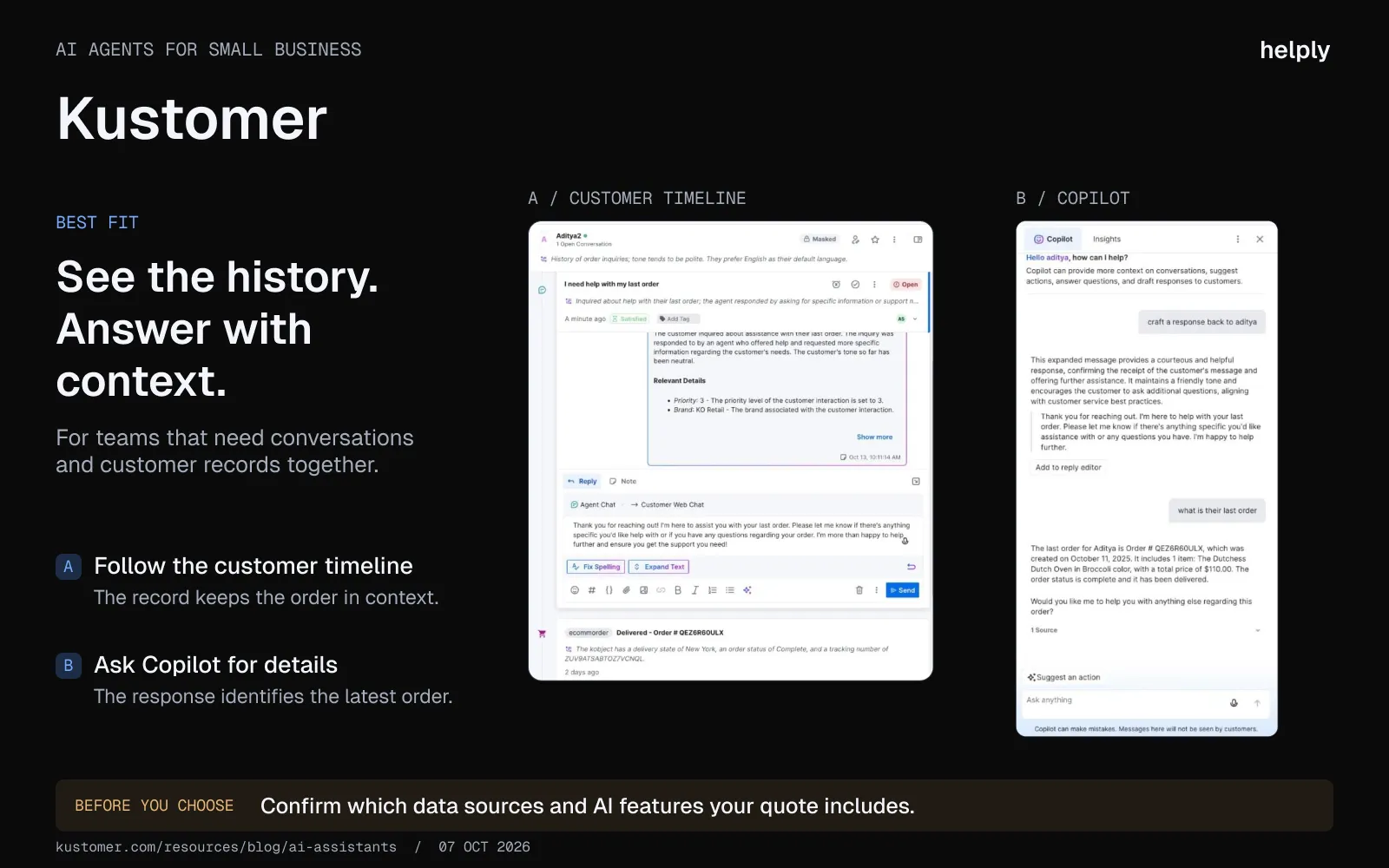
It sits at the upper edge of small business, and funded small teams sometimes consider it.
Key features:
- Multi-agent mode. Run a team of AI agents with handoff between them.
- CRM-first data model. Customer-centric rather than ticket-centric. Every interaction maps to a customer record.
- Omnichannel. SMS, voice, chat, email, social, and messaging platforms.
- AI Agents for Reps. Prompts and reply suggestions based on KB and CRM data.
Pricing:
No published seat prices; the Enterprise and Ultimate plans are quoted after a demo. AI Agents for Customers cost $0.60 per engaged conversation, and AI Agents for Reps $40 per user a month. Voice and SMS are usage-billed.
Pros:
- The CRM-first model fits teams that think in customers rather than tickets.
- Multi-agent AI is more sophisticated than single-bot competitors.
- Strong omnichannel coverage, including SMS and voice.
Cons:
- Pricing is quote-only, so a small team cannot price it without a sales call.
- Configuration learning curve is real.
Best for:
Funded teams that want a CRM-style help desk and can buy through sales.
How to Pick the Right AI Agent: 6 Evaluation Criteria
Six criteria separate these tools. Work through them in order.
1. Resolution depth versus deflection
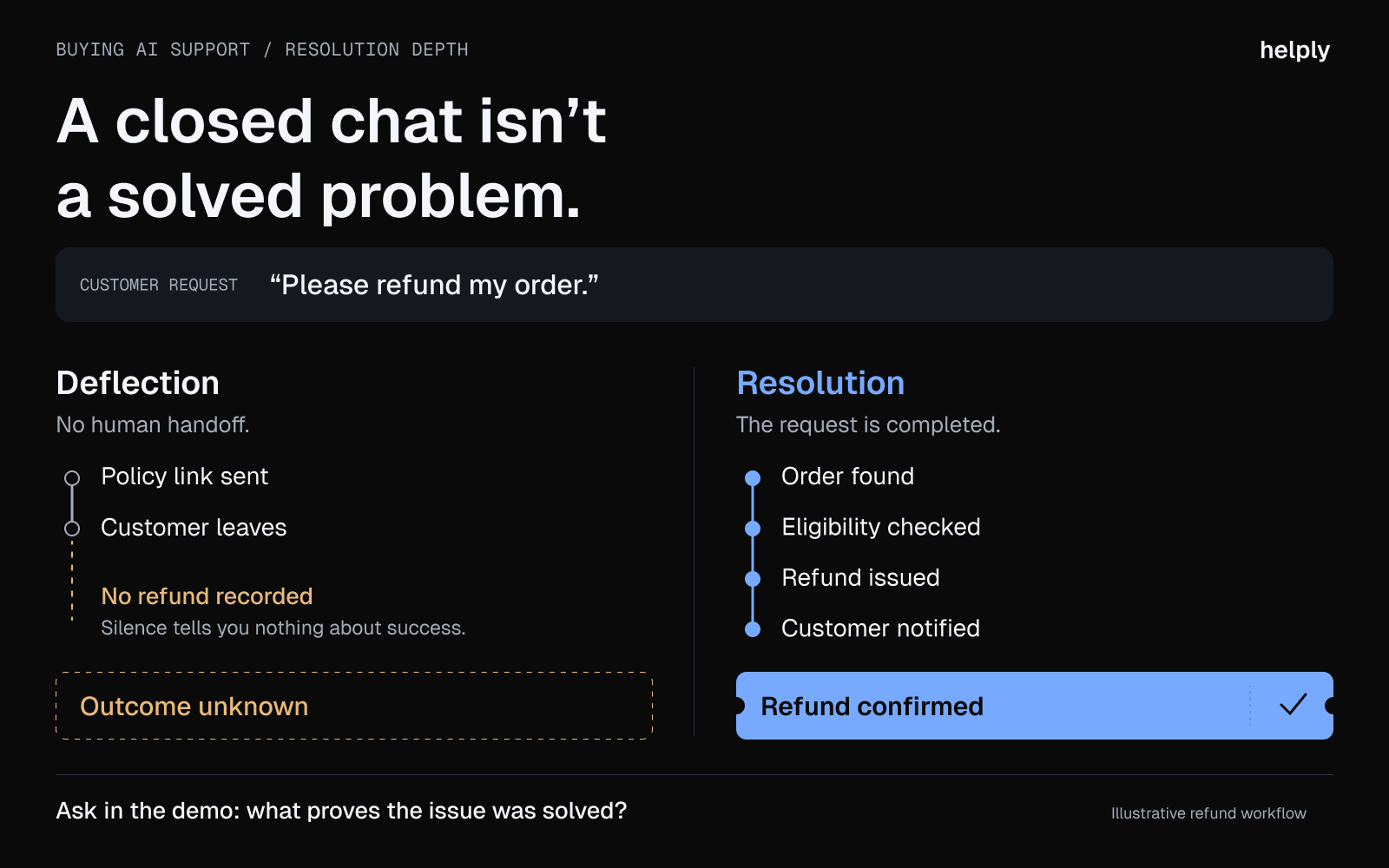
Some vendors measure "deflection," meaning any conversation that did not reach a human. Others measure genuine resolution, meaning the customer's issue was actually solved.
The difference is significant: deflection metrics can inflate success rates by counting conversations where the customer gave up.
Ask every vendor how they define resolution before comparing their numbers.
2. Channel coverage
Support no longer runs on email alone. Customers write in on Slack, Microsoft Teams, Discord and WhatsApp, alongside email and in-app chat.
If the AI agent does not work in those channels, your team will be copy-pasting between two systems. Helply covers all four. Intercom Fin covers Slack, Discord and WhatsApp.
Most others list "omnichannel" and mean chat plus email plus social DMs.
3. Integration with your existing helpdesk
Migrating helpdesks is the most painful part of any tooling change. Tools that sit on top of your current platform let you add AI resolution without rebuilding integrations. Fin, for example, works with Zendesk, Salesforce, Freshdesk and HubSpot.
If you would rather consolidate, Helply offers migration from Zendesk, Intercom, Freshdesk, Help Scout and Front. You can also connect a single mailbox first and add the rest later.
4. Pricing model
Per-user pricing scales with headcount. Per-conversation and per-resolution pricing scale with volume. A plan with unlimited users plus AI credits scales only with the AI's work.
A lean team on that plan can add people without paying more for them. The AI draws on credits, and a quiet month's unused credits roll into the next.
See how Helply's pricing works.
5. Deployment time
Deployment ranges from minutes for chat tools like Tidio and Crisp to several months for enterprise platforms.
Helply's 14-day trial includes 1,000 credits, enough to run the AI on your real queue.
6. Signals: does the AI catch churn risk, upgrade questions and feature requests?
Every customer conversation says something about whether the customer is at risk or ready for more. A tool that only answers tickets throws that away.
Helply's Background Agents read every conversation for churn risk, upgrade questions and feature requests. When one appears, they alert a teammate or open the task.
Add an AI Agent to Your Help Desk, or Switch to an AI-Native Help Desk
If you stay on Intercom or Freshdesk, you pay per user, plus usage fees for Fin outcomes or Freddy AI sessions. Teams on Zoho can use Zia, and Gorgias fits Shopify stores with order and return tickets. A solo founder can start on Tidio, and if your emails pile up faster than you can hire, pick Helply.
With Helply, an AI-native customer support platform, you get the help desk and its AI agents as one product. You give every conversation one owner, so two reps stop answering the same ticket. The Support Agent can start on a billing question the moment it arrives and resolve the routine ones end to end.
A teammate takes over harder tickets with the Support Agent's investigation, and the Assist Agent drafts the reply from the customer's context. Two people run support for Helply's 1,400 customers, a workload that took a team of six.
On a per-user plan, the renewal quote climbs with every person you add. Every Helply plan has unlimited users, so hiring adds nothing to the bill. The AI draws on a monthly credit block, and the smallest costs $49 for 500 credits.
You decide which actions the AI may take alone, such as refunds. Connect one mailbox for the trial, and use guided migration to bring your Zendesk, Intercom or Freshdesk history over.
Frequently asked questions
Helply is the best fit when support volume is growing faster than your team. You get the help desk and three AI agents in one product: one resolves tickets, one drafts replies, and one flags churn risk. Every plan has unlimited users, from $49 a month with 500 AI credits.
AI add-ons cost $29 to $50 per user a month, and per-resolution AI runs from about $0.45 to $2.00. Per-user help desks start around $7 to $29 a month for each user, billed annually. On Helply, you pay $49 a month for 500 AI credits and nothing per user.
Yes, if the same questions arrive every week. An AI agent that resolves order status, password resets and billing questions frees your team for the conversations that need a person. If most tickets are one-off problems, the savings are small.
Intercom Fin can sit on top of Zendesk, Freshdesk, Salesforce and HubSpot, so you can add AI without migrating. Helply replaces the help desk and offers migration: connect the old one, choose what to move, then switch. You can connect a single mailbox first while the rest stays where it is.
No. The AI clears the repeat tickets and drafts replies for the rest, and people handle what needs judgment. At Sender.net, Helply's AI resolves 71% of conversations end to end, and the rest go to the team.
Deployment ranges from minutes for chat tools like Tidio and Crisp to several months for enterprise platforms. Helply's 14-day trial runs on your real queue, so smaller teams can test it on their own tickets first.
About the author

Bildad Oyugi
Head of Content
Bildad is a digital marketing expert with over 5 years of experience in copywriting, content marketing, and editing. Outside of work, he enjoys videography and spending time with his family.


