

Top 5 Chatfuel AI Alternatives & Competitors in 2025
So, you’re here because of Chatfuel.
It’s a popular starting point for many, and when you first needed a simple, no-code way to automate DMs on Facebook and Instagram, it probably felt like a game-changer.
But if you’re reading this, you're scaling up, and the tool that once helped is now holding you back. You've hit the wall, and the frustrations are starting to pile up.
Does this list look familiar?
- The AI isn't actually "Intelligent": Its rule-based system can't handle real customer questions. Any query that's slightly off-script sends your bot into a repetitive loop, creating the exact "stupid bot" experience you were trying to avoid.
- It's a one-trick pony: Your customers are on your website and sending emails, but your bot is stuck on Meta platforms. This narrow channel support means you can't offer a consistent experience where your customers actually are.
- It doesn't work well with others: You can't run your support out of a chatbot. The limited integrations with essential help desks like Zendesk or Freshdesk mean your team is stuck with clunky, manual workarounds, killing efficiency.
- The price doesn't match the value: You're paying high costs for a platform packed with features you don't need, while the core functions you do need, like sophisticated AI and deep analytics, are either weak or completely missing.
If you found yourself nodding along, then it means you've just outgrown your tools are ready for a serious AI agent solution built for the challenges of a scaling support team.
Let's dive into the best Chatfuel alternatives in 2025 that are designed to solve these exact problems.
Key Takeaways
- Helply is for Autonomous Support: Helply is the best choice for scaling support teams that need to reduce ticket volume. It’s a self-learning AI agent that runs inside your help desk and resolves a high percentage of tier 1 issues automatically.
- ManyChat is for Social Media Marketing: ManyChat offers smarter automation for marketing campaigns on social media, but its best AI features require a paid add-on, and it lacks the deep integration of a true support tool.
- Tidio is for an All-in-One Hub: Tidio combines live chat, AI, and ticketing into one platform, but its AI can struggle with complex questions, and its free plan is too limited for most businesses.
- Intercom's Fin AI is for Data-Driven Teams: Fin AI provides powerful analytics and high resolution rates, but its per-resolution pricing model can lead to unpredictable and very high costs for teams with significant ticket volume.
- Zendesk AI is the Native Upgrade: Zendesk AI offers seamless integration and an excellent AI Copilot for agents, but it creates complete vendor lock-in and has a complex, multi-layered pricing structure that can be costly.
Alternative #1: Helply – Best for Scaling Support Teams Needing an Autonomous AI Agent
If your main frustration with Chatfuel is that it’s simply not smart enough and doesn’t integrate with your actual support workflow, then Helply is the alternative you’ve been looking for.
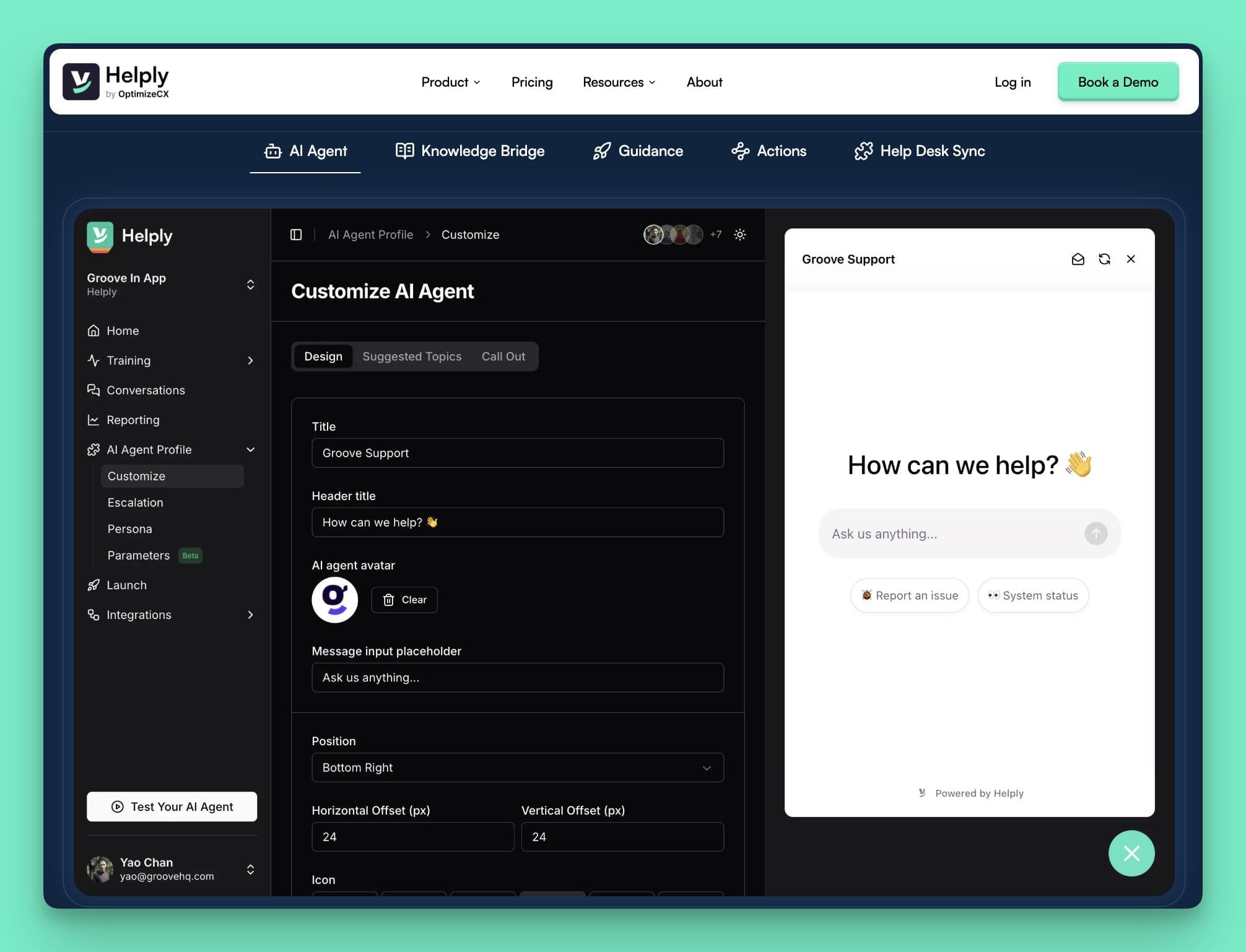
It's not just another chatbot; it’s a self-sufficient AI agent designed to handle the heavy lifting of customer support so your team doesn't have to.
Helply AI Agent Features
1. A Smart AI Agent that Learns on its Own
This is the core of Helply and where it leaves Chatfuel behind.
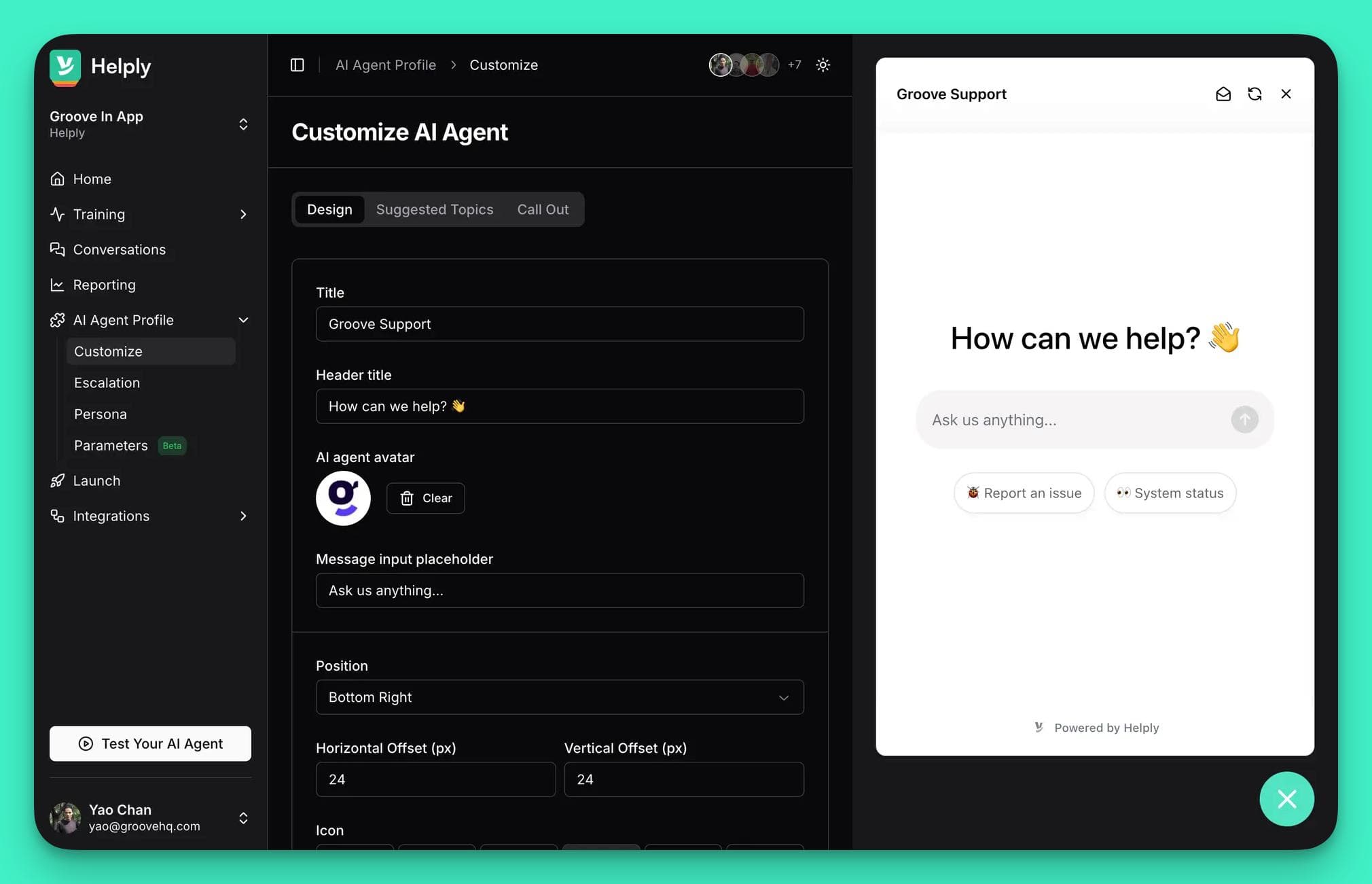
It’s an AI that works out of the box. There’s no need to build flows or write prompts. This is why:
- Self-Learning Engine: It connects to your help desk and instantly learns from past tickets, docs, and macros. It improves with every interaction, getting smarter on its own.
- Full Customization: You control the AI's personality. Set its tone, style, and escalation rules without any code. You can even create dynamic personas that change based on who the customer is.
- Sandbox & Security: Test the AI in a safe sandbox environment before going live. It's also SOC 2 compliant with robust security, including role-based access and data encryption.
2. Knowledge Bridge — Your AI Proactively Fixes Your Help Docs
This feature turns your support tickets into a self-improving knowledge base. It’s the ultimate solution to outdated help articles. Here's how the knowledge Bridge works:
- Ticket Intelligence: Knowledge Bridge reads real support tickets. It automatically finds where your help docs are unclear, outdated, or completely missing information.
- Auto-Article Suggestions: When it finds a knowledge gap, it auto-generates a draft article based on successful resolutions from your team, ready for you to approve.
- Continuous Knowledge Sync: Your help center is always up-to-date. The AI stays synced with your knowledge base, instantly learning any new information the moment it's published.
3. AI Actions — Moving from Just Answering to Actually Solving
This is where Helply AI becomes a true teammate. AI Actions let Helply do things for your customers, not just talk to them. Here's how:
- Workflow Automation: It can trigger real tasks. The AI can process a refund, reset a password, or update account details by connecting to your other systems via API.
- Live Data Pulls: The AI can fetch live data mid-conversation. A customer can ask "What's my plan?" and the AI will check their account and provide a personalized, accurate answer.
- Smart Routing & Guided Flows: It guides users through complex troubleshooting steps. If an issue still needs a human, it routes the ticket to the right team with the full context.
4. Seamless Integrations That Respect Your Workflow
Helply runs directly inside the help desk your team already uses every day.
- Native to Your Help Desk: It integrates directly with Zendesk, Freshdesk, Groove, and Help Scout. This means there's zero disruption to your team's workflow.
- Flawless Escalation Handoff: When a ticket is escalated, the AI creates a ticket in your help desk. The full conversation history is attached, so your agents have all the context they need.
- Connects to Your Knowledge Base: It also integrates with your knowledge base management tool, like InstantDocs Docs. This ensures the AI always has the latest information to pull from.
- Reporting & Insights That Drive Action Unlike Chatfuel's basic metrics, Helply gives you analytics that actually help you improve. You get a clear view of your AI's performance and its impact on your support operations.
- Measure What Matters: Track key metrics like AI resolution rates and CSAT scores. See exactly how the AI is performing and how customers feel about it.
- Spot Customer Trends: The reporting uncovers common questions and friction points. This helps you identify what your customers are struggling with so you can make product improvements.
Helply AI Agent Pros
- Truly Autonomous AI It trains itself on your past support tickets. This means no manual setup or prompt writing. The AI just works, getting smarter every day.
- Deep Helpdesk Integration It runs right on top of your existing tools. Helply works with Zendesk, Freshdesk, and more. You don't have to change your team's workflow.
- Drastically Reduces Ticket Volume It successfully resolves over 70% of tier 1 tickets. This frees your human agents to focus on complex issues. You can scale support without scaling your headcount.
- Proactively Improves Your Docs The Knowledge Bridge finds gaps in your help center. It then suggests new articles based on real tickets. This boosts your deflection rate automatically.
Helply AI Agent Cons
- Purely for Customer Support This is not a marketing or sales-focused chatbot. If you need a bot for social media lead generation, this isn't it.
- Needs Data to Learn Best The AI learns from your support history. It performs best when it has past tickets to analyze. A brand new company may have a short ramp-up period.
Who Is Helply AI Agent Best For
Helply is the perfect fit for the "Scale-Up" Service Leader. You're a fast-growing B2B SaaS company drowning in 50-100+ tickets a day. You need to scale your support without hiring more agents.
You already live in a help desk like Zendesk or Freshdesk. You refuse to accept clunky workarounds or replatform. Most importantly, you're tired of AI hype and demand a tool that delivers clear, measurable ROI.
Alternative #2: ManyChat – Best for Marketers Needing Smarter Social Media Campaigns
ManyChat is designed for businesses that live on social media.

If you've outgrown Chatfuel's basic automation and want more intelligence for your marketing, sales, and lead generation efforts, ManyChat is a logical next step.
Features
1. AI-Assisted Flow Building
This is ManyChat's answer to Chatfuel's clunky interface. Instead of building every automation from scratch, you get an AI assistant to do the heavy lifting for you.
- Flow Builder Assistant: You simply tell the AI your goal (e.g., "qualify leads for my online store"). In seconds, it generates a complete, tailored automation flow for you to review and customize.
- AI Step: You can insert this into any flow to handle complex conversations. Just give it a goal and some context (like your FAQs), and it will manage a dynamic, multi-step dialogue with the user.
2. Smarter, More Human Conversations
ManyChat moves beyond the simple keyword triggers that make Chatfuel feel robotic. It focuses on understanding what your customers actually mean.
- Intention Recognition: The AI understands the user's intent, not just the words they type. This means it can handle different phrasing and languages, providing more accurate and helpful responses.
- Text Improver: This AI tool acts like a copywriter. It refines your bot's messages to make them more engaging and on-brand, ensuring a polished and professional tone.
3. Broader Channel Support
While still focused on social media, ManyChat offers more flexibility than Chatfuel. It supports Instagram, Messenger, WhatsApp, and also extends to SMS and Telegram.
ManyChat AI Pros
- Excellent for Marketing & Sales. The platform is built for lead generation. Its features are perfect for running automated promotional campaigns. You can easily capture and qualify leads on social media.
- Faster and Smarter Automation. The AI assistants make building flows incredibly fast. You get more sophisticated automations up and running. This is a huge step up from Chatfuel's manual builder.
- More Engaging Conversations. Its ability to understand user intent is a game-changer. This leads to fewer dead-end conversations. It provides a much better customer experience.
ManyChat AI Cons
- Limited AI Sophistication: Struggles with complex queries due to basic NLP, risking inaccurate responses.
- Restricted Customization: Lacks flexibility for advanced chatbot designs, limiting complex use cases.
- Weak Native AI: Requires third-party tools for advanced AI, adding complexity and cost.
- Narrow Channel Support: Limited to social media platforms, missing web chat or email.
- High Costs: Pricing escalates with volume and AI add-on ($29/month), impacting ROI.
- Poor Customer Support: Slow or unresponsive support, frustrating for quick issue resolution.
- Performance Issues: Occasional messaging delays disrupt immediate response expectations.
- Limited CRM Integrations: Lacks native help desk compatibility, creating workflow inefficiencies.
- No Unlimited Contacts: Free plan’s contact limit removal reduces cost-effectiveness.
Who is ManyChat Best For
ManyChat is the ideal choice for marketers and e-commerce brands. Your primary goal is to generate leads and drive sales through social media channels. You’ve hit the limits of Chatfuel’s basic AI and need a smarter tool for your campaigns.
Alternative #3: Tidio – An All-in-One Customer Communication Hub
For teams looking to consolidate their tools, Tidio presents a different approach from single-purpose chatbot builders.
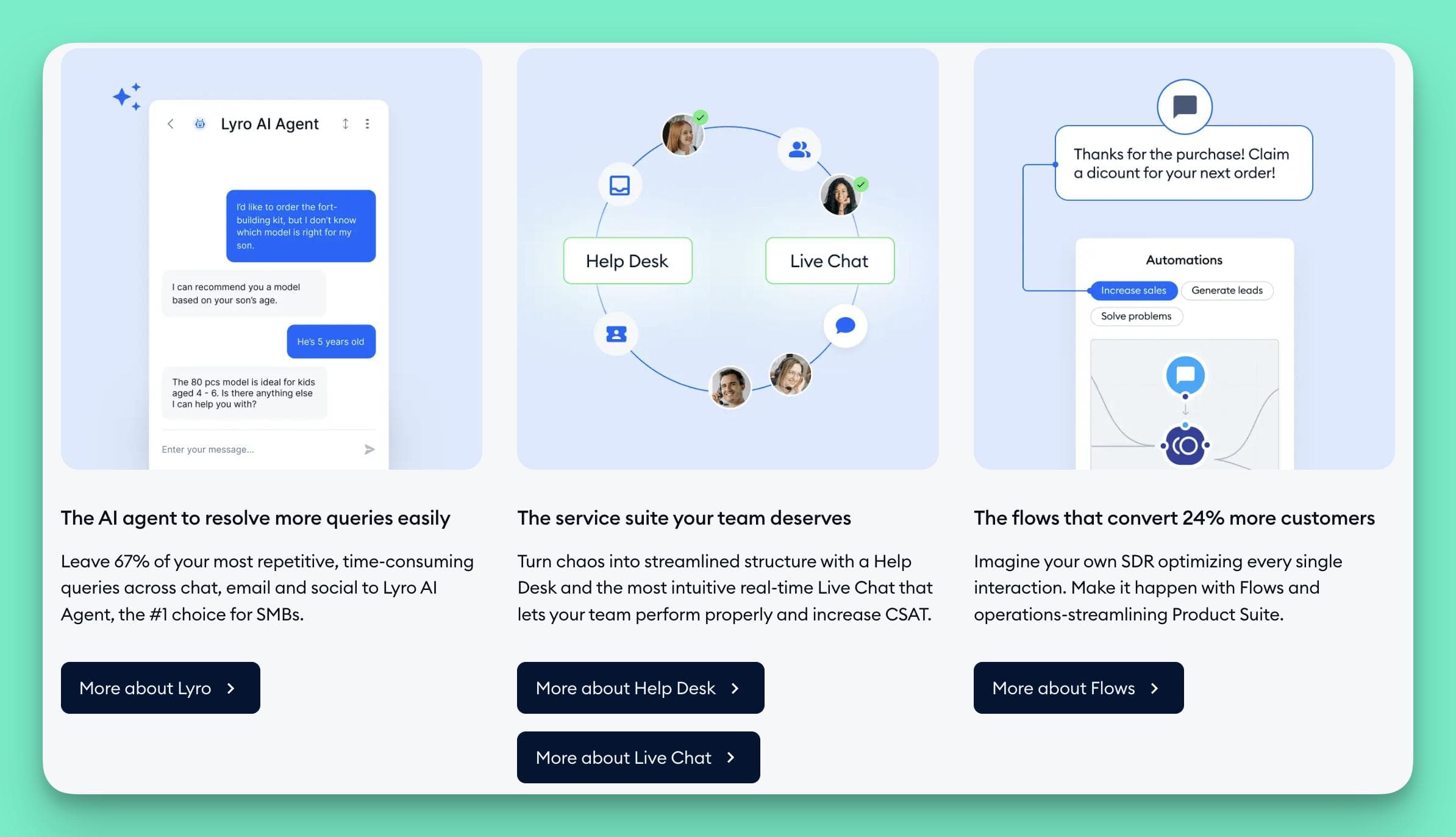
It bundles several customer communication features into one product.
The platform combines live chat, an AI agent, and a help desk system within a single interface.
Tidio's Features
1. A Hybrid AI + Live Chat System
Tidio is structured around a blend of AI and human support, allowing them to work together.
- Lyro AI Agent: This conversational AI is designed to handle common customer questions. It pulls information from a knowledge base to provide answers in 12 languages.
- Seamless Human Handoff: When the AI cannot resolve an issue, it transfers the chat to a live agent. The agent then receives the full conversation history for context.
- Live Chat Tools: Human agents have access to features like live typing previews and canned responses. There is also an AI Reply Assistant that suggests improved phrasing for agent responses.
2. Advanced Chatbot Automation (Flows)
For rule-based tasks, Tidio includes a visual flow builder. This offers more advanced options for creating custom bot interactions.
- Visual Flow Builder: A no-code, drag-and-drop editor is used to build custom bots. These can be designed for lead capture, FAQs, and routing customers to the right team.
- 40+ Ready-to-Use Templates: The platform includes pre-built templates for sales and lead generation scenarios, such as abandoned cart recovery.
- Unified Help Desk and Ticketing This feature centralizes customer conversations from various channels. It aims to solve the problem of support being managed in multiple, disconnected places.
- Multichannel Inbox: It can pull conversations from your website, email, Messenger, and Instagram into one dashboard. This allows agents to manage interactions without switching between tools.
- Built-in Ticketing: Any conversation can be converted into a ticket. This allows issues to be formally tracked and routed to specific teams for resolution.
3. Integrations with Other Business Tools
Tidio is built to connect with other parts of a tech stack. It has over 120 integrations with CRMs, help desks, and e-commerce platforms like HubSpot, Zendesk, and Shopify.
Tidio's Pros
- Consolidates Multiple Tools: It combines live chat, AI, and ticketing in one platform. This can simplify your tech stack.
- Blends AI and Human Support: The handoff between the AI and live agents is designed to be smooth. This can create a better experience for customers.
- Includes Lead Generation Features: Proactive chat triggers and sales templates can be used to help capture leads and boost conversions.
- Offers Many Integrations: It connects to a wide range of business software. You can sync data with tools like HubSpot and Shopify.
Tidio's Cons
AI Struggles with Complex Questions: The Lyro AI can struggle with highly technical or nuanced issues.
Costs Can Escalate Quickly: Users have reported significant price hikes over time. This can raise ROI concerns for budget-conscious teams.
A Very Limited Free Plan: The free plan is capped at just 50 conversations. After that, ticket and customer data are blurred. This heavily pushes users toward a paid subscription.
Reported Performance and Speed Issues: Some users have noted slow load times and message delays. It can undermine the goal of providing an immediate response.
Some Integrations Can Be Clunky: Users report that connecting to certain CRMs can be difficult. This may require workarounds that disrupt workflows.
Risk of Paying for Unused Features: Because it's an all-in-one platform, it includes many tools. Some teams may find they are paying for "feature bloat." This is a key concern for leaders focused on lean operations.
Who It's Best For
Tidio is an option for small to medium-sized businesses that want to consolidate their tools. You might be looking for an all-in-one platform that combines live chat and AI.
Alternative #4: Intercom (Fin AI) – For High-Volume Support Teams
Intercom’s Fin AI is positioned as a premium, fully-featured AI agent, not just a chatbot.
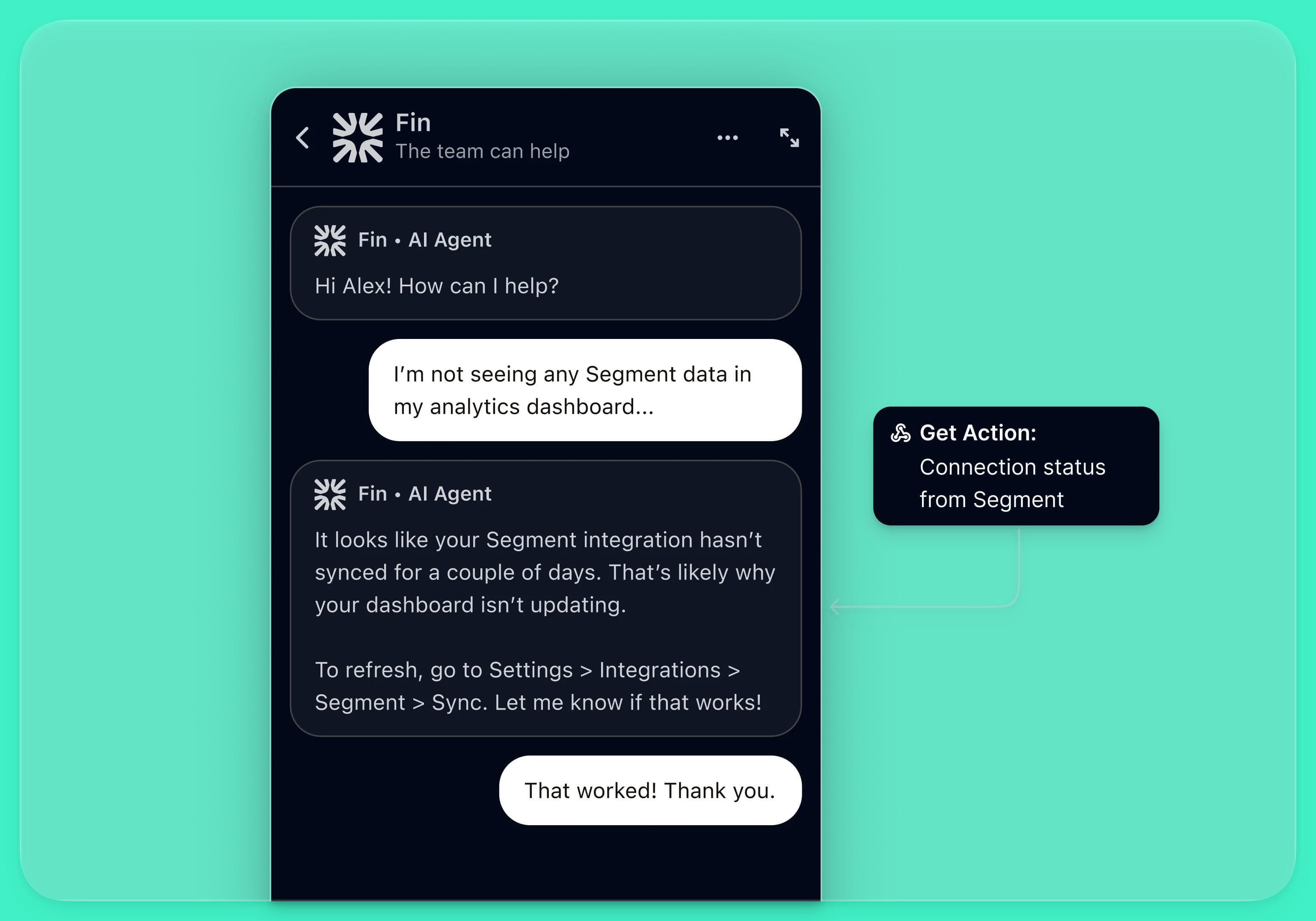
It is part of Intercom's larger customer service platform but can also integrate with other help desks. It is designed for teams managing a high volume of complex support inquiries.
Features
1. A Configurable, End-to-End AI Agent
Fin is designed to handle entire conversations on its own. It is built on a patented engine that focuses on accuracy and can be managed through a no-code interface.
- High Resolution Rate: The system is engineered to resolve up to 65% of conversations without human help. This includes complex, multi-step queries.
- Tone and Persona Customization: You can adjust Fin’s tone of voice and responses. This helps ensure interactions align with your brand's style.
- Full Multichannel and Multilingual Support: It works across email, live chat, social media, and even phone (Fin Voice). It also supports over 45 languages with real-time translation.
2. Advanced Task and Knowledge Handling
Fin can do more than just provide text answers. It connects to various knowledge sources and can perform actions.
- Deep Knowledge Integration: It connects to your help docs, internal policies, and other data sources. This ensures its answers are accurate and based on your information.
- Fin Vision and Voice: These features allow the AI to handle visual inputs like screenshots. It can also manage support conversations over the phone.
- Workflow and Task Management: Fin can execute tasks and trigger workflows. For example, it can file a bug in Jira or request a screen recording from a user.
3. Deep Analytics and Optimization Tools
The platform provides a suite of reporting tools. These are designed to help support leaders monitor performance and identify areas for improvement.
- Performance Monitoring: Dashboards track resolution rates, efficiency, and customer experience scores. This gives you a clear view of the AI's impact.
- Trend and Gap Analysis: The system analyzes conversations to spot trends and content gaps. An "Unresolved Queries Report" highlights exactly where your knowledge base needs to be improved.
FIN AI's Pros
- High First-Contact Resolution It can successfully resolve a high percentage of queries. This includes complex issues that basic bots can't handle.
- Integrates with Your Entire Stack It works with Zendesk, Salesforce, and Jira. This allows it to fit into your existing support and development workflows.
- Powerful Analytics and Reporting You get detailed insights into performance. This helps you prove ROI and make data-driven decisions.
- Full Control and Customization: The no-code interface gives you deep control. You can configure its tone, knowledge, and behavior.
FIN AI's Cons
- Dependency on a Single AI Provider: Fin's performance is tied directly to OpenAI. So when OpenAI has an outage, Fin can go down too.
- High and Unpredictable Costs: The pricing model is a major concern for many users. The per-resolution fee can add up quickly with high ticket volumes.
- Struggles with High Conversation Volume: Users report issues with managing multiple chats at once. Problems include missed notifications and incorrect assignments.
- Bugs and Inconsistent Performance: The platform can be prone to glitches and bugs. Slow resolution times from Intercom for these issues can lead to frustration. An inconsistent AI can quickly damage customer trust.
- Limited in Multi-Product Setups: Fin can't differentiate between multiple apps in a single workspace. This can cause it to pull answers from the wrong knowledge base.
- Complex to Truly Master: The basic setup is quick, but true optimization is complex. Fine-tuning the AI for nuanced queries often requires expert knowledge. You may need to hire a consultant to get the most value from the tool.
Who It's Best For
Fin AI is a fit for a larger B2B SaaS company with a dedicated budget for premium tools. You handle a high volume of complex inquiries where a 65% resolution rate would provide significant value.
5. Zendesk AI – The Native Upgrade for Zendesk-Powered Teams
Zendesk AI is not a standalone product but a suite of artificial intelligence features built directly into the Zendesk platform.
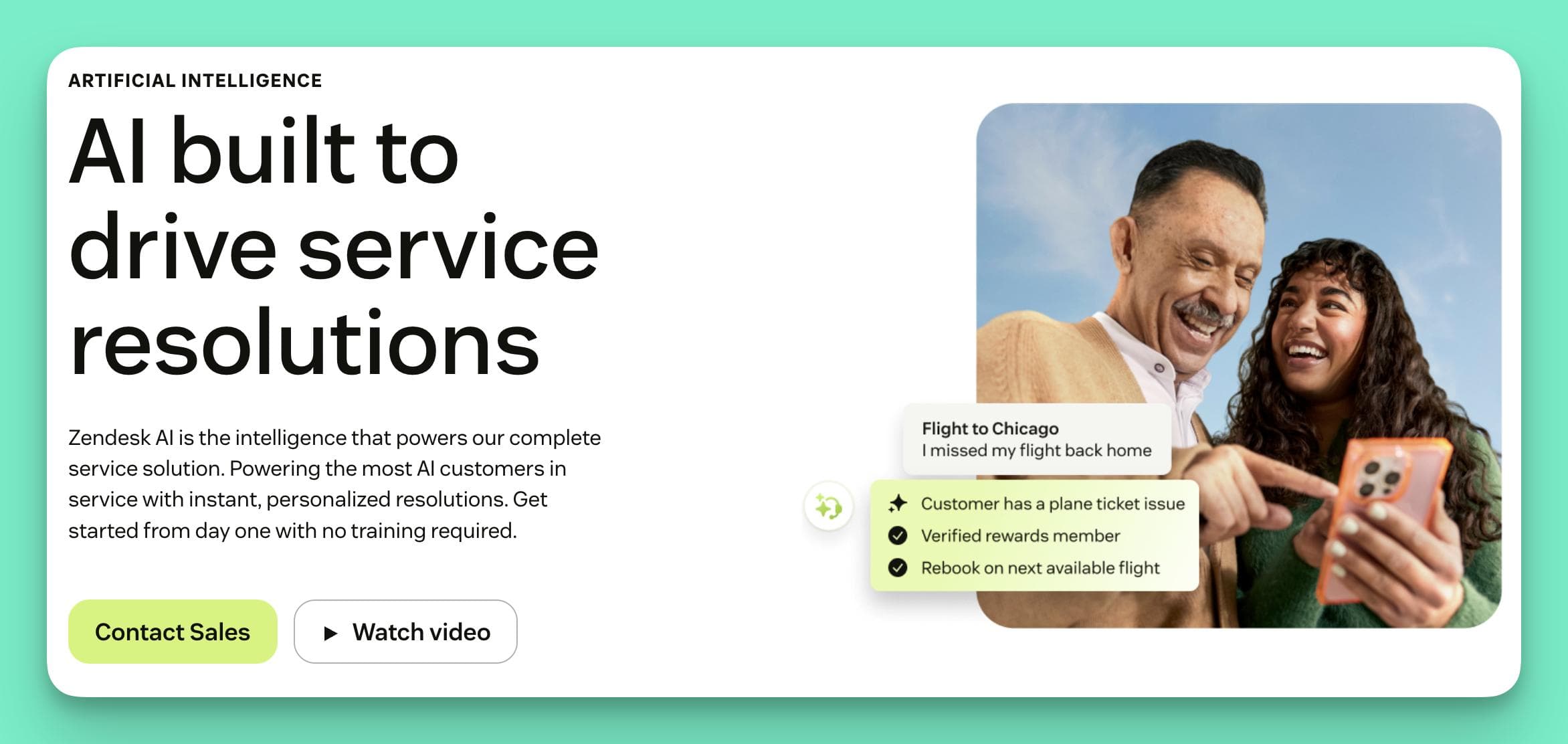
For teams already using Zendesk, this is the most deeply integrated option available. It's enhances the entire support lifecycle, from ticket creation to agent assistance.
Features
1. Autonomous AI Agents & Bots
Zendesk AI goes beyond simple bots to offer agents that can handle entire workflows. These include:
- No-Code Bot Builder: Create conversational bots to answer common questions. The system also includes pre-trained bots that leverage Zendesk's vast dataset for industry-specific responses.
- High Resolution Rates: The AI agents can resolve up to 80% of common interactions. This includes tasks like password resets or checking an order status.
- Transparent AI Reasoning: For every decision the AI makes, you can see an auditable "chain-of-thought" log. This gives you full visibility into why the AI gave a specific answer.
2. An AI Copilot for Human Agents
The AI actively helps your human agents work faster and more effectively. For instance:
- Real-Time Guidance: The copilot provides agents with real-time suggestions and ticket summaries. This helps them get up to speed on demanding issues instantly.
- Response Enhancement: Agents can write a brief note, and the AI will expand it into a full, on-brand response. It can also adjust the tone of a message from formal to friendly with one click.
3. Intelligent Triage and Routing
This feature automates the tedious work of sorting and assigning tickets. It analyzes incoming requests and routes them to the right place automatically. This is reported to save around 45 seconds per ticket compared to manual triage.
4. AI-Powered Help Center Management
Zendesk AI also helps you create and maintain your knowledge base.
- Generative AI for Content: The AI can help you write new help articles, simplify complex wording, or adjust the tone of existing content.
- Content Cues: The system analyzes incoming tickets to find knowledge gaps. It then suggests new articles you should create to address those recurring questions.
Pros
- Deepest Possible Integration: It is built directly into Zendesk. This means the experience for agents and admins is completely seamless. There are no clunky handoffs or data sync issues.
- Empowers Your Existing Team: The Agent Copilot makes your human agents more efficient. It helps them resolve tickets faster and more consistently.
- Automates Manual Admin Work: Features like intelligent triage save a huge amount of time. It eliminates the need for a human to read and route every single ticket.
- A Comprehensive AI Toolset: It’s a full suite of AI tools. Thus it improves ticketing, agent workflows, and content creation. It touches every part of the support process.
Cons
- Complete Vendor Lock-In: This is not an option if you don't use Zendesk. You must be fully committed to the Zendesk ecosystem. It cannot be used with other help desks.
- Confusing and Layered Pricing: The cost structure is very complex. You pay for your Zendesk Suite plan, then a per-agent fee for the AI add-on, plus a per-resolution fee for the AI agents. This can make budgeting very difficult.
- Key Features Require Expensive Add-Ons: Many of the best features, like the Agent Copilot, are not included in the base plans. They require a separate, costly add-on.
- Can Be Complex to Fully Optimize: While the setup is no-code, properly configuring the AI agents, triage, and copilot requires expertise. It is not a simple "plug-and-play" solution.
Who It's Best For
Zendesk AI is best for you if your business is already deeply invested in the Zendesk ecosystem.
Get Started with Helply–– The Best AI Agent for Customer Support
While other platforms offer pieces of the puzzle, Helply is the only one purpose-built to solve the entire problem. It’s not a marketing bot or a complex system that requires a team of consultants to manage.
Scale high-quality support without scaling headcount. Helply is the no-code AI agent that runs on your existing helpdesk to resolve up to 66.3% of your support tickets instantly. It auto-trains, auto-updates, and works for small SaaS teams.
Industry leaders are already using Helply with great results.
- PlatoApp is resolving 75% of their tier 1 questions with Helply.
- Kami cut 80% of their support volume with Helply.
- Mixwave has reduced their response times to seconds thanks to Helply.
Impressive right?
Ready to augment your team and cut costs?
Book a FREE demo here!

