
 Konrad Janczyk ··10 min read

Salesforce Service Cloud Pricing and Why Teams Look Past It
Service Cloud costs $25 to $550 a user each month, and Agentforce use bills on top at $2 a conversation. Service Cloud shares a platform with Sales Cloud, so a case, its account and the open opportunity sit on one record. Keeping sales in Salesforce keeps that record intact.
Starter Suite starts at $25 a user each month, and Pro Suite at $100 a user with an annual contract. Core, the old Enterprise Edition, runs $195 a user monthly; Advanced is $395 and Max $550, each billed annually.
Every edition includes Agentforce, and Salesforce bills each use. It charges $2 a conversation, or $500 for 100,000 Flex Credits at 20 credits an action. Enhanced Messaging is another $75 per user monthly.
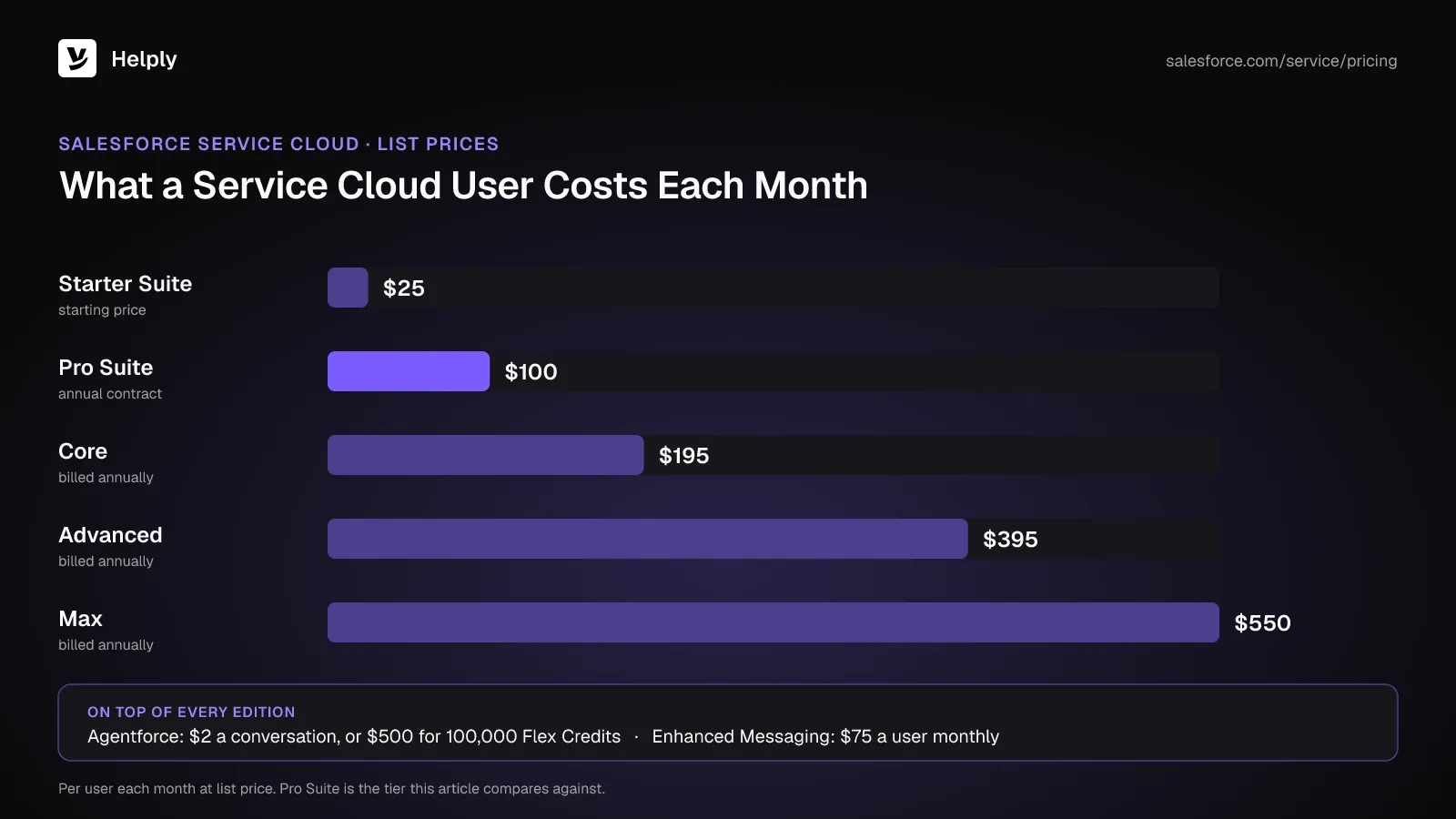
Salesforce also raised Enterprise and Unlimited list prices by an average of 6% on August 1, 2025. Those editions are now Core and Advanced.
What to Check Before You Replace Service Cloud
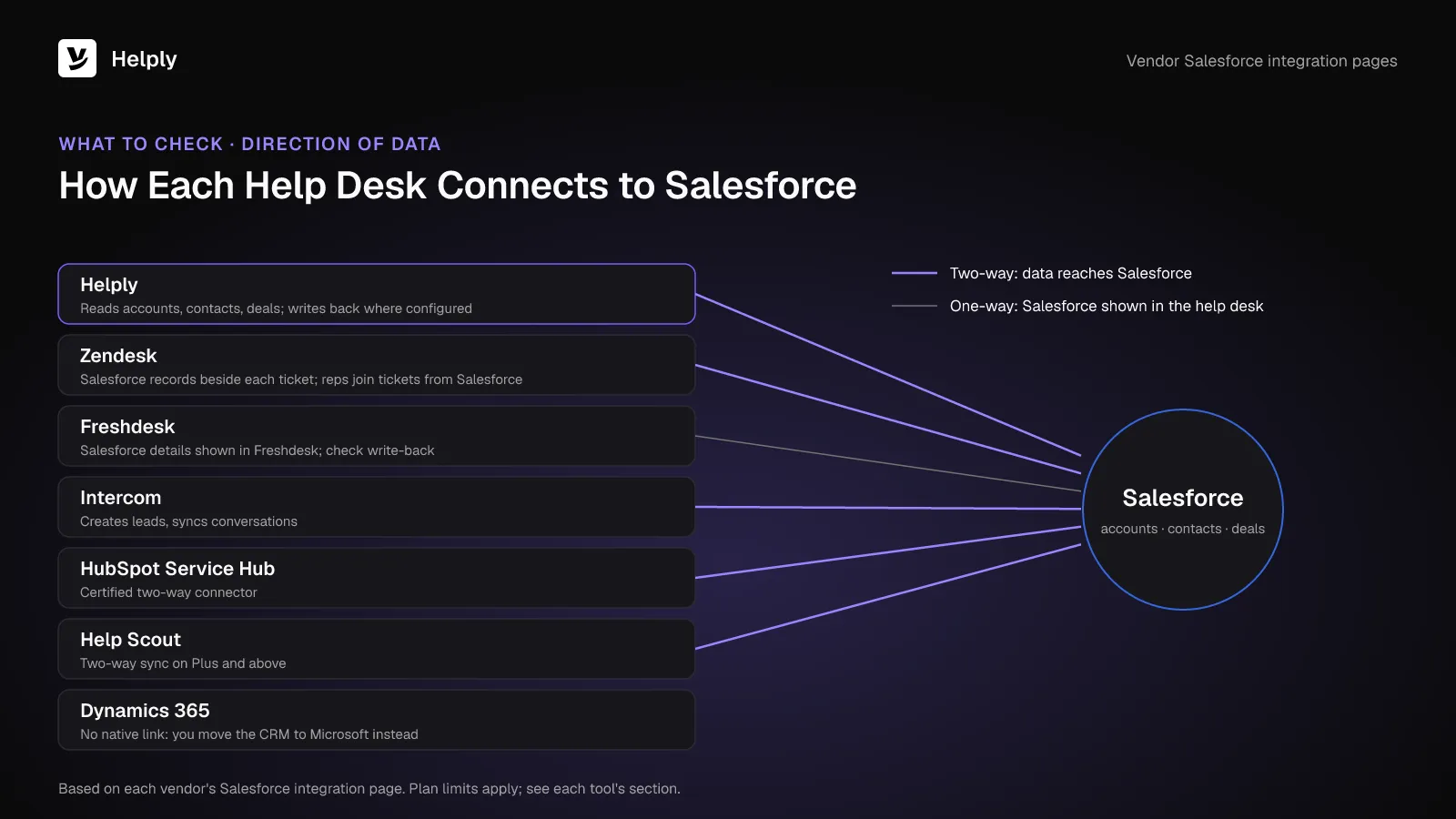
A Salesforce-connected help desk works for you when data moves the way your team needs. Put four questions to every vendor.
- Direction of data. Does Salesforce data only appear in the ticket, or do conversations and signals land back on the account?
- Which plan. Vendors often reserve the Salesforce connector for a pricier tier, so price that tier.
- How AI bills. Expect per-conversation, per-resolution, per-outcome or pooled-credit models. Run each against a typical month of your volume.
- Moving data. Find out how cases, contacts and articles transfer, and whether a parallel run with Service Cloud is possible.
Salesforce Service Cloud Alternatives Compared: Price, AI and Salesforce Sync
| Tool | Entry price (monthly, yearly) | AI pricing | Link to Salesforce |
|---|---|---|---|
| Salesforce Service Cloud | Pro Suite $100 a user, annual contract; Core $195 | Agentforce at $2 a conversation, or Flex Credits | Built in |
| Helply | Growth, 50 human agents (see Pricing) | 100,000 credits a month in a shared pool; 10 for a full resolution | Reads accounts, contacts and opportunities; writes back where supported and configured |
| Zendesk | Suite Team $69 an agent ($55) | 5 automated resolutions per agent monthly, after which Zendesk charges $1.50 committed, $2.00 uncommitted | Free app showing Salesforce records beside tickets |
| Freshdesk | Growth $23 an agent ($19) | 500 AI Agent sessions included, then $49 per 100 | Salesforce details shown in Freshdesk |
| Intercom | Essential from $29 a seat | Fin at $0.99 an outcome, monthly minimum | Leads, conversation sync, Salesforce data in the Inbox |
| HubSpot Service Hub | Professional from $90 a seat (list $100), $1,500 onboarding | HubSpot Credits, 3,000 on Professional | Two-way connector |
| Dynamics 365 Customer Service | Professional $50 a user, paid yearly | Copilot Credits, sold separately | None native; runs on Microsoft's CRM |
| Help Scout | Plus $54 a user ($45), needed for Salesforce | $0.75 an AI resolution | Two-way, on Plus and above |
1. Helply: AI Agents That Work from Your Salesforce Data
Helply is an AI-native customer support platform. Salesforce remains your system of record, and Helply's agents work the queue.
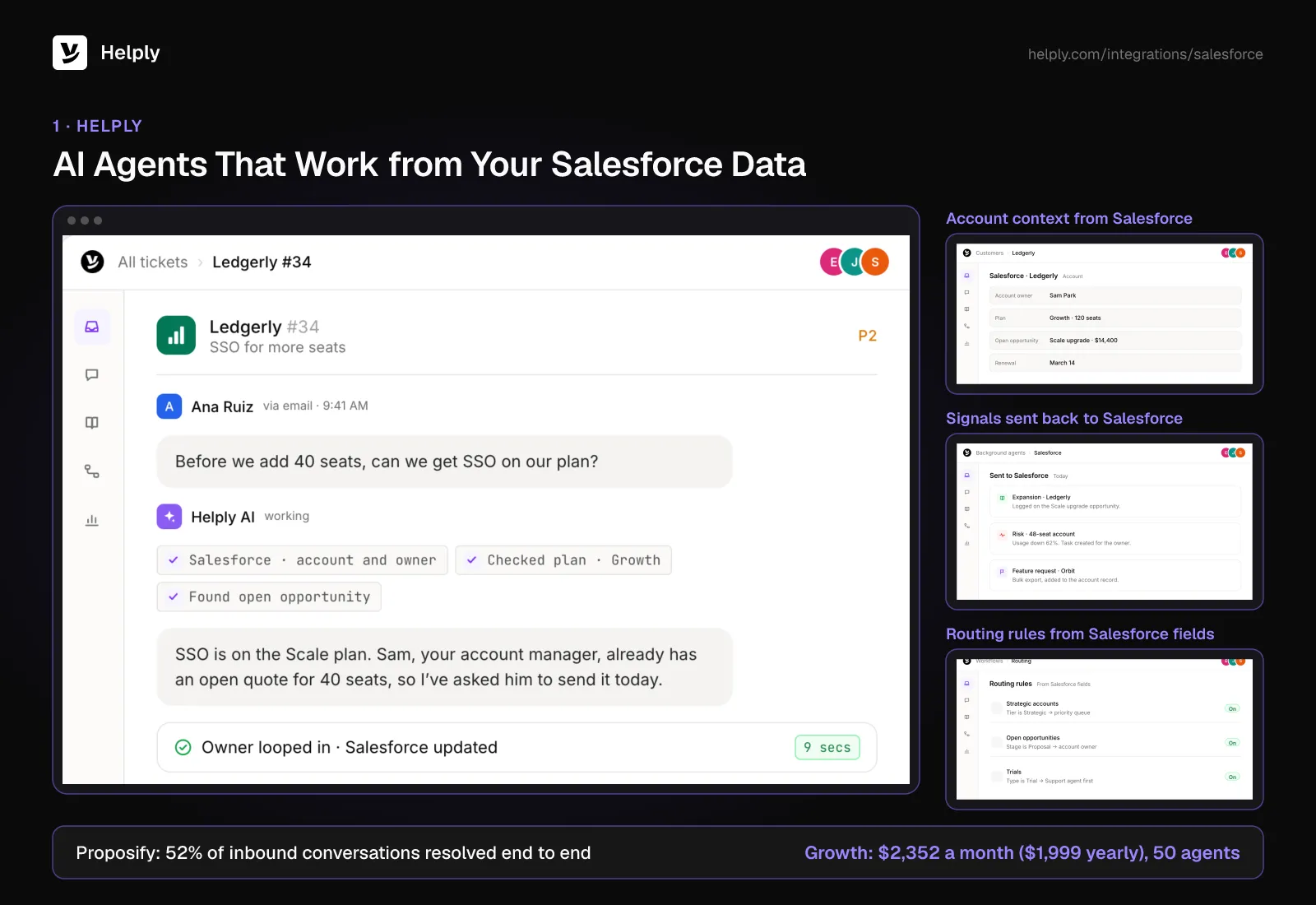
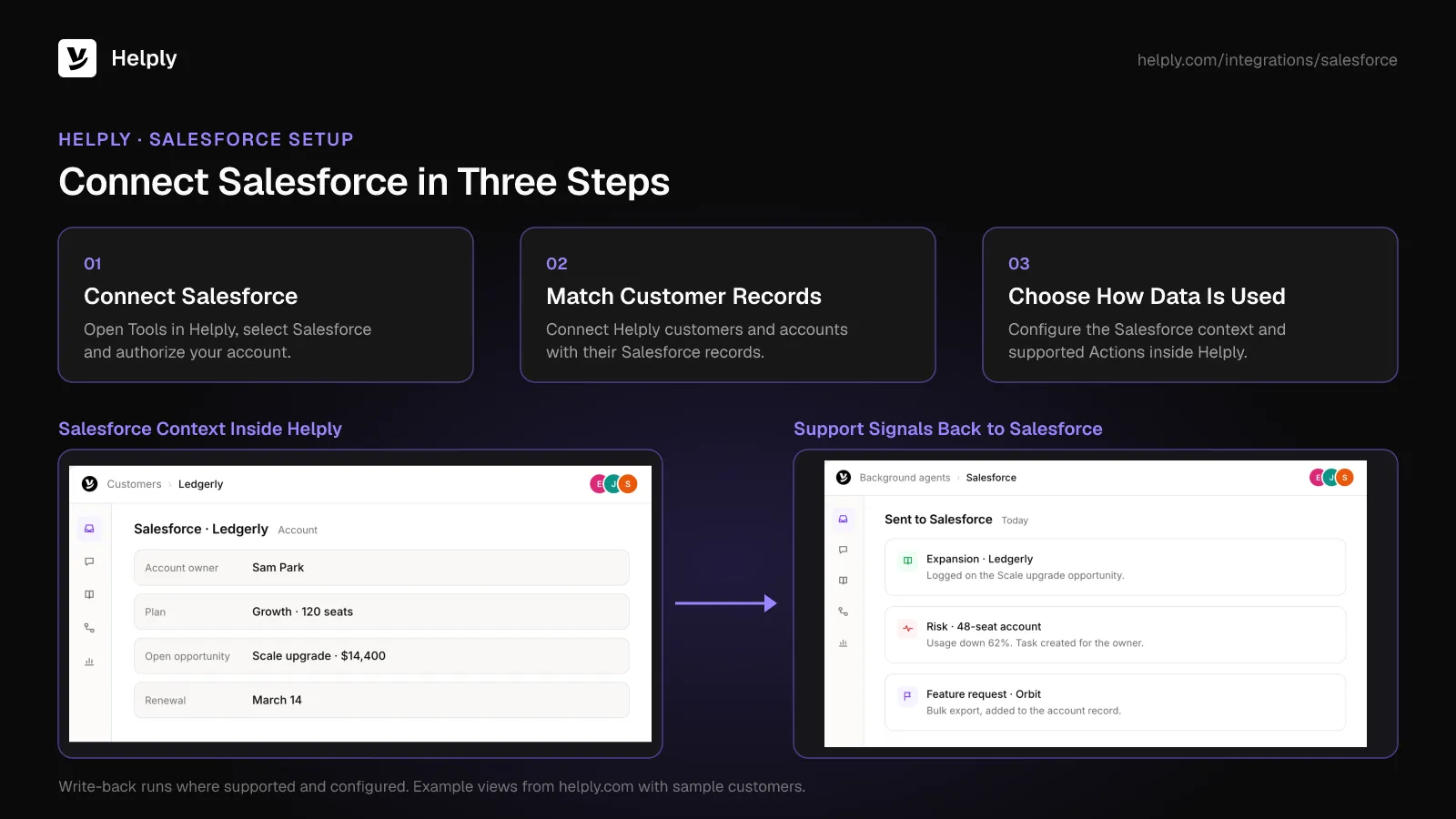
The Salesforce integration pulls account, contact, opportunity and ownership details into each conversation.
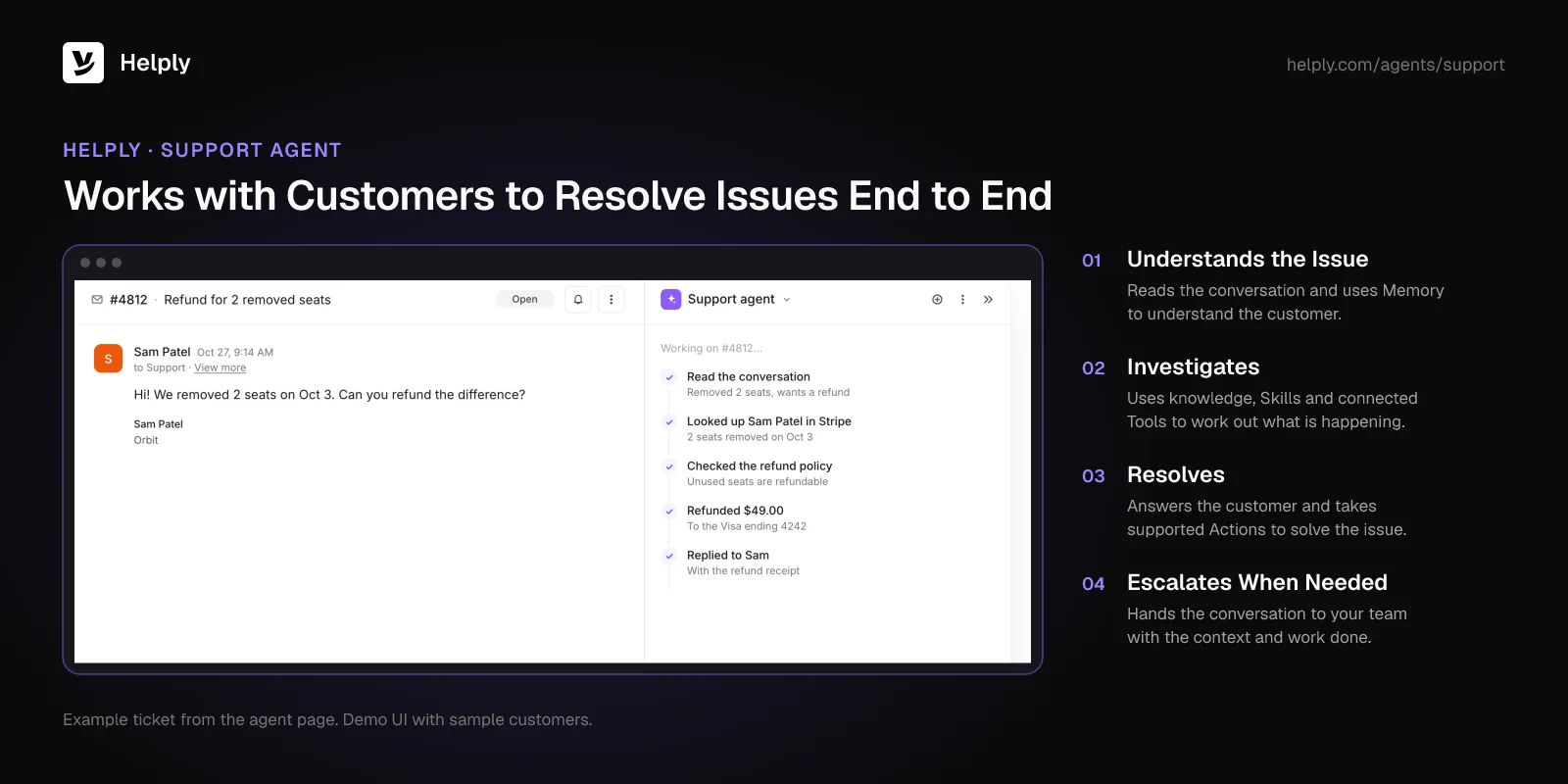
- Support Agent for customers. Customers deal directly with the Support Agent, which can close requests from start to finish.
- Assist Agent for your team. Inside each ticket, the Assist Agent helps your people investigate and draft responses.
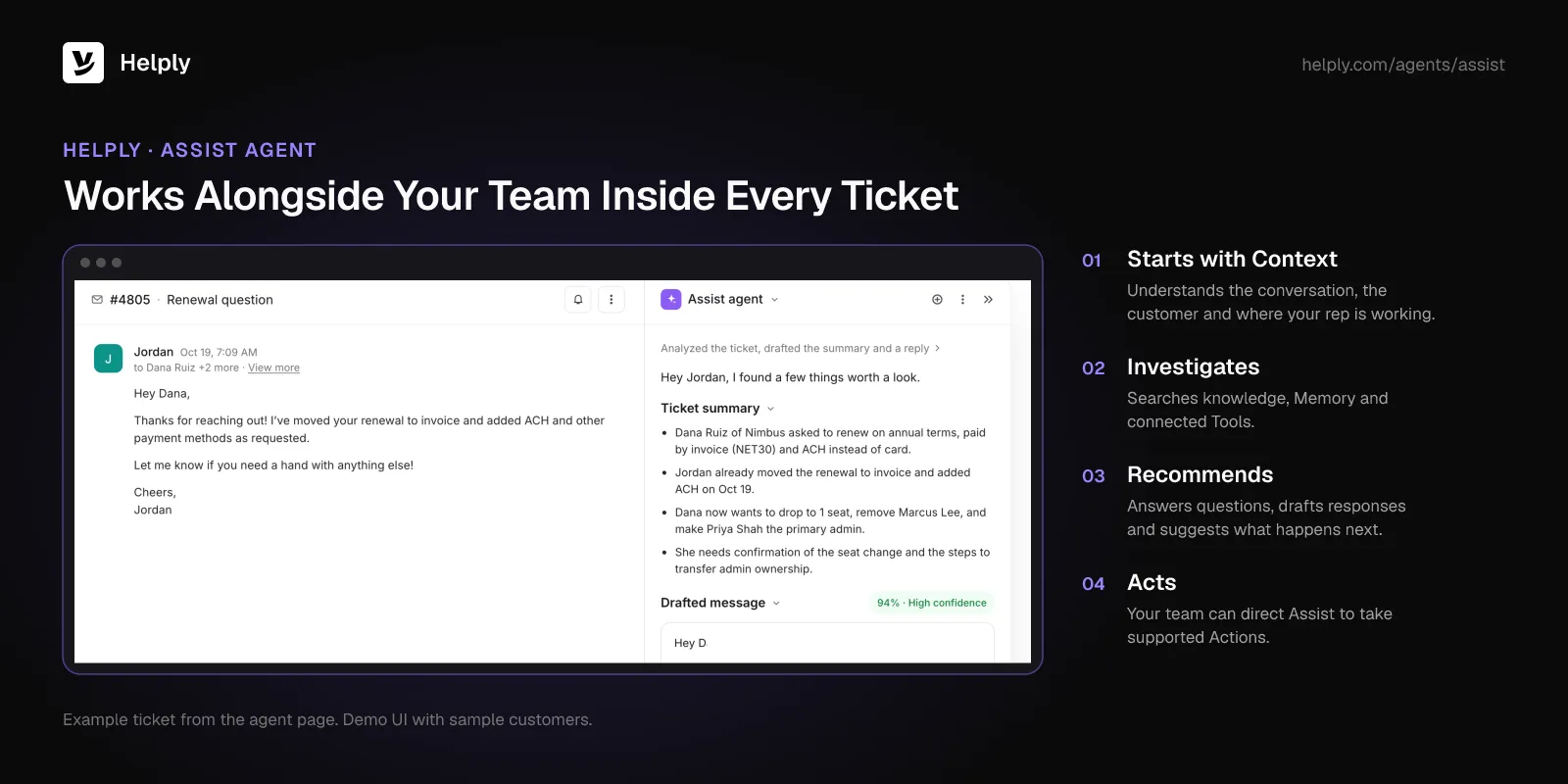
- Support signals for the account team. Helply flags risk, expansion openings, feature requests and feedback from conversations. Helply can update Salesforce where supported and configured, or stay read-only.
- Routing by account. Rules can send conversations by the Salesforce context Helply sees, such as owner or tier.
- A guided move. Growth comes with white-glove migration and a customer success manager. For tools outside the standard migration list, Helply's team scopes the import with you on a demo.
- Security for the account team. Helply maintains SOC 2 Type II controls and offers a DPA on request. Customer data sent to AI providers isn't used to train their models.
Proposify, a proposal management platform, runs support for two products on Helply. One support team member connected Salesforce and HubSpot in days, and Helply charged nothing extra for actions in both.
Helply's agents now close 52% of Proposify's inbound conversations without a person. Its tickets dropped by a third (34%), around 220 a month.
Pricing
Salesforce comes with Growth, at $2,352 monthly or $1,999 a month on yearly billing. That covers 50 human agents and 100,000 AI credits.
Each plan on the pricing page bundles both agents and a team-wide credit pool. A draft costs 2 credits, and a full resolution 10.
At list prices, 50 Pro Suite users cost $5,000 a month on an annual contract, before Agentforce. Teams that skip Salesforce can start on a smaller plan, and HubSpot connects from Team.
Pros
- People and AI agents both work from Salesforce account and deal context.
- Signals from support can update Salesforce where supported and configured.
- Growth bundles 100,000 shared credits and white-glove migration.
- Paying yearly saves 15%, and no annual contract applies.
Cons
- Salesforce access starts at the Growth plan.
- Service Cloud sits outside the standard migration list, so the import needs scoping on a demo.
Best For
Support teams that want AI agents working from Salesforce data and reporting back to the account team.
2. Zendesk: Ticketing with a Free Salesforce App
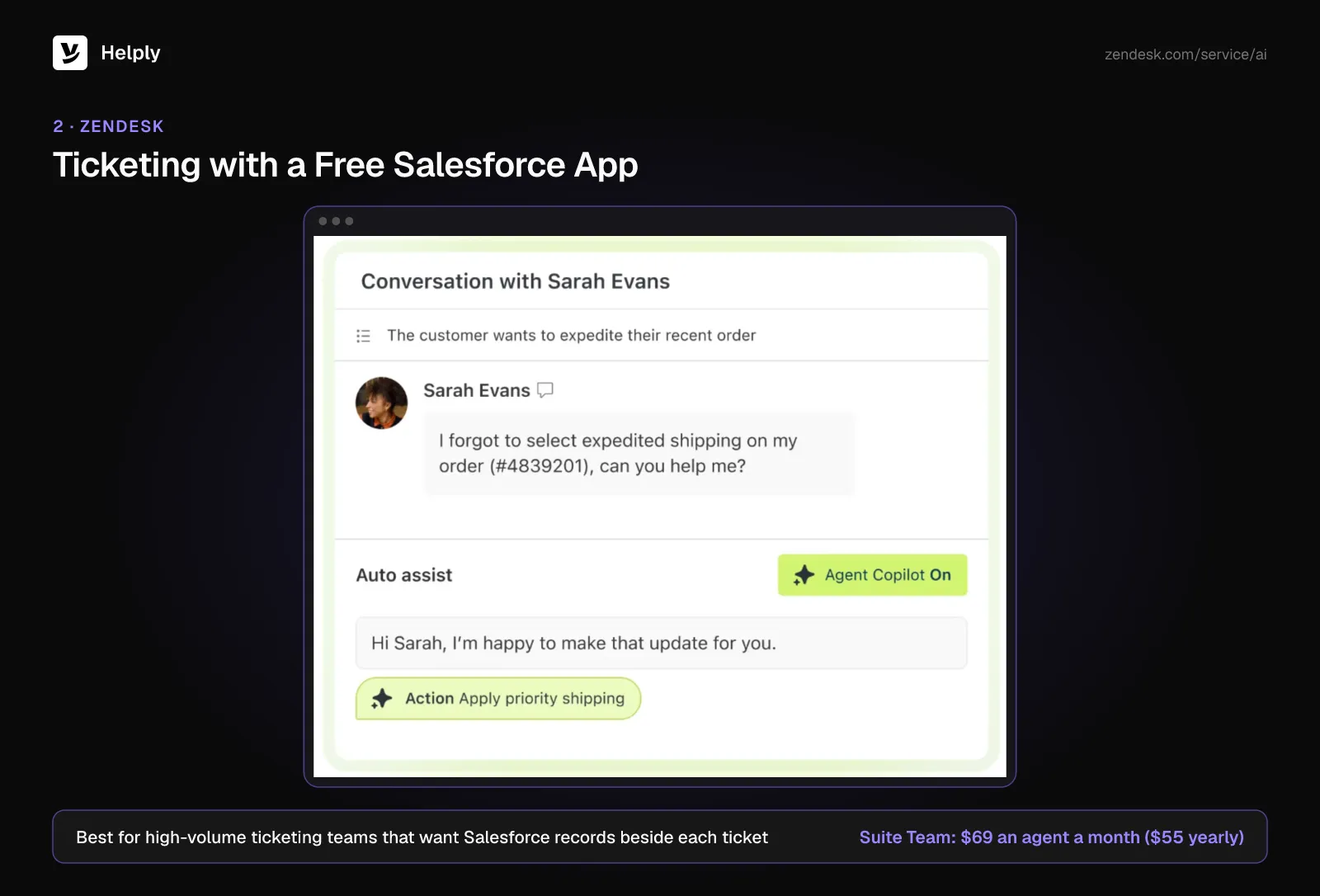
Zendesk sells its help desk in Support and Suite tiers. Zendesk builds and gives away a Salesforce app that puts Salesforce objects and records beside each ticket. Reps can also join ticket conversations without leaving Salesforce.
- Support Team, the starter tier, runs $25 an agent monthly or $19 on annual terms.
- Suite Team adds 5 automated resolutions per agent each month; Suite Professional adds 10.
- Copilot is $50 per agent monthly on a yearly plan.
Pricing
Suite Team runs $69 an agent on monthly billing and $55 on annual. Suite Professional runs $149 ($115). Past the included allowance, resolutions cost $1.50 each on commitment or $2.00 on demand.
Pros
- Zendesk maintains the Salesforce app itself, at no charge.
- Agent licences come with a monthly AI resolution allowance.
Cons
- Resolutions over the allowance bill one by one.
- Copilot adds a per-agent fee.
Best For
High-volume ticketing teams that want each Salesforce record next to the ticket.
Zendesk or Helply?
Pick Zendesk for established ticketing with AI resolutions bundled per agent. Pick Helply for AI agents that use Salesforce context and can send signals back where configured.
See Helply vs. Zendesk.
3. Freshdesk: Lower Per-Agent Prices
Freshworks makes Freshdesk, a ticketing tool with automation, a help center and Freddy AI. Its free Freshdesk for Salesforce app brings CRM customer details into the Freshdesk view.
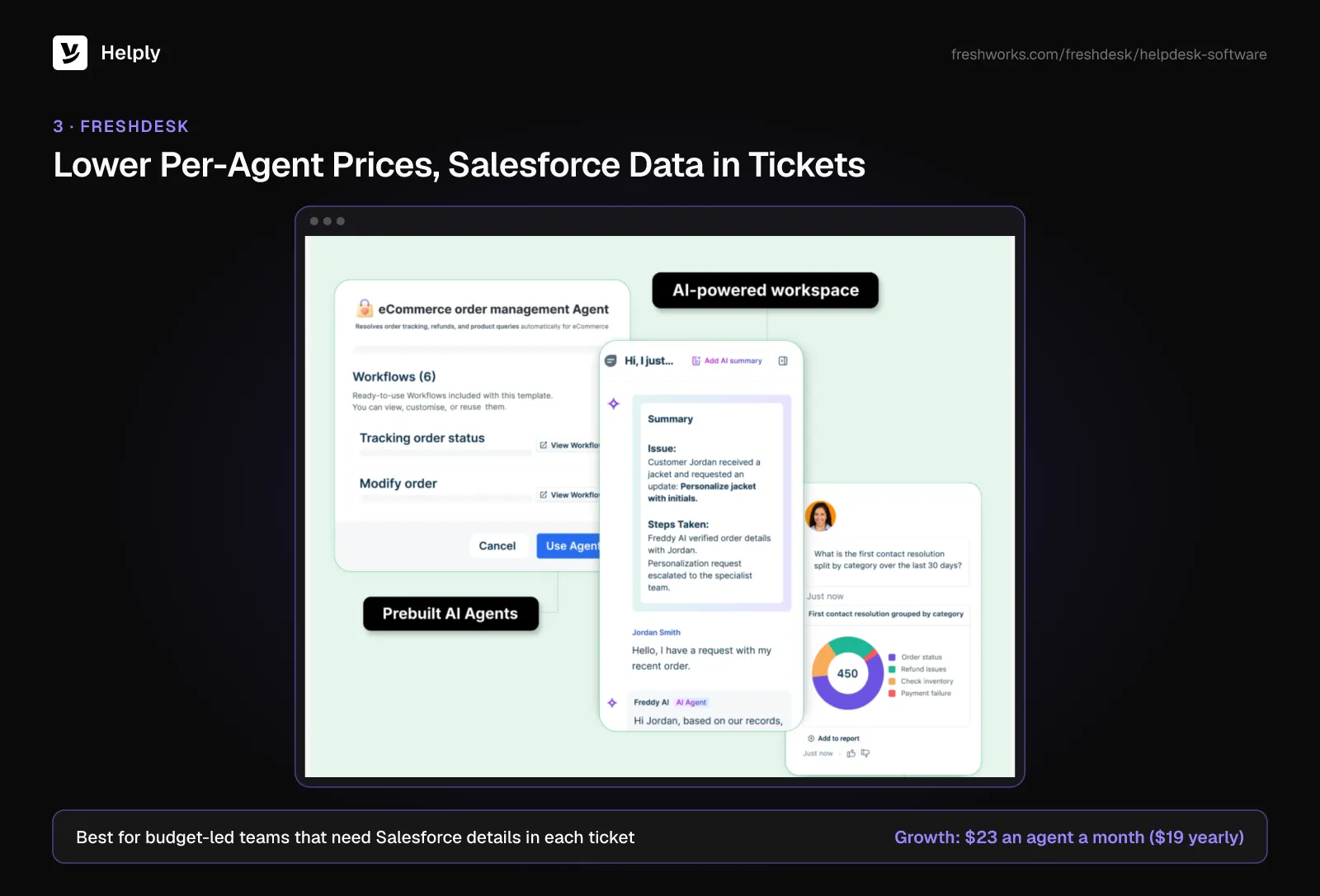
- All plans include the first 500 Freddy AI Agent sessions.
- Freddy AI Copilot is sold on Pro and Enterprise for $35 an agent monthly ($29 yearly).
Pricing
Monthly rates are $23 an agent for Growth, $66 for Pro and $107 for Enterprise. On an annual plan, they fall to $19, $55 and $89. More AI Agent sessions run $49 for each 100.
Pros
- Growth and Pro cost less per agent than Service Cloud Pro Suite.
- The Salesforce app costs nothing.
Cons
- The app brings Salesforce details into Freshdesk; check write-back before buying.
- Copilot is extra and limited to Pro and Enterprise.
Best For
Budget-led support teams that need Salesforce customer details in each ticket.
Freshdesk or Helply?
Pick Freshdesk for low-cost ticketing per agent. Pick Helply when you want AI credits bundled in the plan and support signals reaching Salesforce.
See Helply vs. Freshdesk.
4. Intercom: Messaging-First Support
Intercom combines an inbox with messaging on your site and in your product, plus the Fin AI agent. Its Salesforce app creates Salesforce leads and syncs conversations. Agents see Salesforce lead, account and opportunity fields inside the Intercom Inbox.
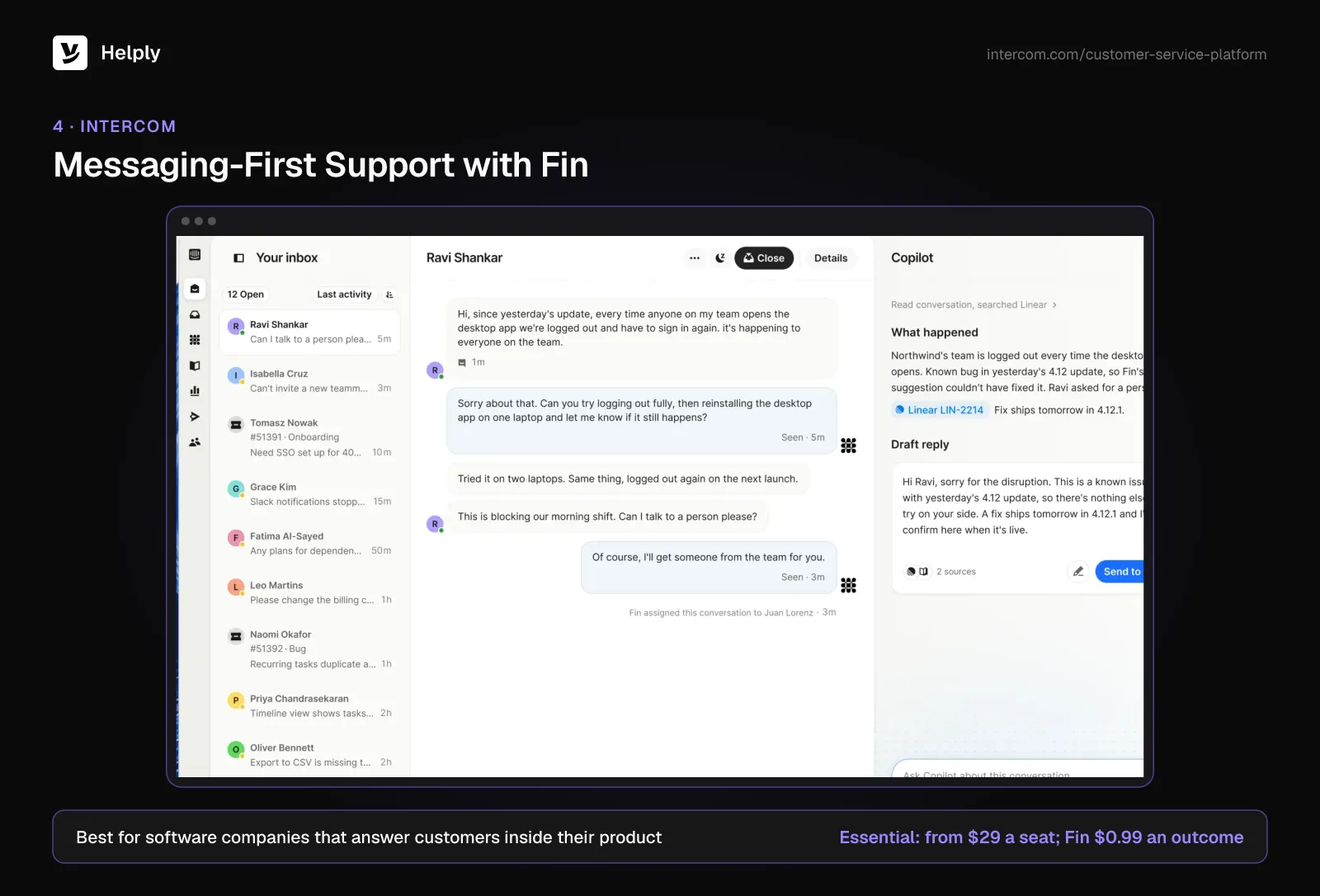
- Fin bills $0.99 an outcome and carries a monthly minimum.
- Copilot runs $35 an agent monthly, or $29 billed annually.
Pricing
Essential starts at $29 a seat each month. Advanced and Expert sit above that per seat, and Fin outcomes add $0.99 each.
Pros
- Leads and conversations move between Intercom and Salesforce.
- Messaging runs on your site and inside your product.
Cons
- Fin adds a usage bill to the seat price.
- Copilot is a paid extra.
Best For
Software companies that answer customers inside their product.
Intercom or Helply?
Pick Intercom for in-product messaging with Fin. Pick Helply when you prefer AI drawn from a shared credit pool inside a single plan price.
See Helply vs. Intercom.
5. HubSpot Service Hub: A Help Desk on a Second CRM
HubSpot Service Hub sits on HubSpot's Smart CRM. A certified connector from HubSpot syncs leads, contacts, accounts, opportunities and custom objects with Salesforce in both directions.
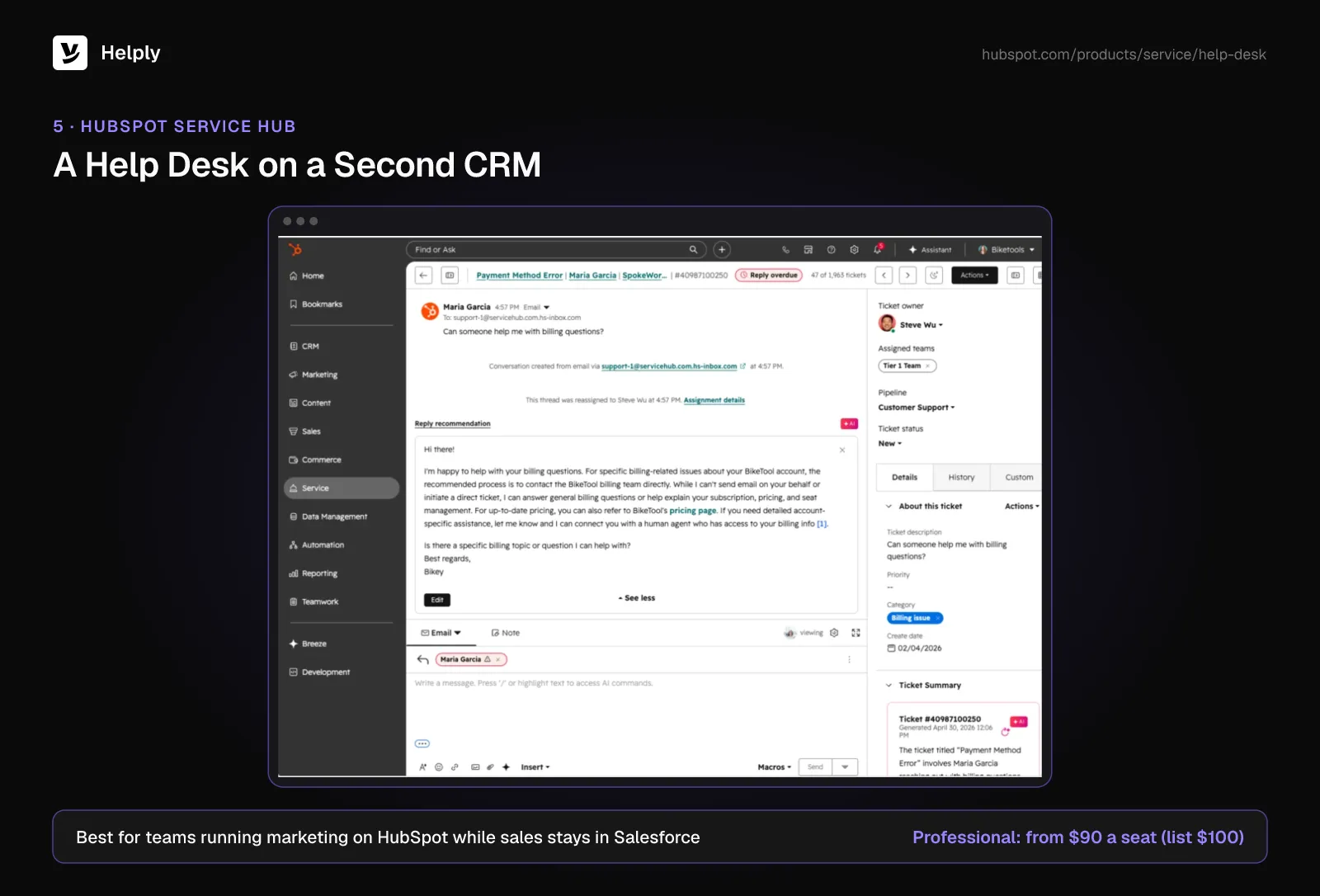
- The connector needs Salesforce Professional or Enterprise.
- Professional comes with 3,000 HubSpot Credits; more cost $0.010 apiece.
Pricing
Professional starts at $90 a seat monthly (list $100) and requires $1,500 for onboarding. Enterprise starts at $150 a seat plus $3,500 onboarding.
Pros
- HubSpot builds and certifies the two-way Salesforce sync.
- Marketing and service share HubSpot records.
Cons
- Your team maintains two CRMs at once.
- Onboarding adds at least $1,500 before launch.
Best For
Companies running marketing on HubSpot while sales stays in Salesforce.
HubSpot or Helply?
Pick Service Hub when HubSpot already powers marketing. Pick Helply for a support platform that reads Salesforce without adding a second CRM. HubSpot-led teams can read our HubSpot Service Hub alternatives guide.
6. Microsoft Dynamics 365 Customer Service: For a Full CRM Move
Dynamics 365 Customer Service handles cases on Microsoft's own CRM platform. It fits companies planning to leave Salesforce altogether, sales included.
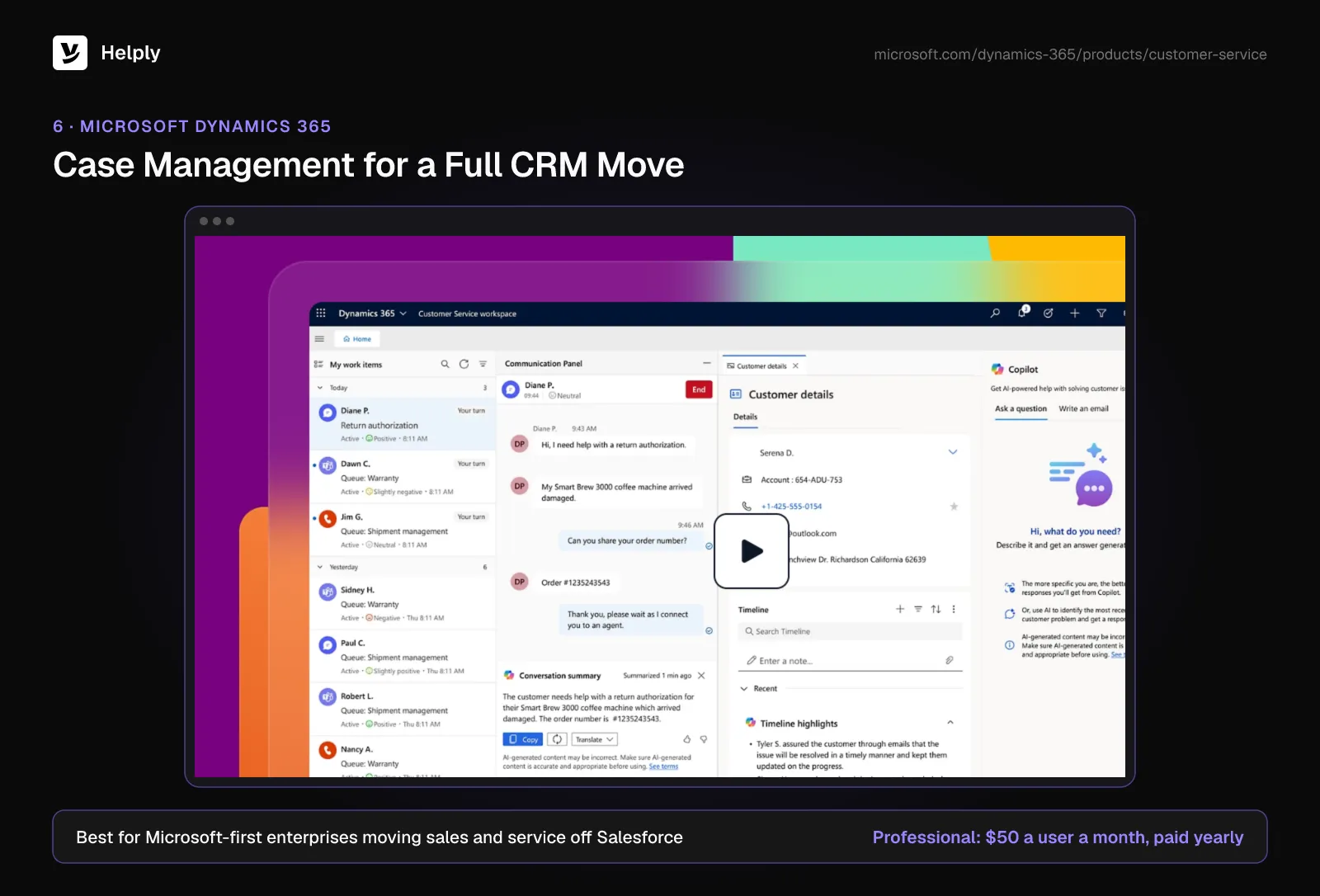
- Its AI agents for intent, knowledge, cases and quality evaluation run on Copilot Credits, priced separately.
- Premium bundles a base amount of Copilot Credit capacity.
Pricing
Per user each month, Professional costs $50, Enterprise $105 and Premium $195, with yearly payment.
Pros
- Professional and Enterprise list below Service Cloud Core per user.
- Fits companies already running Microsoft 365.
Cons
- It runs on Microsoft's CRM, so it suits a full switch away from Salesforce.
- AI agents depend on separately priced Copilot Credits.
Best For
Microsoft-first enterprises moving both sales and service off Salesforce.
Dynamics 365 or Helply?
Pick Dynamics 365 to move your CRM to Microsoft. Pick Helply to keep Salesforce and add AI agents for support.
7. Help Scout: Email-First Support
Help Scout gives email-heavy teams a shared inbox and help center. On Plus, its Salesforce integration syncs both ways. Salesforce fields show in the Help Scout customer profile, and conversations show on Salesforce accounts, contacts, leads and opportunities.
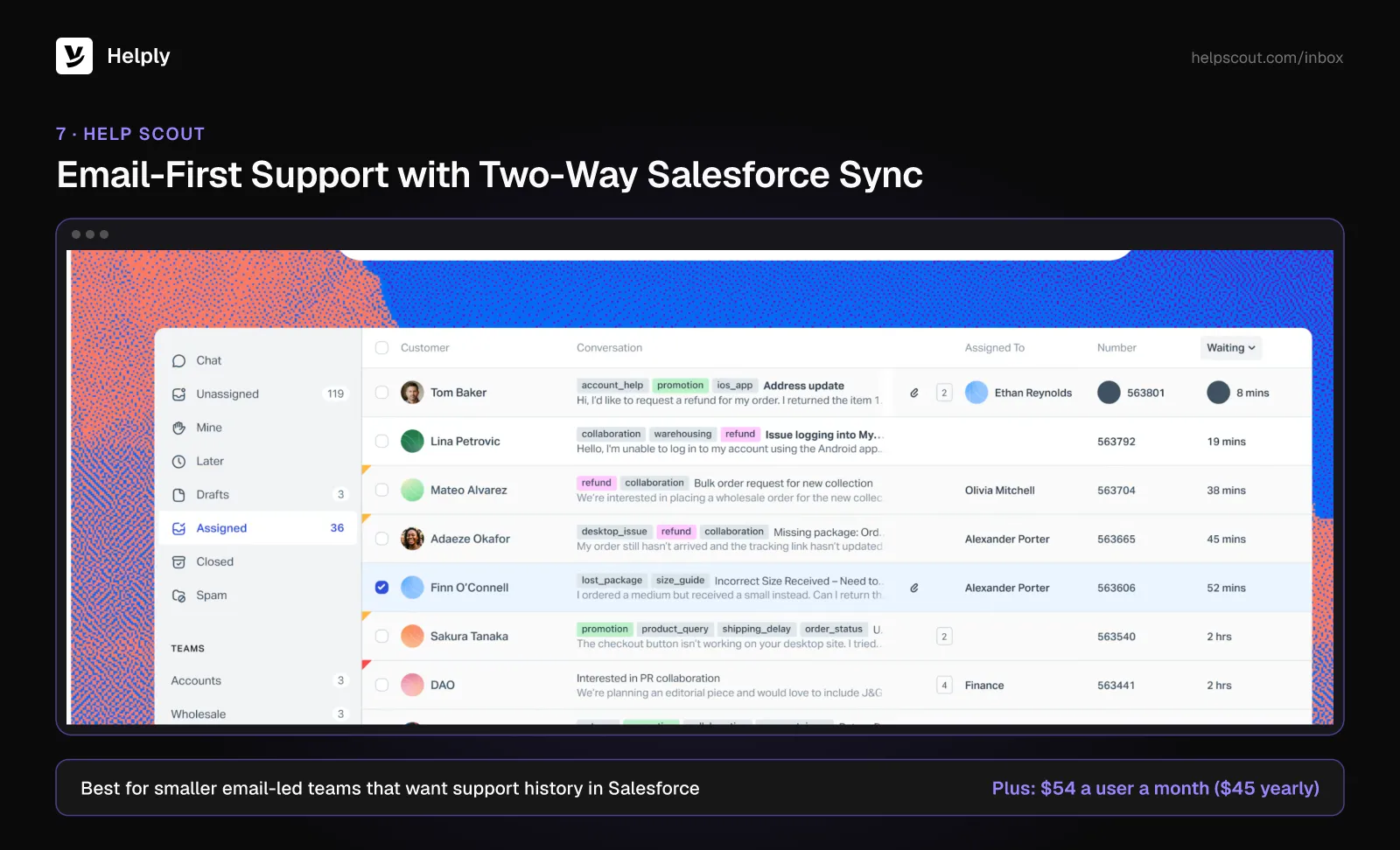
- AI resolutions bill at $0.75 each.
Pricing
Monthly per user, Standard is $30, Plus $54 and Pro $90. Yearly terms bring those to $25, $45 and $75.
Pros
- Help Scout logs each conversation to the matching Salesforce record.
- Email-heavy teams get a shared inbox and help center in one tool.
Cons
- Salesforce access requires Plus or higher.
- Each AI resolution adds to the bill.
Best For
Smaller email-led teams that want support history visible in Salesforce.
Help Scout or Helply?
Pick Help Scout for a clean email inbox that logs to Salesforce. Pick Helply for AI agents that close conversations using Salesforce context.
Should You Switch to a Salesforce Service Cloud Alternative?
Stay if you run a contact center, field service and support on one Salesforce platform. Switch if your agents mostly handle email and chat while you pay Service Cloud licence prices for that work.
Freshdesk has the lowest entry agent price here. For a wider CRM change, look at HubSpot or Dynamics.
Helply suits teams keeping Salesforce for sales who want AI working the routine queue. The Support Agent resolves with account context in hand, and Assist drafts what's left for your people. Growth includes 100,000 AI credits a month, pooled across the team.
At Proposify, one support team member connected Salesforce and HubSpot within days, with no engineers.
Point one inbox at Helply beside Service Cloud, and move more once the results hold. Growth's white-glove migration and success manager handle the move.
Frequently asked questions
If Salesforce stays your CRM, Helply, Zendesk, Freshdesk, Intercom, HubSpot and Help Scout all connect to it. For a full move to Microsoft, Dynamics 365 fits.
Starter Suite starts at $25 a user monthly, and Pro Suite at $100 with annual billing. Core lists at $195 a user each month, Advanced at $395 and Max at $550, all on annual billing.
Every Service Cloud edition includes Agentforce, and Salesforce charges for each use. Salesforce lists $2 a conversation, or $500 for 100,000 Flex Credits.
Yes. Helply, Zendesk, Freshdesk, Intercom, HubSpot and Help Scout each connect to Salesforce. Confirm which way data flows and which plan unlocks it.
Zendesk costs less on list price. Suite Team runs $69 an agent monthly ($55 yearly), against $100 a user for Service Cloud Pro Suite on annual terms. Both charge extra for AI usage.
Drafting a reply takes 2 credits, and resolving a conversation fully takes 10. Most teams average about 6 credits a conversation once AI resolves around half the queue.
Freshdesk Growth costs $23 an agent monthly ($19 yearly), and Help Scout Standard $30 ($25). Help Scout needs Plus for its Salesforce sync.
Service Cloud isn't on Helply's standard migration list, so the team scopes the import with you on a demo. Growth includes white-glove migration.
About the author

Konrad Janczyk
Staff Software Developer


