
 Konrad Janczyk ·

Key Takeaways
- Customer support feedback comes from surveys, support conversations and public reviews, and surveys capture only the customers who answer.
- In a Qualtrics XM Institute study published in October 2025, only 29% of consumers contacted the company after a bad experience. A further 30% stayed silent.
- In Retently's 2025 ecommerce data, CES surveys drew a 22.54% response rate against 9.76% for CSAT. In-app surveys beat email about tenfold.
- Give each feedback category one owner and one first action, so comments lead to a change instead of sitting in a report.
- Closing the loop means telling every customer who raised a theme what changed, including the ones who reported it weeks ago.
- On Team and higher plans, Helply's Insights Agent reads support conversations for recurring problems. You also hear from customers who skip surveys.
What Is Customer Support Feedback?
Customer support feedback, also called customer service feedback, covers any signal customers give about the help they received. It includes survey ratings and comments, what customers say inside support conversations and what they post in public. It tells you how the help felt and which problems keep sending people to support.
Picture the monthly report. Your CSAT sits at 92%, but only one customer in ten answered the survey. The comments say "fine", "slow" and "thanks".
The same week, a customer cancels over a bug they reported three times, and product asks what customers keep running into. The answer sits in closed tickets your team never re-read. Support feedback spans the score and the conversations behind it.
Support feedback overlaps with product feedback without matching it. A broader customer feedback program also runs interviews, usability tests and in-product prompts. Support feedback starts where the customer asked for help, so it arrives tied to a specific problem and the reply they got.
Why Customer Support Feedback Matters
Most unhappy customers never tell you. A Qualtrics XM Institute study published in October 2025 surveyed more than 20,000 consumers in 14 countries. Only 29% contacted the company after a bad experience, and 30% said nothing at all.
Silence costs money. The same study found that nearly half (47%) of bad experiences lead to lower spending. A support conversation is often the one moment a customer explains the problem before spending less or leaving.
A high CSAT can still hide customers on their way out. In CEB research on more than 75,000 customers, published in July 2010, 20% of "satisfied" customers said they intended to leave. Among customers who reported low effort, 94% intended to buy again.
Asking also changes how customers see you. In Microsoft's 2017 survey of 5,000 people, 77% said they view brands more favorably when those brands ask for and accept feedback. Keep that goodwill by showing customers a change that came from what they said.
Where Customer Support Feedback Comes From
Support feedback reaches you through three sources. Each one shows you customers and problems the other two miss.
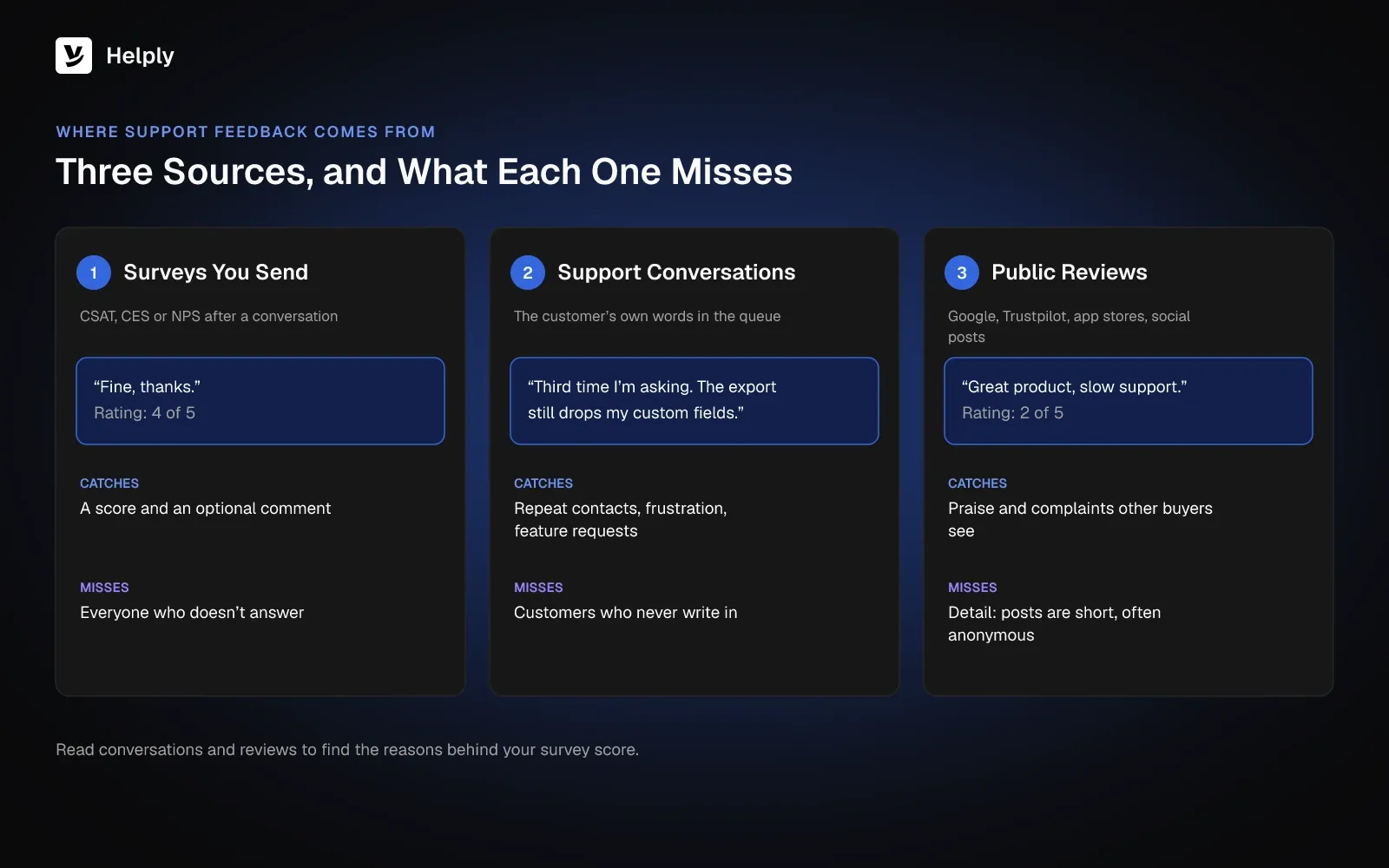
Customer Support Feedback Sources: What Each Captures and Misses
| Source | What it captures | How to collect it | What it misses |
|---|---|---|---|
| Surveys you send | A rating and an optional comment about one conversation | CSAT or CES after the conversation closes, NPS a few times a year | Customers who don't answer, which is most of them |
| Support conversations | The problem in the customer's words, repeat contacts, frustration, feature requests | Tags, weekly reviews, or AI that reads every conversation | Customers who never write in |
| Public reviews and social posts | Unprompted praise and complaints other buyers can see | Review alerts and a shared channel for mentions | Detail: reviews are short and often anonymous |
CSAT vs. CES vs. NPS: Questions, Timing and Response Rates
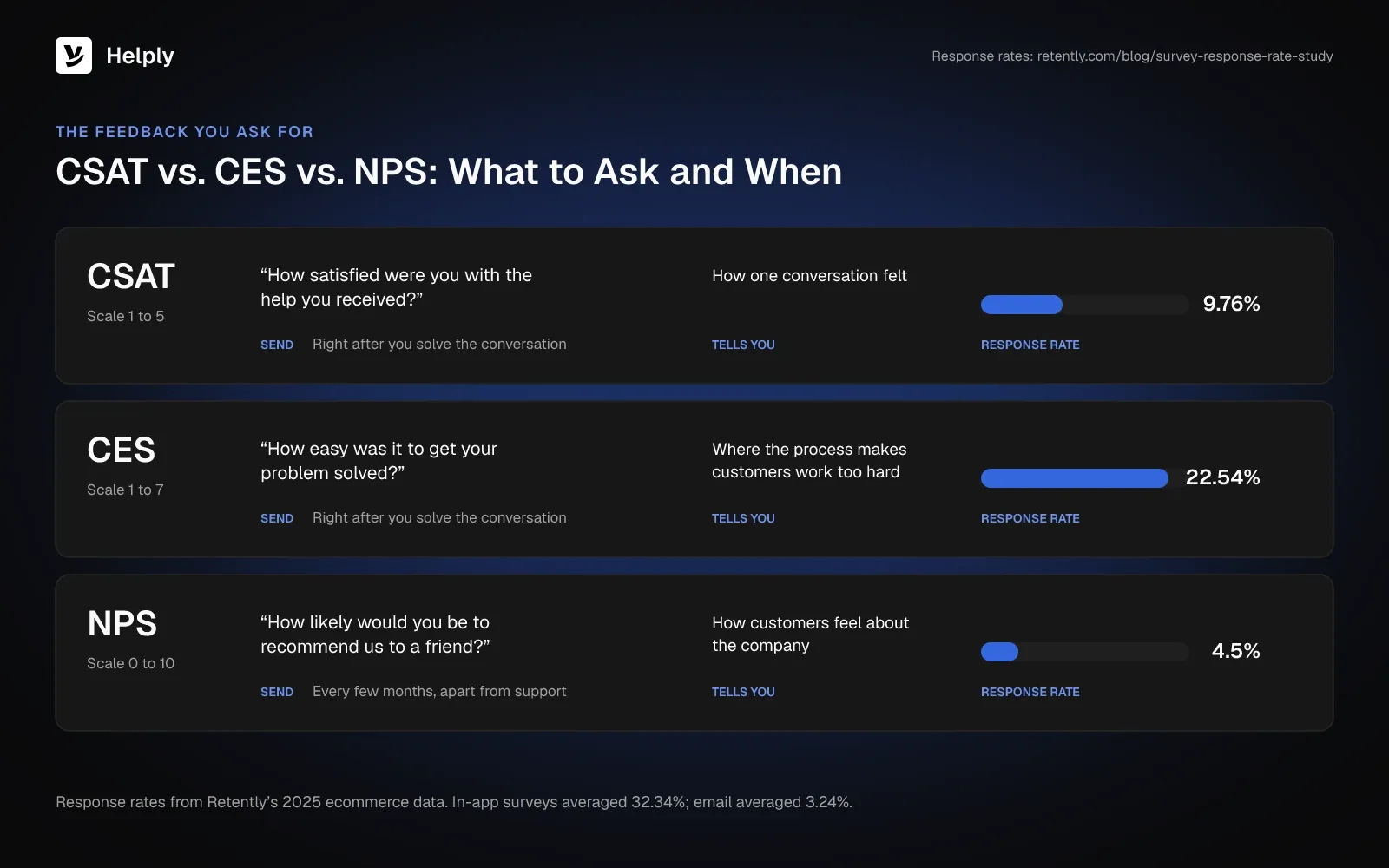
Surveys are the feedback you ask for, and three types cover most support teams. Each answers a different question, so pick by what you want to learn.
| Survey | Question to ask | When to send it | What it tells you | Response rate (Retently, 2025 ecommerce data) |
|---|---|---|---|---|
| CSAT | "How satisfied were you with the help you received?" (1 to 5) | Right after you solve the conversation | How one conversation felt | 9.76% |
| CES | "How easy was it to get your problem solved?" (1 to 7) | Right after you solve the conversation | Where the process makes customers work too hard | 22.54% |
| NPS | "How likely would you be to recommend us to a friend?" (0 to 10) | Every few months, separate from support conversations | How customers feel about the company overall | 4.5% |
Response rates also differ by channel. In Retently's 2025 data from millions of ecommerce surveys, in-app surveys averaged 32.34%, about ten times the email rate of 3.24%.
For the full CSAT question set and score formula, see this guide to running a CSAT survey.
Feedback Customers Give Without Being Asked
Support conversations hold feedback the customer never puts in a rating. You can find these signals in your queue today:
- Repeat contacts. A customer writes back twice about the same order or bug, so the first answer didn't fix it.
- Reopened tickets. A "thanks, but it's still broken" reply after you solved the ticket is a failed resolution.
- Escalations. Conversations handed to a specialist show where frontline answers or permissions run out.
- Workarounds. "I export it to a spreadsheet and fix it there" tells product what the tool doesn't do.
- Feature requests. "Can we give contractors read-only access?" is product feedback, even inside a billing question.
- The same how-to question every week. Repeated questions point to a missing or outdated help article.
- Frustration and tone shifts. Capital letters, "again" and "third time" can mark an account at risk.
Write each support ticket so you can read these signals later. One request per ticket, with the customer's own words in the description, makes the weekly review faster.
Public Feedback in Reviews and Social Posts
Reviews on Google, Trustpilot, app stores and social media are feedback other buyers read. Reply in public, move the detail to a private channel and log the theme with the rest.
Replying pays off. In a study by Proserpio and Zervas published in February 2018, hotels that began replying to TripAdvisor reviews received 12% more reviews. Their ratings rose 0.12 stars on average.
How to Collect Customer Support Feedback That Says Something
Useful feedback depends more on when and how you ask than on the survey tool. These six practices can raise response rates and make comments more specific.
- Ask within minutes of the solve. The conversation is fresh, and the customer remembers which reply helped.
- Ask one question, then "why?" A single rating plus an optional comment box asks less of the customer than a ten-question form.
- Ask in the channel the customer used. Chat customers answer a rating inside the chat; email customers answer a one-click scale in the email.
- Don't survey every contact. Skip customers you surveyed in the last few weeks, and skip spam and auto-replies.
- Ask after escalations and long threads. Those conversations hold the most to learn, and customers often have the most to say.
- Read every comment on a small team. At 40 survey answers a month, a single answer swings the score, so read the words.
Customer Service Survey Questions to Use
Pick one rating question and one open question for your customer service feedback form. Swap them by goal:
- "How satisfied were you with the help you received today?"
- "How easy was it to get your problem solved?"
- "Did we solve your problem?" (Yes, Partly, No)
- "Was anything in our answer unclear?"
- "What is one thing we could have done better?"
- "How well did [agent name] understand your problem?"
- "Did our help center answer your question before you wrote to us?"
- "Is there anything else you need from us?"
Use one of the first two as your score, and pick an open question from the rest to explain it.
How to Sort and Route Feedback to an Owner
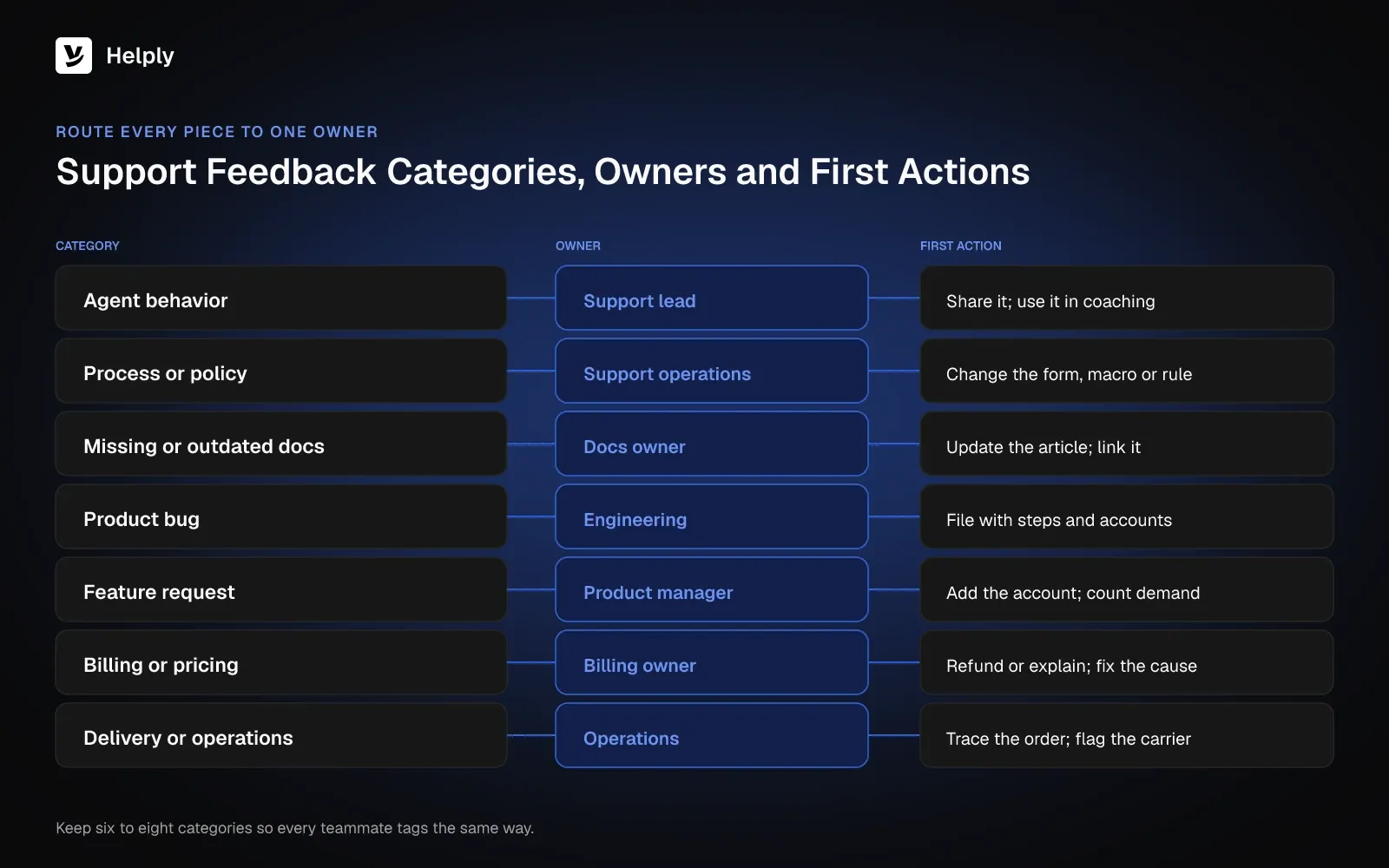
Unowned feedback sits in a spreadsheet until someone claims it. Give each piece one category, then send each category to the person who can change it.
Support Feedback Categories Compared: Example, Owner and First Action
| Category | Example from a customer | Owner | First action |
|---|---|---|---|
| Agent behavior | "She explained it clearly and checked it worked." | Support lead | Share in the team channel; use in coaching |
| Process or policy | "I had to send my order number three times." | Support operations | Change the form, macro or routing rule |
| Missing or outdated docs | "The article shows a menu that isn't there anymore." | Docs or knowledge owner | Update the article; link it in the reply |
| Product bug | "SSO keeps looping back to the login page." | Engineering, through the issue tracker | File with steps and every affected account |
| Feature request | "Can I export every ticket with custom fields?" | Product manager | Add the account to the request; count demand |
| Billing or pricing | "I was charged twice this month." | Finance or billing owner | Refund or explain; fix the cause if it repeats |
| Delivery or operations | "My parcel says delivered but it never came." | Operations or logistics | Trace the order; flag the carrier if it repeats |
Keep the category list short, around six to eight, so every teammate tags the same way. Track the counts per category each week, and watch for categories that grow.
Customer Support Feedback Examples and What to Do with Each
Real feedback can mix praise, complaints and requests in one message. These eight customer support feedback examples show what each one tells you and what to do next.
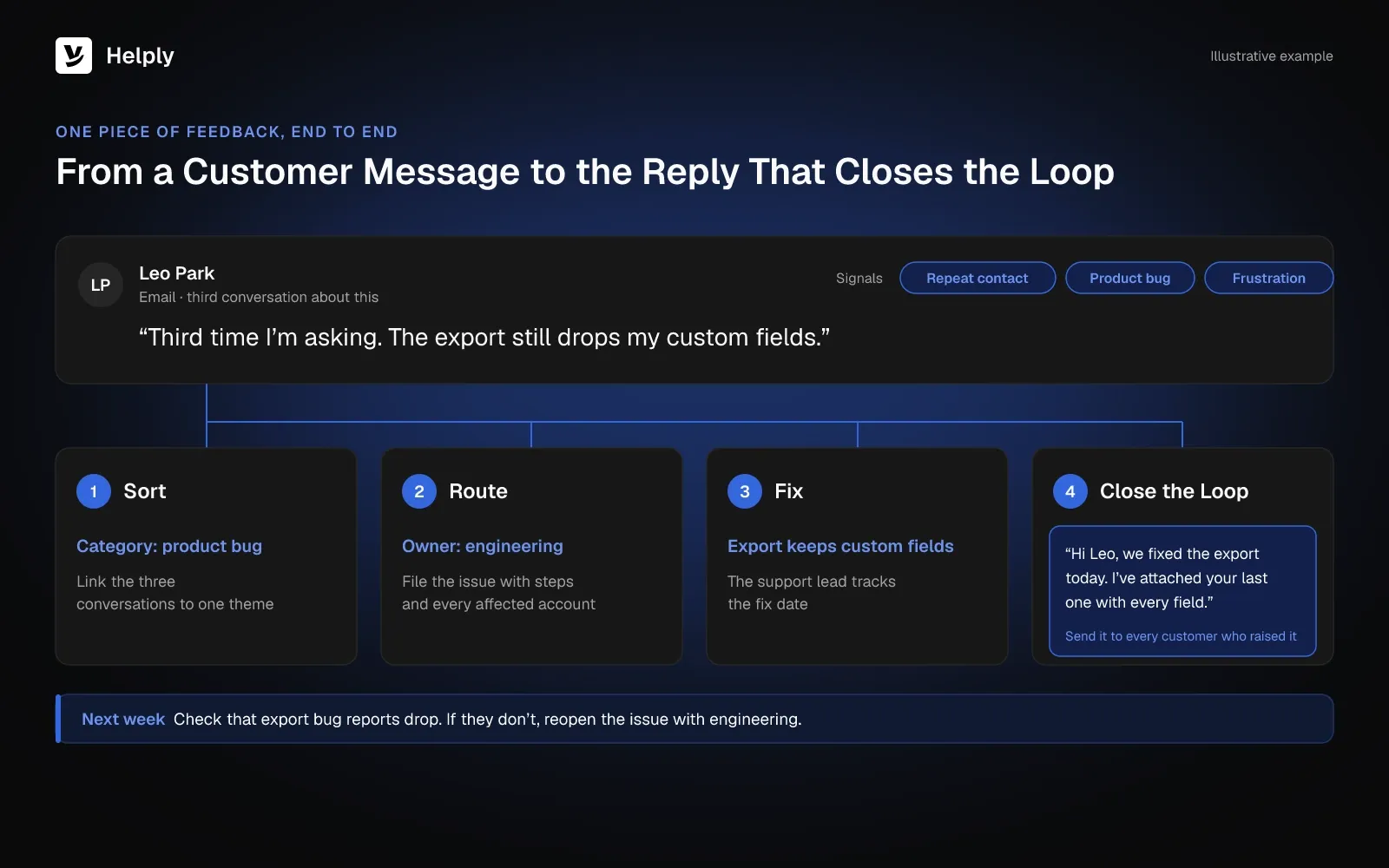
1. "Third time I'm asking. The export still drops my custom fields."
A repeat contact about a product bug. Escalate to engineering with all three conversations, then reply with a date you can keep.
2. "Answer was fine but it took two days."
A speed complaint inside a neutral rating. Check first-reply time for that channel and day before blaming the agent.
3. "Your help article says to click Settings, but there's no Settings button."
An outdated article. Fix it the same day and reply with the corrected link.
4. "Can we give contractors read-only access?"
A feature request. Log it with the account name, so product sees how many customers ask.
5. "I was charged twice. Please fix this."
A billing error that may be a pattern. Refund first, then ask billing to check other accounts charged that day.
6. "Maya fixed it in five minutes and checked it worked. Thank you!"
Positive feedback about an agent. Share it with Maya and her lead by name, and note what she did well.
7. "Fast reply, but I had to explain everything again to the second person."
Mixed feedback about a handoff. Review how context passes between teammates, and fix the handoff note.
8. "Love the product, the onboarding call made all the difference."
Positive feedback about a process. Keep the call, and ask whether the customer would leave a public review.
Positive feedback for customer service names the person and what they did. "Maya fixed it in five minutes and checked it worked" teaches the team more than "great service."
How Do You Close the Customer Feedback Loop?
Closing the loop means telling customers what you did with their feedback. Only 52% of consumers in Microsoft's 2017 survey believed most brands act on feedback, so a short update stands out.
Follow four steps:
- Acknowledge within a day. Thank the customer and restate the problem in one line.
- Say what happens next. Name the owner and a realistic date, or tell the customer it isn't planned.
- Tell them when it changes. Write to every customer who raised the theme, not only the latest one.
- Check that it worked. Watch the category count the next week.
Reply templates you can adapt:
- Negative feedback: "Thanks for telling us, Dana. Two days is too long to wait for an answer. We've added weekend cover for email, and I've answered your question below."
- Feature request: "Thanks, Priya. I've added your account to our read-only access request. It isn't scheduled yet, and I'll write to you if product picks it up."
- Not planned: "Thanks, Omar. Bulk editing isn't planned right now. A CSV import covers most of it, and I'll tell you if that changes."
- The fix shipped: "Hi Leo, you told us the export dropped custom fields. We fixed it today, and I've attached your last export with every field."
- Praise: "Thanks, Ana. I've passed this to Maya and her team lead. Glad the fix held."
How Do You Turn Feedback into Agent Coaching?
Feedback about agents works best as specific examples from real conversations. A score alone doesn't show an agent what to change.
Run coaching from the queue:
- Review low scores together. Read the conversation, the rating and the comment, and agree on one thing to try next time.
- Score against your guidelines. Use the same short rubric for every review: accuracy, tone, ownership and resolution.
- Share praise in public. Post positive feedback in the team channel with the agent's name.
- Calibrate monthly. Have two leads score the same five conversations, then talk through every gap until they score alike.
Coaching feedback for a customer service rep names the moment and the effect. Try "You checked the order first, so the customer got one complete answer."
How to Read Feedback from Every Support Conversation
A weekly tag review works while volume is low. Past a few hundred conversations a month, reading by hand means sampling, and you miss the themes in the conversations you skip.
AI can read every conversation and group what customers say. Helply's AI agents work inside support conversations, and four of its Background Agents each watch for one kind of feedback:
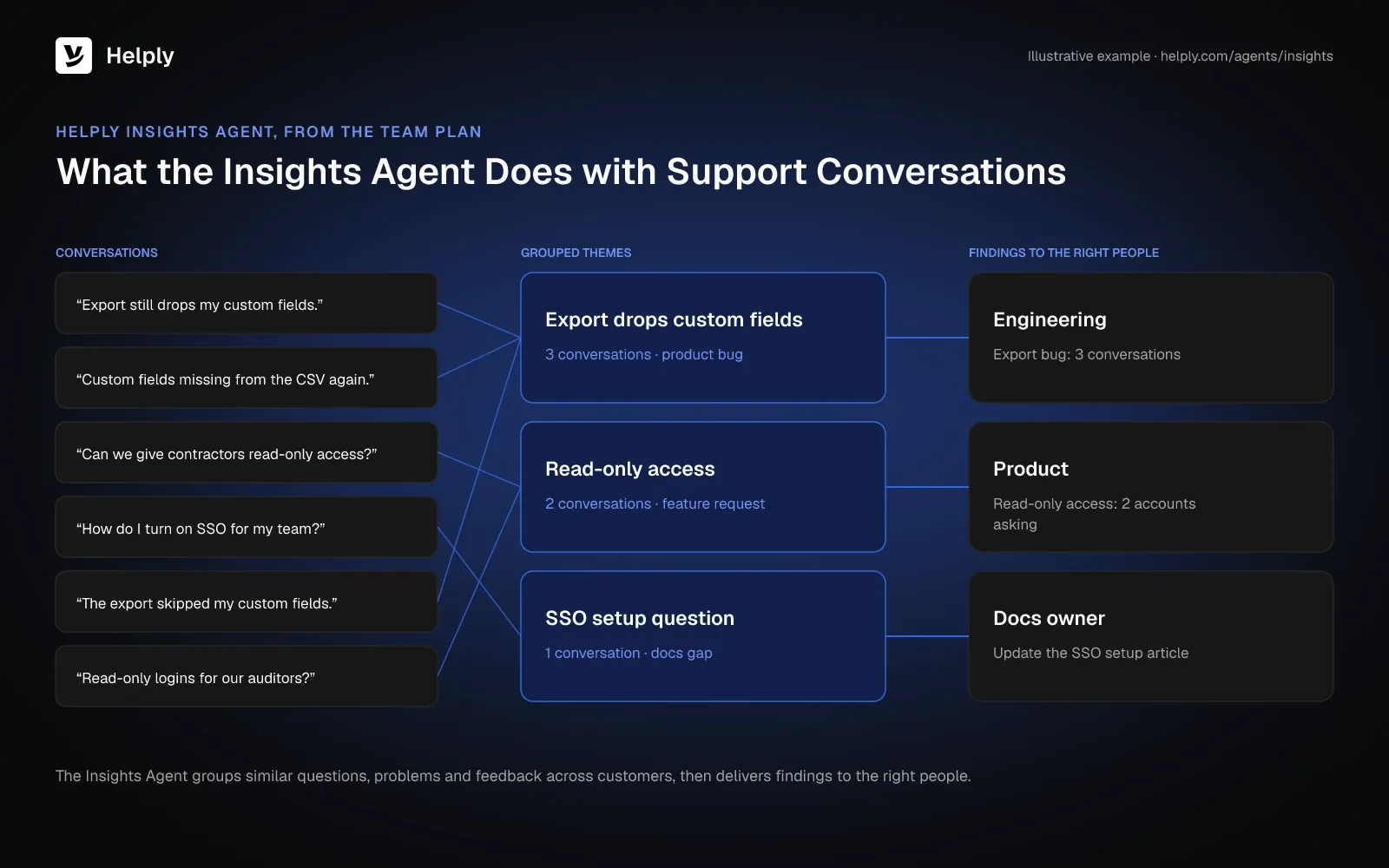
- Recurring problems and themes. The Insights Agent watches customer conversations for trends and problems that keep coming back. It groups similar questions and feedback across customers, then delivers findings to the right people.
- Missing and outdated answers. The Knowledge Agent learns from what customers ask. It finds answers your docs lack and surfaces information that has gone stale, and your team can review its suggestions first.
- Feature requests. The Feature Request Agent finds requests, workarounds and product feedback. It groups them with the accounts behind them and updates connected tools such as Linear.
- Frustration and churn risk. The Churn Agent watches conversations for frustration, repeated complaints and changes in tone. It also looks for churn risk and other health signals, so your team can step in early.
LingQ, a language-learning platform, couldn't see where new users got stuck. Many stopped using the app without asking for help, and the evidence product needed sat unread in closed tickets. The Insights Agent grouped that confusion into signals for the product team, and Helply's agents reached an 88% resolution rate at LingQ.
Support and Assist Agents come with all Helply plans. If a conversation is beyond the Support Agent, a teammate takes over with the agent's findings and the customer's context. The Assist Agent drafts replies inside the conversation.
Helply's CSAT surveys come with Plus and higher plans, and NPS, custom reports and AI QA start on Team. AI QA scores a conversation against your guidelines. Your team can give feedback when an AI agent gets something wrong, so you can improve how it handles similar situations.
The Insights and Knowledge Agents also start on Team, and the Churn and Feature Request Agents on Pro and up. Compare plans and AI credits.
A Weekly Rhythm for Reviewing Support Feedback
Review on a fixed rhythm so feedback reaches its owners. Start from this cadence and adjust it to your volume.
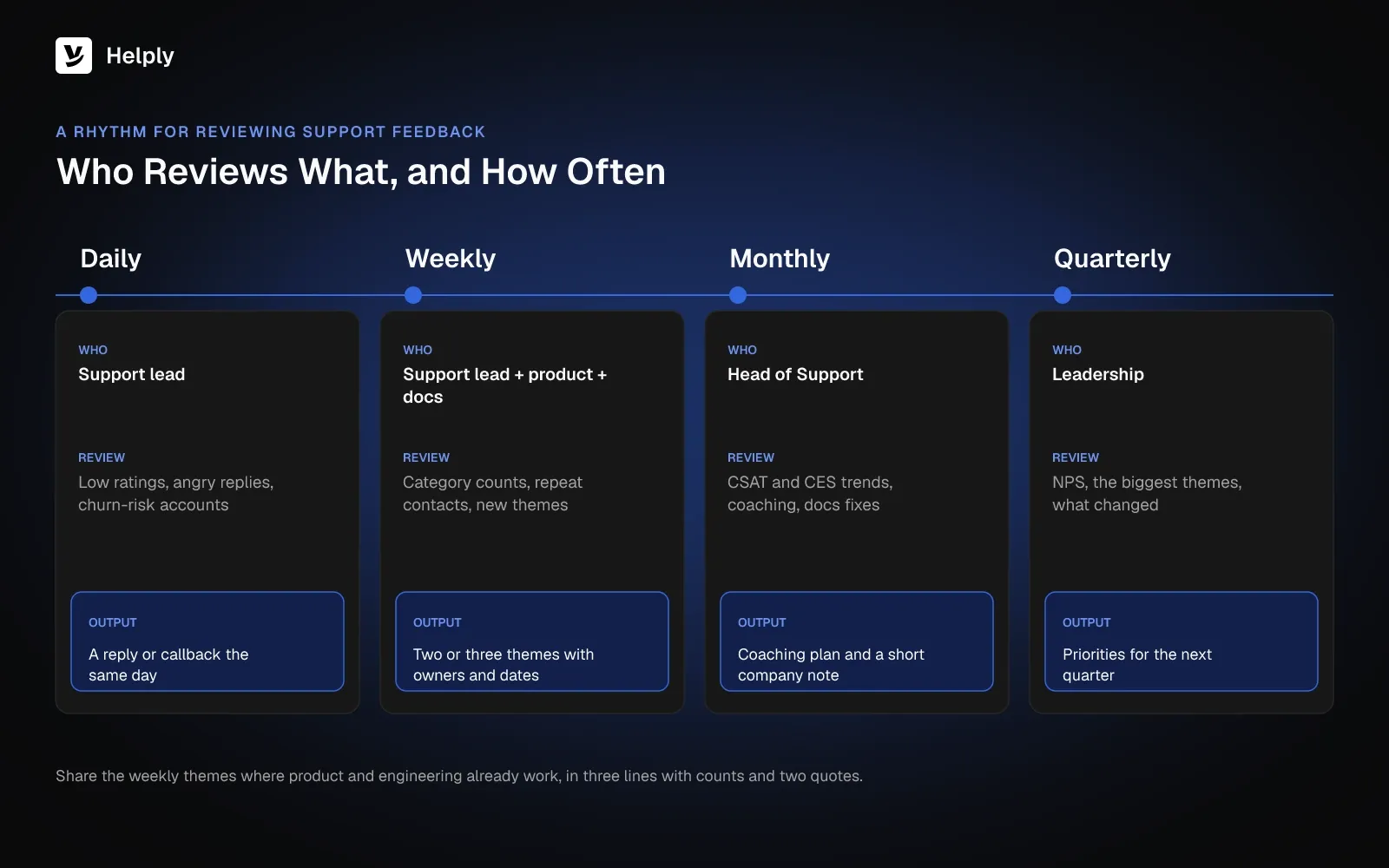
Support Feedback Review Cadence: Who Reviews What and How Often
| How often | What to review | Who | Output |
|---|---|---|---|
| Daily | Low ratings, angry replies and churn-risk accounts | Support lead | A reply or callback the same day |
| Weekly | Category counts, repeat contacts and new themes | Support lead with one product and one docs owner | Two or three themes with owners and dates |
| Monthly | CSAT and CES trends, coaching reviews, docs fixes | Head of Support | Coaching plan and a short note to the company |
| Quarterly | NPS, the biggest themes and what changed | Leadership | Priorities for the next quarter |
Share the weekly themes where product and engineering already work. Keep the note to three lines with counts and two customer quotes, so product can read it in a minute. A support dashboard can hold the counts in one view.
Keep Sampling by Hand or Read Every Conversation?
Pick between two setups by volume. Under a few hundred conversations a month, a post-solve survey and a weekly tag review cover most customer support feedback. Past that, Helply's Insights Agent can analyze the conversations on Team and higher plans and group what keeps coming back.
To get more customers answering, try a short CES question, which drew a higher response rate than CSAT in Retently's data. Ask "why?" after the rating to learn what "fine" and "slow" mean, and give each category an owner who fixes it. Then tell the customers who raised each theme what changed.
The customer who reported a bug three times and canceled gave you two earlier chances. Repeat contacts and frustration often show up in the conversations before any survey or churn report. On Pro and higher plans, Helply's Churn Agent monitors conversations for frustration and recurring issues, so your team can act early.
Start with one queue. Take last week's conversations, tag each one with a category and an owner, and see which three themes come up most.
Frequently asked questions
“Third time I’m asking. The export still drops my custom fields.” This is customer support feedback. It reports a bug, a repeat contact and rising frustration, so it belongs with engineering and the support lead.
“Maya fixed it in five minutes and checked it worked” and “the onboarding call made all the difference” are positive feedback examples. Good praise names the person or process and what they did, so the team can repeat it.
Name the agent, the moment and the effect, as in “Jordan found my order and refunded the shipping.” Specific praise helps the company recognize the agent and teaches the whole team.
Send one rating question and an optional “why?” within minutes of solving the conversation, in the same channel the customer used. Skip customers you surveyed recently, so the people you ask don’t tune out. Use CSAT or CES after solved conversations, and NPS every few months.
CSAT rates one conversation, usually from 1 to 5. CES rates how easy it was to get help, often from 1 to 7. NPS asks how likely a customer is to recommend the company, from 0 to 10, every few months.
Customer effort (CES) surveys had the highest response rate in Retently’s 2025 ecommerce data: 22.54%, against 9.76% for CSAT and 4.5% for NPS. In-app surveys averaged 32.34%, against 3.24% for email.
Review low ratings daily, themes weekly, trends monthly and NPS quarterly. Put the most effort into the weekly review, where the team picks two or three fixes and gives each an owner.
Closing the loop means telling customers what you did with their feedback, including every customer who raised the same theme. Only 52% of consumers in Microsoft’s 2017 survey believed most brands act on feedback, so a short update stands out.
Yes, AI can read every support conversation and group recurring problems, feature requests and frustration. On Team and higher plans, Helply’s Insights Agent groups similar questions, problems and feedback across customers and delivers findings to the right people.
About the author

Konrad Janczyk
Staff Software Developer


