
 Bildad Oyugi ··22 min read

Monday, 8:40 a.m. Sixty customer emails arrived overnight, weekend chats sit unanswered and three WhatsApp messages wait on the founder's phone. Two teammates answered the same "where's my order?" ten minutes apart.
A fourth hire costs a salary: US customer service reps earned a median $44,770 a year in May 2025. In the Fed's 2025 Small Business Credit Survey, published in March 2026, 46% of small employer firms reported trouble hiring or keeping staff.
You can't settle the budget from software quotes either. Most tools list a price per person, then a second meter for AI, so next month's bill depends on volume you can't predict.
Each of 9 customer service software tools for small business gets a monthly total for a 3-person and a 5-person team, AI included. Growing from 3 people and 400 conversations to 5 and 1,000 adds $285 to $718 a month on 7 of them. On Helply Plus, the same step adds one credit top-up.
Small Business Customer Service Software Compared by Price and AI Fees
Small business customer service tools differ on two counts: how they price the people who reply, and how they bill the AI.
| Tool | Best for | Plan priced here (monthly, annual in parentheses) | Free plan | AI pricing |
|---|---|---|---|---|
| Helply | Teams that want the queue covered without another hire | Plus: 5,000 AI credits a month, with room for up to 5 agents | No; 14-day trial, no card | Credits included; 2 per drafted reply, 10 per resolution, 15 at most per conversation |
| Help Scout | Email-led teams that start on a free plan | Standard: $30 per user ($25) | Yes: 5 users, 1 inbox, no AI features | Envoy add-on: 75 cents per resolution |
| Freshdesk Omni | Teams that bring in occasional helpers | Omni Growth: $35 per agent ($29); day passes $5 | No; Freshdesk's Free Program: 2 agents for 6 months, email and social | $49 per 100 AI sessions after 500 free, once per account |
| Intercom | Chat-first teams ready to pay per AI outcome | Essential: $39 per seat ($29); new customers $29 ($19) | No; 14-day trial, no card | 99 cents per Fin outcome, once per conversation |
| Tidio | Chat-first teams that want seats included | Growth with Lyro AI: $350 ($291.67) for 500 conversations, up to 10 agents | Yes: 50 conversations a month, 50 Lyro conversations once | Lyro and human replies share one conversation quota |
| HubSpot Service Hub | Teams whose support lives in HubSpot's CRM | Professional: $100 per seat ($90), annual commitment | Yes: 2 users, chat and ticketing, no AI agent | 50 HubSpot Credits per resolution, 50 cents past the 3,000 included |
| Gorgias | Teams that budget by ticket | Basic: $90 ($77) for 300 tickets; never priced per agent | No; 7-day trial | 30 AI resolutions on Basic; its pricing data lists $1.50 each after that, and each counts as a ticket |
| Zendesk | Teams that want social, WhatsApp and voice on one per-agent plan | Suite Team: $69 per agent ($55) | No; 14-day trial, no card | $2.00 per extra automated resolution, $1.50 committed |
| Zoho Desk | Email-heavy teams that want low seat prices | Standard: $20 per agent ($14) | Yes: 3 users, email only | Zia Agents free; 30 million hosted-model tokens a month, then $1 per million |
How Much Does a 3- or 5-Person Team Pay a Month with AI On?
These totals use list prices, with AI answering every conversation and resolving half. Outside Helply, a 3-person team with 400 conversations a month pays $240 to $577 on tools with a known AI price. At 5 people and 1,000 conversations, those tools cost $525 to $1,295, and Helply Plus costs less at both sizes.
| Tool and plan | Team A: 3 people, 400 conversations a month, AI resolves 200 | Team B: 5 people, 1,000 conversations a month, AI resolves 500 |
|---|---|---|
| Helply Plus, 5,000 credits a month | $234 ($199) | $274 ($239), with one $40 credit top-up |
| Help Scout Standard + Envoy | $240 ($225) | $525 ($500) |
| Freshdesk Omni Growth + Freddy AI Agent | $301 ($283) | $665 ($635) |
| Intercom Essential + Fin | $315 ($285) | $690 ($640) |
| Tidio Growth with Lyro AI | $350 ($292) | $700 ($583) |
| HubSpot Service Hub Professional + Customer Agent | $370 ($340), plus $1,500 onboarding | $720 ($670), plus $1,500 onboarding |
| Gorgias with AI Agent | $385 ($372) on Basic | $1,015 ($936) on Pro |
| Zendesk Suite Team + automated resolutions | $577 ($443 with the committed rate) | $1,295 ($988 with the committed rate) |
| Zoho Desk Standard, chat for signed-in customers | $60 ($42) plus AI model usage | $100 ($70) plus AI model usage |
Basis: list prices in USD before taxes, rounded to the dollar, monthly billing first and annual billing per month in parentheses. In each scenario the AI answers every conversation first and resolves half. Help Scout and Freshdesk totals apply once their free AI months or sessions run out.
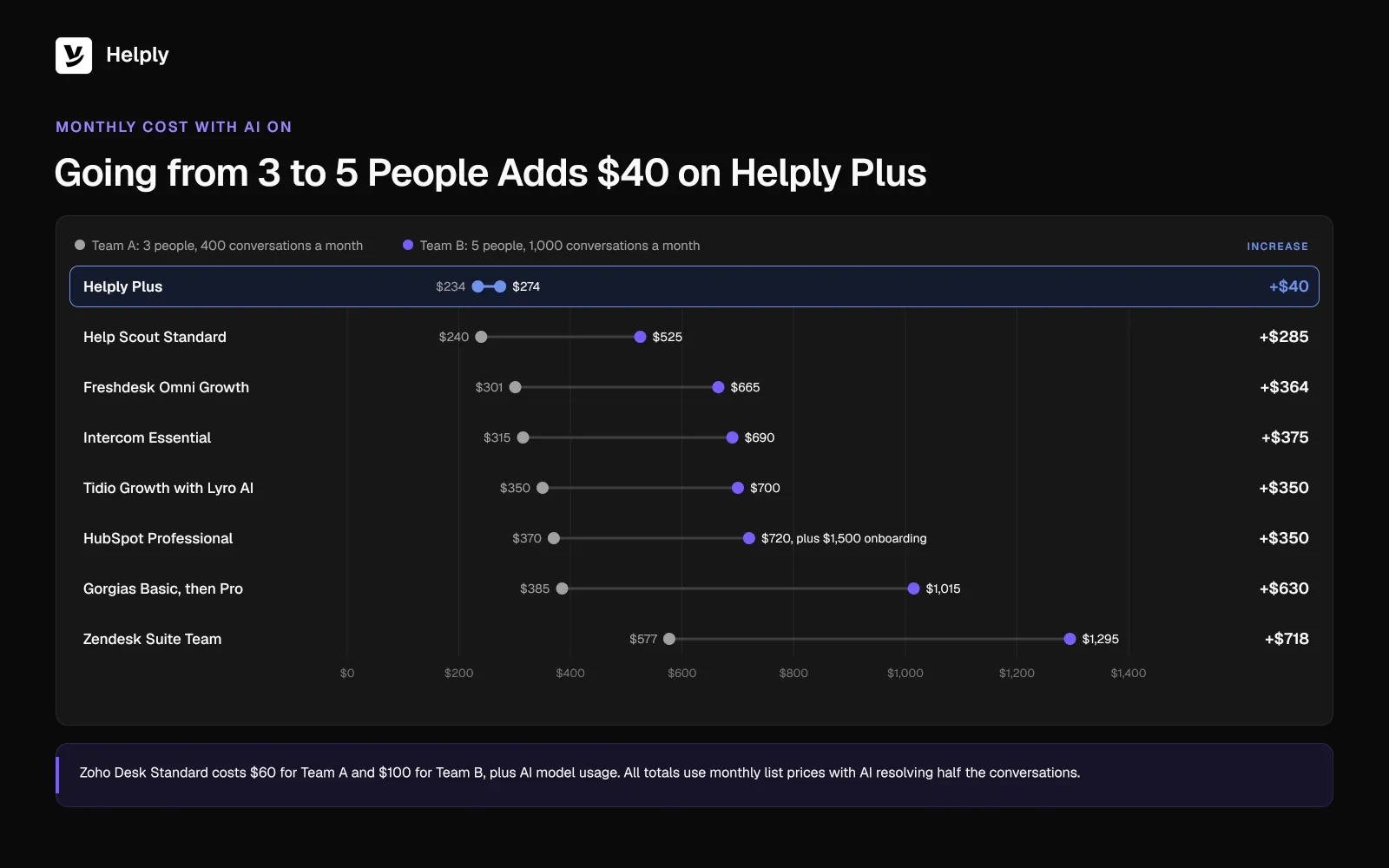
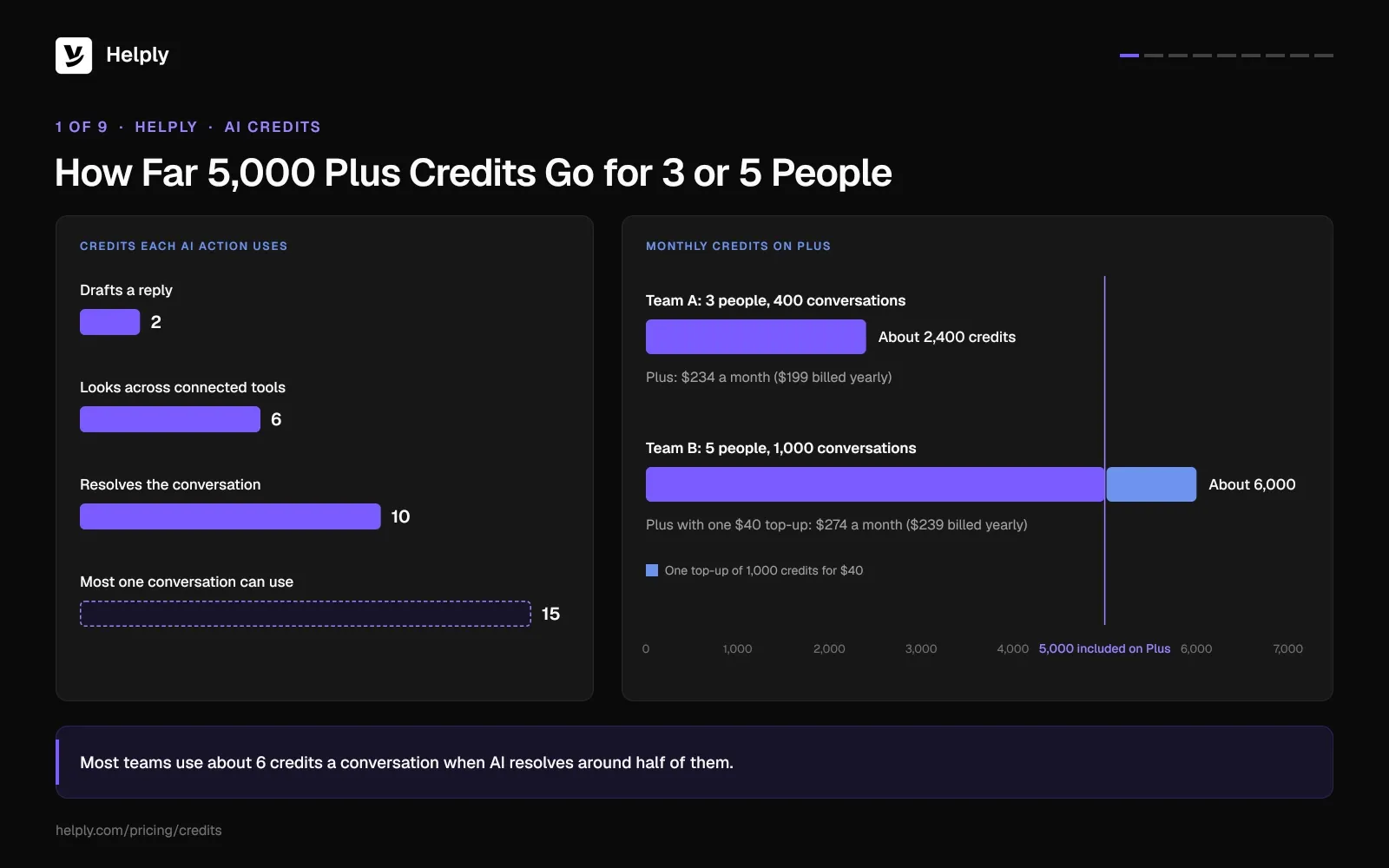
With AI resolving about half the queue, most teams use around 6 Helply credits per conversation. The 3-person team then needs about 2,400 credits, inside the 5,000 on Plus. The 5-person team needs about 6,000, so it buys one top-up.
Gorgias totals use the $1.50 overage listed in its pricing data. At Intercom's new-customer seat price, its totals drop to $285 ($255) and $640 ($590).
Helply Plus leaves out WhatsApp and SMS, which Help Scout Standard includes. Intercom, Tidio, Zendesk Suite Team and Zoho Desk Standard can take WhatsApp messages too. Helply adds both channels on Team, with 10 agents and 15,000 credits, enough for both scenarios.
How Does Each Tool Bill the AI?
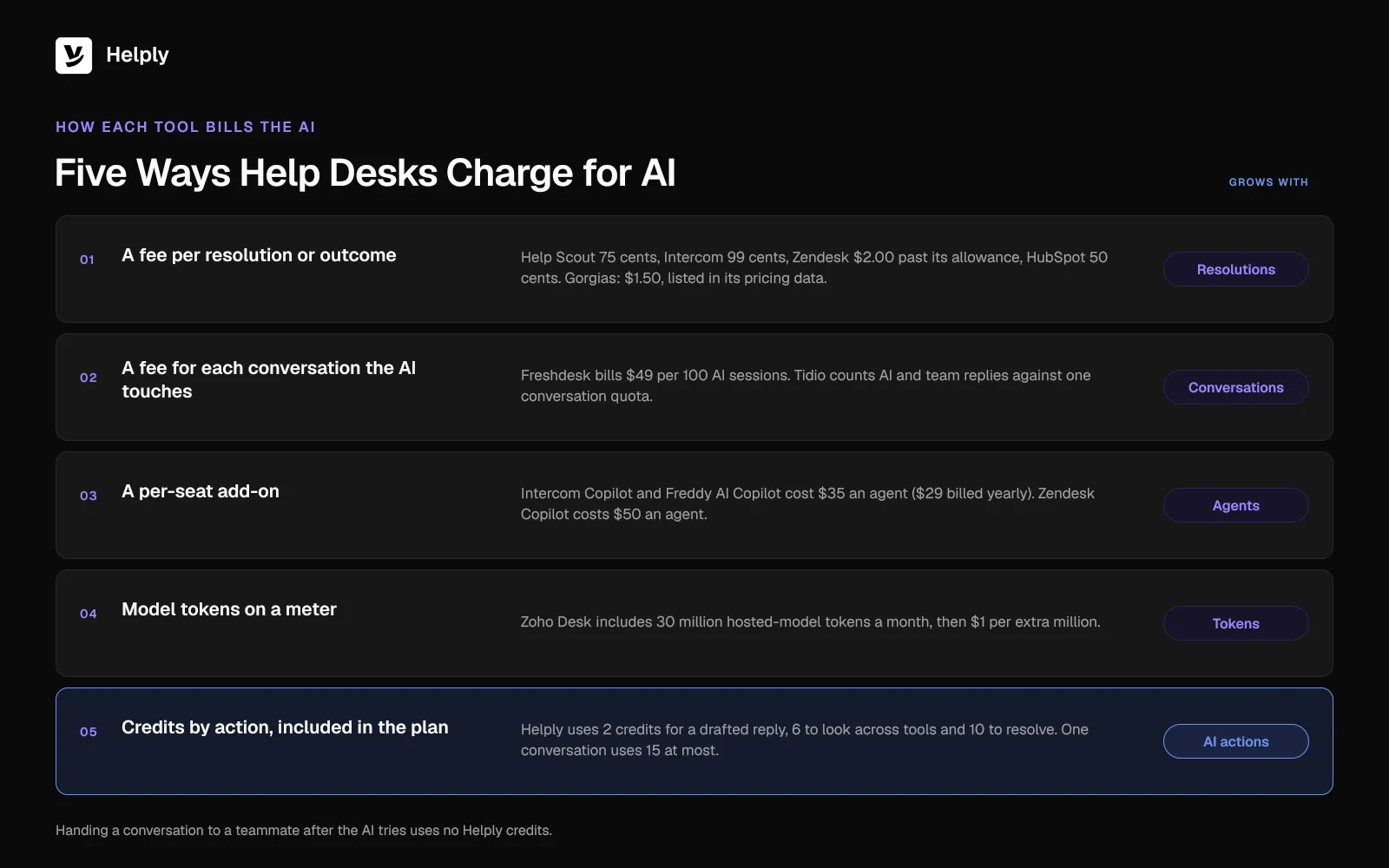
Help desks charge for AI in five ways, and each one grows with a different count:
- A fee per resolution or outcome. Help Scout charges 75 cents a resolution, Intercom 99 cents a Fin outcome and Zendesk $2.00 past its allowance. Gorgias's pricing data lists $1.50 per AI resolution past the allowance, plus a ticket, and HubSpot uses 50 credits, worth 50 cents.
- A fee for each conversation the AI touches. Freshdesk bills $49 per 100 AI sessions, counted whenever the AI engages. Tidio counts each conversation that Lyro or your team replies in against one quota.
- A per-seat add-on that tracks headcount. Intercom Copilot, and Freddy AI Copilot on Freshdesk Pro and up, cost $35 an agent a month ($29 billed yearly). Zendesk Copilot, from Suite Professional, costs $50 per agent each month, billed yearly.
- Model tokens on a meter. Zoho Desk's hosted models include 30 million tokens a month, then $1 per extra million. Generative replies on Standard run on your own OpenAI key.
- Credits by action, included in the plan. On Helply, a drafted reply takes 2 credits, looking across connected tools takes 6, and resolving the conversation takes 10. A single conversation tops out at 15.
Once the AI has tried, handing the conversation over to a teammate uses no Helply credits. Spam, notifications, auto-replies and Playground tests use none either, and neither does running the help desk with AI off.
The 9 Best Customer Service Software Tools for Small Business
The 9 tools are Helply, Help Scout, Freshdesk Omni, Intercom, Tidio, HubSpot Service Hub, Gorgias, Zendesk and Zoho Desk. Helply leads as the pick for growing teams, and tools 2 to 8 follow from the lowest 3-person total to the highest. Zoho Desk closes the list.
1. Helply: Best for Covering the Queue Without Another Hire
Helply, formerly Groove, has built support software since 2011. Its help desk runs around AI agents, so overnight email and weekend chats can get a first answer before anyone logs in.
Key features:
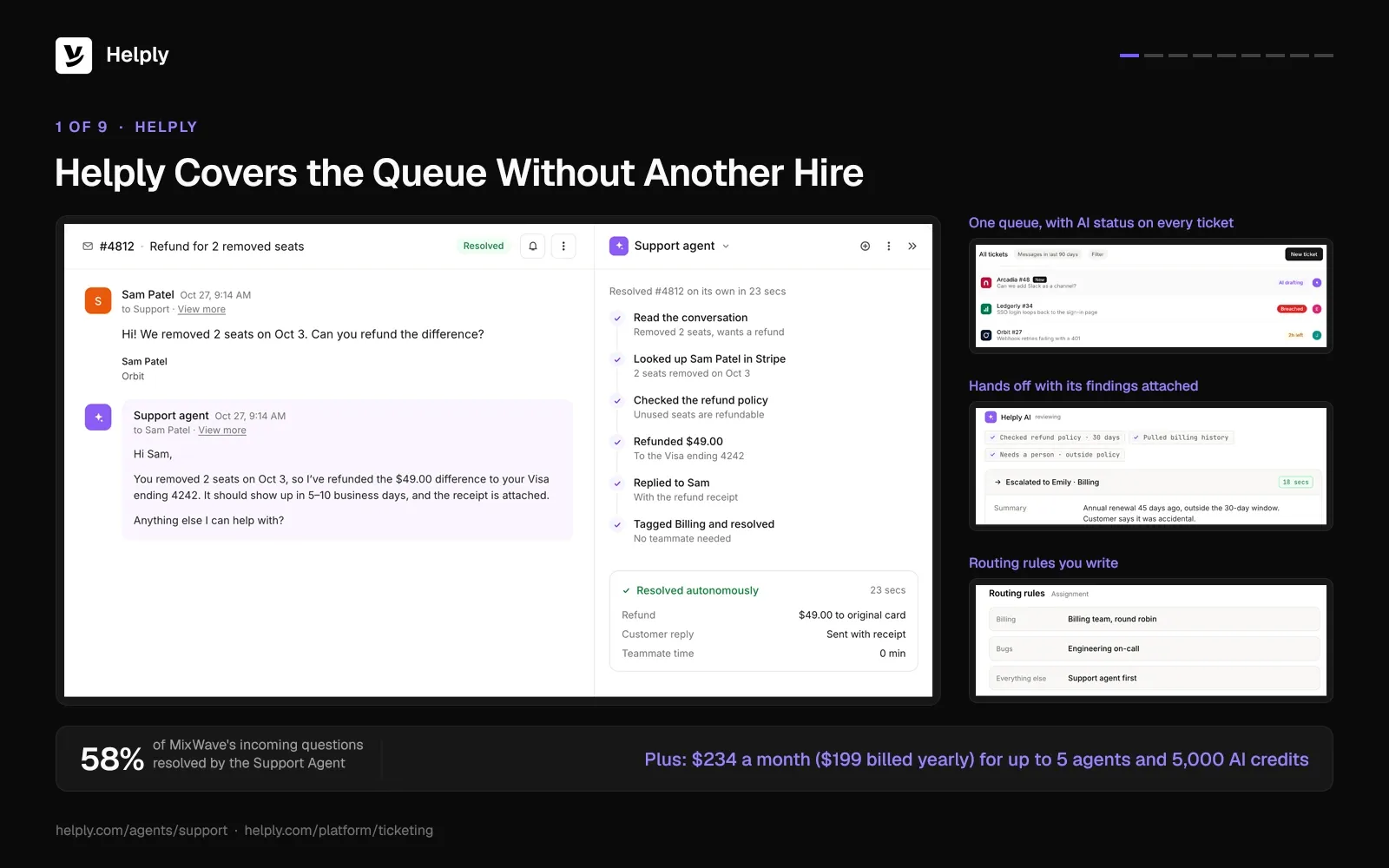
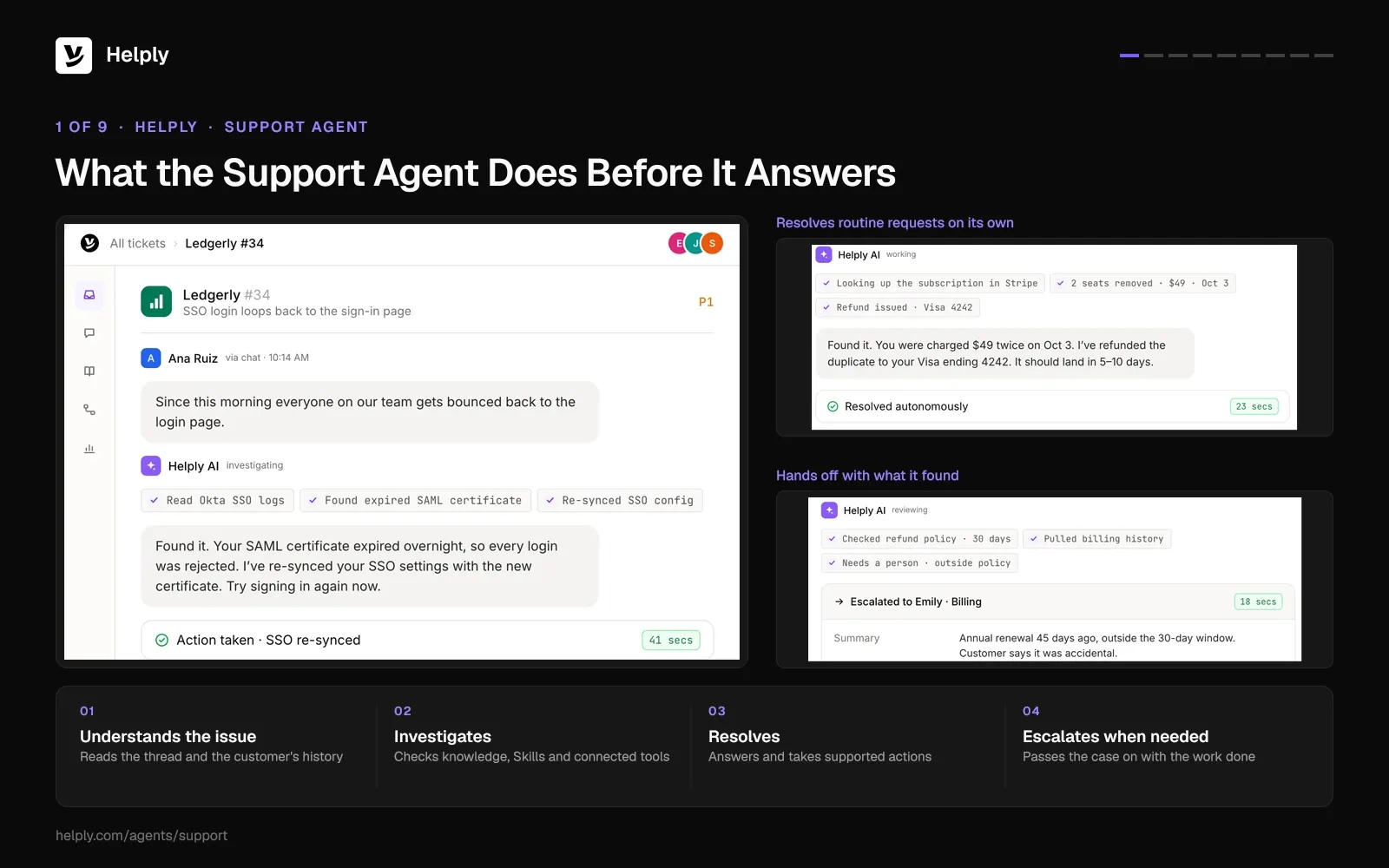
- The AI can resolve requests end to end. The Support Agent checks the knowledge base, the customer's history and connected tools, then answers or takes the next step. If it isn't confident, a teammate gets the conversation along with everything the agent found.
- One queue for email, chat and messaging. Email and the chat widget for your site or app share one inbox with Facebook, Instagram, WhatsApp, SMS and Slack Connect. Collision detection shows who already has the "where's my order?" thread.
- Handoffs follow rules you write. Guidelines tell the AI agents how to behave and decide. Escalation rules let you pick the situations, confidence thresholds and customer traits that route a conversation to your team.
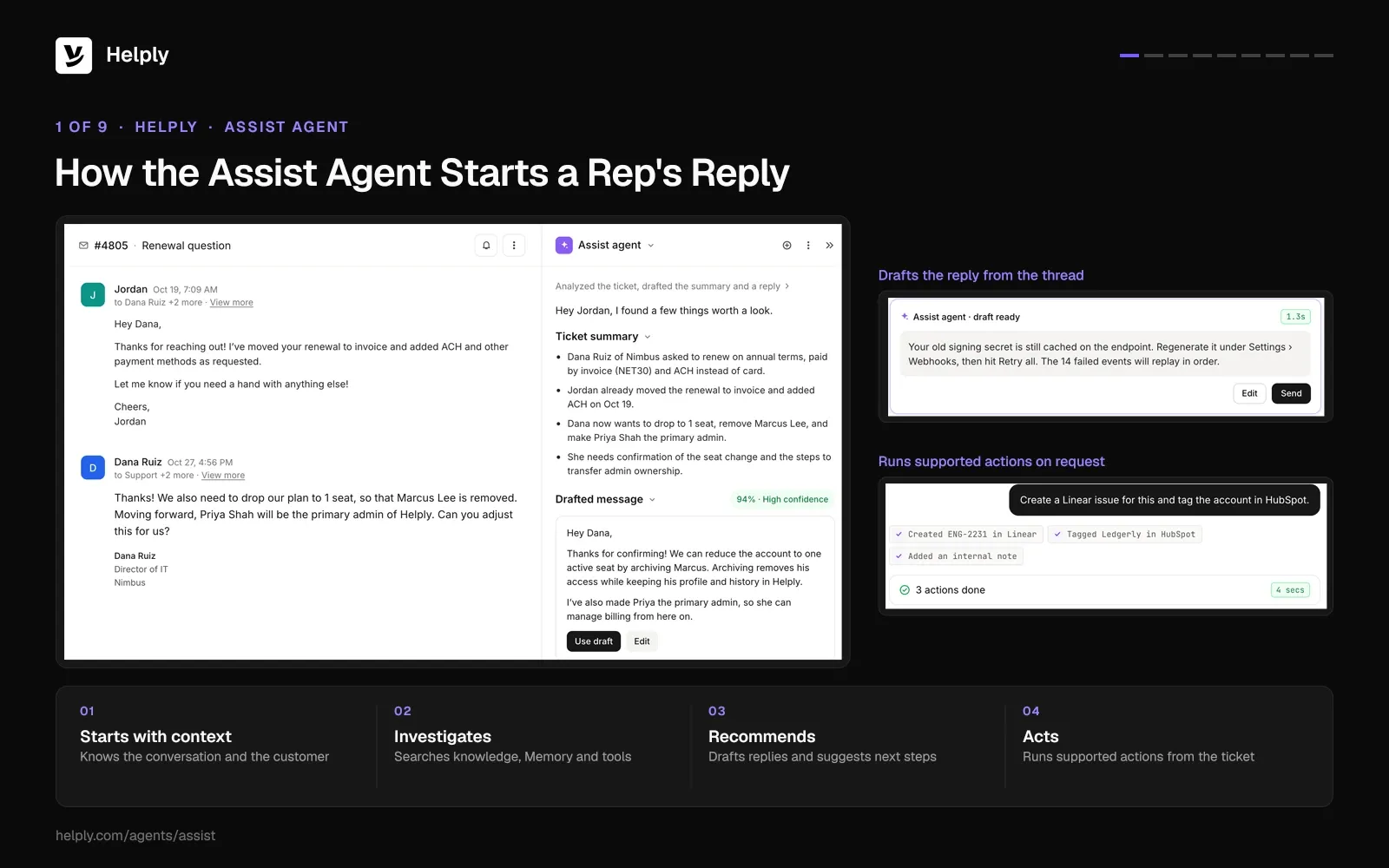
- Reps start from a draft. The Assist Agent writes a first reply from the thread, the customer's background and your Guidelines. Reps can hand it supported actions to run from inside the conversation.
- Each request type gets a playbook. Skills teach the agents one kind of customer work, such as a refund or a setup question.
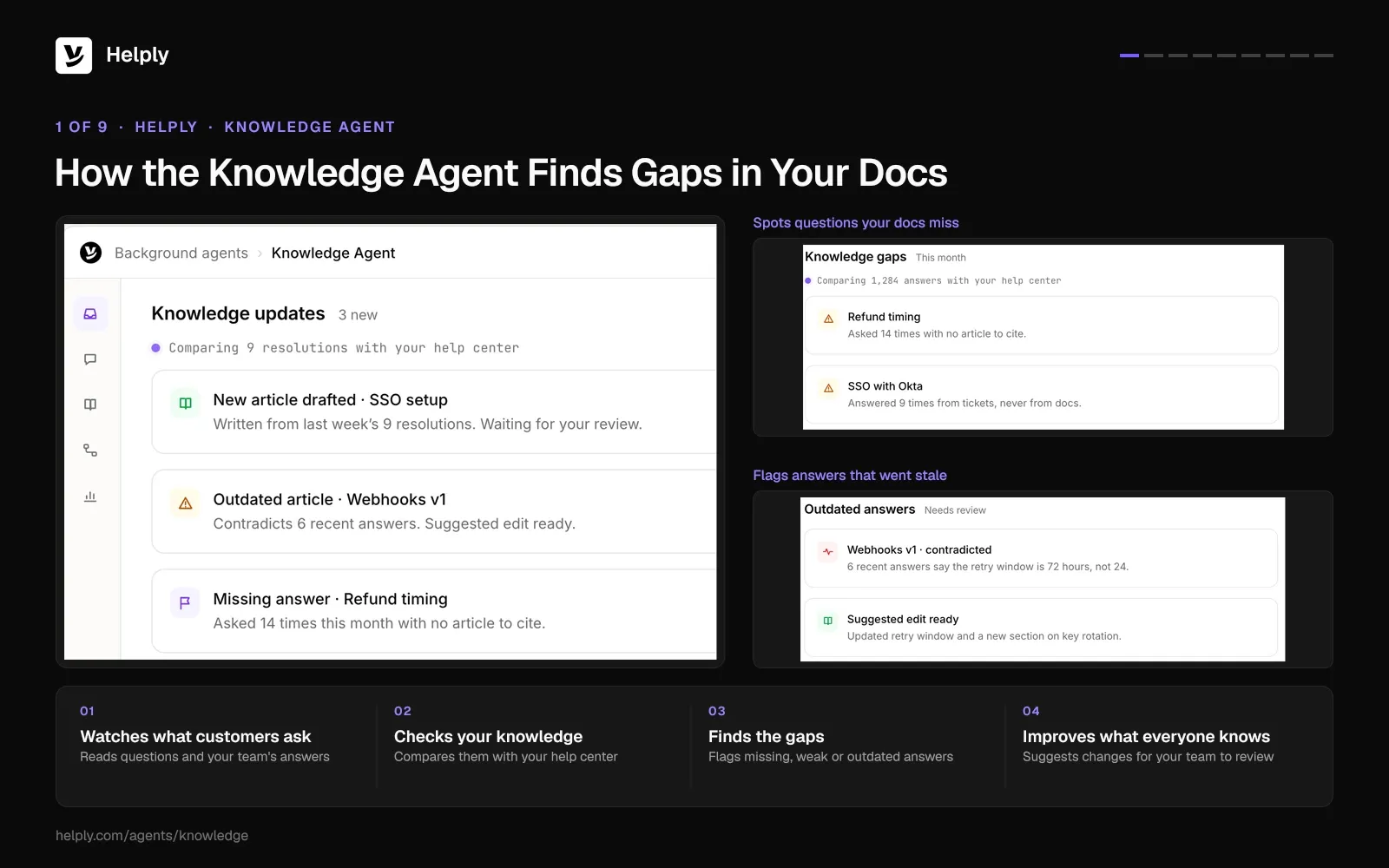
- The Knowledge Agent flags gaps in your docs. It spots questions your docs miss and articles that went stale, then suggests changes for your team to review.
- You decide when to buy more credits. Usage alerts warn you before the month's credits run out. At the limit, the AI pauses while your team keeps answering, and you can top up in the app.
- You can switch without a cutover weekend. Helply can bring over history from Groove, Zendesk, Intercom, Freshdesk, Help Scout or Front. Your team keeps answering in the old help desk until you're ready.
MixWave's small audio software team kept answering the same install and license questions on a per-seat help desk it couldn't justify. After Helply imported its ticket history and knowledge base, Helply's Support Agent resolved 58% of the questions coming in, end to end. MixWave then moved one full-time role over to its docs and product quality.
Pricing
Helply's plans start at $116 a month on Starter ($99 with yearly billing), which covers up to 2 agents. Plus costs $234 ($199) for up to 5, and Team $587 ($499) for 10. Plus includes 5,000 AI credits a month and Team 15,000.
Team A uses about 2,400 credits a month, inside Plus. Team B uses about 6,000, so one $40 top-up brings Plus to $274 ($239).
Facebook, Instagram and CSAT surveys start on Plus. WhatsApp, SMS, Slack Connect, SLAs and escalation rules, Skills, the Knowledge Agent, HubSpot, and migration help with an onboarding call start on Team. Yearly billing saves 15% on every plan, and you can trial Helply for 14 days with no credit card.
Pros
- With AI resolving half at list prices, Plus totals lowest among tools with a known AI price at both sizes.
- The Support Agent and the Assist Agent share one credit pool for the whole team.
- Handoffs to your team cost no credits, even after the AI has tried.
Cons
- Helply has no free plan; after the trial, Starter is the entry plan, for up to 2 agents.
- WhatsApp, SMS and SLAs need Team, which costs about the same as Zendesk Suite Team for 3 people, billed monthly.
- Plus stops at 5 agents, so a sixth person means moving to Team.
Best For
Small teams that want AI answering the queue at a monthly price they can plan, instead of hiring another rep.
2. Help Scout: Best for Email-Led Teams Starting on a Free Plan
Help Scout charges per user and adds 75 cents for each conversation its AI resolves. Standard runs $30 a user monthly ($25 on annual billing), with live chat, SMS and WhatsApp for up to 25 users.
Key features
- Free plan. Five users can share 1 inbox and 1 Docs site, and the pricing table lists no AI features on Free.
- Envoy AI add-on. Help Scout charges 75 cents per resolution, once per conversation, and no fee if the customer goes on to ask a person. New accounts get 3 months of free resolutions.
- AI Drafts. Unlimited drafts for reps come with Plus, at $54 a user each month ($45 billed yearly).
Pricing
Team A pays $90 ($75) in seats and $150 in Envoy resolutions once the free months end, for $240 ($225). Team B pays $150 ($125) plus $375, for $525 ($500). Help Scout's trial lasts 15 days, card-free.
Pros
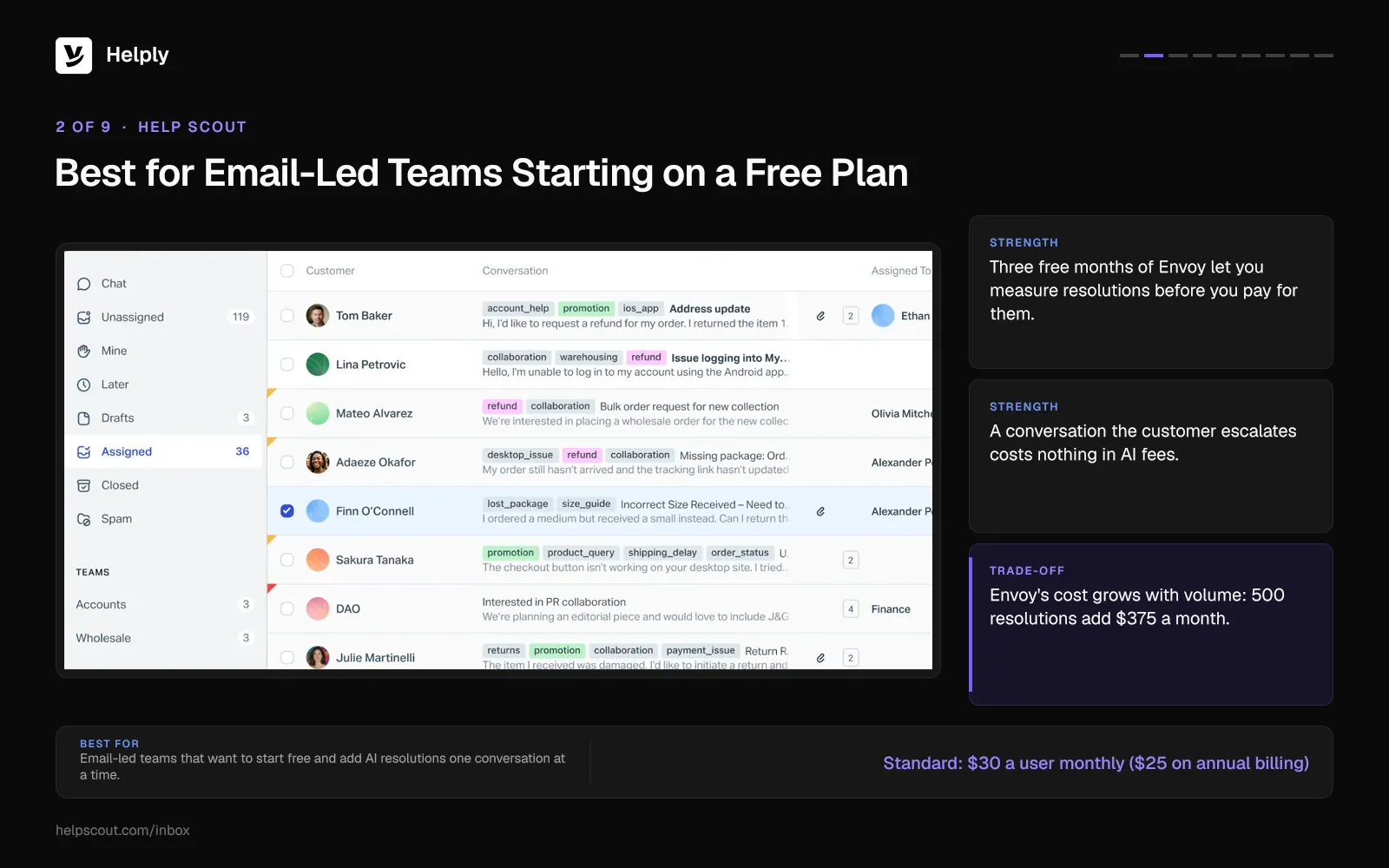
- Three free months of Envoy let you measure resolutions before you pay for them.
- A conversation the customer escalates costs nothing in AI fees.
Cons
- Envoy's cost grows with volume: 500 resolutions add $375 a month.
- Unlimited AI Drafts need Plus, at $54 a user each month ($45 billed yearly) against $30 ($25) on Standard.
Best For
Email-led teams that want to start free and add AI resolutions one conversation at a time.
Help Scout or Helply: Which Fits a Small Team?
Help Scout fits a team that starts free and adds Envoy at 75 cents a resolution. Unlimited AI Drafts need Plus, while Helply includes the Assist Agent on every plan. With AI resolving half of 400 or 1,000 conversations, Help Scout costs $240 for 3 people and $525 for 5, above Helply Plus.
| What you compare | Help Scout Standard | Helply |
|---|---|---|
| Price for people | $30 per user ($25) | A plan price that covers a band of agents |
| AI billing | Envoy: 75 cents per resolution | Credits included in the plan |
| Drafting help for reps | Unlimited AI Drafts on Plus | Assist Agent on every plan |
| SMS and WhatsApp | Standard | Team plan and up |
| Free option | Free plan for 5 users, no AI | 14-day trial, no card |
Follow the Help Scout comparison to run Helply beside it on part of the queue.
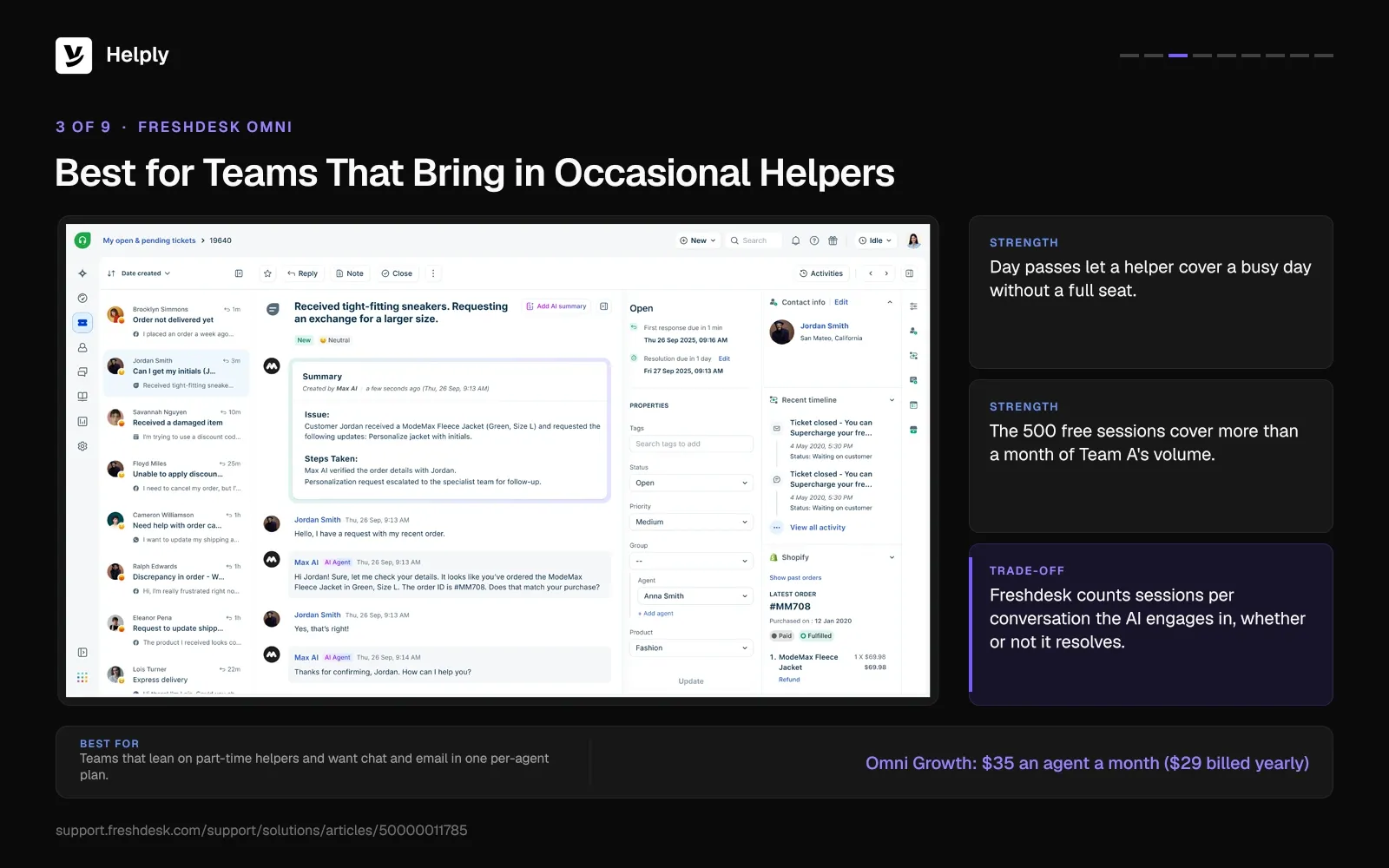
3. Freshdesk Omni: Best for Teams That Bring in Occasional Helpers
Freshworks sells an email-first Freshdesk and a multichannel Freshdesk Omni. A small team that wants chat starts on Omni Growth, at $35 an agent each month ($29 billed yearly).
Key features
- Freddy AI Agent. Each account gets 500 free sessions one time, then pays $49 per 100. For chat, one session spans every AI exchange in a 24-hour window; for email, the window is 72 hours.
- Freddy AI Copilot. Drafting help costs $35 an agent a month ($29 billed yearly) and needs Omni Pro, at $95 ($79).
- Day passes. Occasional helpers can buy a day's access for $5 on Omni Growth.
Pricing
Freshdesk counts a session whenever the AI engages, so Team A buys 4 packs and Team B buys 10. Team A pays $105 ($87) in seats plus $196, for $301 ($283). Team B pays $175 ($145) plus $490, for $665 ($635).
Pros
- Day passes let a helper cover a busy day without a full seat.
- The 500 free sessions cover more than a month of Team A's volume.
Cons
- Freshdesk counts sessions per conversation the AI engages in, whether or not it resolves.
- Omni has no free plan, and Freshdesk's Free Program lists no Freddy AI.
Best For
Teams that lean on part-time helpers and want chat and email in one per-agent plan.
Freshdesk or Helply: Which Fits a Small Team?
Freshdesk Omni suits a team that brings in occasional helpers on day passes and accepts a session fee on every AI conversation. Helply spends no credits on a handoff and includes drafting on every plan. Omni Growth costs $301 for 3 people and $665 for 5 when AI resolves half the queue, above Helply Plus.
| What you compare | Freshdesk Omni Growth | Helply |
|---|---|---|
| Price for people | $35 per agent ($29); day passes $5 | A plan price that covers a band of agents |
| AI billing | $49 per 100 AI sessions | Credits included in the plan |
| Handoff to a person | The session still counts | No credits used |
| Drafting help for reps | Copilot on Omni Pro, $35 per agent ($29) | Assist Agent on every plan |
Read the Helply and Freshdesk comparison for the migration steps.
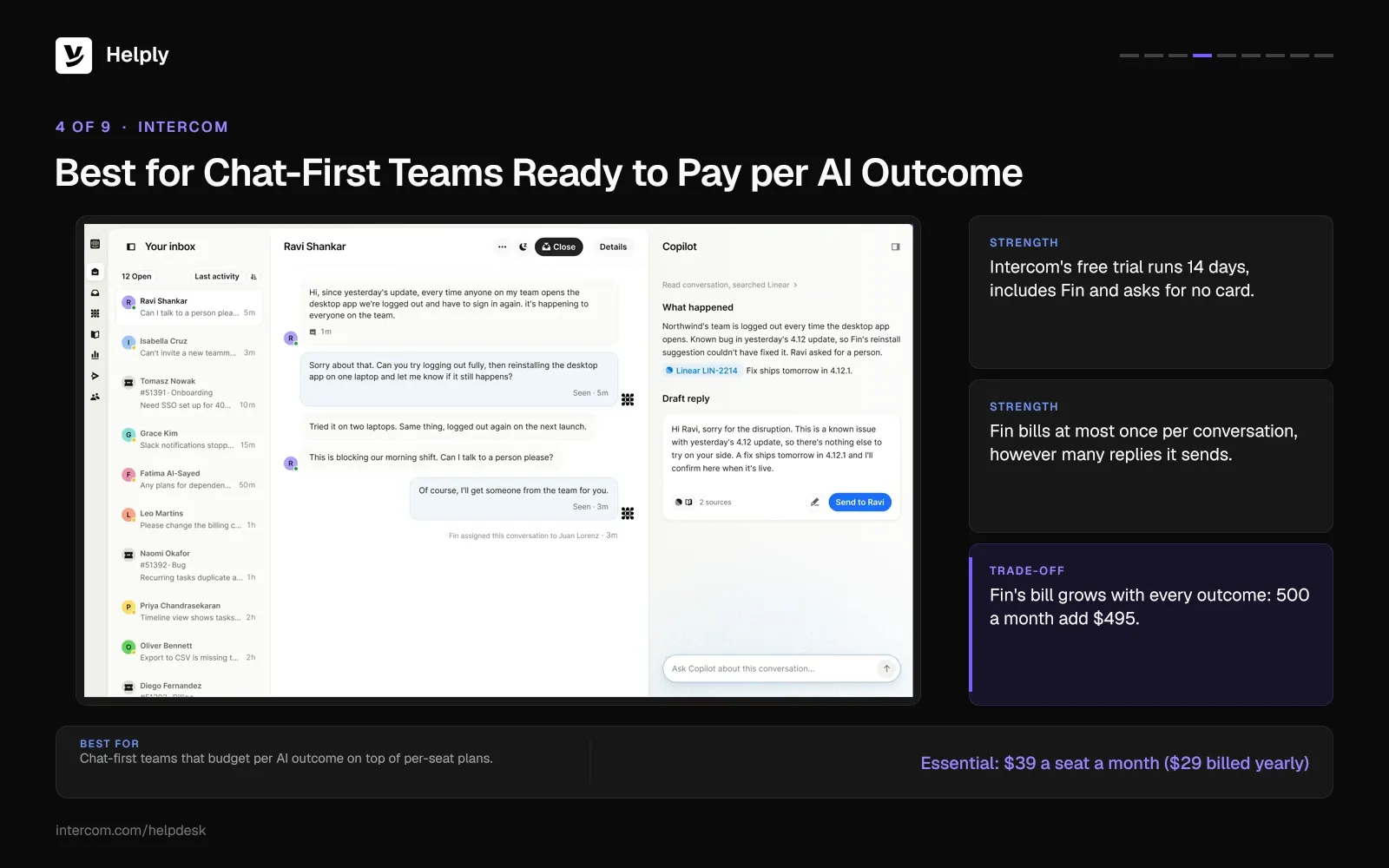
4. Intercom: Best for Chat-First Teams Ready to Pay per AI Outcome
Intercom charges per seat, plus 99 cents each time Fin, its AI agent, completes an outcome. Essentialcosts $39 a seat each month ($29 billed yearly), and new customers pay $29 ($19) for as long as they stay subscribed.
Key features
- Fin AI agent. Intercom bills 99 cents an outcome, never more than once in a conversation. Completed Procedures count as outcomes, handoffs included.
- Copilot. The assistant for reps costs $35 an agent a month ($29 billed yearly).
- Channels. Inbound WhatsApp comes on Essential, while social channels start on Advanced.
Pricing
Team A pays $117 ($87) in seats plus $198 for Fin, for $315 ($285). Team B pays $195 ($145) plus $495, for $690 ($640). At the new-customer seat price, the totals drop to $285 ($255) and $640 ($590).
Pros
- Intercom's free trial runs 14 days, includes Fin and asks for no card.
- Fin bills at most once per conversation, however many replies it sends.
Cons
- Fin's bill grows with every outcome: 500 a month add $495.
- Social channels need Advanced, a plan above Essential.
Best For
Chat-first teams that budget per AI outcome on top of per-seat plans.
Intercom or Helply: Which Fits a Small Team?
Intercom fits a chat-first team ready to pay 99 cents per Fin outcome on top of seats, with Copilot as an add-on. With Fin resolving half, Intercom costs $315 for 3 people and $690 for 5, or $285 and $640 for new customers. Helply puts AI credits inside the plan, includes the Assist Agent for drafting and comes lower in each case.
| What you compare | Intercom Essential | Helply |
|---|---|---|
| Price for people | $39 per seat ($29); new customers $29 ($19) | A plan price that covers a band of agents |
| AI billing | 99 cents per Fin outcome | Credits included in the plan |
| Handoff to a person | Charged when it completes a Procedure | No credits used |
| Drafting help for reps | Copilot, $35 per agent ($29) | Assist Agent on every plan |
| Inbound on Essential | Team plan and up |
For the steps to switch, see the Helply and Intercom comparison.
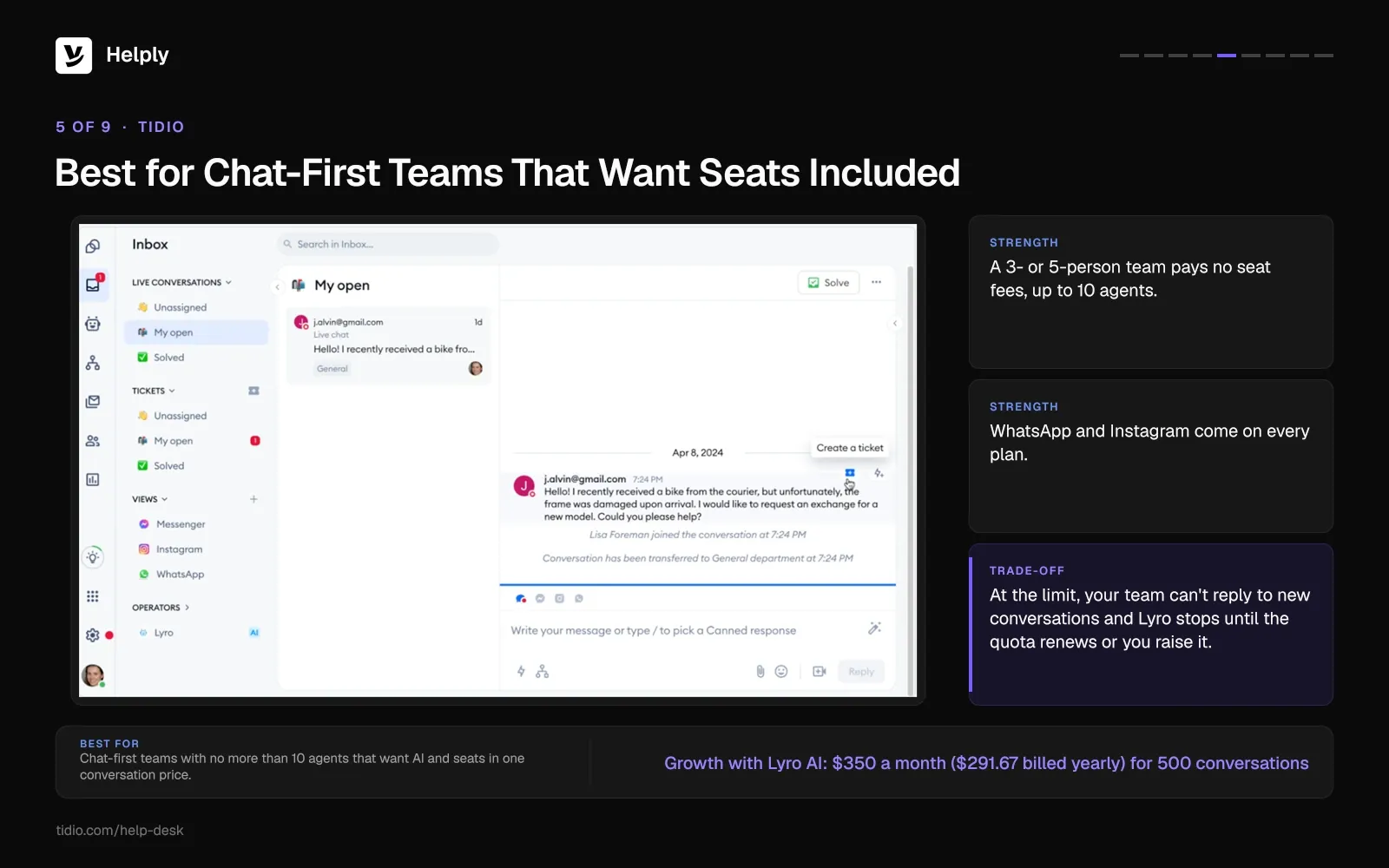
5. Tidio: Best for Chat-First Teams That Want Seats Included
Tidio prices by conversation and includes up to 10 agent seats. On the Growth plan with Lyro AI, Lyro and your team share one conversation quota.
Key features
- One quota for AI and people. Any conversation with a message from Lyro or your team uses one unit, and a Lyro handoff counts once.
- Channels on every plan. Messenger, Instagram, WhatsApp and email come on every plan, and phone is a paid Voice add-on in four countries.
- Free plan. It covers 50 human conversations a month and a one-time allowance of 50 Lyro conversations.
Pricing
Growth with Lyro AI costs $350 a month ($291.67 billed yearly) for 500 conversations, so that tier covers Team A's 400. Team B's 1,000 conversations cost $700 ($583.33). Tidio offers a 7-day trial without a card.
Pros
- A 3- or 5-person team pays no seat fees, up to 10 agents.
- WhatsApp and Instagram come on every plan.
Cons
- At the limit, your team can't reply to new conversations and Lyro stops until the quota renews or you raise it.
- Quota tiers jump from 300 to 500 conversations, so 400 a month pays for 500.
Best For
Chat-first teams with no more than 10 agents that want AI and seats in one conversation price.
Tidio or Helply: Which Fits a Small Team?
Tidio suits a chat-first team that wants WhatsApp on its entry plans and one conversation price. On yearly plans, or with auto-upgrade turned off, Tidio blocks your team from new conversations at the limit. On Helply, only the AI pauses, and Helply Plus costs less than Tidio's $350 for 3 people and $700 for 5.
| What you compare | Tidio Growth with Lyro AI | Helply |
|---|---|---|
| Price for people | Up to 10 agents included | A plan price that covers a band of agents |
| AI billing | AI and human replies share one conversation quota | Credits included in the plan |
| At the limit | Team and Lyro stop on new conversations unless auto-upgrade is on | Only the AI pauses |
| Every plan | Team plan and up |
See how Helply handles WhatsApp conversations on the Team plan and up.
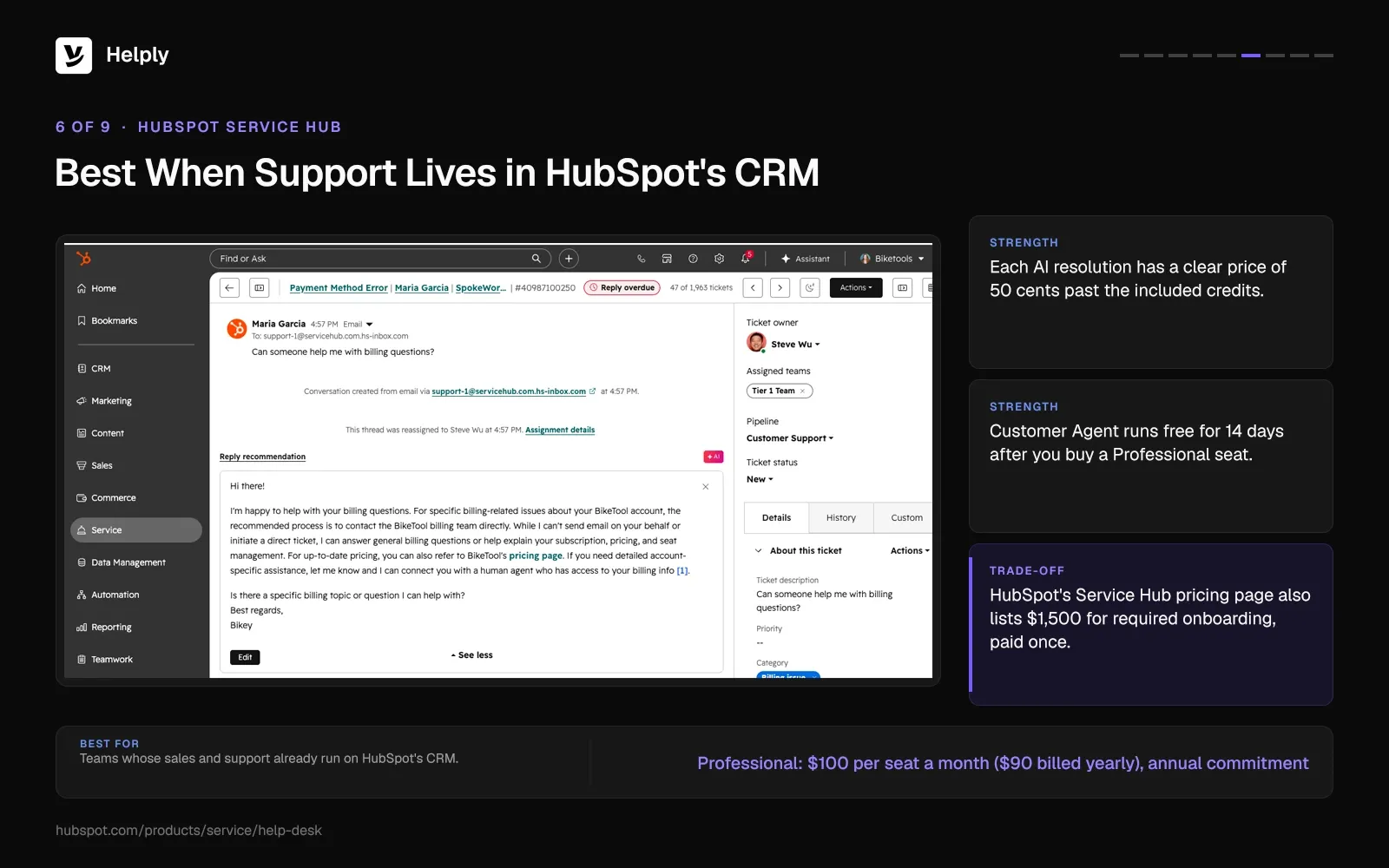
6. HubSpot Service Hub: Best When Support Lives in HubSpot's CRM
HubSpot's AI agent, Customer Agent, comes with Service Hub Professional and Enterprise. The Service Hub pricing page lists Professional at $100 per seat a month with an annual commitment, or $90 billed yearly.
Key features
- Free plan. Up to 2 users get live chat and ticketing, without Customer Agent.
- Customer Agent. Each resolved conversation uses 50 HubSpot Credits, and extra credits cost one cent each.
- Included credits. Professional includes 3,000 HubSpot Credits each month, and leftover credits expire.
Pricing
Team A pays $300 ($270) in seats and $70 in extra credits, for $370 ($340). Team B pays $500 ($450) plus $220, for $720 ($670). The Service Hub pricing page adds a required $1,500 onboarding fee, one time.
Pros
- Each AI resolution has a clear price of 50 cents past the included credits.
- Customer Agent runs free for 14 days after you buy a Professional seat.
Cons
- The AI agent needs Professional, with a 1-year commitment.
- HubSpot's Service Hub pricing page also lists $1,500 for required onboarding, paid once.
Best For
Teams whose sales and support already run on HubSpot's CRM.
HubSpot or Helply: Which Fits a Small Team?
HubSpot Service Hub makes sense when your support already runs in HubSpot's CRM on a 1-year Professional commitment. If AI resolves half of 400 or 1,000 monthly conversations, HubSpot costs $370 for 3 people and $720 for 5, before onboarding. Helply's HubSpot integration needs Team, which costs more than HubSpot for 3 people and less for 5, billed monthly.
| What you compare | HubSpot Service Hub Professional | Helply |
|---|---|---|
| Price for people | $100 per seat ($90), 1-year commitment | A plan price that covers a band of agents |
| AI billing | 50 credits per resolution, 3,000 included | Credits included in the plan |
| Setup cost | Required onboarding, $1,500 one time | Free migration and an onboarding call on Team |
| CRM | Built in | Connects to HubSpot on Team |
Set up Helply's HubSpot integration to keep both teams on the same customer record.
7. Gorgias: Best for Teams That Budget by Ticket
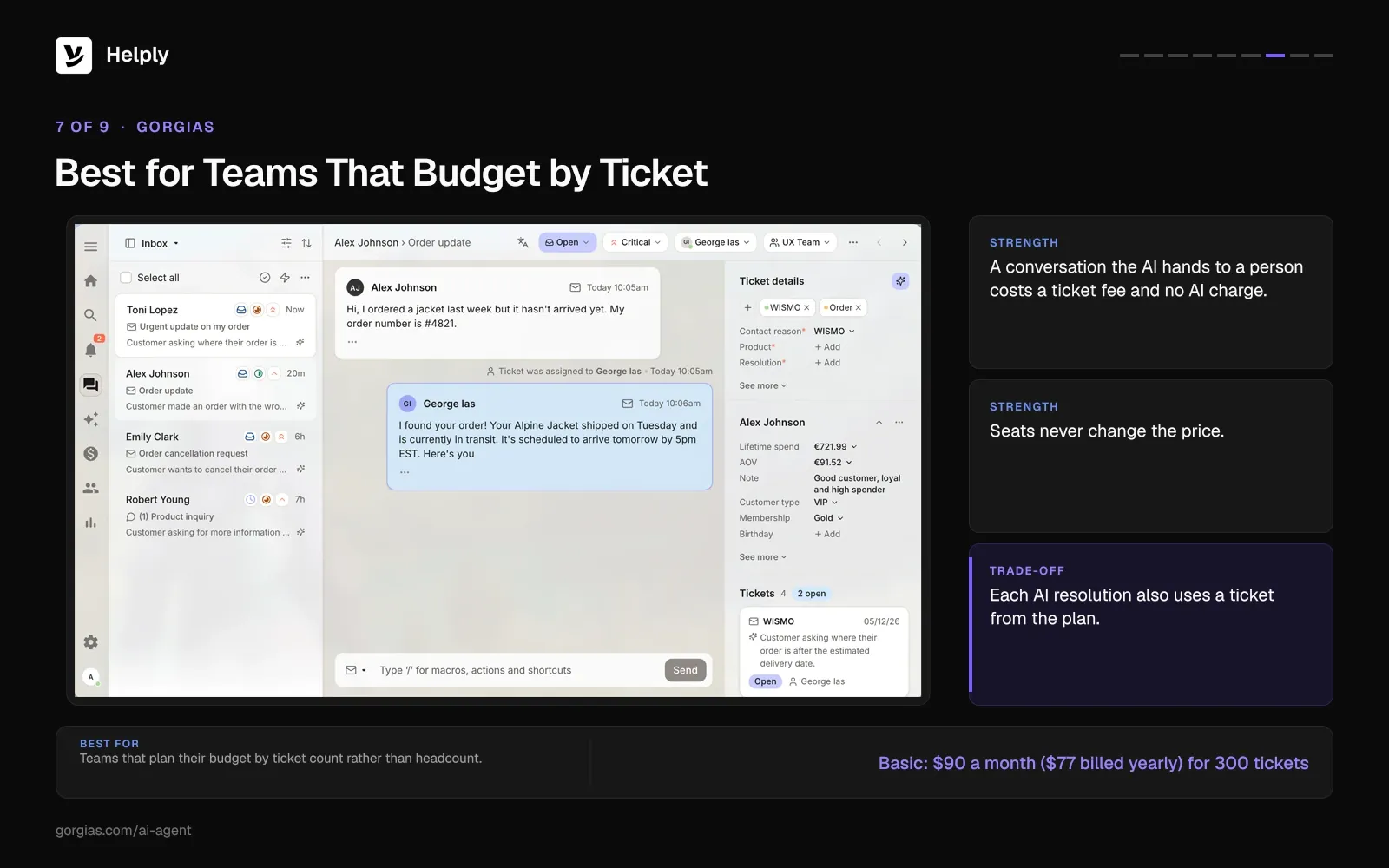
Gorgias prices plans by ticket volume and never per agent. Each AI resolution costs a fee and also counts as a ticket against the plan.
Key features
- Ticket-based plans. Basic includes 300 tickets and 30 AI resolutions for $90 a month ($77 billed yearly), with extra tickets at 40 cents.
- AI Agent. Basic covers 30 AI resolutions in its plan price. Above that allowance, Gorgias's pricing data lists $1.50 a resolution.
- Channels. Every Gorgias plan covers email, chat, social and a help center, and the AI Agent answers on email and chat.
Pricing
Team A on Basic pays $90 plus $40 in extra tickets and $255 for 170 extra AI resolutions, for $385 ($372). Pro includes 2,000 tickets and 190 AI resolutions, so Team B pays $550 plus $465, for $1,015 ($936).
Pros
- A conversation the AI hands to a person costs a ticket fee and no AI charge.
- Seats never change the price.
Cons
- Gorgias's pricing data lists $1.50 for each AI resolution above the allowance.
- Each AI resolution also uses a ticket from the plan.
Best For
Teams that plan their budget by ticket count rather than headcount.
Gorgias or Helply: Which Fits a Small Team?
Gorgias suits a team that budgets by ticket and keeps AI inside the plan's allowance. Helply has no ticket count to track, and its AI pauses at the credit limit until you top up. With AI resolving half, Gorgias costs $385 for 3 people on Basic and $1,015 for 5 on Pro, more than Helply Plus.
| What you compare | Gorgias | Helply |
|---|---|---|
| Price for people | Never priced per agent | A plan price that covers a band of agents |
| AI billing | 30 included on Basic; each AI resolution also counts as a ticket | Credits included in the plan |
| Handoff to a person | Ticket fee only | No credits used |
| Past the allowance | $1.50 per AI resolution in Gorgias's pricing data | AI pauses until you top up |
See how the Support Agent can resolve a request end to end before you compare ticket math.
8. Zendesk: Best for Social, WhatsApp and Voice on One Per-Agent Plan
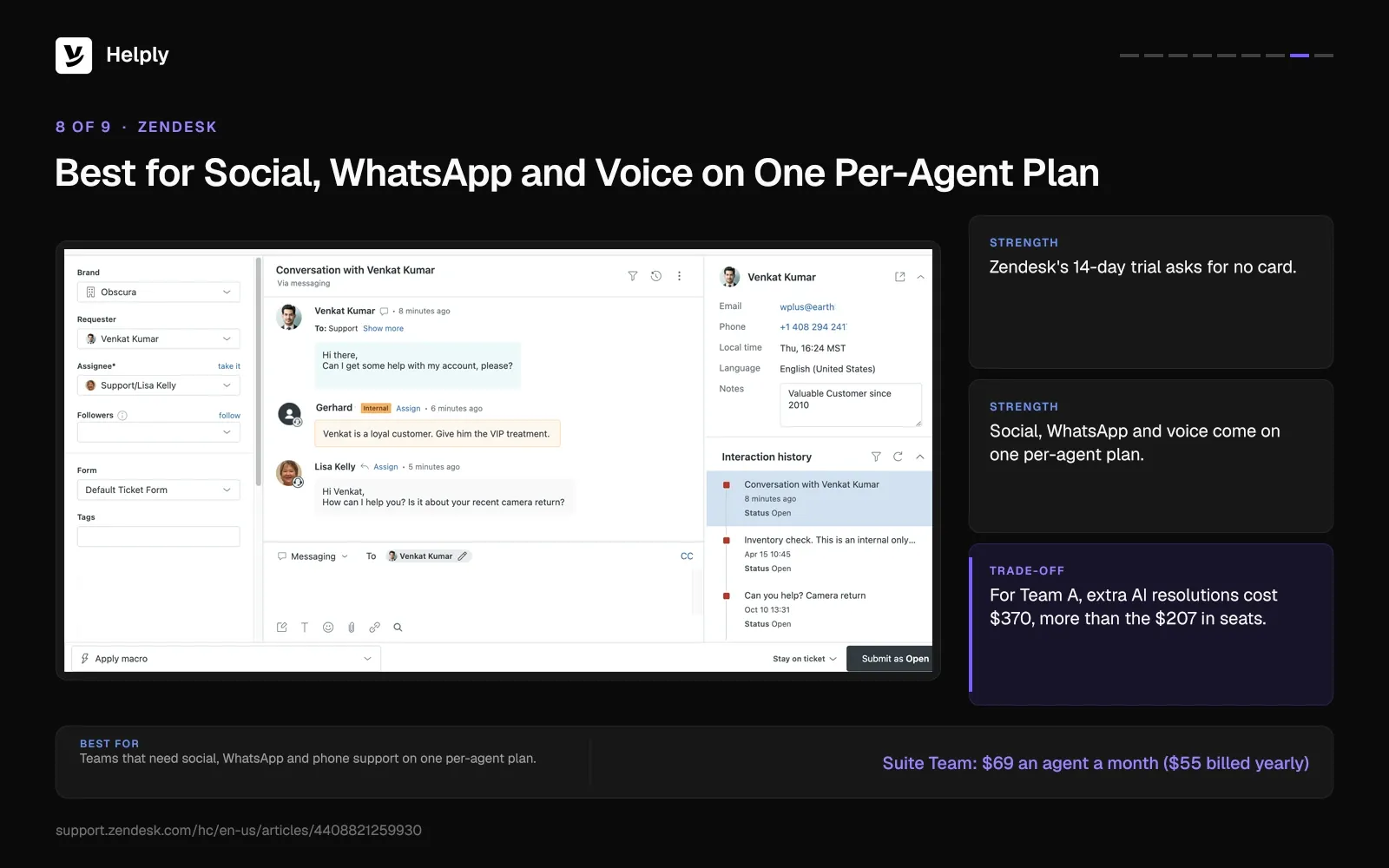
Zendesk Support Team covers email and ticketing at $25 an agent each month ($19 billed yearly). Messaging and live chat start on Suite Team at $69 ($55), which adds social channels, WhatsApp and voice.
Key features
- Automated resolutions. Each Suite Team agent brings 5 automated resolutions a month. Past those, a resolution costs $2.00 with no commitment or $1.50 with one.
- Usage fees on channels. WhatsApp carries extra fees, and voice bills on usage.
- Copilot. Suite Professional and higher plans can add it at $50 per agent monthly, paid annually.
Pricing
Team A pays $207 in seats plus $370 for 185 extra resolutions, for $577. On annual seats with the committed rate, the total is $443. Team B comes to $1,295, or $988 on annual seats with the committed rate.
Pros
- Zendesk's 14-day trial asks for no card.
- Social, WhatsApp and voice come on one per-agent plan.
Cons
- For Team A, extra AI resolutions cost $370, more than the $207 in seats.
- Zendesk's help center describes a second AI allowance of $2 per agent a month, with no per-resolution price to plan around.
Best For
Teams that need social, WhatsApp and phone support on one per-agent plan.
Zendesk or Helply: Which Fits a Small Team?
Zendesk works for a team that wants social, WhatsApp and voice on Suite Team. At a 50% AI resolution rate on 400 or 1,000 monthly conversations, Zendesk costs $577 for 3 people and $1,295 for 5. Billed monthly, Helply's Team plan with WhatsApp, SMS and Slack Connect costs about the same for 3 people and under half for 5.
| What you compare | Zendesk Suite Team | Helply Team |
|---|---|---|
| Price for people | $69 per agent ($55) | A plan price that covers 10 agents |
| AI billing | $2.00 per extra automated resolution, $1.50 committed | 15,000 credits included |
| Channels | Social, WhatsApp with extra fees, voice | Facebook, Instagram, WhatsApp, SMS, Slack Connect, Discord |
| Drafting help for reps | Copilot from Suite Professional, $50 per agent | Assist Agent on every plan |
Use the Helply and Zendesk comparison to plan each step, from running Helply beside Zendesk to the switch.
9. Zoho Desk: Best for Email-Heavy Teams That Want Low Seat Prices
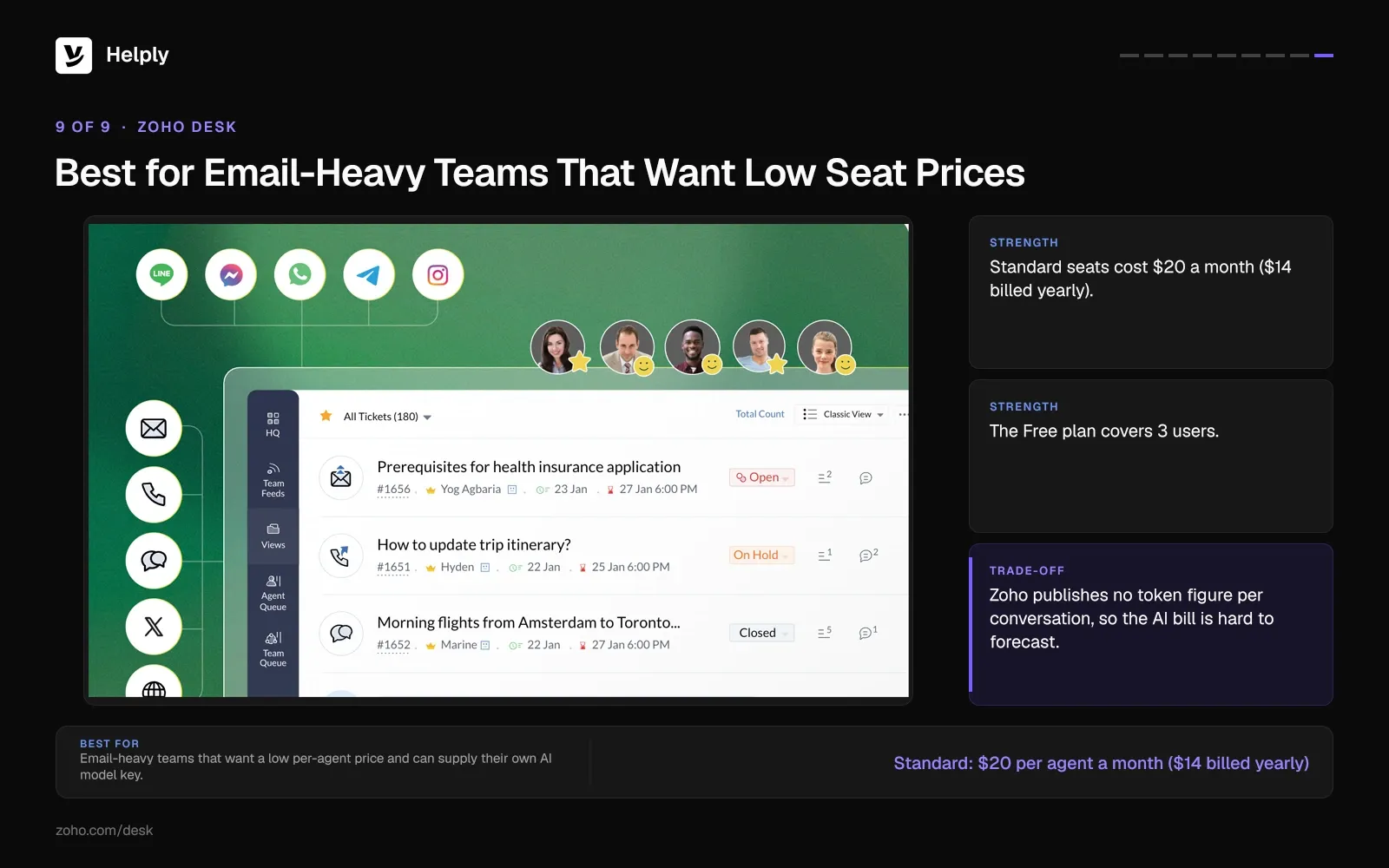
Zoho Desk's Standard plan costs $20 per agent a month ($14 billed yearly). Its chat reaches signed-in customers only, so site visitors need the live chat on Enterprise.
Key features
- Free plan. It covers 3 users with email ticketing, no live chat and no AI.
- Zia Agents. The agents carry no fee from Standard up. Zoho's hosted models include 30 million tokens a month, then $1 per extra million.
- Bring your own key. Generative replies on Standard use your own OpenAI key, and Zoho's native model starts on Professional at $35 ($23).
Pricing
Team A pays $60 ($42) on Standard, and Team B pays $100 ($70), with AI model usage on top. Full live chat needs Enterprise at $50 per agent ($40). Zoho's trial lasts 15 days and needs no card.
Pros
- Standard seats cost $20 a month ($14 billed yearly).
- The Free plan covers 3 users.
Cons
- Standard's chat works for signed-in customers only, and Enterprise costs $50 per agent ($40).
- Zoho caps Standard at 5 users in its pricing FAQ, so a sixth agent means Professional at $35 ($23).
- Zoho publishes no token figure per conversation, so the AI bill is hard to forecast.
Best For
Email-heavy teams that want a low per-agent price and can supply their own AI model key.
Zoho Desk or Helply: Which Fits a Small Team?
Zoho Desk fits an email-heavy team that wants $20 seats and can manage its own model key. Before token use, Zoho Desk Standard costs $60 for 3 people and $100 for 5, below Helply Plus. Helply's chat widget serves every site visitor on every plan, where Zoho keeps full live chat for Enterprise.
| What you compare | Zoho Desk Standard | Helply |
|---|---|---|
| Price for people | $20 per agent ($14) | A plan price that covers a band of agents |
| AI billing | 30 million hosted-model tokens a month, then $1 per million; own key for generative replies | Credits included in the plan |
| Live chat for site visitors | Enterprise, $50 per agent ($40) | Chat widget on every plan |
| Free option | Free plan for 3 users | 14-day trial, no card |
Email-heavy teams can start with Helply's inbox and ticketing.
How to Choose Customer Service Software for Small Business
Price is one input. Before you pick, check the channels, everyone who replies and what the AI can look up.
Start with the Channels Your Customers Already Use
Zendesk Support Team and Zoho Desk's Standard and Free plans leave out live chat for site visitors. If customers write on WhatsApp or Instagram, check which plan adds those channels. On Helply, Facebook and Instagram arrive with Plus, and WhatsApp with Team.
For a plain help desk compared with an IT service desk, read service desk vs. help desk.
Count Everyone Who Replies to Customers
A per-seat plan charges for each person who answers: $20 a month on Zoho Desk Standard, $69 on Zendesk Suite Team. Freshdesk sells $5 day passes for occasional helpers and Tidio covers up to 10 agents per account. Gorgias leaves agents out of the price, and Helply prices each plan for a band of agents.
Check What the AI Can Look up Before It Answers
A useful AI answer needs the order, the invoice or the last conversation. Zendesk's CX Trends 2026 researchpolled 6,182 consumers in June 2025, and 74% of them said repeating information frustrates them. Helply's Support Agent reads the knowledge base, past conversations and connected tools before it replies.
Customers also want a way out. In Gartner's February and March 2026 survey, 87% of customers said companies using GenAI for service must keep a human within reach. If Helply's Support Agent gets stuck, a teammate takes over with the agent's notes in hand.
Do You Need a CRM, a Shared Inbox or a Help Desk?
A help desk tracks each request to resolution, a CRM tracks contacts and deals, and a shared inbox splits email between people. A support queue needs the help desk, connected to the CRM that sales already uses.
HubSpot's free plan gives 2 users live chat and ticketing. A team that keeps HubSpot for sales can run Helply as its help desk and connect the two on Team.
Per-Seat Plans Plus AI Fees, or One Plan with AI Credits Included?
For email ticketing or basic chat, small businesses can start on free customer service software from Zoho Desk, Help Scout or HubSpot. Tidio fits chat-first teams, Gorgias fits teams that budget by ticket and HubSpot fits teams already on its CRM. Zendesk fits teams that want WhatsApp and voice on one per-agent plan.
Helply fits a growing team that wants AI on the whole queue at a price it can plan. On Helply Plus, going from 3 people and 400 conversations to 5 and 1,000 adds one credit top-up. The other tools with a known AI price add $285 to $718 a month for the same step.
The 60 emails that land overnight can go to the Support Agent first. It can answer from your knowledge base and connected tools, resolve routine requests and pass the rest along with its notes.
Email and chat arrive in one queue, and WhatsApp joins it on the Team plan. Collision detection shows when a teammate already has a thread, and the Assist Agent drafts replies for threads a person takes over.
MixWave's Vice President of Operations, Ernie Slenkovich, described the change:
"Helply took the repetitive workload off us, now we can actually improve the customer experience, and the platform gets smarter on its own. It felt less like buying a product and more like working with a team that wanted us to succeed."
At the credit limit only the AI pauses, and your team keeps answering. Start with one inbox, write Guidelines on what the AI handles alone, then give it two weeks of real conversations.
Frequently asked questions
Helply suits a growing team: at list prices, with AI resolving half, Helply Plus costs least among tools with a known AI price. Help Scout fits email-led teams that start free, and HubSpot fits teams already on its CRM. Zoho Desk Standard costs less before AI model usage, which it bills by token.
With AI resolving half at list prices, 3 people handling 400 conversations a month pay $240 to $577 on 7 of 9 tools. At 5 people and 1,000 conversations, the range is $525 to $1,295, and Helply Plus costs less at both sizes. Zoho Desk Standard costs $60 for 3 people or $100 for 5, plus AI model usage.
Yes: Zoho Desk Free covers 3 users on email, and Help Scout Free covers 5 users and 1 inbox. HubSpot Free covers 2 users with chat, and Tidio Free covers 50 conversations a month. Most AI agent features need a paid plan, though Tidio Free includes 50 Lyro conversations as a one-time allowance.
Small teams use a help desk for tickets, live chat for the website and a knowledge base for self-service. A CRM holds customer records, and many help desks now add an AI agent for routine questions. Helply puts the help desk, chat, knowledge base and AI agents in one platform.
Customer service automation is software that answers, routes or resolves requests without a person typing each reply. It ranges from saved replies to AI agents that look up an order and act on it. Helply's Support Agent checks the knowledge base, the customer's history and connected tools, and can resolve the request end to end.
Not on its own: a chat assistant with no access to your orders, tickets and policies can't resolve account questions. In Gartner's February and March 2026 survey, 87% of customers said companies using GenAI in service must let them reach a human. For the difference between chatbots and AI agents, read AI chatbots for customer service.
From September 2024 to August 2025, 8.2% of US firms under five employees used AI, says the SBA Office of Advocacy. Only firms with more than 250 employees used it more, at 11.4%. In the Fed's 2025 survey, 46% of small employer firms said they or their staff use AI in some form.
Helply prices each plan for a band of agents, the people who reply to customers. Starter covers up to 2 agents, Plus as many as 5, Team 10, Pro 25 and Growth 50. Team, Pro and Growth can add agents, and every plan includes AI credits.
About the author

Bildad Oyugi
Head of Content
Bildad is a digital marketing expert with over 5 years of experience in copywriting, content marketing, and editing. Outside of work, he enjoys videography and spending time with his family.
Keep reading

Support Operations: What It Covers and When You Need a Support Ops Role
Konrad Janczyk · 14 min read
Bad Customer Service Examples: 12 Real Cases and Fixes
Bildad Oyugi · 15 min read