
 Alex Turnbull ··24 min read

Why Small Teams Look for a Free Ticketing System
Your customer email lands in one shared address. Two teammates answer the same refund request, and a billing question sits for days because nobody claimed it. You can't say how many customers wrote in last week.
A ticketing system gives every request an owner, a status and a history. For a small team, per-agent pricing feels heavy when two or three people fit support around their real jobs.
Free tools can give you that structure until you hit a cap or spend support hours on server upkeep. If you are still deciding what the software does, start with what a help desk is.
Free and Open-Source Ticketing Systems Compared: Limits and Costs
With each free help desk ticketing system below, you trade something for the $0 price. The capped cloud plans in the table allow 2 to 5 users, and some also cap contacts or tickets. Open-source tools need a server: about $6 to $12 a month for osTicket or FreeScout, and $44 to $48 for Zammad.
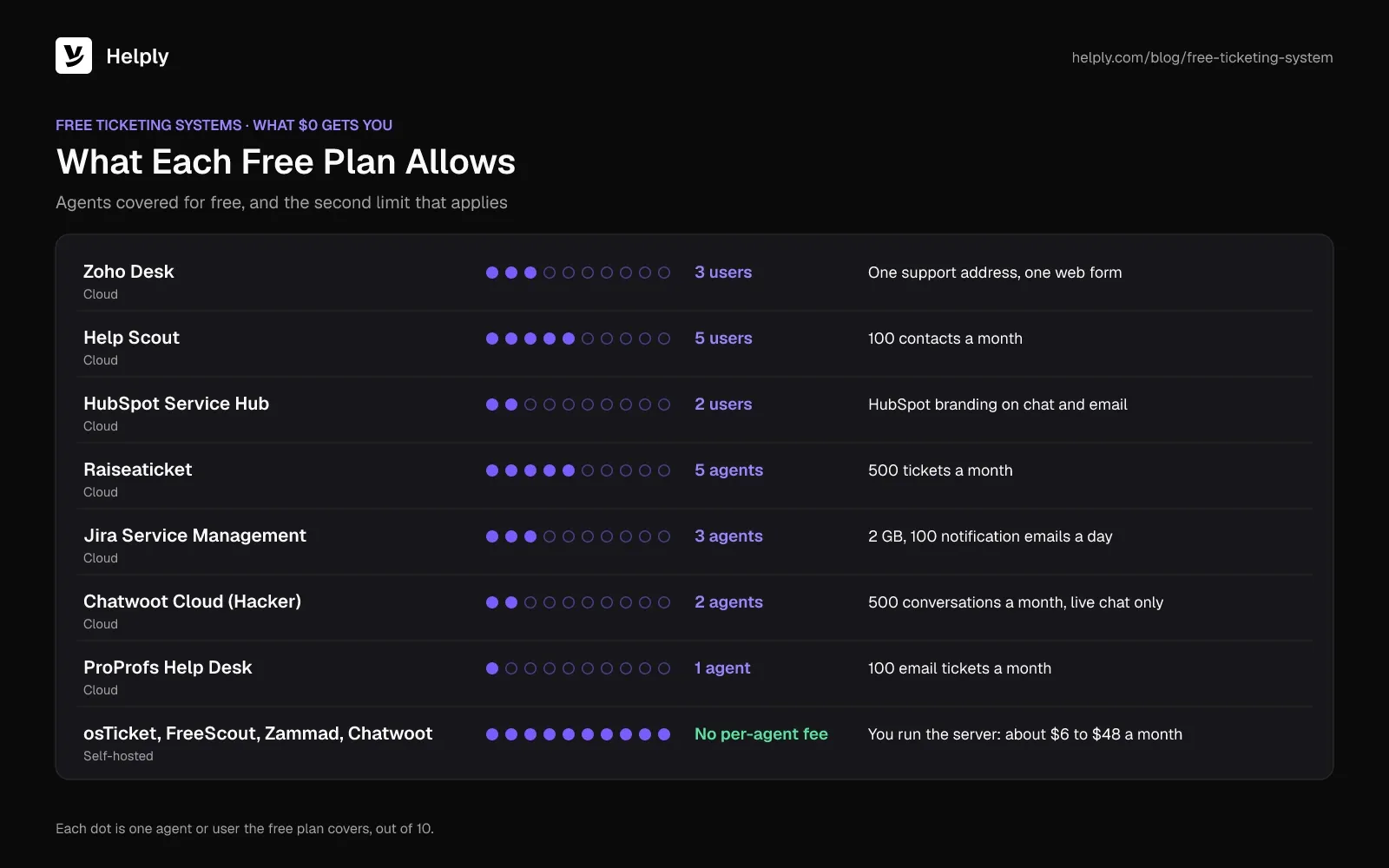
| Tool | Type | Free ceiling | Limits on free | First paid step | AI on the free tier |
|---|---|---|---|---|---|
| Zoho Desk | Cloud | 3 users | No workflow rules, reports, public knowledge base or AI | Express $9 a user a month ($7 yearly) | None |
| Help Scout | Cloud | 5 users, 100 contacts a month | No live chat, workflows or SLAs; AI agent for 3 months only | Standard $30 a user a month ($25 yearly) | AI agent, 3-month trial |
| HubSpot Service Hub | Cloud | 2 users | Help desk workspace, SLAs, knowledge base and macros start on Professional | Starter $20 a seat a month at list | Not listed; Customer Agent on Professional |
| Raiseaticket | Cloud | 5 agents, 500 tickets a month | No automation, API or replies from your own mailbox | €15 a month per 5 extra agents, billed yearly | Not listed |
| Jira Service Management | Cloud | 3 agents, unlimited customers | No Rovo AI or branded help center URL | Standard $26.90 an agent a month at 10 agents; varies by team size | AI report summaries only; no Rovo |
| tawk.to | Cloud | Chat, tickets and help center free | Branding stays on; AI past a small free tier costs extra | Whitelabel $29 a month per site | Small free tier |
| osTicket | Open source | No per-agent fee | You host it; no chat, social channels or AI | SupportSystem hosting from $12 an agent a month | None |
| FreeScout | Open source | Unlimited agents | Chat, workflows, knowledge base and SLAs are paid modules | One-time modules from $4; about $55 for five common modules | Free module, your own AI key |
| Zammad | Open source | No per-agent fee | Needs 6 GB of RAM; you run updates and backups | Hosted Starter €9 an agent a month (€7 yearly), up to 5 agents, no knowledge base | Built in, your own AI key |
| Chatwoot | Open source | No per-agent fee | No Captain AI, SLA policies, SSO or custom branding; needs 4 GB of RAM | Premium Support $19 an agent a month | None |
Helply: A Paid Help Desk Where AI Agents Resolve Repeat Questions
Helply is an AI-native customer support platform. Small teams get a full help desk with built-in AI agents.
As a paid option, it fits teams that have hit a free plan's cap or can't spare more hours for the queue.
Each plan has one price for a band of human agents, the people who reply to customers. The team shares one pool of AI credits, and tickets your team works by hand with AI switched off never use credits.
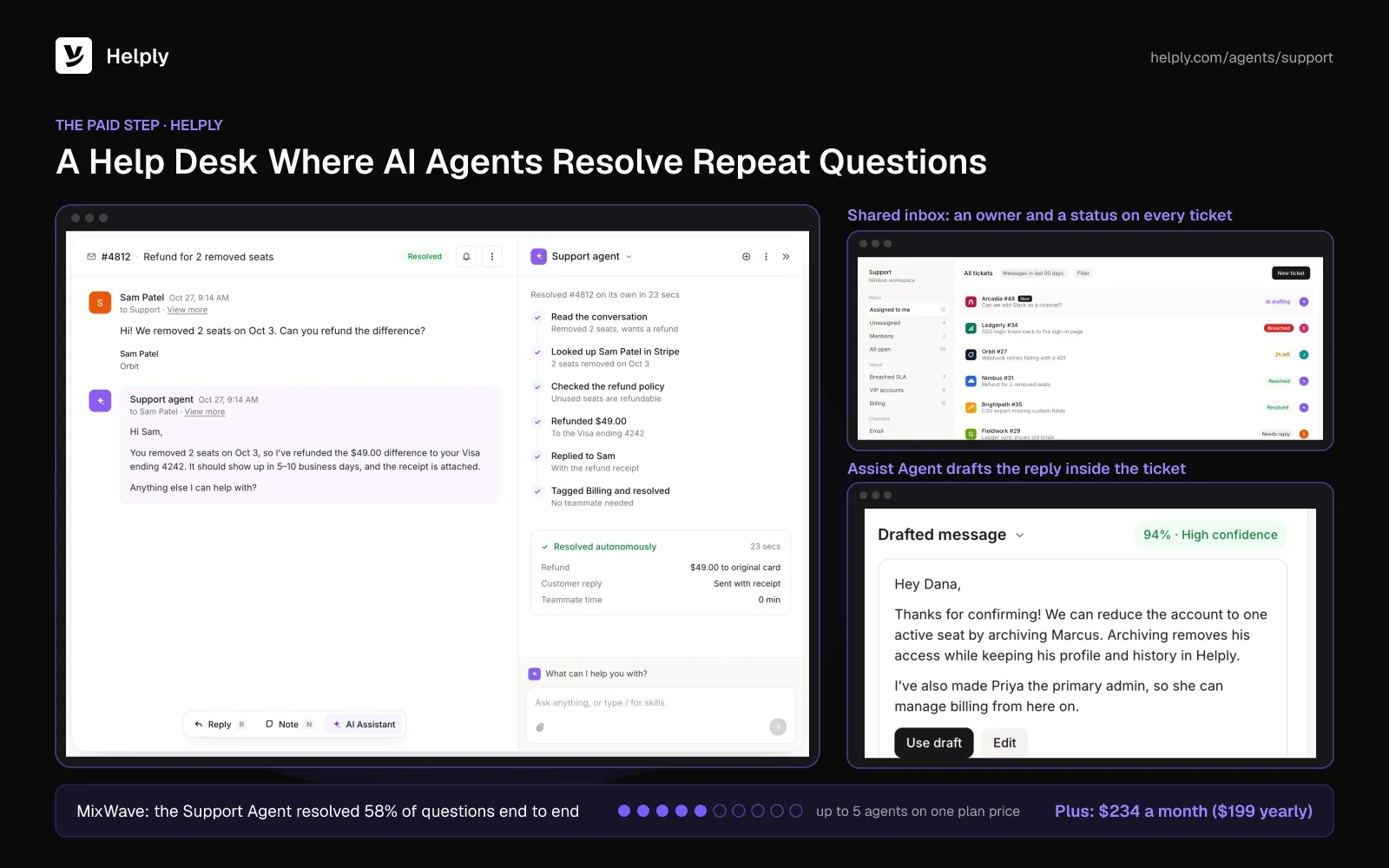
- Shared inbox. Your team works one queue with views, tags, macros, internal notes, snooze and collision detection, so each customer gets one owner.
- No server. Point your support address at Helply and put the chat widget on your site. Supported Gmail inboxes connect without a new address.
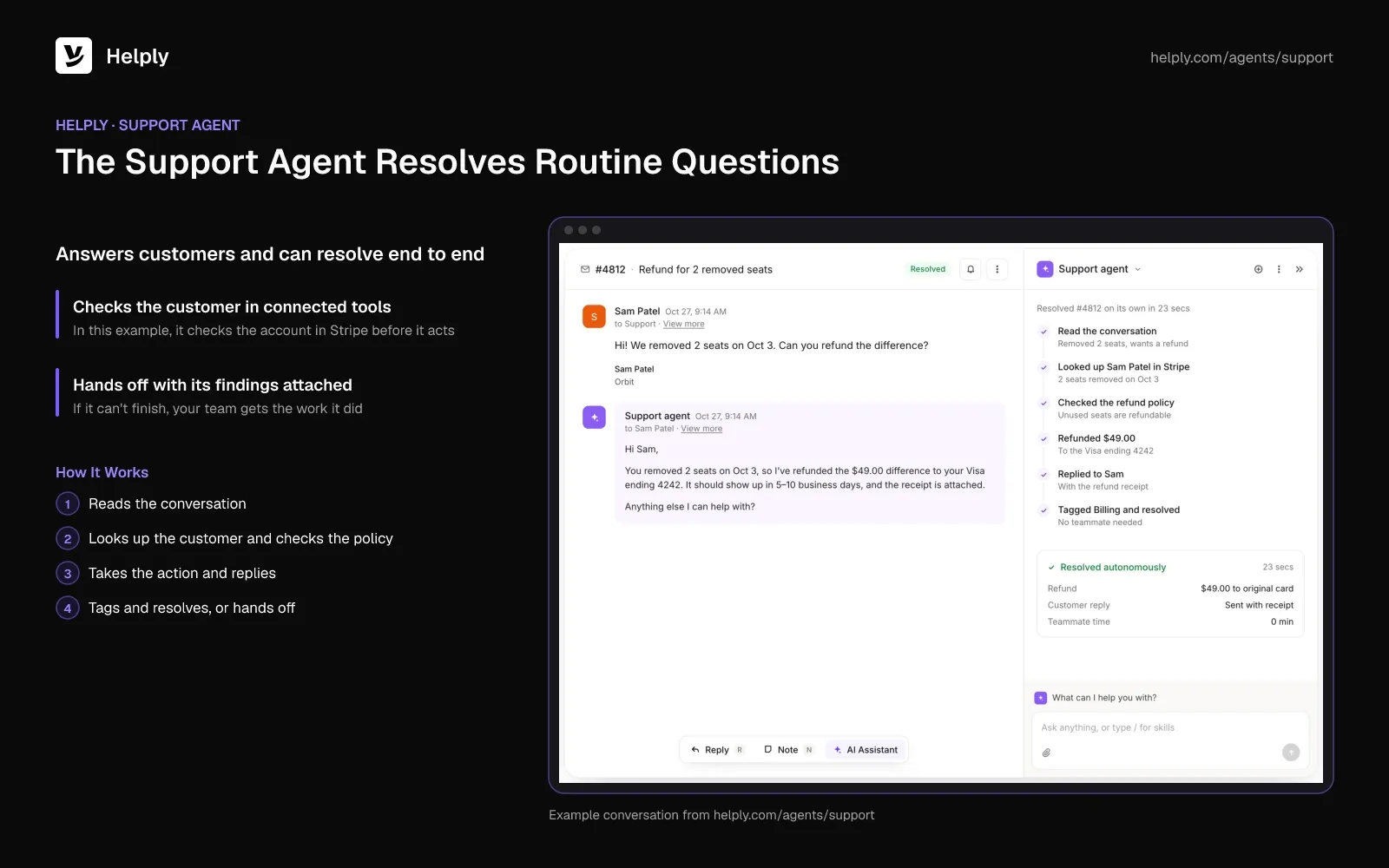
- Support Agent. It answers from customer history, connected tools and your help center, so a routine question need not wait for an owner. It can resolve conversations end to end, or pass one to your team with its findings attached.
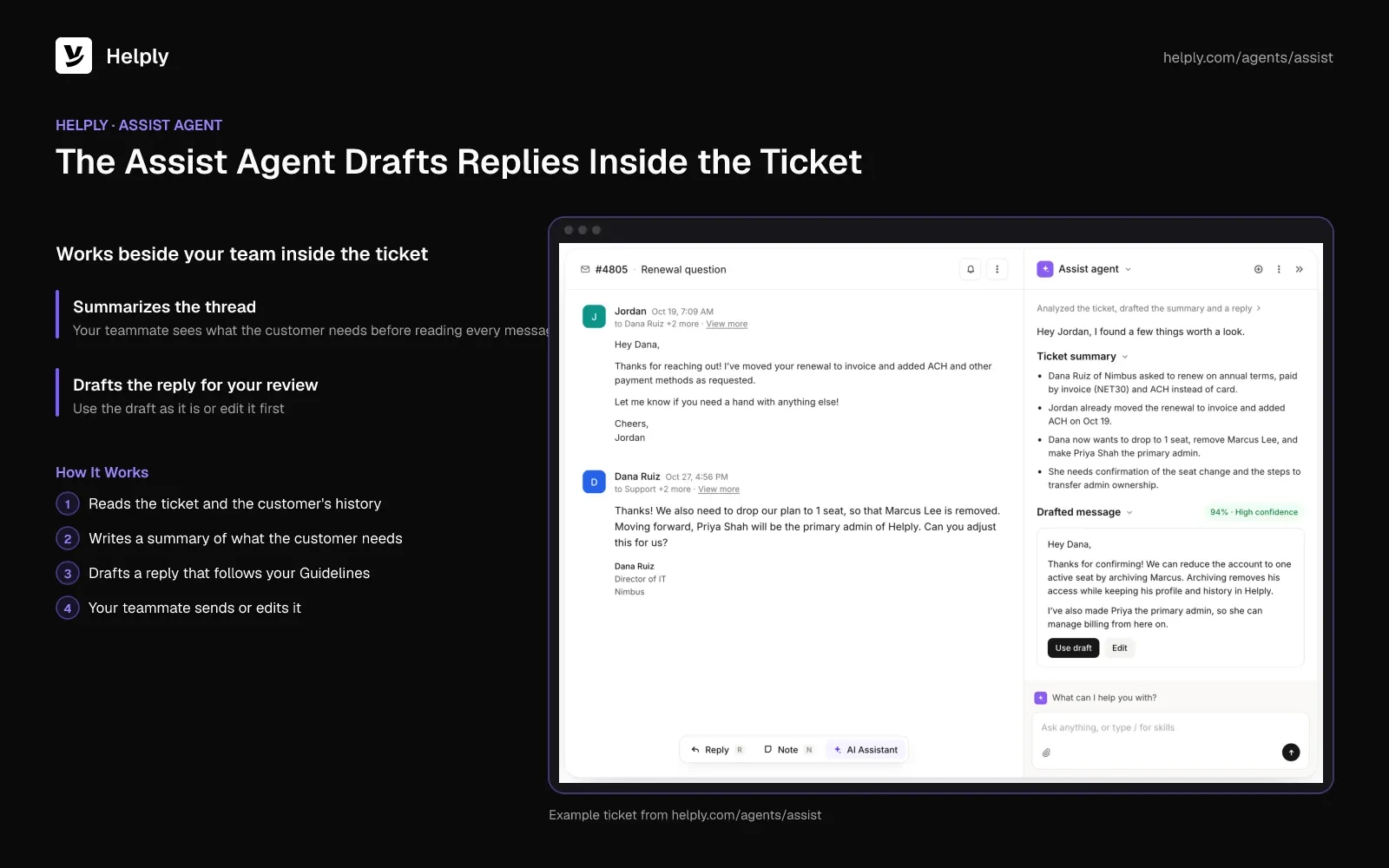
- Assist Agent. It drafts replies inside the ticket from the thread, the customer's history with you and your Guidelines.
- Help center. Your help center runs on your own domain, with AI that writes articles and answers from them.
- Data and security. A SOC 2 Type II report, a DPA on request and data export come standard. Helply doesn't use customer data to train AI models.
MixWave makes audio software with a team of 1 to 10. Its old help desk charged per seat, and MixWave needed support software a small team could afford.
Once MixWave moved to Helply, its Support Agent resolved 58% of incoming support questions end to end. The company redirected one full-time role to its documentation and product quality work.
Pricing
Starter costs $116 a month ($99 yearly), with 2,500 AI credits a month and room for 2 human agents. Plus costs $234 a month ($199 yearly), with 5,000 credits and room for 5 agents.
Team costs $587 a month ($499 yearly) for 10 agents and 15,000 credits. Extra Team agents cost $49 a month each on yearly billing, and paying yearly saves 15%.
A drafted reply uses 2 credits, a knowledge base answer 3, and an end-to-end resolution 10. No single conversation goes past 15 credits. If AI resolves about half your conversations, expect about 6 credits per conversation.
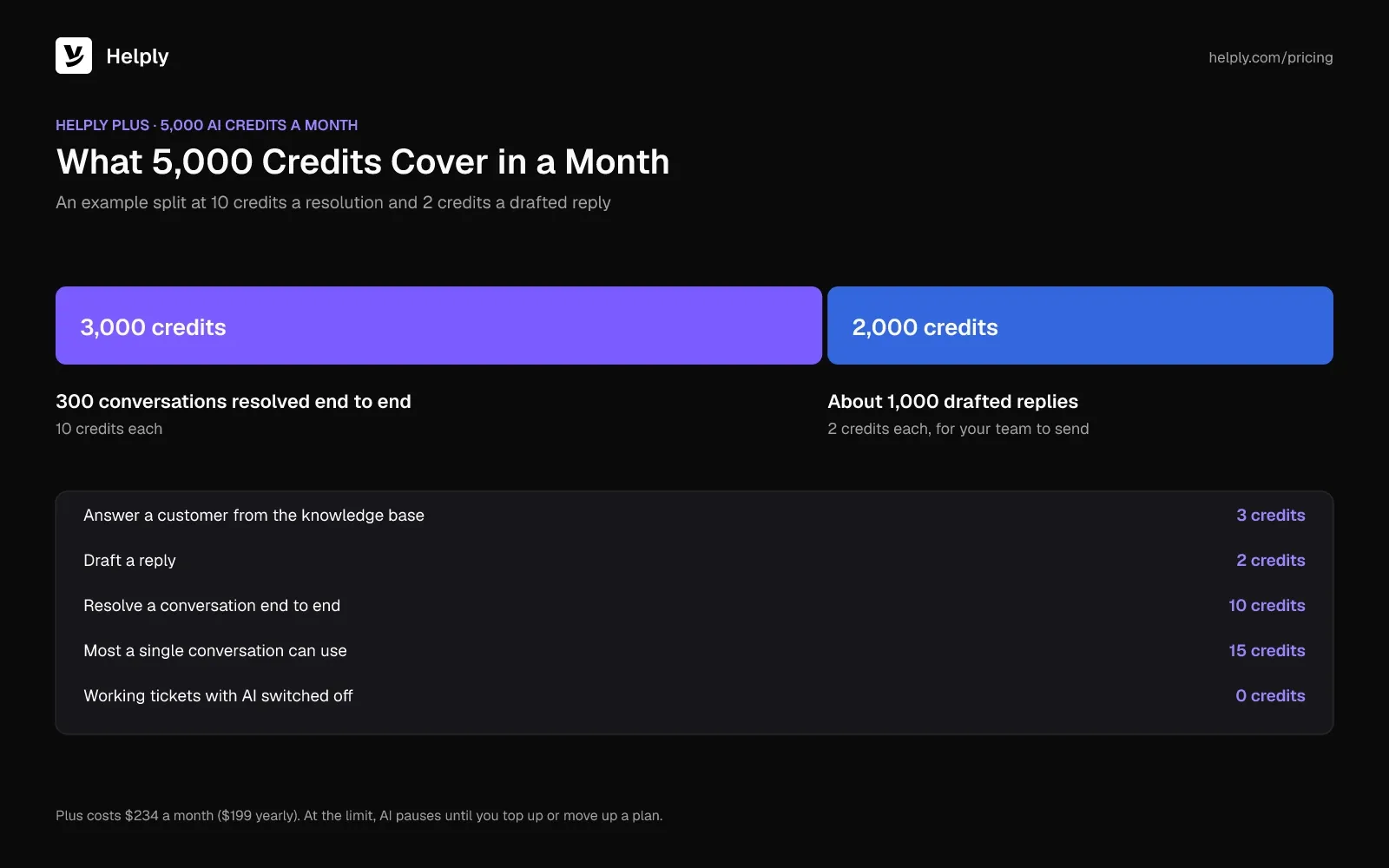
Past the credit limit, AI pauses until you top up at $40 per thousand credits or move up a plan. Top-ups stop at 5,000 credits a month on Starter and 15,000 on Plus. You can pay monthly with no annual contract.
Chat flows, ticket forms and CSAT surveys start on Plus. Slack Connect, WhatsApp, SMS, SLAs and round robin start on Team, which also adds free migration.
Pros
- AI resolutions draw on included credits, with no per-resolution fee.
- One price covers up to 2 or up to 5 people who reply, so a teammate inside the band adds no cost.
- The help desk keeps working at the credit limit; only AI pauses until you top up.
- No server to patch or back up.
Cons
- No free plan; the trial lasts 14 days.
- The 2-agent and 5-agent plans can't add more agents.
- Helply lists no importer for osTicket, FreeScout or Zammad, so its team scopes that migration with you on a demo.
Best For
Small teams on a free ticketing system who want AI to answer repeat questions without hiring.
1. Zoho Desk: Three Free Users with Email and a Help Center
Zoho Desk's Free edition gives 3 users a working ticket queue. It turns email from one support address into tickets and adds one web form. Customers get a help center, but public knowledge base articles need a paid plan.
You also need a paid Zoho plan for workflow rules, reports, custom domains, social channels and Zia AI.
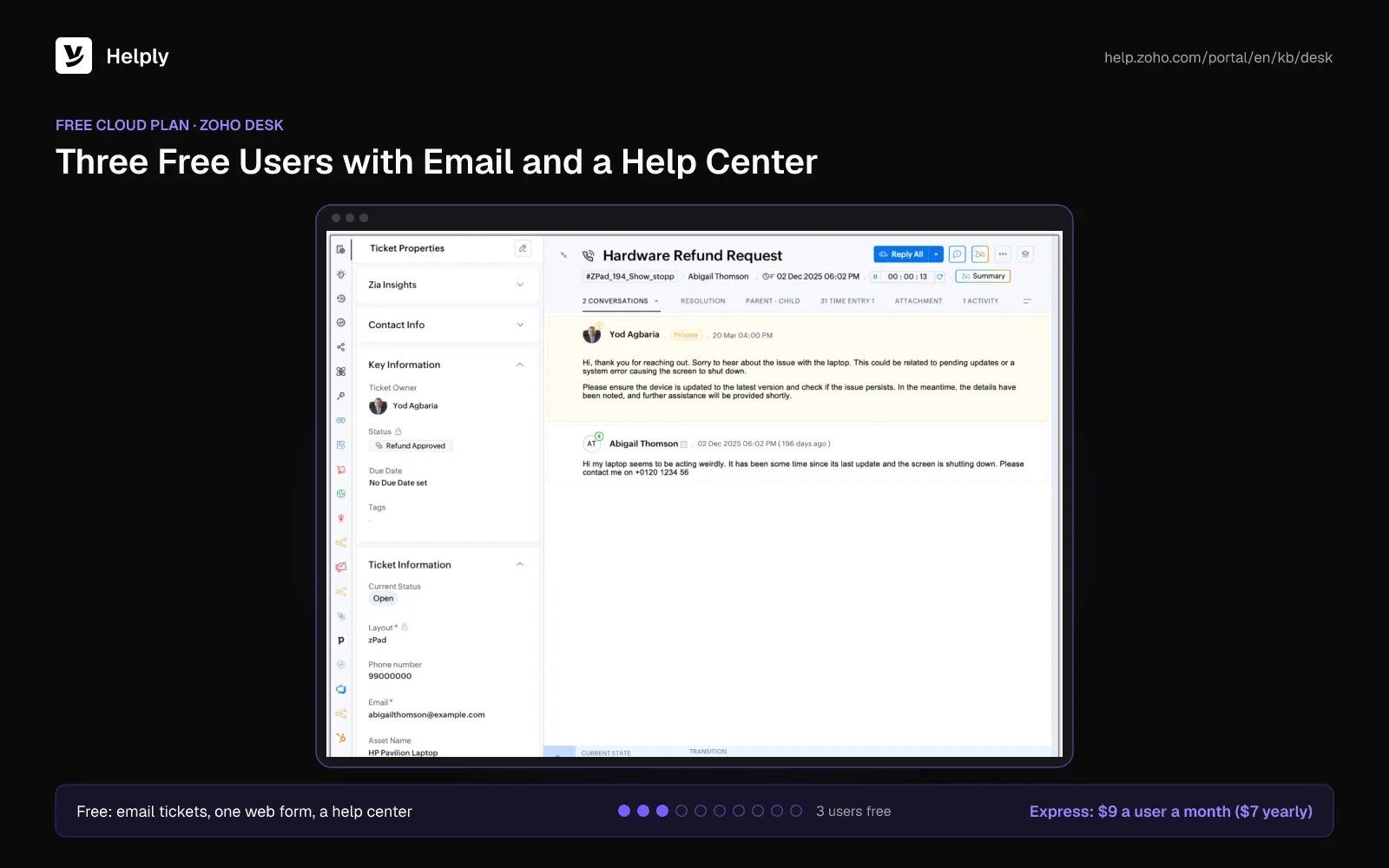
- Email to ticket. Messages to your support address become tickets with an owner and a status, so each email has one person answering it.
- One web form. Customers can file a request from your site, and it lands in the same queue.
- Two macros. Saved actions cover the two replies your team types most.
- Trial fallback. Zoho's trial lasts 15 days without a card, then the account moves to Free.
Pricing
Free covers 3 users. Express costs $9 a user a month ($7 billed yearly), and Standard costs $20 a user ($14 yearly). These are Zoho's US dollar prices, since its pricing page switches currency by region.
Pros
- Three users is enough for a founder plus two part-time helpers.
- The trial falls back to Free instead of locking the account.
- Express costs $9 a user a month, against $30 for Help Scout Standard and $23 for Freshdesk Growth.
Cons
- No workflow rules, so assignment and follow-ups stay manual.
- No reports or dashboards beyond the agent view.
- Public knowledge base articles need a paid plan.
Best For
Teams of three or fewer who answer email and want a real queue at no cost.
Zoho Desk or Helply?
Pick Zoho Desk for a free email queue with 3 users, and Express at $9 a user a month when you outgrow it. Zia AI and workflow rules need a paid plan.
Pick Helply when you want AI that drafts replies and can resolve questions from your help center, with credits in the plan price.
2. Help Scout: Five Free Users, Capped at 100 Contacts
Help Scout's Free plan covers 5 users, 1 shared inbox and 1 Docs site with up to 10 articles. It also caps volume at 100 contacts a month.
Help Scout counts a contact as someone who got a reply from your team or an answer from its AI. Several conversations with the same person count once. Past 100, the docs say you can't reply to customers until the next cycle or an upgrade.
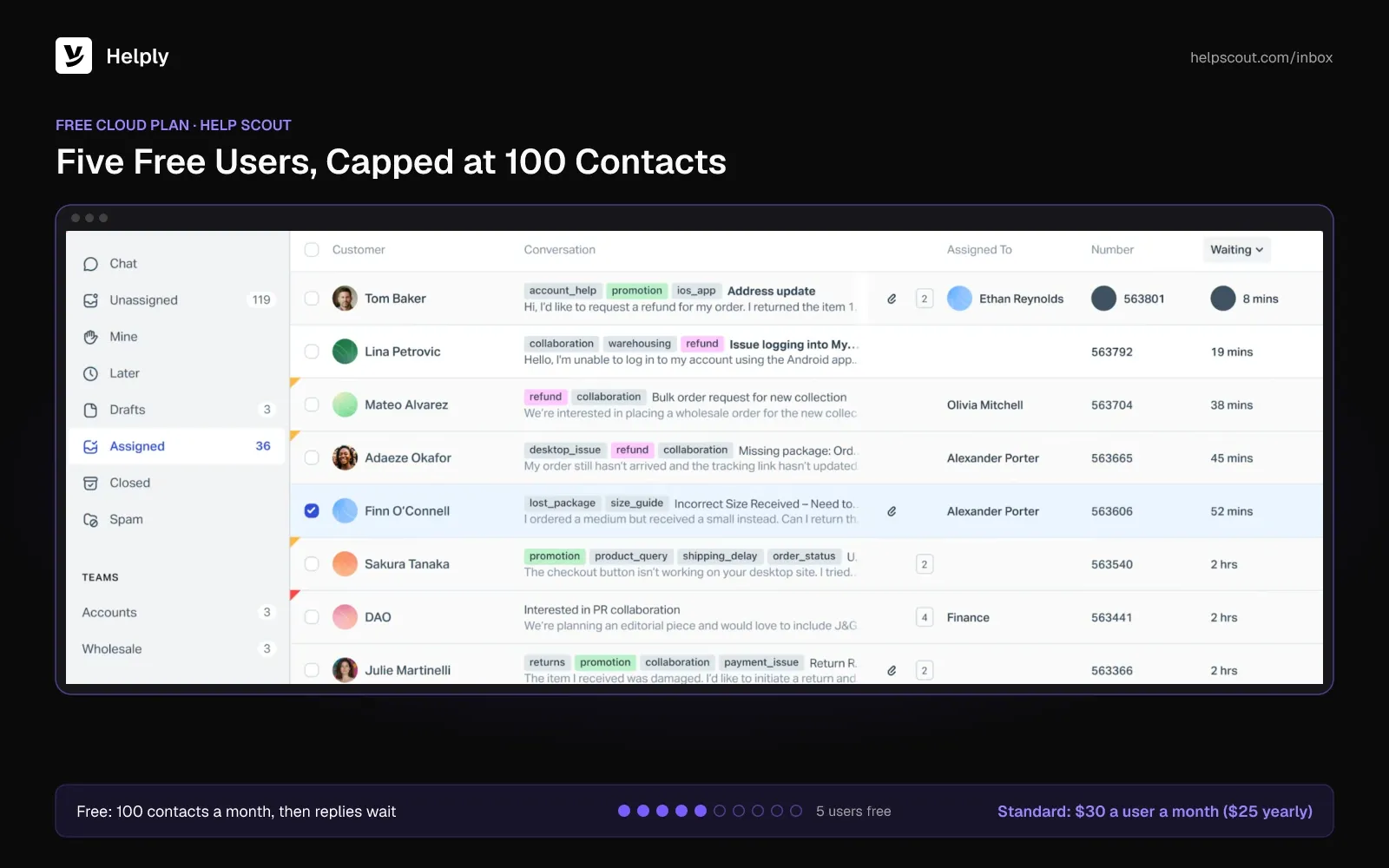
- Shared inbox. Five people work one queue and see each other's replies.
- Docs site. Ten help articles cover your most common questions.
- Beacon. One embeddable widget lets customers search your Docs from your site.
- Mail after the cap. New email lands in the inbox after the cap, while your replies wait.
The Free plan leaves out live chat, WhatsApp, SLAs and workflows beyond an auto reply. You can use Scout, Help Scout's AI agent, on Free for 3 months before you need a paid plan. Saved replies and tags stop at 10, and outgoing email carries a "Sent with Help Scout" footer.
Pricing
Standard costs $30 a user a month ($25 yearly). On Standard and above, Help Scout bills $0.75 for each Scout resolution through its Envoy add-on. A resolution is a conversation Scout closes with no human help.
New accounts get 3 months of unlimited AI resolutions free, and the 15-day trial of Standard or Plus needs no card. Source: Help Scout's free plan docs.
Pros
- Five free users, against 3 on Zoho Desk and 2 on HubSpot.
- Repeat conversations with one customer count once toward the cap.
- The Docs site and Beacon give customers self-service on day one.
Cons
- You can't reply past 100 contacts a month, and one busy week can get you there.
- No live chat or workflows until you pay.
- AI resolutions cost $0.75 each on every paid plan.
Best For
Teams of up to five who answer fewer than 100 customers a month by email.
Help Scout or Helply?
Help Scout's paid plans charge per user and add $0.75 for each AI resolution. Helply prices each plan for a band of human agents and includes AI credits, at 10 credits a resolution. Helply Plus covers up to 5 agents with 5,000 credits a month, enough for up to 500 AI resolutions.
Help Scout suits teams under 100 contacts a month on its free plan, or teams that send few conversations to AI. Helply Plus costs more as a plan. For 5 agents and 300 AI resolutions a month on monthly billing, Plus totals $234 against $375 for Help Scout Standard.
| Help Scout Standard | Helply Plus | |
|---|---|---|
| Billing basis | Per user | One price for up to 5 agents |
| AI resolution cost | $0.75 each | 10 credits each, from 5,000 included |
| Free plan | Yes, 5 users and 100 contacts | No |
| Trial | 15 days, no card | 14 days, no card |
See the full Help Scout comparison.
3. HubSpot Service Hub: Free Ticketing Inside a CRM
HubSpot's free tools include ticketing for up to 2 users, with no card. Service Hub is part of HubSpot's customer platform, so it suits teams whose sales already run on HubSpot.
The free tier shows HubSpot branding on live chat and 1-to-1 email. Snippets and email templates stop at 3. The Help Desk Workspace, SLAs, the knowledge base, macros and the Customer Agent start on Professional.
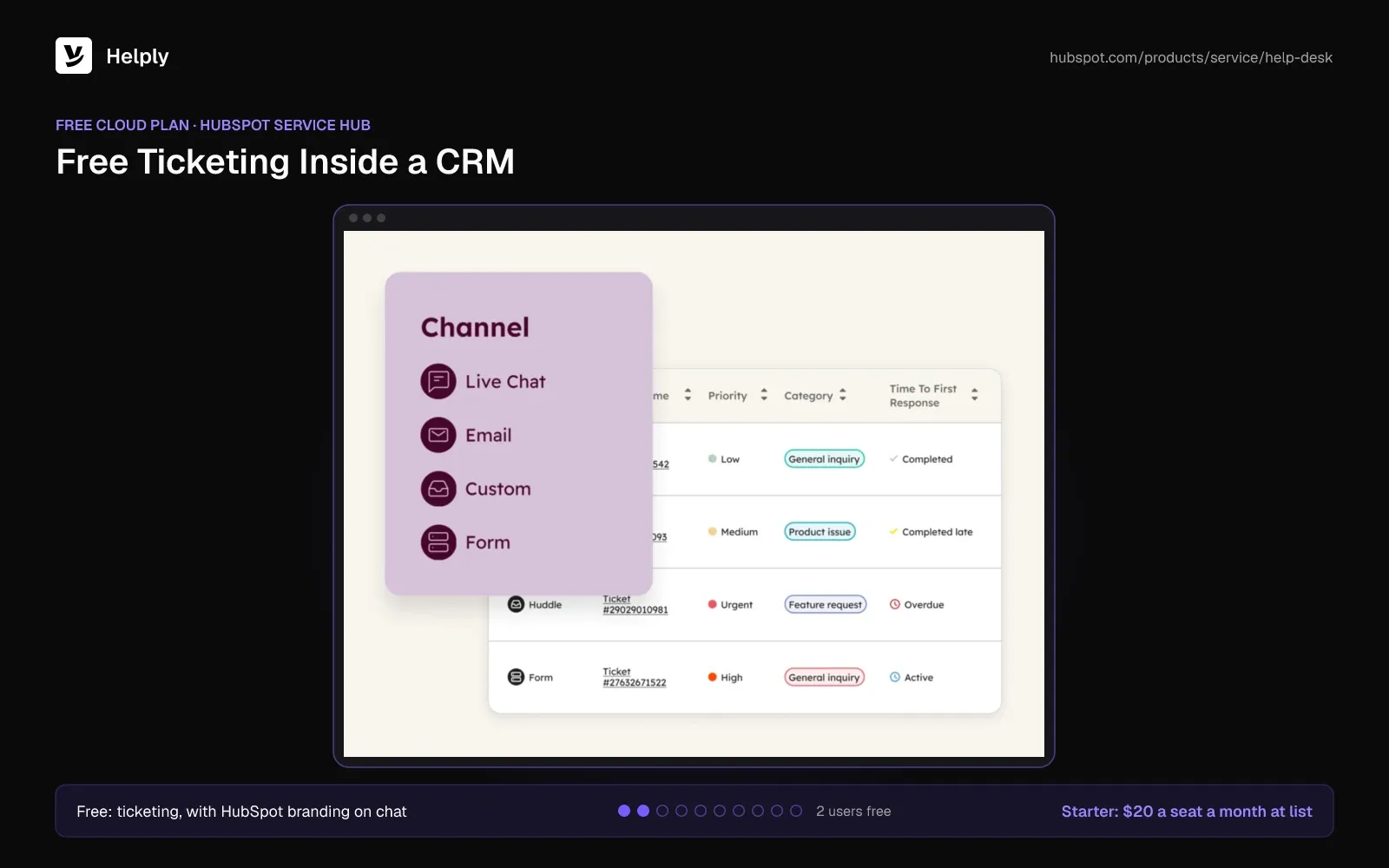
- Ticketing. Tickets come on the free tier, in the same account as HubSpot's CRM tools.
- Live chat. A chat widget works on the free tier, with HubSpot branding.
- Reporting. Free includes 10 dashboards with up to 50 reports each.
Pricing
Starter lists at $20 a seat a month, and HubSpot shows discounts for new customers. Professional lists at $100 a seat a month, plus a required $1,500 onboarding fee. New customers on annual billing see a promotional $90.
AI runs on HubSpot Credits at $0.010 each, and Starter includes 500 a month.
Pros
- Support and sales share one customer platform.
- No card needed to start.
Cons
- Only 2 free users.
- Knowledge base and SLAs wait until Professional, with an onboarding fee.
- Branding stays on chat and email on the free tier.
Best For
Two-person teams already using HubSpot's CRM for sales.
HubSpot Service Hub or Helply?
Pick HubSpot when your sales team runs on its CRM and 2 users can cover support. Its knowledge base, SLAs and Customer Agent start on Professional at $100 a seat.
Helply hosts your help center on your own domain, and its AI agents answer customers from those articles. See the HubSpot Service Hub alternatives.
4. Raiseaticket: Five Agents and 500 Tickets a Month
Raiseaticket offers 5 agents, 500 tickets a month and unlimited end users, free with no card. Its cap counts tickets, where Help Scout counts contacts.
Free includes up to 2 SLA policies, reports, a knowledge base and CSAT surveys. Past 500 tickets, Raiseaticket opens no new tickets until the count resets, then turns stored emails into tickets.
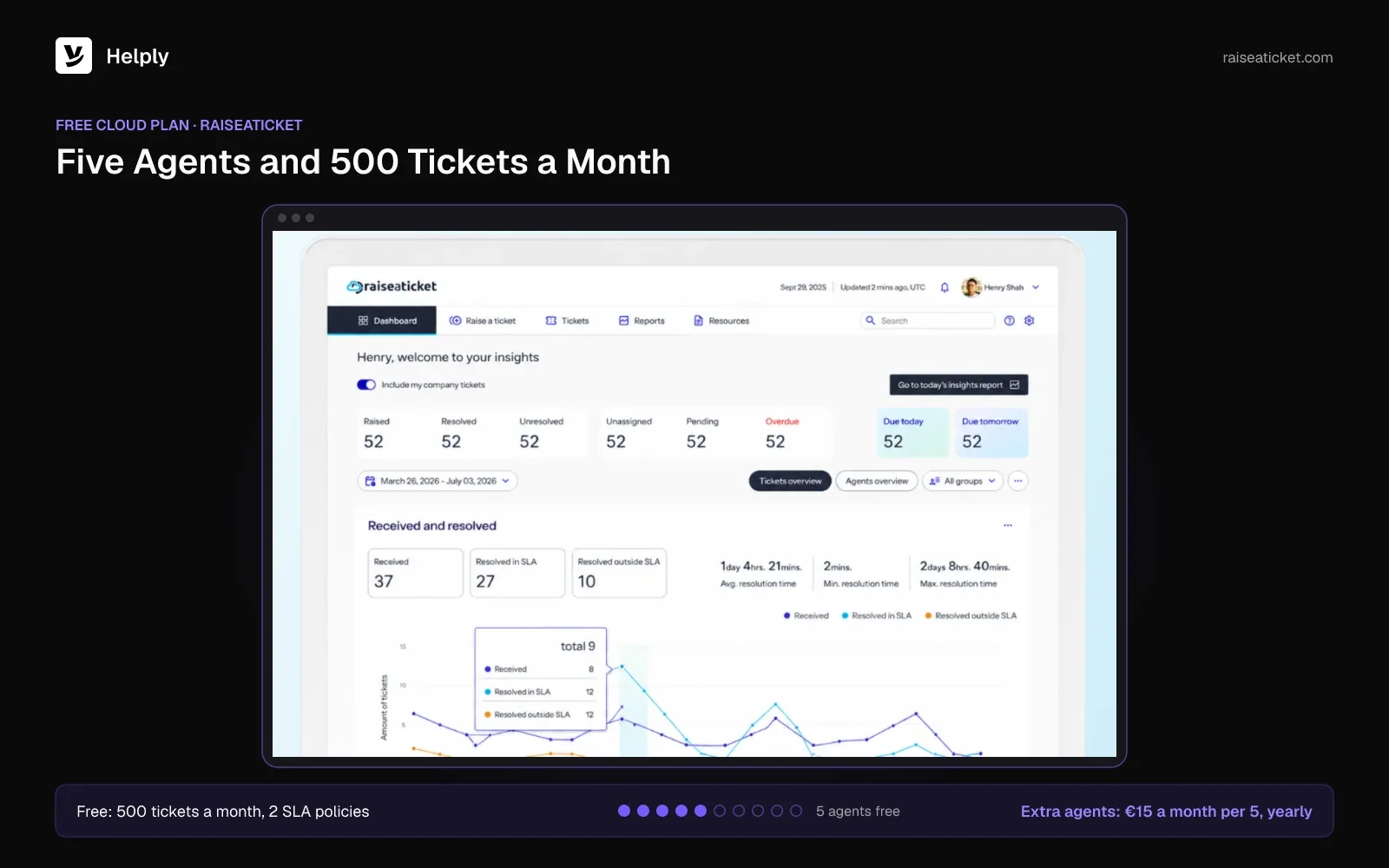
- SLA policies. Two response-time rules keep urgent requests visible.
- Knowledge base. Customers can find answers before they write in.
- CSAT. Customers can rate each resolved ticket.
- Request portal. Customers file requests on a portal at a Raiseaticket address.
Pricing
Extra agents come in packs of 5 for €15 a month, billed yearly. Single sign-on, automation, the REST API and replying from your own mailbox are paid add-ons.
Pros
- Raiseaticket includes two SLA policies on free, where Zoho Desk keeps a default SLA and Help Scout and HubSpot have none.
- Five agents with unlimited end users.
Cons
- New tickets stop at 500 a month until the reset.
- Replies come from Raiseaticket's address unless you pay.
- No automation on the free plan.
Best For
Teams of up to five with steady volume under 500 tickets a month.
Raiseaticket or Helply?
Pick Raiseaticket for 5 free agents and up to 500 tickets a month, with two SLA policies included.
Helply's AI drafts replies inside the ticket, and work your team does with AI off uses no credits.
5. Jira Service Management: Three Free Agents for Atlassian Teams
Jira Service Management, Atlassian's service desk tool, costs nothing for 3 agents with unlimited customers. Atlassian sells it inside its Service Collection. It suits IT requests better than a customer inbox, and service desk vs. help desk explains the difference.
The free plan includes 2 GB of storage, 100 notification emails a day and community support. If you pass the user or storage limit, Atlassian moves the account to a 14-day Standard trial.
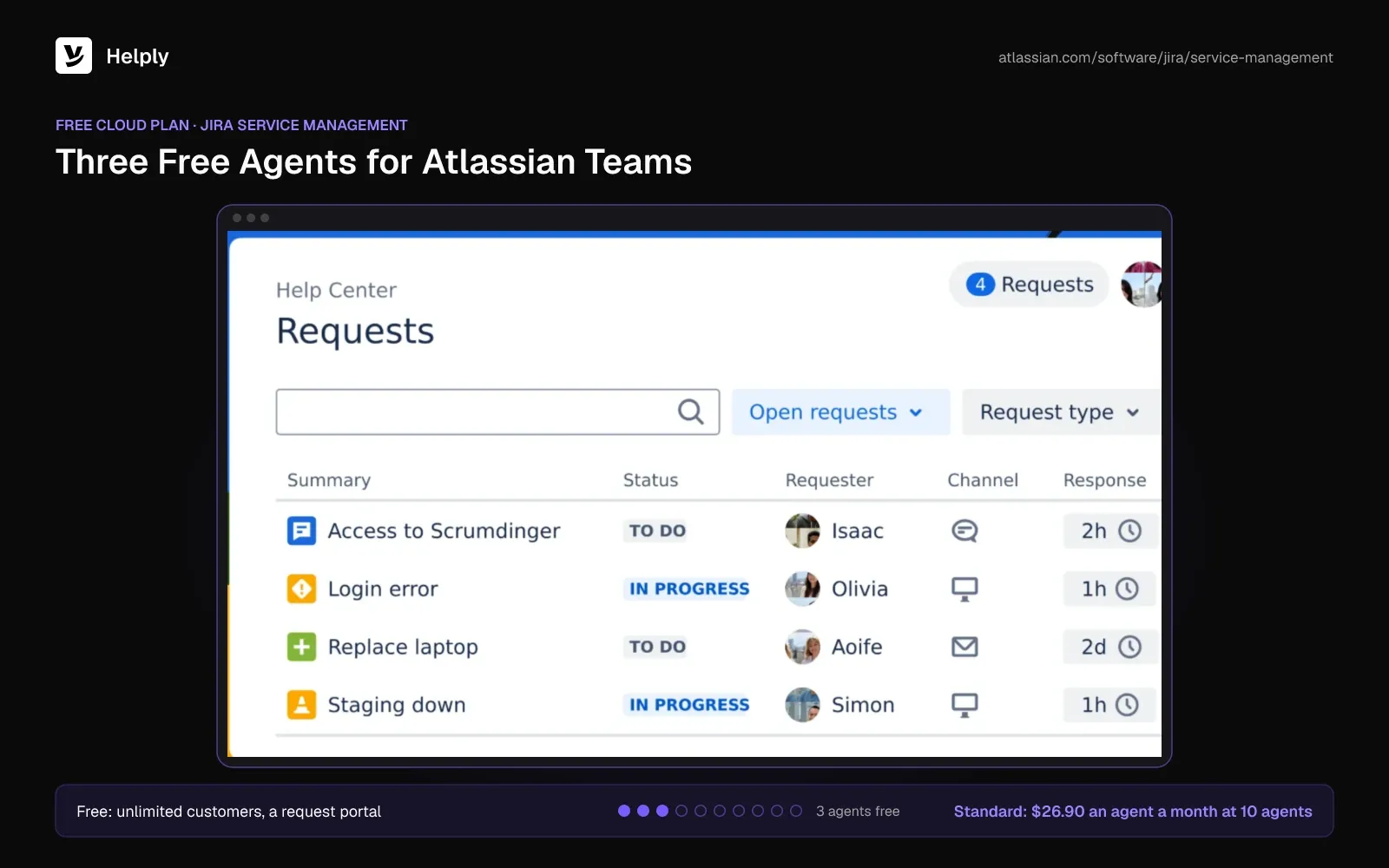
- Intake. Requesters file tickets through a portal, email or chat.
- Automation. The free plan runs up to 1,250 automation steps a month.
- Knowledge base. An embedded knowledge base serves the portal.
Pricing
Standard's price depends on team size. At 10 agents it costs $26.90 an agent a month, or $2,700 a year for 6 to 10 agents. The free plan holds back Rovo AI.
Pros
- Unlimited customers on the free plan.
- Portal, email and chat intake from day one.
Cons
- Built as a service desk, so a customer email queue isn't its main job.
- 100 notification emails a day can run out.
- No Rovo AI agents, search or chat on the free plan.
Best For
Internal IT or product teams already on Jira.
Jira Service Management or Helply?
Pick Jira Service Management for internal IT requests on a team that works in Jira. Pick Helply for customer support across email, live chat and a help center.
Jira's free plan holds back Rovo AI. Helply's Support Agent can resolve customer conversations end to end.
6. tawk.to: Free Live Chat with Ticketing Built In
tawk.to gives you live chat, a ticketing inbox and a hosted knowledge base for free. The company says you can use it "entirely for free, like 99% of businesses do."
Paid add-ons cover branding and AI. Removing the tawk.to branding costs $29 a month for each site. The same add-on sends ticket emails from your own address.
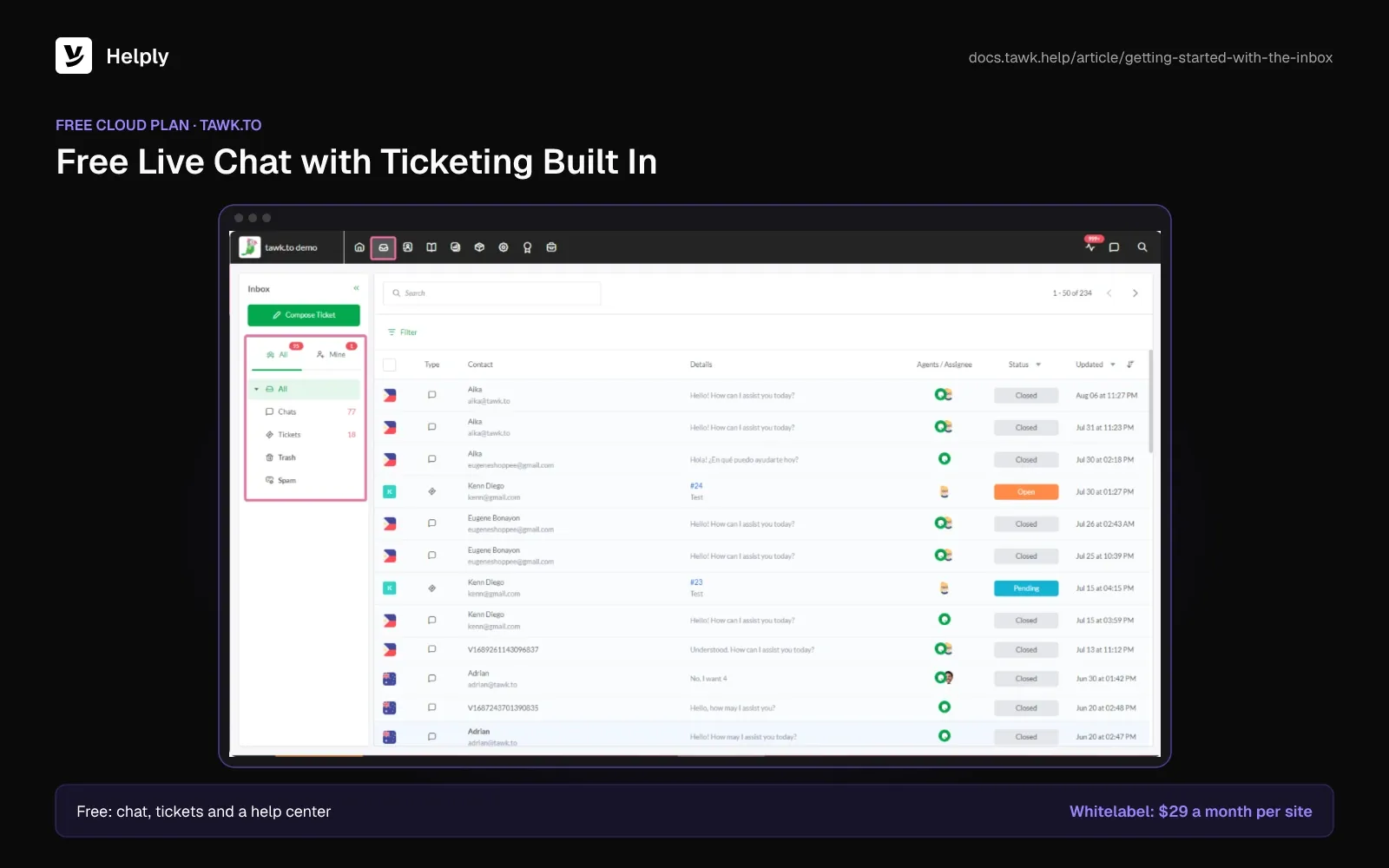
- Live chat. Visitors chat with your team from your website.
- Ticketing. A free ticket inbox holds requests that need follow-up.
- Knowledge base. A free hosted help center sits next to chat.
- AI Assist. A small free tier, with paid plans from $29 a month. On the Auto model, each AI agent reply uses 3 credits.
Pricing
The core product is free. Whitelabel costs $29 a month for each site, which tawk.to calls a property. AI Assist paid plans start at $29 a month.
Pros
- Chat, tickets and a help center at $0.
- One paid add-on removes the branding and sends ticket emails from your own address.
Cons
- Chat comes first, so email-heavy teams get less from it.
- AI volume on the free tier is small.
Best For
Teams whose customers start conversations in website chat.
tawk.to or Helply?
Pick tawk.to if website chat is your main channel and you want free tickets and a help center beside it. Pick Helply when you want chat and email in one shared inbox, with AI agents built in.
Helply's AI credits pool across your team, and the AI uses them only when it acts.
7. osTicket: An Open-Source Ticketing System for Email and Web Forms
osTicket is an open source ticketing system under the GPL-2.0 license. It turns email, phone and web-form inquiries into tickets in one web interface.
The project says every feature is free, knowledge base included, with no feature matrix. It has no built-in AI and no chat or social channels.
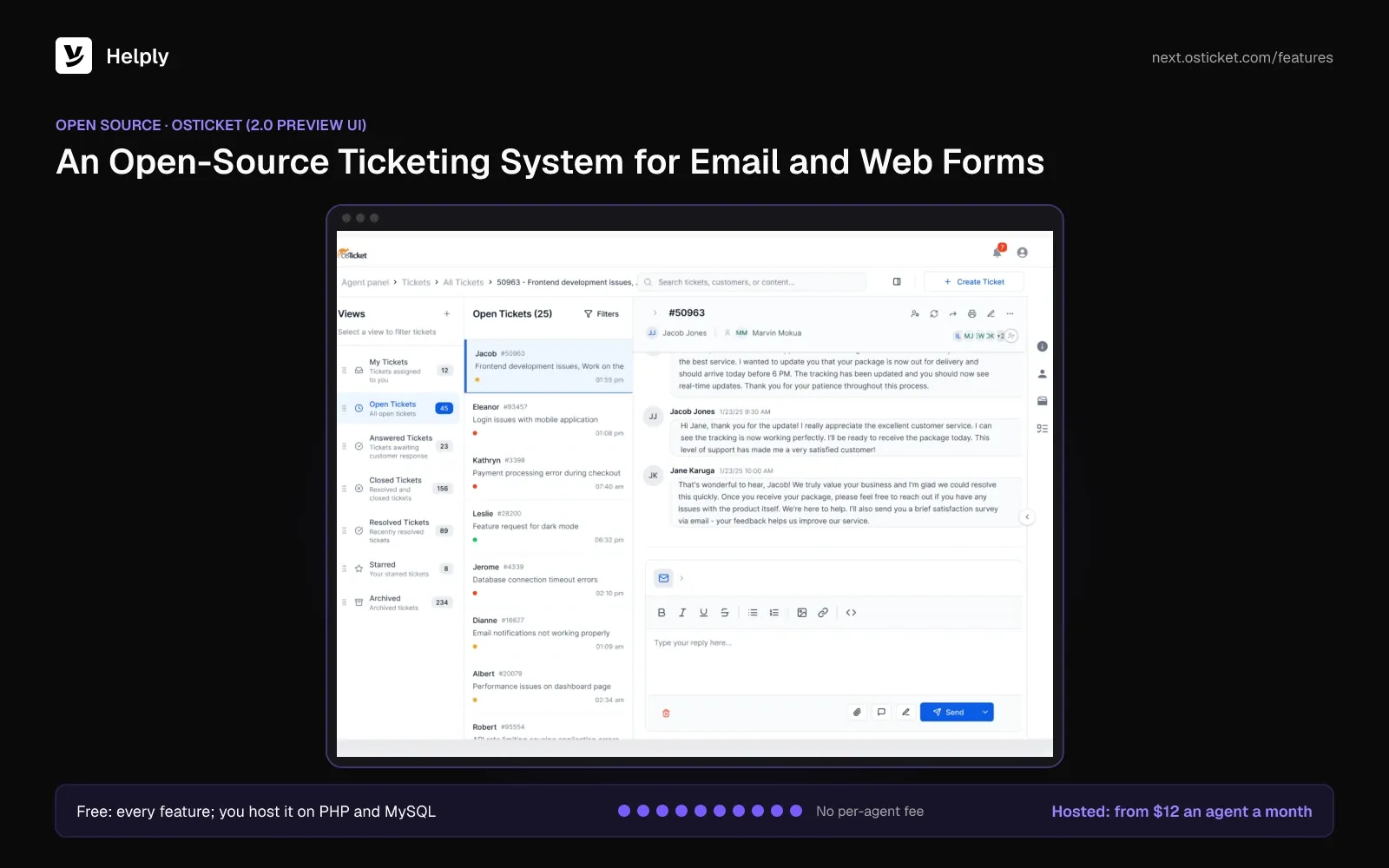
- Email and web forms. Messages and form submissions become tickets with an owner.
- Phone logging. Agents log calls as tickets.
- Knowledge base. Agents publish answers for customers.
- API. The API covers ticket creation only.
Pricing
The software is free and runs on PHP and MySQL. The project lists no minimum RAM, and a 1 GB to 2 GB server costs about $6 to $12 a month.
SupportSystem hosts osTicket from $12 an agent a month if you skip the server.
Pros
- Every feature in the free download.
- Ticket data stays on a server you control, and the GPL lets you change the code.
- A paid hosted version exists if you tire of upkeep.
Cons
- No live chat, social channels or AI.
- The API only creates tickets.
- You own updates, backups and security.
Best For
Teams with someone comfortable running a PHP server who need email and web-form tickets.
osTicket or Helply?
Pick osTicket if email and web-form tickets cover your needs and someone can run a PHP server. Pick Helply for live chat and AI agents with no server to maintain.
Helply's team scopes an osTicket import with you on a demo.
8. FreeScout: A Free Shared Inbox with Paid Modules
FreeScout is a free, open-source help desk and shared inbox built on Laravel, under AGPL-3.0. Its core has unlimited agents, tickets and mailboxes.
The core handles email. Live chat, workflows, a knowledge base, satisfaction ratings and SLAs come as paid modules. Each module is a one-time lifetime license for one install.
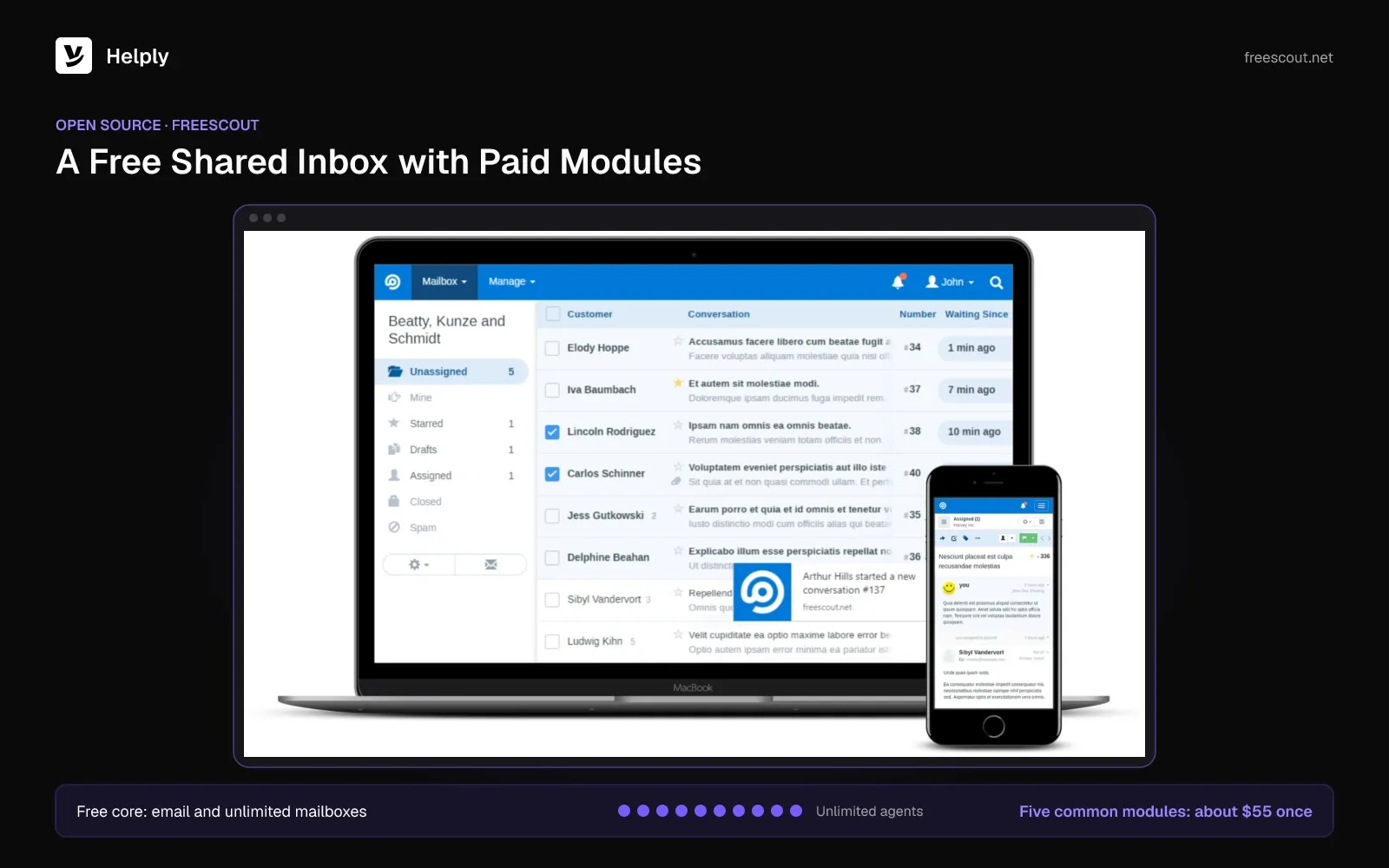
- Unlimited mailboxes. Every support address gets its own shared inbox.
- No stated minimum. The project lists no minimum CPU or RAM.
- AI module. A free module drafts replies and summarizes threads with your own AI provider key.
- Channel modules. WhatsApp, Telegram and Facebook cost $4 each.
Pricing
The core is free. Live Chat costs $13, Workflows $14.99, Knowledge Base $12, Satisfaction Ratings $8.99 and SLA $5.99. Those five come to $54.97, paid once, before tax.
Pros
- Unlimited agents and mailboxes at $0.
- Paid modules cost a one-time fee.
- Runs on a small server at about $6 to $12 a month.
Cons
- Chat, workflows and a knowledge base all cost extra.
- No official hosted option.
- AI needs your own provider account and its usage bill.
Best For
Email-first teams that want a shared inbox with no agent fee and can run a small server.
FreeScout or Helply?
Pick FreeScout when more than 5 people answer email and someone can run a server. Five common modules add $54.97 once.
Helply's plan price covers chat, a help center and AI agents for drafting replies and resolving conversations, with no server to run.
9. Zammad: Multichannel Open Source That Needs a Bigger Server
Zammad's self-hosted edition is free to download and install under AGPL-3.0, with no per-agent fee. Zammad tells self-hosters they handle updates, backups and availability themselves.
It covers more channels than osTicket or FreeScout out of the box: email, web form, chat, SMS, Telegram, Facebook and WhatsApp. A knowledge base comes included, and AI works with your own provider, such as OpenAI, Anthropic or Ollama.
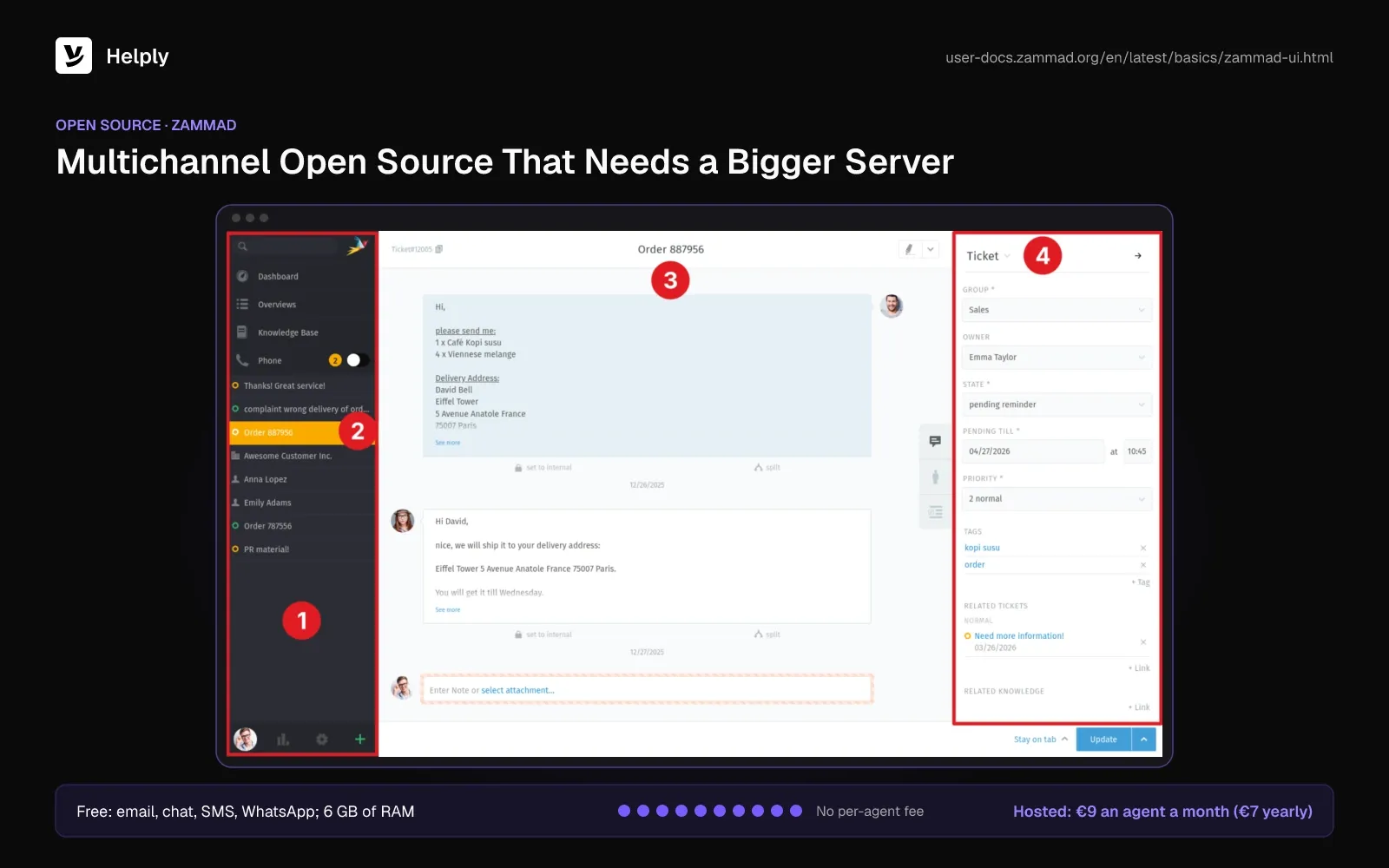
- Channels. Email, chat, SMS and WhatsApp land in one queue.
- Knowledge base. Included in the free edition.
- AI. Connect your own AI provider in settings.
- Search. Zammad calls Elasticsearch optional but "strongly recommended."
Pricing
Zammad's hardware page sets a minimum of 6 GB of RAM and 2 CPU cores. Without Elasticsearch, you need an 8 GB server at $44 to $48 a month.
Running Elasticsearch on the same machine adds 4 GB, for 10 GB in all. Hosted Zammad starts at €9 an agent a month (€7 yearly) for up to 5 agents, without the knowledge base.
Pros
- Email, chat, SMS, Telegram, Facebook and WhatsApp in the free edition.
- Knowledge base and AI hooks in the free edition.
- A hosted version if self-hosting gets heavy.
Cons
- Needs at least 6 GB of RAM, where osTicket and FreeScout list no minimum.
- PostgreSQL and Redis add moving parts.
- Paid support contracts start at €2,999 a year.
Best For
Teams with a sysadmin who need chat, SMS and WhatsApp next to email.
Zammad or Helply?
Pick Zammad for chat, SMS and WhatsApp in a free self-hosted edition, if you can run an 8 GB server.
Pick Helply for built-in AI agents with no AI provider to connect. Helply adds WhatsApp and SMS on its larger plans.
10. Chatwoot: An Open-Source Inbox for Chat and Social
Chatwoot's Community Edition costs $0 an agent. Its core code is MIT-licensed, and its enterprise features sit under a separate license.
The Community Edition covers live chat, email, Facebook, Instagram, WhatsApp, Telegram, SMS and more, plus a built-in Help Center. It holds back Captain AI, SLA policies, SSO and custom branding.
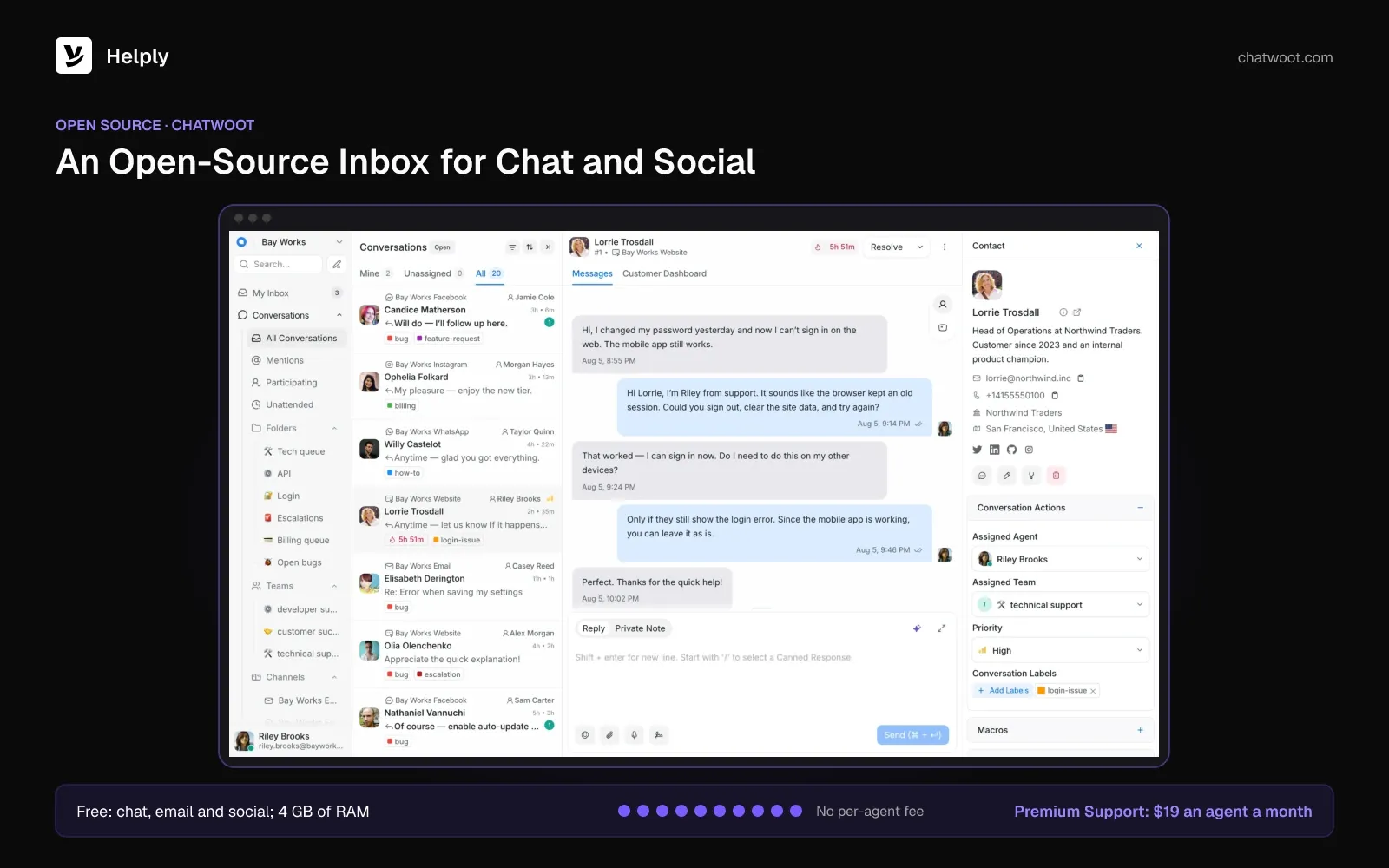
- Omnichannel inbox. Chat and social messages share one queue with email.
- Help Center. A built-in portal for help articles.
- Cloud option. The free Hacker cloud plan allows 2 agents and 500 conversations a month, and it covers live chat only.
Pricing
Chatwoot's requirements set 4 GB of RAM as the minimum and recommend 8 GB or more for production. A 4 GB server runs $24 a month, or $48 for the recommended 8 GB. Premium Support costs $19 an agent a month and adds Captain AI.
Pros
- Social and messaging channels in the free edition.
- A free cloud plan to try before you host.
- Over 40,000 GitHub stars, more than osTicket, FreeScout, Zammad or UVdesk.
Cons
- Captain AI needs a paid plan.
- Needs a 4 GB server with Ruby, Node.js, PostgreSQL and Redis.
- The free cloud plan keeps data for 30 days.
Best For
Teams whose customers write in on chat, WhatsApp and Instagram more than email.
Chatwoot or Helply?
Pick Chatwoot for chat, WhatsApp and Instagram in one free inbox on a 4 GB server (8 GB recommended). Its Captain AI needs Premium Support at $19 an agent a month.
Helply's Support and Assist Agents come with the help desk, so you buy no add-on to get AI.
Other Free Options: Freshdesk, Spiceworks, Hesk, UVdesk and ProProfs
Five more tools cost $0 to start, each with one trade-off: a time limit, ads, branding, server needs or a low cap.
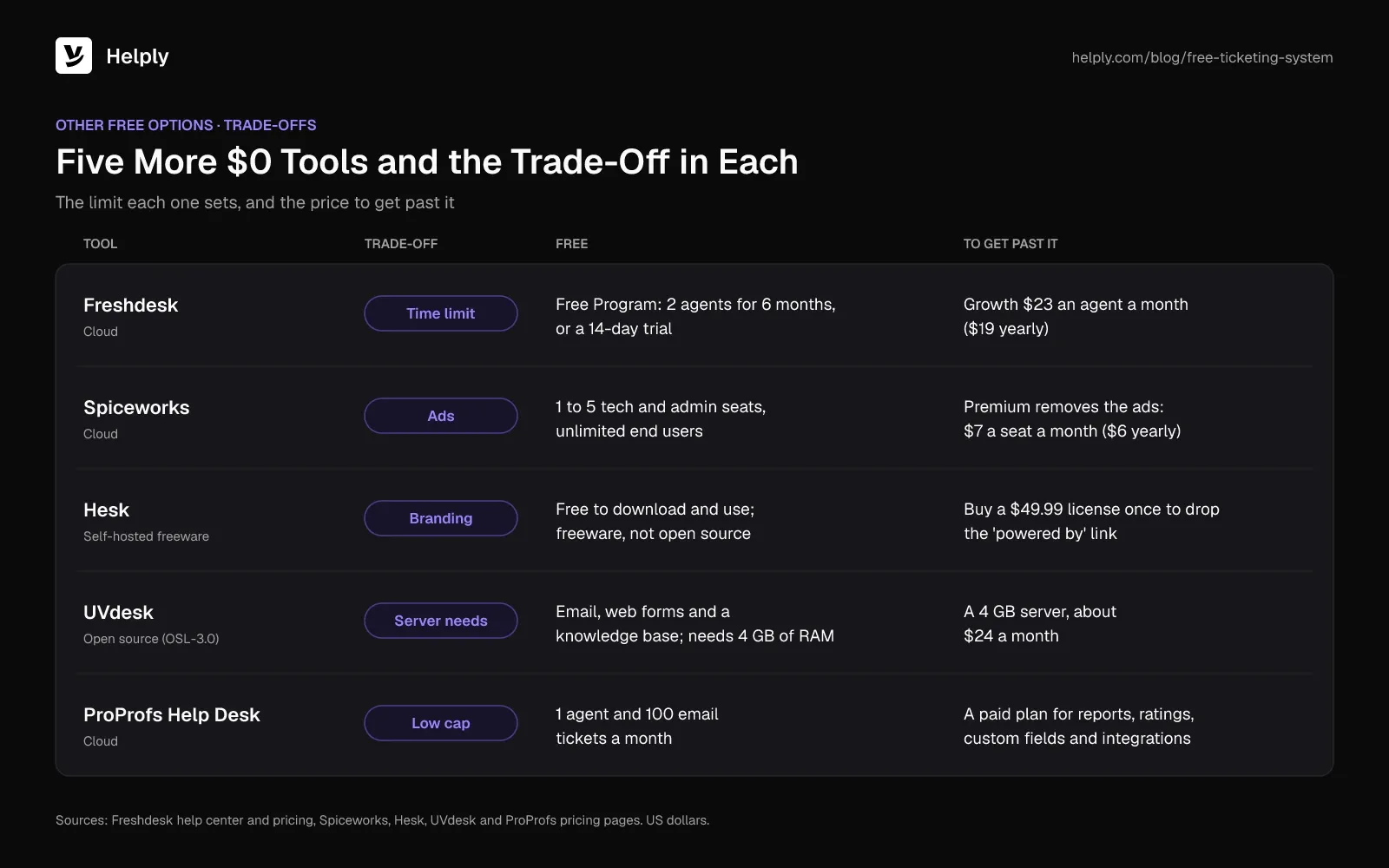
- Freshdesk. Its pricing page shows a 14-day trial and no free plan. Its help center describes a Free Program that covers 2 agents for 6 months.
- Spiceworks Cloud Help Desk. Free for 1 to 5 tech and admin seats with unlimited end users. Premium removes the ads, at $7 a seat a month ($6 yearly).
- Hesk. Free to download and use, but freeware under an end-user license, not open source. The "powered by" link stays unless you buy a $49.99 license.
- UVdesk. Open source under OSL-3.0 with email, web forms and a knowledge base, but it needs 4 GB of RAM. Its latest release, v1.1.8, shipped in September 2025.
- ProProfs Help Desk. A solo founder gets 1 agent and 100 email tickets a month free. Advanced reports, the mobile app, ticket ratings, custom fields and integrations need a paid plan.
After the Free Program, Freshdesk Growth costs $23 an agent a month ($19 yearly). See the Freshdesk comparison.
What Does Free Help Desk Software Cost You?
A $0 license has costs too. Self-hosting needs a server at about $6 to $48 a month, plus someone's hours for upkeep. Free cloud plans cap agents, contacts or tickets and charge for add-ons like branding removal.
Server and Upkeep
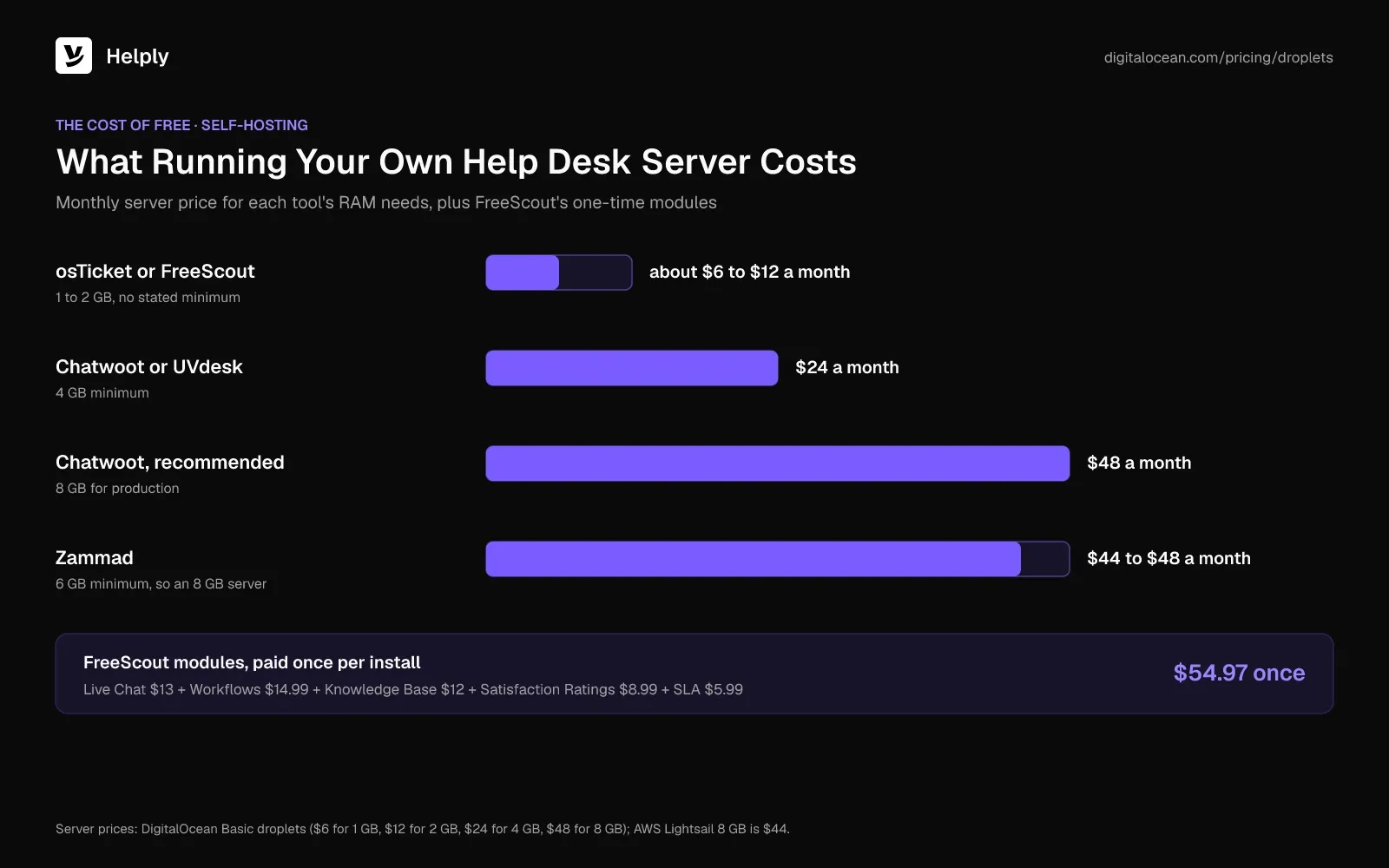
Open-source help desks need a server. A DigitalOcean droplet costs $6 a month with 1 GB of RAM and $12 with 2 GB. The 4 GB size costs $24, and 8 GB costs $48.
AWS Lightsail charges $7, $12, $24 and $44 for the same sizes.
- osTicket and FreeScout list no minimum RAM, so about $6 to $12 a month covers them.
- Chatwoot and UVdesk need 4 GB at $24 a month, and Chatwoot recommends 8 GB at $48.
- Zammad needs 6 GB, so plan on an 8 GB server at $44 to $48 a month, or more with Elasticsearch.
Someone on your team also patches the server, tests backups and fixes mail when it stops. Those hours can cost more than the server bill.
Paid Add-Ons and Branding
Several free tools charge for parts your team uses each day. FreeScout's chat, workflows, knowledge base, ratings and SLA modules add up to $54.97 once.
tawk.to charges $29 a month to remove its branding. Hesk charges $49.99 once to drop its link.
Hard Caps and Time Limits on Free Plans
Help Scout and Raiseaticket block replies or new tickets at the cap. Jira Service Management and Freshdesk push you toward a paid plan.
- Help Scout. Past 100 contacts, replies stop until the next cycle.
- Raiseaticket. Past 500 tickets, new tickets wait for the reset.
- Jira Service Management. Past 3 agents or 2 GB, the account moves to a 14-day Standard trial.
- Freshdesk. The Free Program ends after 6 months.
AI Left Out
Zoho Desk leaves AI off its free plan. Help Scout's free plan gives you its AI agent for 3 months, and Jira Service Management's free plan stops at AI report summaries. HubSpot's Customer Agent starts on Professional, Chatwoot's Captain AI needs a paid plan, and tawk.to's free AI tier covers small volume only.
Help Scout's paid plans charge $0.75 for each AI resolution, and Zendesk's pay-as-you-go rate is $2.00. FreeScout and Zammad connect to your own AI provider, which bills you for usage.
Should You Choose a Free Cloud Plan or an Open-Source Help Desk?
Choose a free cloud plan if nobody can run a server and 5 or fewer people answer customers. Choose open source if someone can run a server, more than 5 people reply, or ticket data must stay in-house.
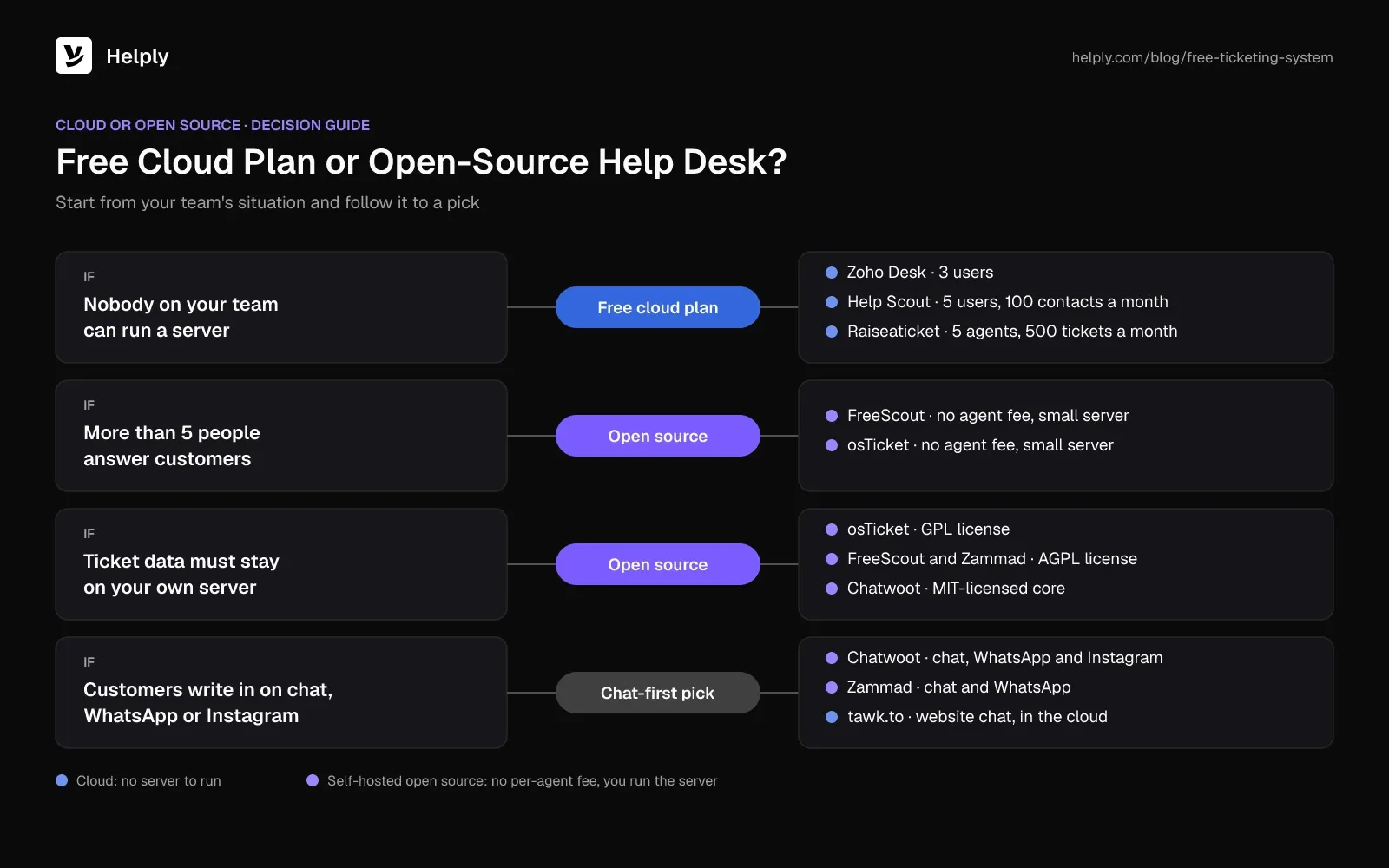
- Nobody to run a server. Zoho Desk fits 3 users, Help Scout fits 5 at low volume, and Raiseaticket fits 5 at higher volume.
- More than 5 people answering. The capped free cloud plans here stop at 5. FreeScout or osTicket runs on a small server with no agent fee.
- Data on your own server. Self-hosting keeps ticket data on infrastructure you control. The GPL (osTicket), AGPL (FreeScout, Zammad) and MIT (Chatwoot's core) licenses let you change the code.
- Chat, WhatsApp or Instagram. Chatwoot self-hosted covers all three, Zammad covers chat and WhatsApp, and tawk.to covers website chat.
When Does Paying for a Help Desk Make Sense?
Pay for a help desk once a free limit costs you customers or staff hours.
- A cap blocks replies. Customers wait because you hit 100 contacts or 500 tickets.
- You need chat, automation and a help center in one tool. Zoho Desk, Help Scout, HubSpot and Raiseaticket each hold back at least one on free, and FreeScout sells all three as modules.
- Server work eats support time. You patch servers and fix mail in hours you set aside for customers.
- The same questions fill the queue. AI that resolves repeat questions can cost less than the hours your team spends retyping answers.
Help Scout vs. Zendesk vs. Helply: 5 Agents and 300 AI Resolutions
Per-resolution AI fees can cost more than the plan itself. The table assumes 5 agents, monthly billing at list prices, and 300 conversations a month that AI resolves end to end.
| Help desk | Plan price for 5 agents | AI cost for 300 resolutions | Total a month |
|---|---|---|---|
| Help Scout Standard | $150 | $225 at $0.75 each | $375 |
| Zendesk Support Team | $125 | $550 (25 included, 275 at $2.00) | $675 |
| Helply Plus | $234 | $0 extra (3,000 of 5,000 included credits) | $234 |
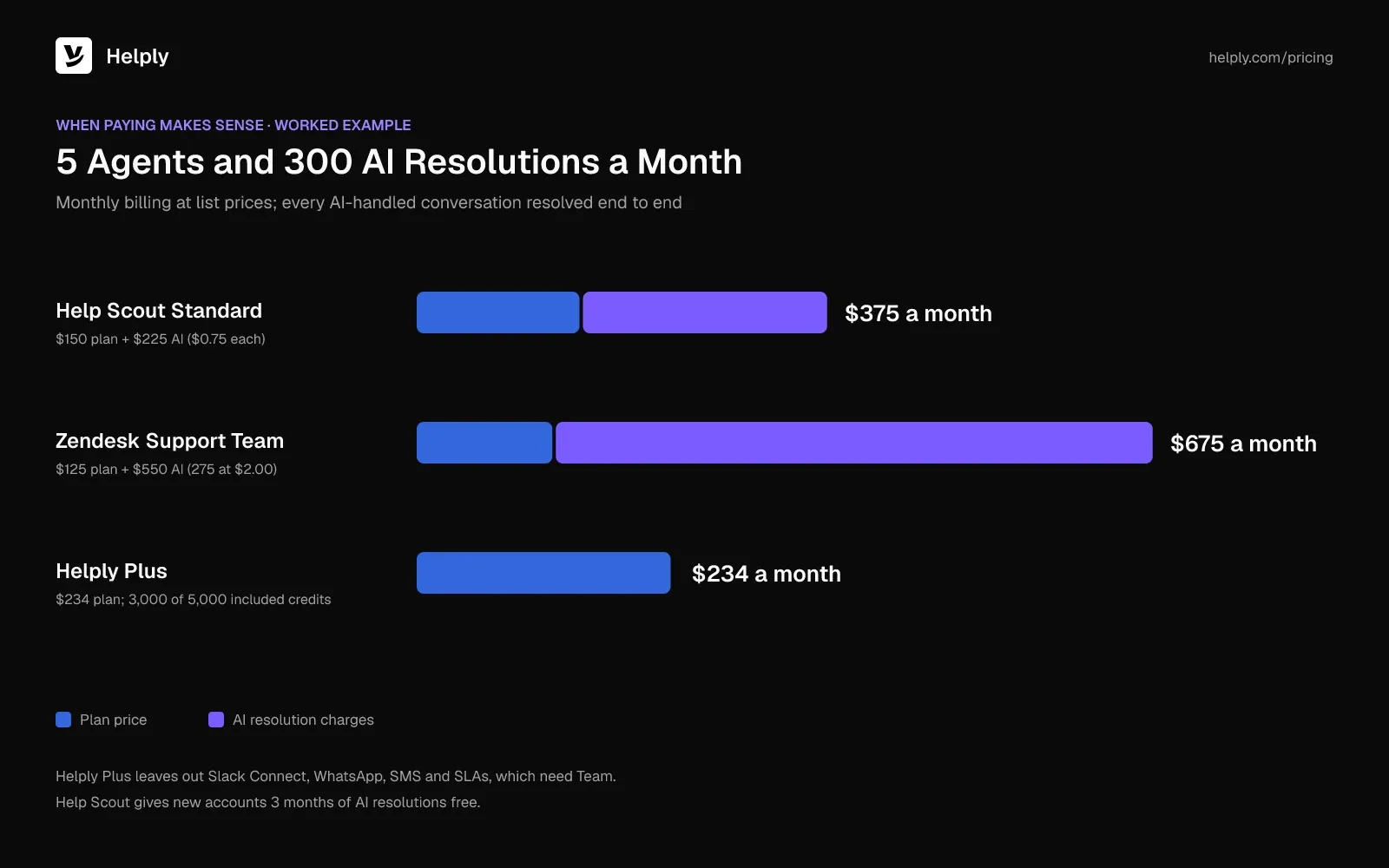
The 2,000 Helply credits left cover about 1,000 drafted replies at 2 credits each. Helply Plus leaves out Slack Connect, WhatsApp, SMS and SLAs, which need Team. Help Scout gives new accounts 3 months of AI resolutions free, so its first months cost less.
Against a free plan, ask whether Helply Plus buys back the hours your team loses to caps, servers and retyped answers. Zendesk pricing lists Support Team and its per-resolution AI rates.
Stay on a Free Ticketing System or Start Paying?
Stay free while a cap fits your volume or someone on the team can run the server. For website chat, pick tawk.to, and for chat plus social channels, pick Chatwoot or Zammad.
Start paying when the free setup costs your team more in hours than a plan costs in dollars. Helply puts a shared inbox and AI agents in one help desk, so the same people can handle more customers.
MixWave made that switch and brought its past tickets and knowledge base with it. Its tooling cost fell below what the old per-seat help desk charged.
Forward one support address first and watch what the Support Agent resolves before you move the rest.
Frequently asked questions
Yes. osTicket, FreeScout, Zammad and Chatwoot's Community Edition cost nothing to license, though self-hosting needs a server from about $6 a month. Zoho Desk, Help Scout, HubSpot, Raiseaticket and Jira Service Management have free cloud plans with caps.
Zoho Desk's free plan suits up to 3 people answering email. Help Scout's plan fits 5 people with 100 or fewer contacts a month, and Raiseaticket allows 5 agents and 500 tickets a month. With someone to run a server, FreeScout or osTicket charges no agent fee.
For an email-first small team, pick FreeScout or osTicket. Both run on a server at about $6 to $12 a month, and osTicket includes every feature free. Zammad and Chatwoot cover more channels but need 6 GB and 4 GB of RAM.
A ticketing system gives each customer request its own record, with an owner, a status and a full history. It replaces an inbox where nobody owns a message, or two people answer it.
No. Zendesk offers a 14-day trial and no free plan. Support Team costs $25 an agent a month ($19 billed yearly).
No, not on its pricing page. Freshdesk's help center describes a Free Program for 2 agents that ends after 6 months.
Yes. Help Scout's Free plan covers 5 users, 1 shared inbox and 100 contacts a month. Past 100 contacts, you can't reply to customers until the next cycle or an upgrade.
Most free cloud plans allow 1 to 5 agents. ProProfs allows 1, HubSpot and Chatwoot Cloud 2, Zoho Desk and Jira Service Management 3, and Help Scout, Raiseaticket and Spiceworks 5. Open-source tools charge no per-agent fee.
Self-hosting osTicket or FreeScout costs about $6 to $12 a month for a small server. Chatwoot or UVdesk needs a 4 GB server at $24 a month, and Chatwoot recommends 8 GB. Zammad needs an 8 GB server at $44 to $48 a month, more with Elasticsearch, plus hours for upkeep.
A few can. tawk.to has a free AI tier for low volume, and Help Scout's free plan gives you its AI agent for 3 months. FreeScout's free AI module and Zammad work with your own AI provider key.
No. Helply is a paid AI-native support platform, and you can try it free for 14 days with no credit card. Every plan comes with both the Support Agent and the Assist Agent.
About the author

Alex Turnbull
CEO & Founder, Helply
Alex is the CEO & Founder of Helply, (formerly Groove). He loves to help other entrepreneurs build startups by sharing his own experiences from the trenches.
Keep reading

Bad Customer Service Examples: 12 Real Cases and Fixes
Bildad Oyugi · 15 min read
Support Tiers Explained: Tier 0 to Tier 3, Escalation Rules and a Routing Table
Bildad Oyugi · 14 min read