
 Jared Scheel ·

Key Takeaways
- Autopilot adds $640 a month to five Front Professional seats when it resolves half of 1,000 conversations and hands off the rest. With Copilot, the bill is $1,165 ($1,065).
- Missive Productive costs $30 ($24) a user and Hiver Growth $35 ($25), against $85 ($65) for Front Professional. Missive connects your existing mailboxes, and Hiver runs inside Gmail.
- Hiver's comparison pages list $0.80 per AI resolution, and Help Scout charges $0.75 for each Envoy resolution. Intercom adds $0.99 per Fin outcome, and Zendesk $1.50 to $2.00 a resolution past its allowance.
- Help Scout's Free plan covers five users on email and 100 contacts a month at no cost. Missive Starter costs $90 ($70) for five, without rules or AI.
- Each Helply plan includes AI credits for the work Front bills as Copilot and Autopilot add-ons. AI resolving half of 1,000 monthly conversations uses about 6,000 credits, which fits inside the Team plan's 15,000.
What Does Front Cost Before and After AI?
Hire a sixth support rep on Front Professional, and you pay $85 more a month ($65 billed yearly). Copilot for that rep adds another $20. Turn on Autopilot, and Front bills $0.39 for each conversation Autopilot passes to a person and $0.89 for each resolution.
On r/sysadmin, a five-year Front customer said paying about $50 a user each month on top of Office 365 was no longer justifiable. Front sells three paid plans and no free one.
Starter runs $35 a seat a month ($25 billed yearly) for one channel type and up to 10 seats. Professional, at $85 ($65), holds up to 50 seats; Enterprise is $105 a seat, billed yearly only.
Copilot adds $20 a seat a month on Starter and Professional. Front charges each Autopilot conversation once, at the price of the highest outcome it reaches. At 1,000 conversations a month with half resolved, five people on Professional with Copilot and Autopilot pay $1,165 ($1,065).
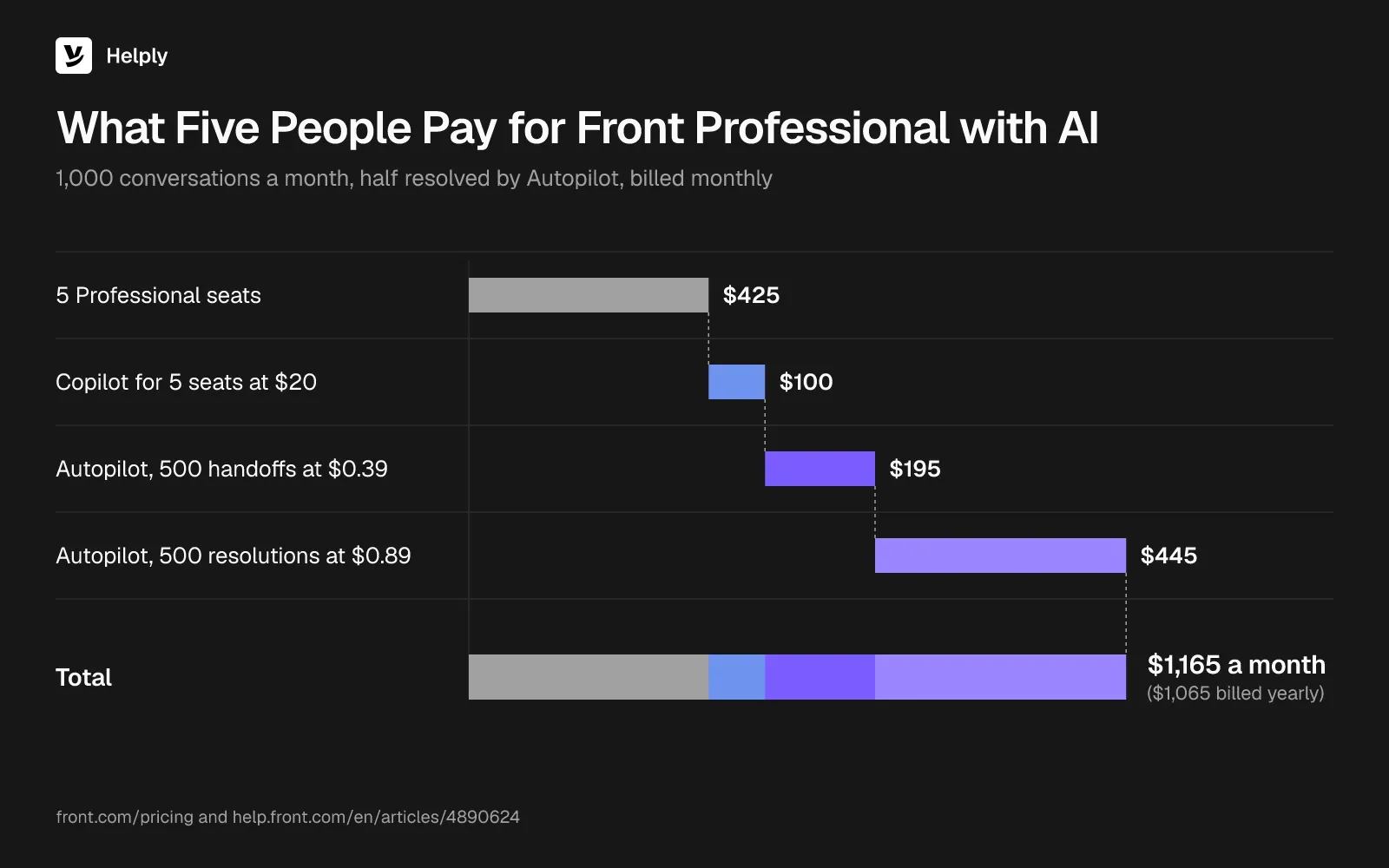
For every Front plan, add-on and team total, see Front pricing, explained.
Why Do Teams Look for a Front Alternative?
Front reviewers praise the collaboration. One Capterra reviewer said assignment stops two people from replying to the same client email. On TrustRadius, another said seeing a coworker typing stopped the repeat replies they used to send.
Complaints in Front reviews and forum threads center on the bill.
- Seat costs grow with headcount. One r/sysadmin poster put Front at about $35,000 a year for 55 users, with commenting on emails as the main use.
- Seat cuts may wait for renewal. A Trustpilot reviewer wrote that admins can add seats at any time but can't reduce them during an annual term.
- Copilot and Autopilot cost extra. A customer service director on TrustRadius called Front's AI tooling limited and costly, since it comes only as add-ons.
- A second channel means Professional. Starter supports one channel type, so a team adding chat to email moves from $35 to $85 a seat ($25 to $65).
Front Alternatives Compared: Seat Price, AI Billing and Best Fit
Front competitors bill AI per resolution, per session, per Fin outcome, by model usage or from credits in the plan. Prices are list prices, monthly first, with the yearly-billing price per month in parentheses. AI totals cover five people handling 1,000 conversations a month, where AI answers each one first and resolves half.
| Tool | Best for | Replaces | AI billing unit | Five people, no AI | Five people, AI on 1,000 conversations, 500 resolved |
|---|---|---|---|---|---|
| Front Professional (baseline) | Shared-inbox teams with a fixed group of paid seats | Current setup | Copilot $20 a seat; Autopilot $0.39 a handoff, $0.89 a resolution | $425 ($325) | $1,165 ($1,065) with Copilot and Autopilot |
| Helply | Replacing the inbox and the AI add-ons together | Inbox, help desk and AI | 1 to 10 credits per AI action, capped at 15 per conversation | Plus: $234 ($199) for up to 5 agents | Team: $587 ($499) for 10 agents and 15,000 credits, with SLAs and WhatsApp |
| Missive | Front's shared-inbox feel at a lower price | Shared inbox | Model provider's price plus 25% | $150 ($120) | $150 ($120) plus AI usage |
| Hiver | Staying inside Gmail | Shared inbox and help desk | $0.80 per AI resolution | $175 ($125) | $575 ($525) |
| Help Scout | Email-first support with a free plan | Help desk | $0.75 per AI resolution | $150 ($125) | $525 ($500) |
| Zendesk | Larger teams that need structured ticketing | Help desk and AI | $1.50 a committed resolution, $2.00 pay-as-you-go, past 5 included per agent a month | $345 ($275) | Between $1,057.50 and $1,295 ($987.50 and $1,225) |
| Freshdesk | Low-cost ticketing | Help desk and AI | $49 per 100 Freddy sessions | $115 ($95) | $605 ($585) |
| Intercom | Chat inside software products, with Fin | Chat, help desk and AI | $0.99 per Fin outcome | $195 ($145) | $690 ($640) |
| Crisp | Chat-first teams on one workspace price | Chat and AI | Usage credits; five to ten cents a conversation by Crisp's estimate | $95, no yearly price published | About $120 to $170 |
At this volume, conversations average about 6 credits each, for about 6,000 a month. Plus includes 5,000, so the AI column shows Team, which also adds SLAs and WhatsApp.
New Intercom customers who stay subscribed pay $29 a seat ($19) for Essential. Five such seats with 500 Fin outcomes total $640 ($590).
Freshdesk's total covers sessions beyond the 500 free ones each account gets once. Crisp's range uses Crisp's own per-conversation estimate for Hugo on Pay-As-You-Go.
Which Part of Front Are You Replacing: Shared Inbox, Help Desk or AI Agent?
Front can cover three jobs: a shared inbox, a help desk and, with Autopilot, an AI agent.
- Only the shared inbox: Missive or Hiver. Both work like an email client. Missive connects Gmail, Outlook and IMAP accounts, and Hiver in Gmail runs inside Gmail itself.
- The help desk: Help Scout, Zendesk or Freshdesk. Help Scout brings a Docs knowledge base, Zendesk has SLA policies from Suite Professional and Freshdesk has collision detection from Growth.
- Chat with an AI agent: Intercom or Crisp. Each starts from the chat widget and bills AI by use.
- The inbox, the help desk and an AI agent together: Helply. Helply connects your Gmail or Microsoft 365 address, and every plan includes live chat, the Support Agent and the Assist Agent.
Past five people, Missive Starter drops out; past 10, so do Hiver Growth and Front Starter. Help Scout Standard runs to 25 users. Helply Starter covers 2 human agents and Plus covers 5.
1. Helply: Best for Replacing Front's Inbox and AI Add-Ons Together
Helply replaces Front's inbox and its AI add-ons with a full help desk and AI agents that can resolve conversations and take action. The Support Agent and the Assist Agent come with every plan, and both draw on AI credits pooled across the team. More than 1,400 companies use Helply.
Connect the Gmail address or Microsoft 365 mailbox your customers already write to. Helply adds ownership, status, routing and reporting to those conversations.
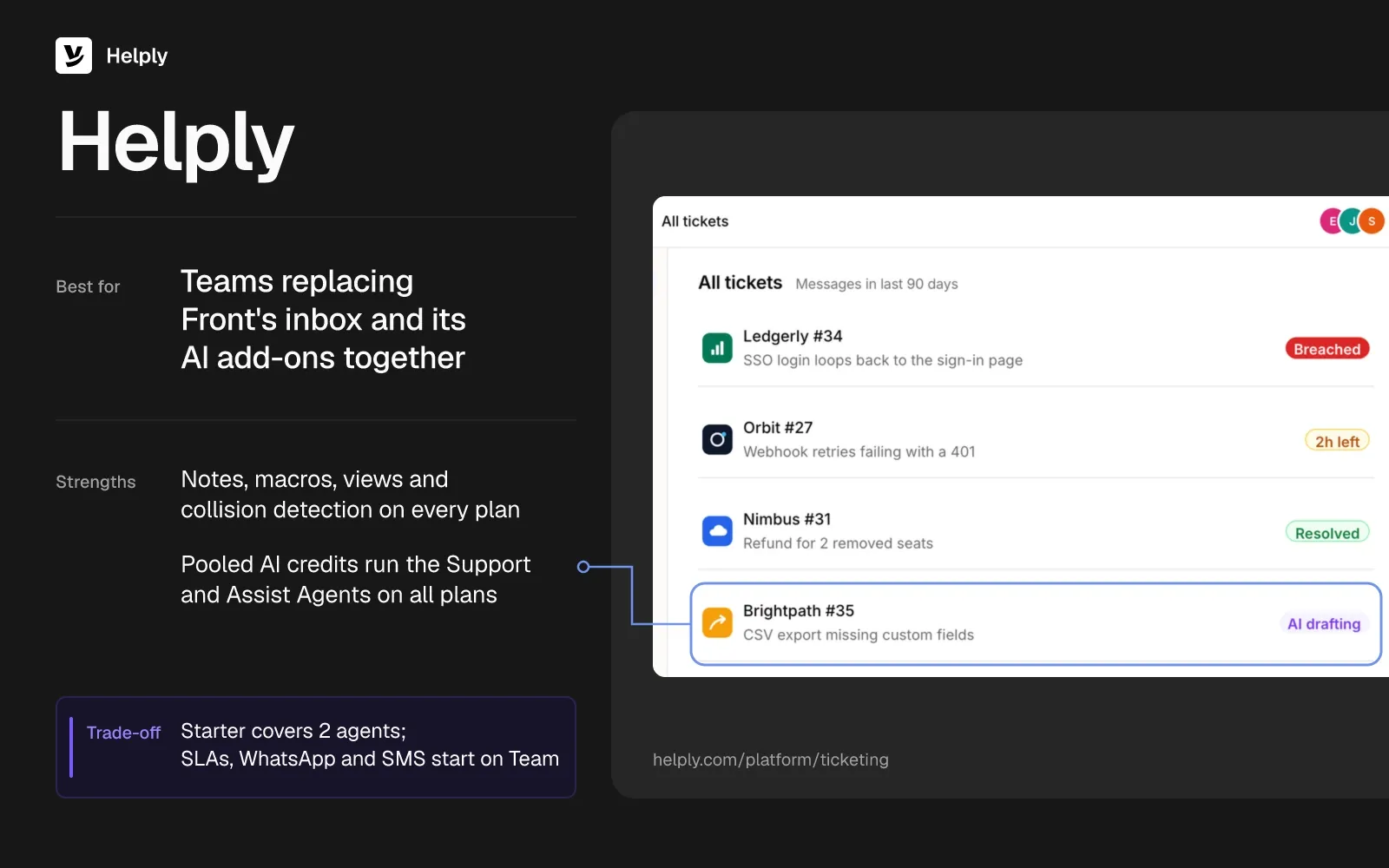
- The shared inbox you bought Front for. Notes, macros, views, snooze and collision detection come on every plan, so two reps don't answer the same email.
- Chat next to email from Starter. Live chat sits beside email on every plan; Facebook and Instagram start on Plus, and WhatsApp, SMS and Slack Connect on Team.
- An agent that can resolve the conversation. The Support Agent works with customers on each channel you connect. It investigates, answers, takes supported Actions and can resolve requests start to finish.
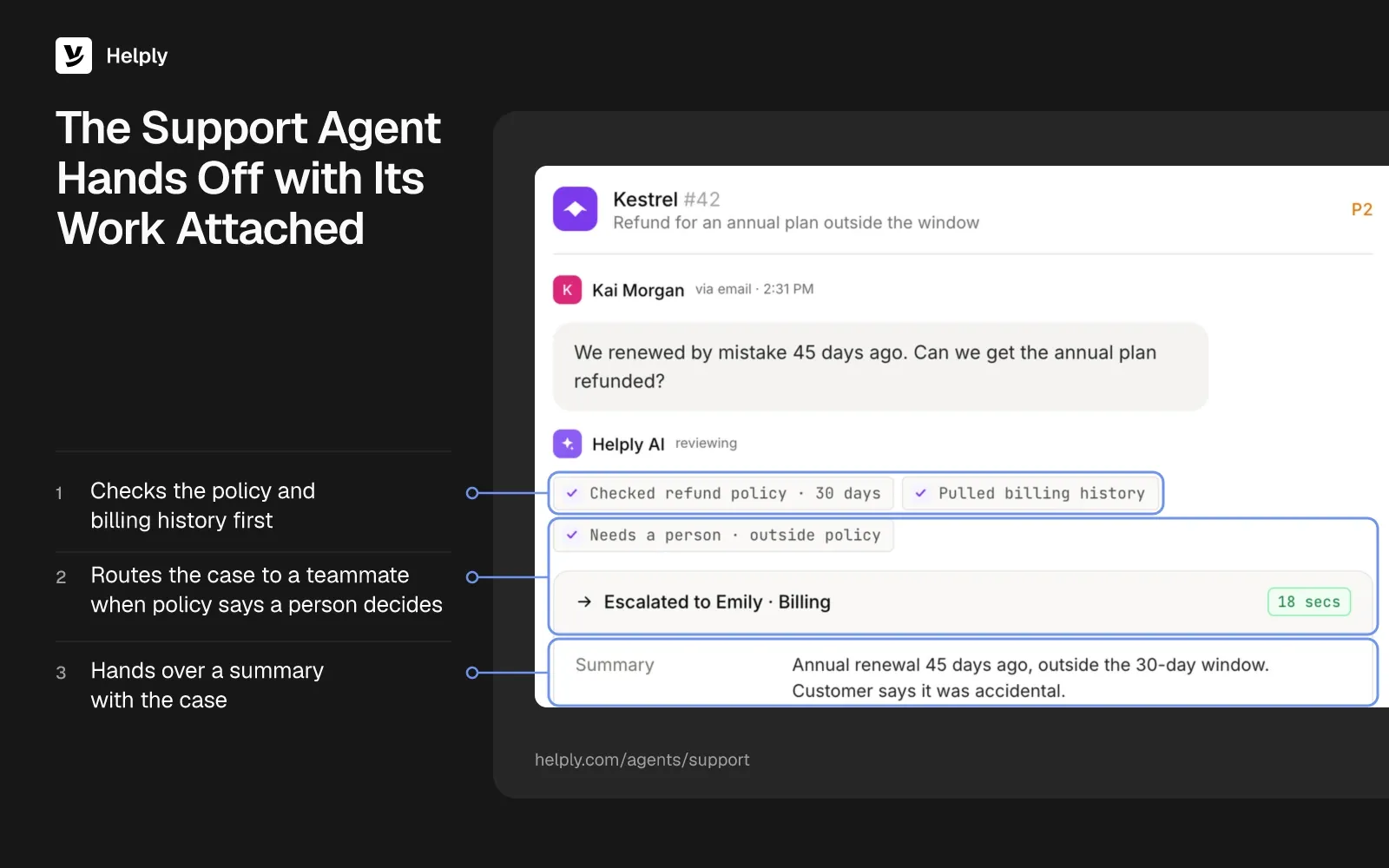
- Handoffs with the work attached. Conversations the Support Agent can't resolve with confidence go to a teammate, along with its investigation and the customer's context. From Team up, you set escalation rules for when AI proceeds alone and when a person steps in.
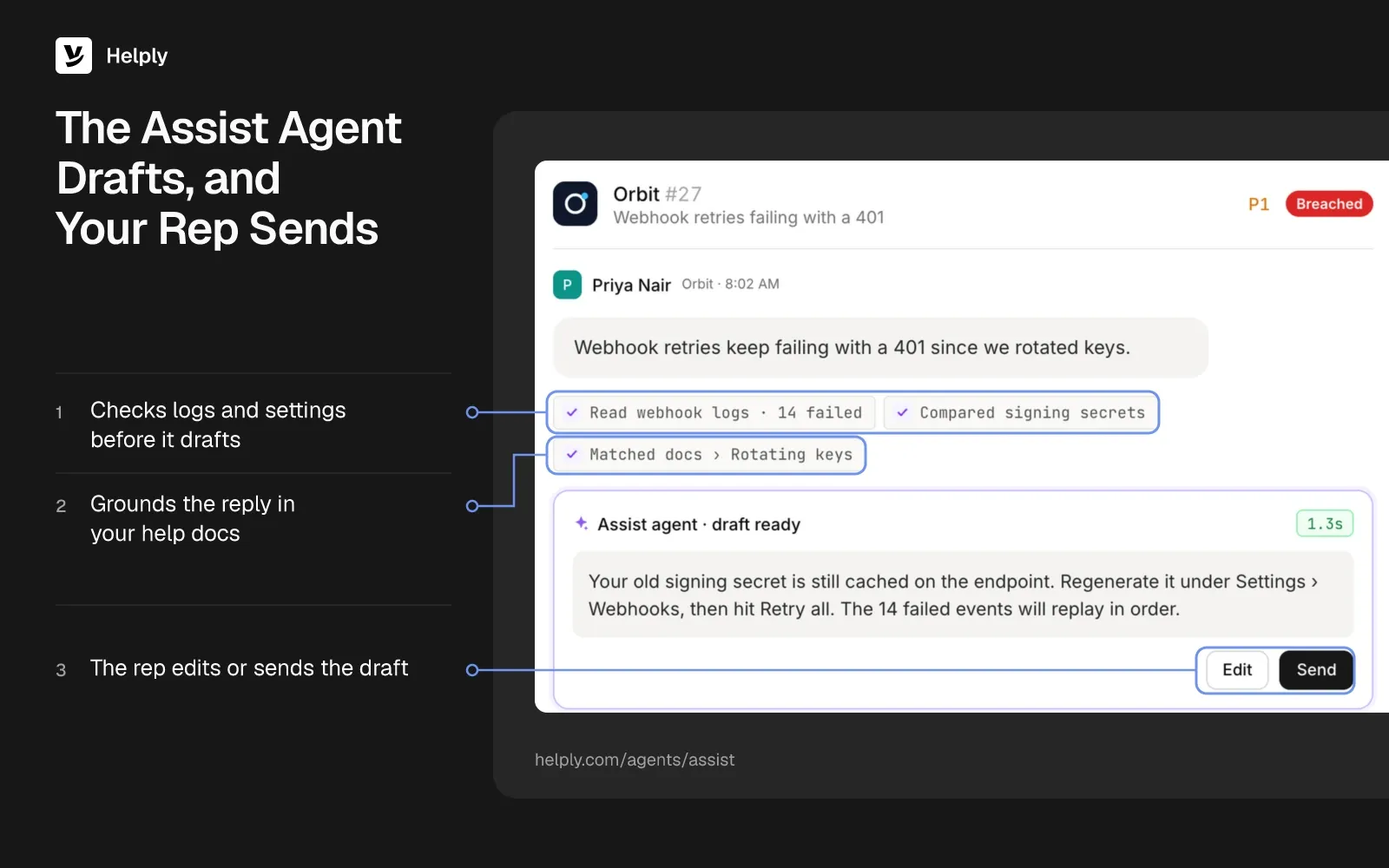
- Drafts for the replies your team sends. The Assist Agent writes replies using the thread, what it knows about the customer, and your Guidelines. A rep can also have it run supported Actions without leaving the conversation.
- Agent tools from Team up. Skills, memory, custom API actions and MCP connectors start on Team, along with the Knowledge and Insights agents. Pro includes every Background agent.
- Priced by human agents. Each plan includes a fixed number of human agents: the teammates who answer customers.
- Migration from Team up. Team covers free migration and an onboarding call; on Pro and Growth, the migration is white-glove. The Front migration brings supported conversation history, inboxes and customer information across.
- Every plan carries SOC 2 Type II and GDPR. The AI providers Helply works with never use your customer data to train models.
Sender.net, an email and SMS marketing platform with 51 to 200 people, ran about 4,000 support conversations a month through Front. Front charged by the seat, so each new support hire raised the bill.
Helply's team moved Sender.net off Front with its full conversation archive. The Support Agent then resolved 71% of those monthly conversations end to end, taking approved actions in Stripe where needed.
Pricing
Helply Starter costs $116 a month ($99 billed yearly) and covers up to 2 human agents with 2,500 AI credits. Plus runs $234 ($199) with 5,000 credits for as many as 5 agents, and Team $587 ($499) with 15,000 for 10. SLAs, WhatsApp, SMS and Slack Connect begin on Team.
Pro and Growth cover 25 and 50 agents, and yearly billing saves 15%. Every plan works as a full help desk on its own, and AI uses credits only when it does something.
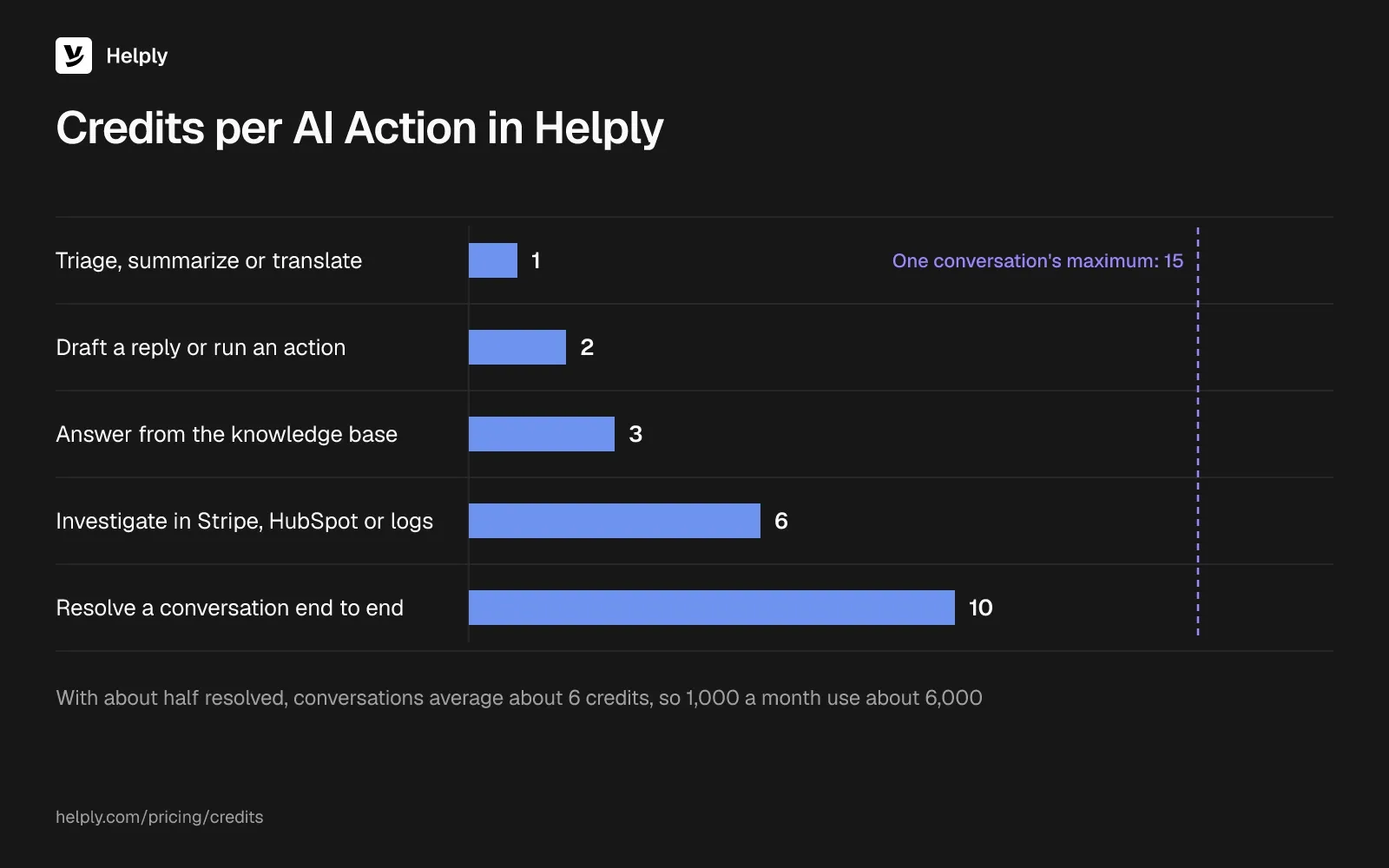
Each AI action draws a set number of credits:
- 1 credit to triage, summarize or translate
- 2 credits to draft a reply or run an action
- 3 credits to answer a customer from the knowledge base
- 6 credits to investigate in tools like Stripe, HubSpot and your logs
- 10 credits to resolve a conversation end to end
A conversation tops out at 15 credits, and a handoff to a person costs none. With AI resolving about half the queue, a conversation averages about 6 credits, so a month of 1,000 conversations comes to about 6,000. That fits inside Team's 15,000 credits, while Plus would need a top-up.
On Starter, Plus and Team, AI stops at the credit limit until you buy a top-up in the app or upgrade. You can trial Helply for 14 days without a credit card.
Pros
- AI comes in the plan price. The Support and Assist Agents run on every plan, and each human agent's AI work draws on one monthly credit pool.
- Live chat on the entry plan. Helply Starter covers both email and live chat, while Front Starter allows one channel type.
Cons
- Starter stops at 2 agents. Five people start on Plus, and SLAs, WhatsApp and SMS need Team.
- Without AI, Front Starter is the cheaper seat. Five email-only Front Starter seats cost $175 ($125) a month.
- Some features sit on higher plans. Microsoft Teams, Google Chat and the full set of Background agents start on Pro. SSO starts on Growth, while Front includes it on Professional.
Best For
Support teams that want a shared inbox, help desk and AI agents on one monthly price.
Front or Helply?
Five people with AI on 1,000 conversations pay $1,165 ($1,065) on Front Professional with Copilot and Autopilot. Helply's Team plan covers that work with SLAs and AI credits in its price. Front Starter stays cheaper for one channel without AI; see Helply as a Front alternative or the full Helply vs. Front comparison.
| Helply | Front | |
|---|---|---|
| People | Plus: up to 5 agents; Team: 10 | $35 ($25) a seat on Starter, $85 ($65) on Professional; guests comment without a license |
| AI billing | 1 to 10 credits per action from the plan's pool, capped at 15 a conversation | Copilot $20 a seat; Autopilot $0.39 a handoff, $0.89 a resolution |
| Five people, AI on 1,000 conversations, half resolved | About 6,000 of Team's 15,000 credits | $1,165 ($1,065) on Professional |
| Free trial | Free 14-day trial, no card needed | 14 days of Professional, no card; Autopilot has a 30-day trial |
2. Missive: Best for Keeping Front's Shared Inbox at a Lower Seat Price
Missive's Productive plan costs less per user than Front Professional, and Missive bills AI at your model provider's price plus 25%. It works like a shared email app, with team inboxes, internal threads on any conversation and drafts several people edit together.
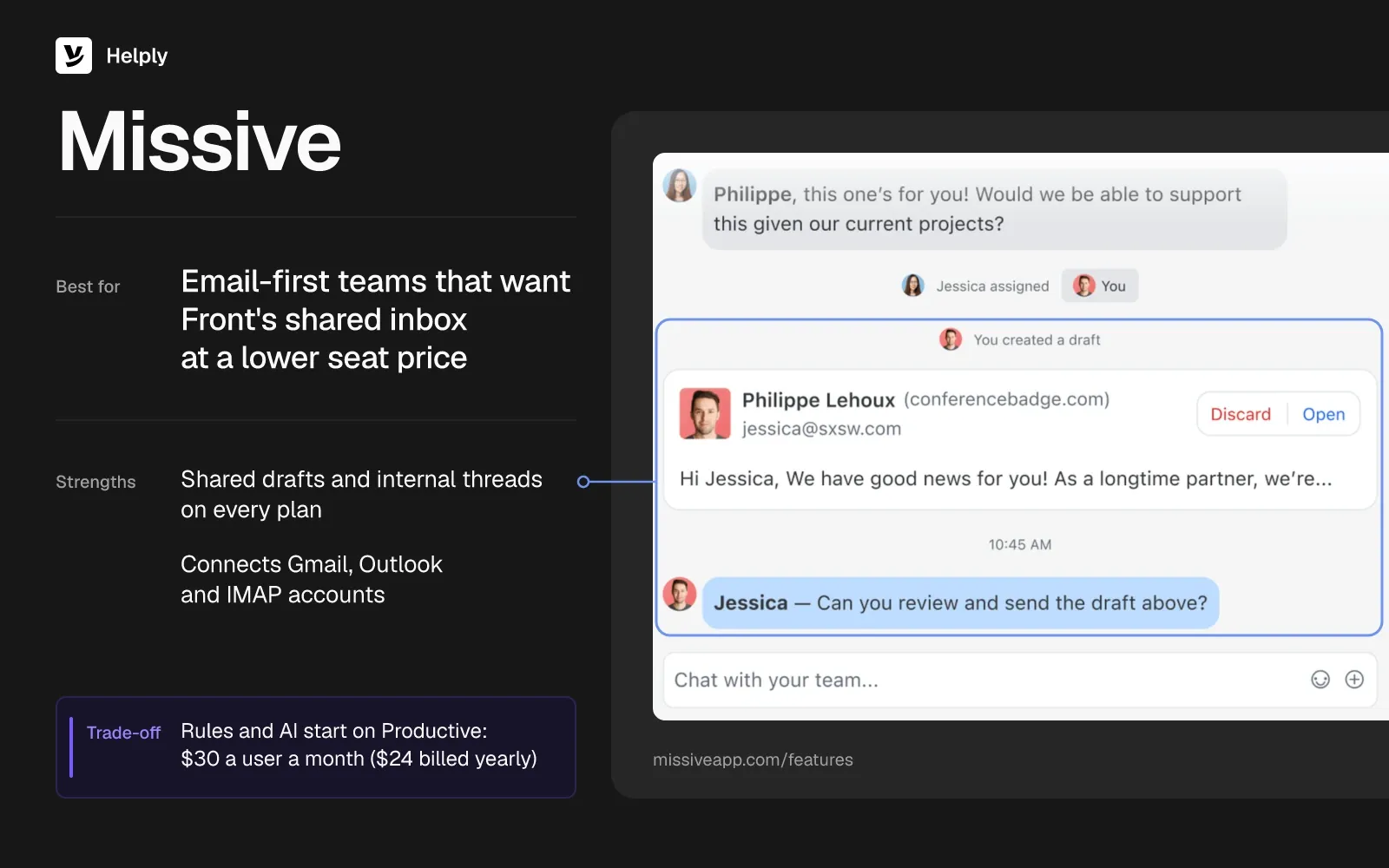
- Your existing mailboxes. Missive connects Gmail, Google Workspace, Outlook and IMAP accounts on every plan.
- Collaboration on every plan. Team inboxes, internal threads, assignment and shared drafts come on Starter.
- Live chat on your own Twilio account. Missive's live chat is free under 200 active chats a month.
- Rules and AI start on Productive. Starter teams go without rules, auto-assignment and AI drafts.
Pricing
Missive's Starter plan costs $18 a user a month ($14 billed yearly) for up to 5 users. Productive costs $30 ($24) for up to 50 users, and Business costs $45 ($36) with no user cap. Missive has no free plan, and new teams get a 30-day Productive trial with no card.
AI requires Productive or Business. Missive AI credits cost the provider's price plus 25%, after a $5 one-time credit. With your own API key, the provider bills you at cost.
Pros
- Lower seat prices. Productive at $30 ($24) costs less than Front Professional at $85 ($65).
- Channels without a plan jump. WhatsApp and SMS sit on every Missive plan, while Front Starter allows one channel type.
Cons
- Paying more for one feature. A founder on Capterra said Missive requires a higher plan for rules alone, which felt expensive for light use.
- AI cost depends on usage. Missive bills AI by model usage, so the monthly figure moves with volume and model choice.
- Starter caps at 5 users. A sixth teammate needs Productive.
Best For
Email-first teams that want Front's shared-inbox collaboration at a lower seat price.
Missive or Helply?
Missive stays a shared email app and charges $30 a user ($24) on Productive, with AI billed by usage. Helply is a full help desk with the Support Agent and pooled AI credits on every plan. Choose Missive for a lower per-user price, and Helply when you want AI work priced into the plan.
| Helply | Missive | |
|---|---|---|
| People | Plus: up to 5 agents; Team: 10 | $30 ($24) a user on Productive |
| AI billing | Credits per action from the plan's pool | Model provider's rate plus 25%, or at cost on your own API key |
| Five people, AI on 1,000 conversations, half resolved | About 6,000 of Team's 15,000 credits | $150 ($120) plus AI usage |
| Free trial | Free 14-day trial, no card needed | 30 days of Productive, no card |
3. Hiver: Best for Teams That Want to Stay Inside Gmail
Hiver bills per user in seat steps, and its comparison pages list $0.80 per successful AI resolution. Hiver in Gmail adds shared-inbox tools inside Gmail, and Hiver Omni extends the setup to Outlook and other email providers.
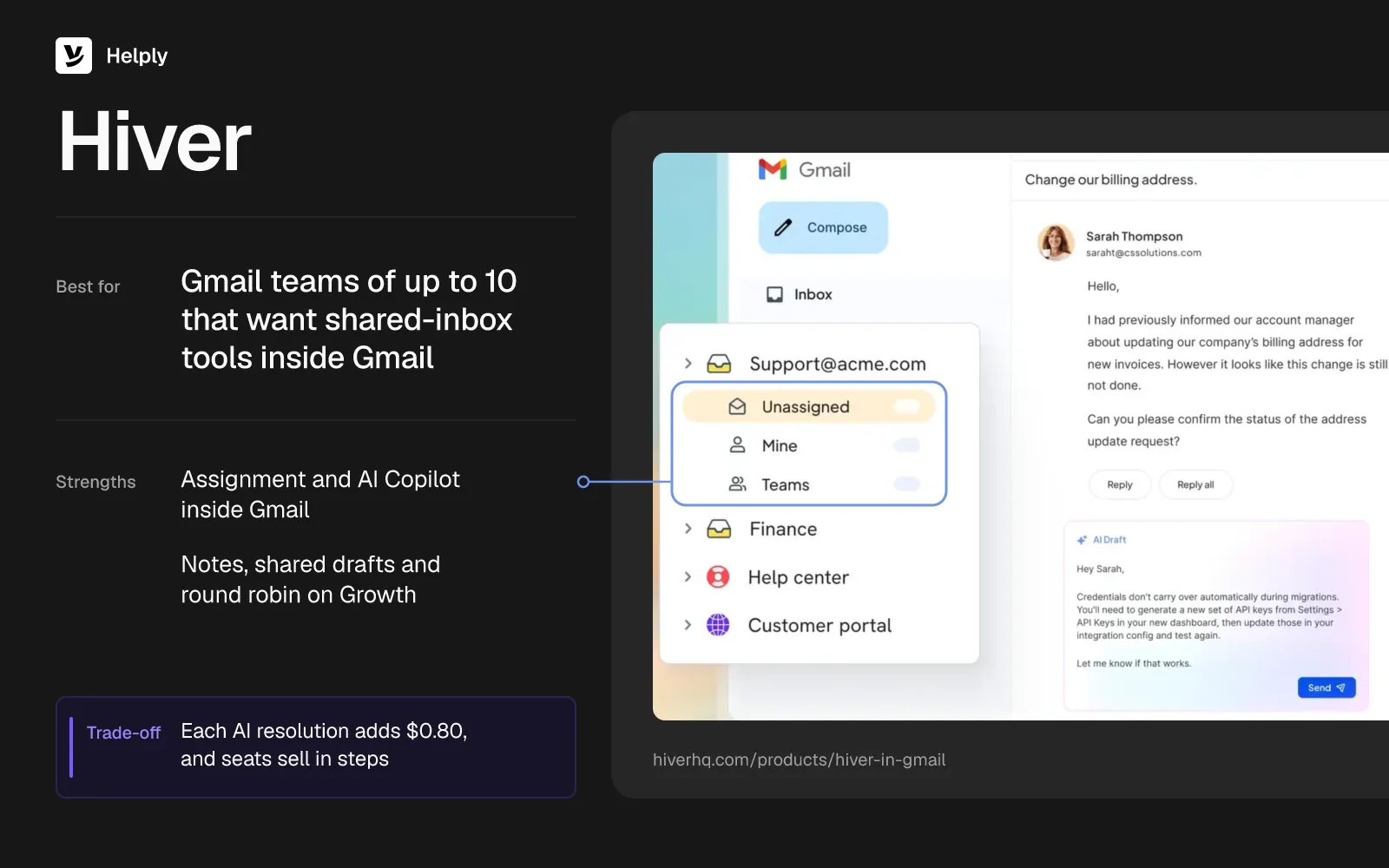
- Work stays in Gmail. Hiver in Gmail runs inside your existing Gmail, so reps assign and track email without a new app.
- Collaboration on Growth. The entry plan includes notes, shared drafts, collision detection and round robin, plus live chat, WhatsApp and SMS.
- AI agents and Copilot on every plan. Hiver bills each successful AI resolution on top of seats.
- SLAs from Pro. Pro, at $65 ($55), also adds load balancing and a customer portal.
Pricing
Hiver's Growth plan costs $35 a user a month ($25 billed yearly), Pro $65 ($55) and Elite $95 ($85). Hiver sells at least 2 seats, then 5, then more in steps of 5, and Growth caps at 10 users.
Hiver's comparison pages put AI resolutions at $0.80 each on every plan. Hiver offers no free plan, and you can try Elite for 7 days without a card.
Pros
- No new app for Gmail teams. An operations specialist on G2 said Hiver lets the team assign email and see who owns each conversation without leaving Gmail.
- No AI fee on handoffs. Hiver charges only for successful AI resolutions.
Cons
- Seats come in steps. After 5 seats, Hiver sells seats in fives. A G2 reviewer said one new hire would mean paying for 3 to 5 seats.
- Growth stops at 10 users. Bigger teams move to Pro at $65 ($55).
- Short notice on price changes. The same G2 reviewer said Hiver made a steep price increase with only two weeks' notice.
Best For
Gmail-based teams of up to 10 people who want shared-inbox tools without leaving Gmail.
Hiver or Helply?
Hiver keeps your team inside Gmail and bills $0.80 per AI resolution on top of seats. At 500 AI resolutions a month, five Hiver Growth users pay $575 ($525), and Helply covers the same AI work from plan credits. To stay in the Gmail window, pick Hiver; to keep the Gmail address in a full help desk, pick Helply.
| Helply | Hiver | |
|---|---|---|
| People | Plus: up to 5 agents; Team: 10 | $35 ($25) a user on Growth, sold in steps |
| AI billing | Credits per action from the plan's pool | $0.80 per successful AI resolution |
| Five people, AI on 1,000 conversations, half resolved | About 6,000 of Team's 15,000 credits | $575 ($525) |
| Free trial | Free 14-day trial, no card needed | 7 days of Elite, no card |
4. Help Scout: Best for Email-First Support with a Free Plan
Help Scout is a help desk for email-first teams, with a Docs knowledge base, plus live chat on paid plans. It prices per user and adds $0.75 for each conversation its AI agent, Envoy, resolves.
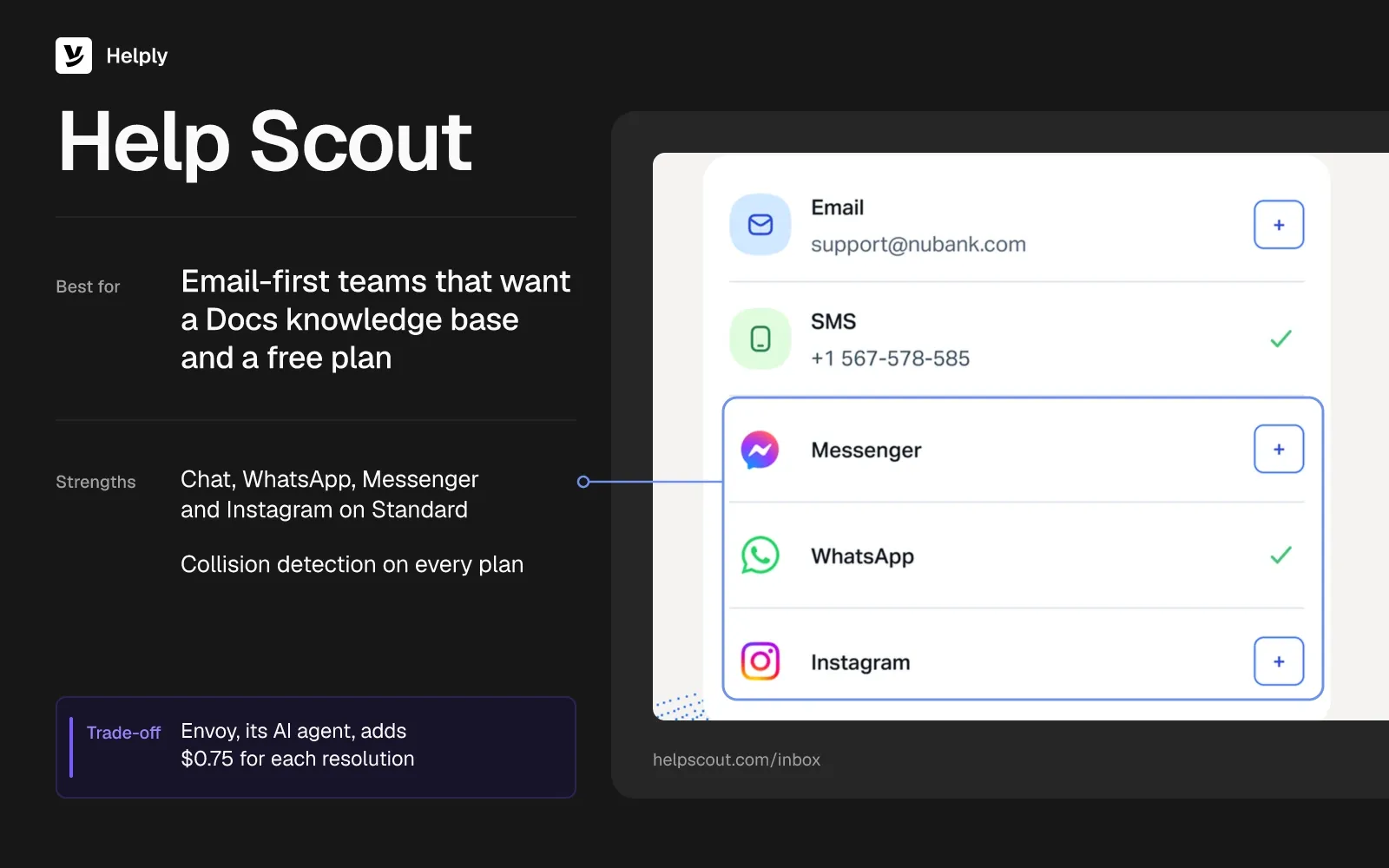
- A free plan to start. Five users can reach 100 contacts a month on the Free plan, which has one inbox, one Docs site and no live chat.
- Automatic collision detection. Every plan includes it, and notes stay internal to your team.
- Help Scout bills Envoy by resolution. It charges nothing for a question your team has to help answer.
Pricing
Help Scout's Standard plan costs $30 a user a month ($25 billed yearly) and holds up to 25 users. Plus costs $54 ($45) for up to 50, and Pro needs at least 10 users at $90 ($75).
Envoy costs $0.75 for each resolution, charged once per session. New accounts get Envoy free for their first 3 months. You can try Standard or Plus for 15 days without a card.
Pros
- Chat on the first paid plan. Standard includes live chat, WhatsApp, Messenger and Instagram next to email.
- Three months to test Envoy. New accounts get the AI agent free for 3 months before Help Scout bills resolutions.
Cons
- Round robin needs Plus. That routing starts at $54 ($45) a user, up from $30 ($25) on Standard.
- Email arrives by forwarding. Help Scout needs you to forward support email from your provider, whereas Front connects Gmail and Office 365 accounts as shared inboxes.
- Help Scout switched pricing models twice. In 2025, Reddit users described a switch to per-interaction pricing and then back to per-user pricing. One user who had canceled said the flip-flopping cost their trust.
Best For
Email-first teams that want a help desk with a Docs knowledge base and a free plan to start.
Help Scout or Helply?
Help Scout charges $30 a user ($25) on Standard, and Envoy adds $0.75 per resolution: $525 ($500) for five users at 500 resolutions. Helply's Team plan carries 15,000 AI credits a month, more than the 6,000 this volume uses. Those credits cover Helply's AI resolutions, and Help Scout's Free plan starts email teams at $0; see Helply vs. Help Scout.
| Helply | Help Scout | |
|---|---|---|
| People | Plus: up to 5 agents; Team: 10 | $30 ($25) a user on Standard, up to 25 |
| AI billing | Credits per action from the plan's pool | $0.75 per Envoy resolution |
| Five people, AI on 1,000 conversations, half resolved | About 6,000 of Team's 15,000 credits | $525 ($500) |
| Free trial | Free 14-day trial, no card needed | 15 days, no card; Free plan for 5 users |
5. Zendesk: Best for Larger Teams That Need Structured Ticketing
Zendesk sells agent licenses, and once a monthly allowance runs out, each automated resolution by its AI agents costs extra. It suits teams that need SLA policies, light agents and structured ticket workflows.
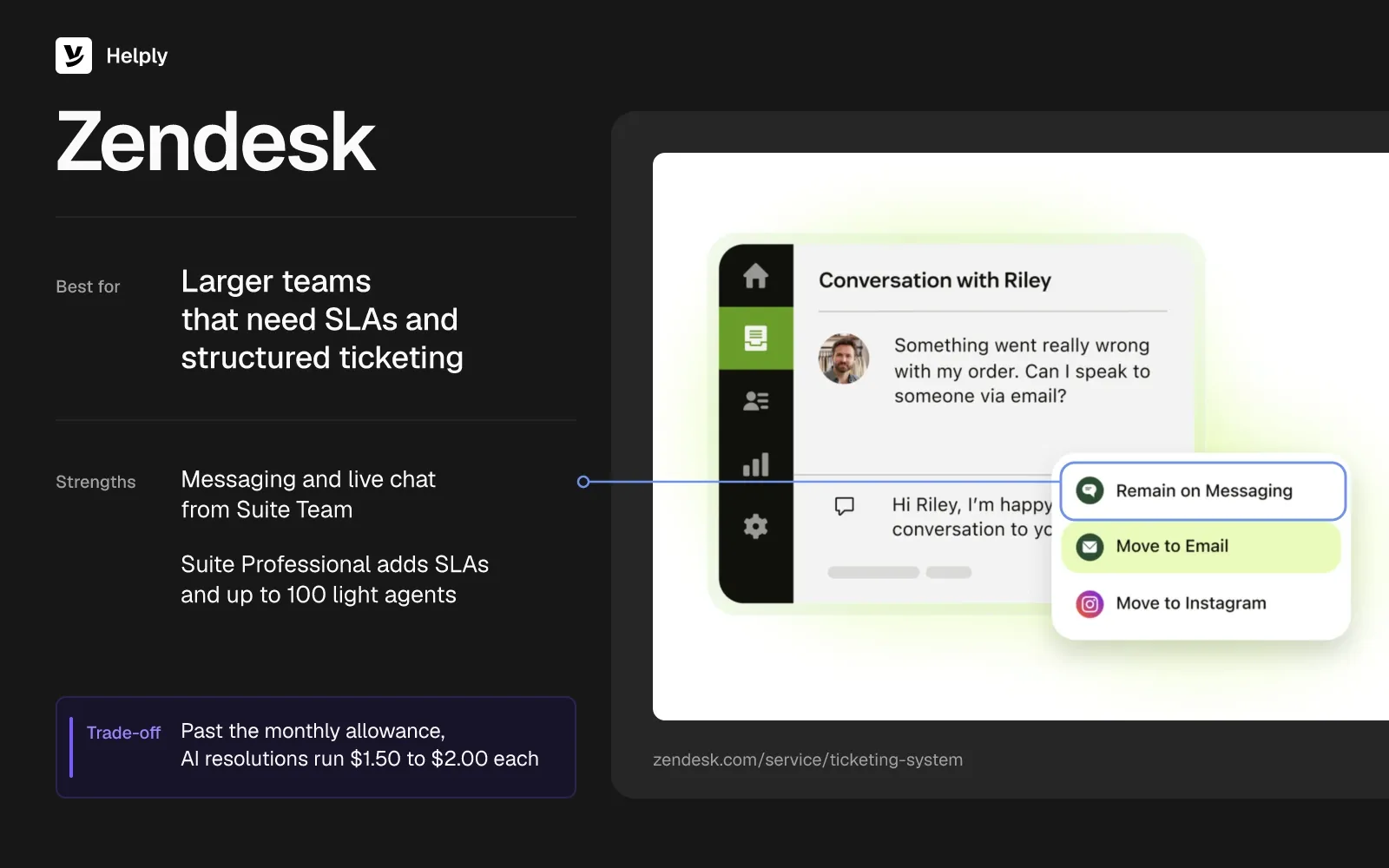
- Email on every plan, chat from Suite Team. Support Team covers email, and Suite Team adds messaging and live chat.
- AI agents on every plan. Zendesk bills a request only when its AI agent resolves it with no human involved.
- SLAs on Suite Professional. The same plan adds agent collision detection and up to 100 light agents.
- Copilot as an add-on. It costs $50 an agent a month, billed yearly, from Suite Professional.
Pricing
Zendesk's Support Team plan costs $25 per agent monthly ($19 billed yearly). Suite Team costs $69 ($55) and Suite Professional $149 ($115).
Zendesk's monthly allowance is 5 automated AI resolutions per Suite Team agent and 10 per Suite Professional agent. Past that, a committed resolution costs $1.50 and a pay-as-you-go one $2.00. The 14-day trial opens Suite Professional with no card.
Pros
- Macros and workload dashboards. A support lead on Capterra said macros cut their response time and dashboards show each agent's workload.
- Unlimited email addresses. Every plan takes email on as many support addresses as you run.
Cons
- No collision detection on Team plans. Agent collision starts on Suite Professional.
- Read-only seats add up. A G2 reviewer said Zendesk's pricing scales poorly once you add read-only seats for developers.
- Resolutions past the allowance. At 500 a month, five Suite Team agents pay $712.50 to $950 on top of seats.
Best For
Larger support teams that need SLAs, structured ticketing and AI agents billed per resolution.
Zendesk or Helply?
Five Zendesk Suite Team agents cost $345 ($275), plus $1.50 to $2.00 for each AI resolution past 25 a month. Helply Team includes 10 agents, a 15,000-credit pool, SLAs and collision detection. Zendesk suits large teams that run on structured ticketing, while Helply keeps AI cost inside the plan; see Helply vs. Zendesk.
| Helply | Zendesk | |
|---|---|---|
| People | Plus: up to 5 agents; Team: 10 | $69 ($55) an agent on Suite Team |
| AI billing | Credits per action from the plan's pool | $1.50 a committed resolution, $2.00 pay-as-you-go, past 5 included per agent a month |
| Five people, AI on 1,000 conversations, half resolved | About 6,000 of Team's 15,000 credits | Between $1,057.50 and $1,295 ($987.50 and $1,225) |
| Free trial | Free 14-day trial, no card needed | 14 days of Suite Professional, no card |
6. Freshdesk: Best for Low-Cost Ticketing with AI Billed by the Session
Freshdesk's Growth plan costs $23 an agent ($19 billed yearly), and Freshdesk bills Freddy AI Agent per session. A session is one customer interaction, and an email session spans 72 hours.
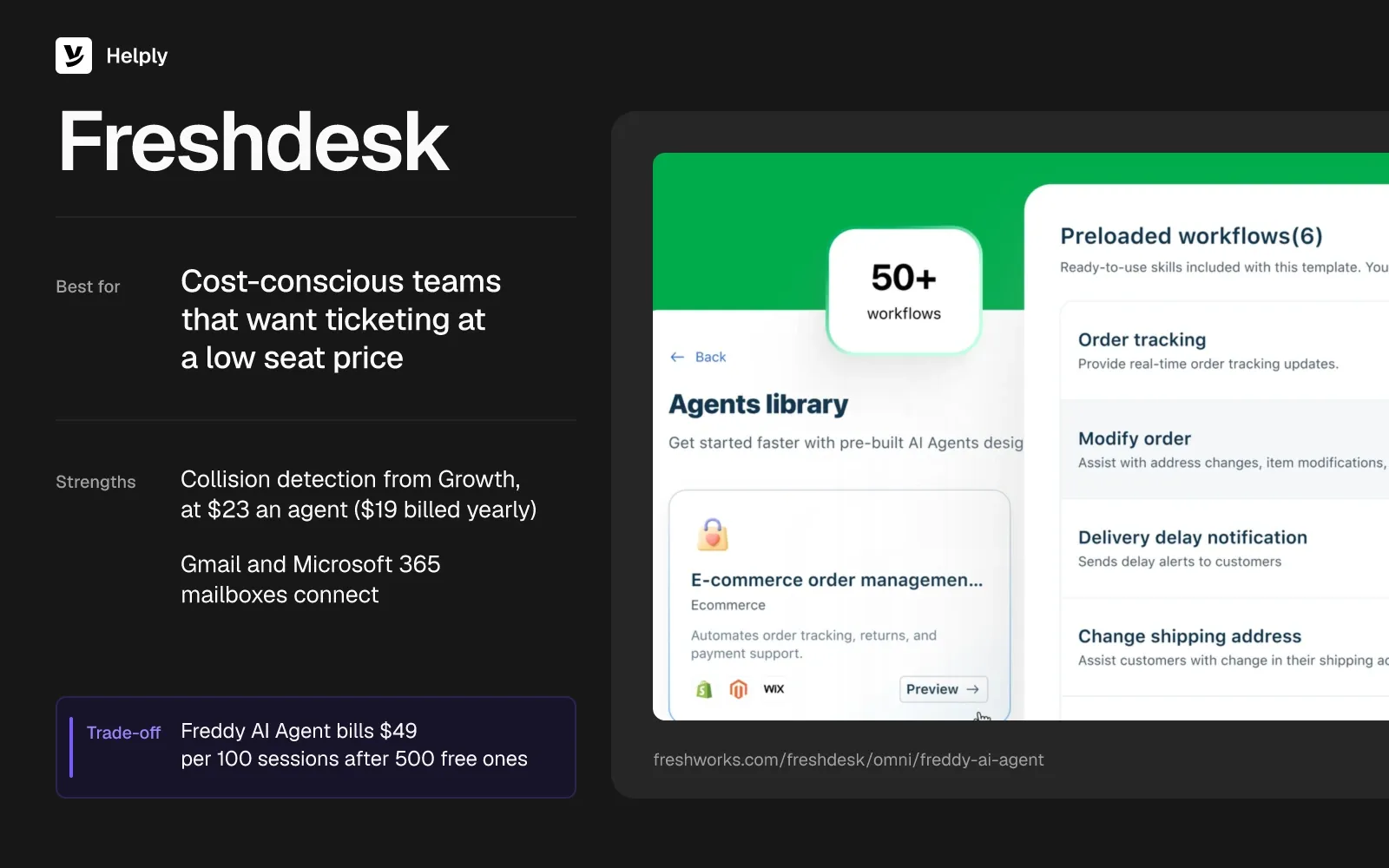
- Email, Facebook and basic web chat. WhatsApp and Instagram need Freshdesk Omni, from $35 an agent ($29).
- Collision detection from Growth. Agents see when a teammate is already on a ticket.
- Freddy AI Copilot on Pro and Enterprise. It costs $35 an agent ($29), for as many agents as you choose.
Pricing
Freshdesk's Enterprise plan costs $107 an agent a month ($89 billed yearly), Pro $66 ($55) and Growth $23 ($19). Freddy AI Agent's 500 free sessions come once per account; then every 100 sessions cost $49.
Freshdesk lists no free plan, though its Free Program gives 2 agents 6 months at no cost. The 14-day trial opens Enterprise with no card.
Pros
- Automations route tickets. A business analyst on Capterra said they use automations to route tickets to the correct teams.
- Low entry price. Five Growth agents cost $115 ($95).
- Gmail and Microsoft 365 mailboxes connect. Your support address stays where it is.
Cons
- AI on top of seats. A support lead on Capterra put the cost at about $45 an agent seat, plus $20 to $25 an agent for AI.
- Every interaction is a session. With Freddy on all 1,000 conversations, sessions add $490 a month after the free allowance.
- WhatsApp costs more. Freshdesk Omni, which adds WhatsApp, starts at $35 an agent ($29), against $23 ($19) for Freshdesk Growth.
Best For
Cost-conscious teams that want ticketing, automations and collision detection at a low seat price.
Freshdesk or Helply?
Five Freshdesk Growth agents pay $115 ($95), plus $49 per 100 Freddy sessions once the account has used its one-time 500 free sessions. Helply Team includes 15,000 credits a month, and 1,000 AI-handled conversations use about 6,000 of them. With Freddy on all 1,000 conversations, Freshdesk reaches $605 ($585) a month; see Helply vs. Freshdesk.
| Helply | Freshdesk | |
|---|---|---|
| People | Plus: up to 5 agents; Team: 10 | $23 ($19) an agent on Growth |
| AI billing | Credits per action from the plan's pool | $49 per 100 Freddy sessions after 500 free ones, once per account |
| Five people, AI on 1,000 conversations, half resolved | About 6,000 of Team's 15,000 credits | $605 ($585) |
| Free trial | Free 14-day trial, no card needed | 14 days of Enterprise, no card |
7. Intercom: Best for Software Teams That Want Chat and Fin
Intercom builds support around its messenger and Fin, its AI agent. It charges per seat plus $0.99 per Fin outcome and counts at most one outcome per conversation.
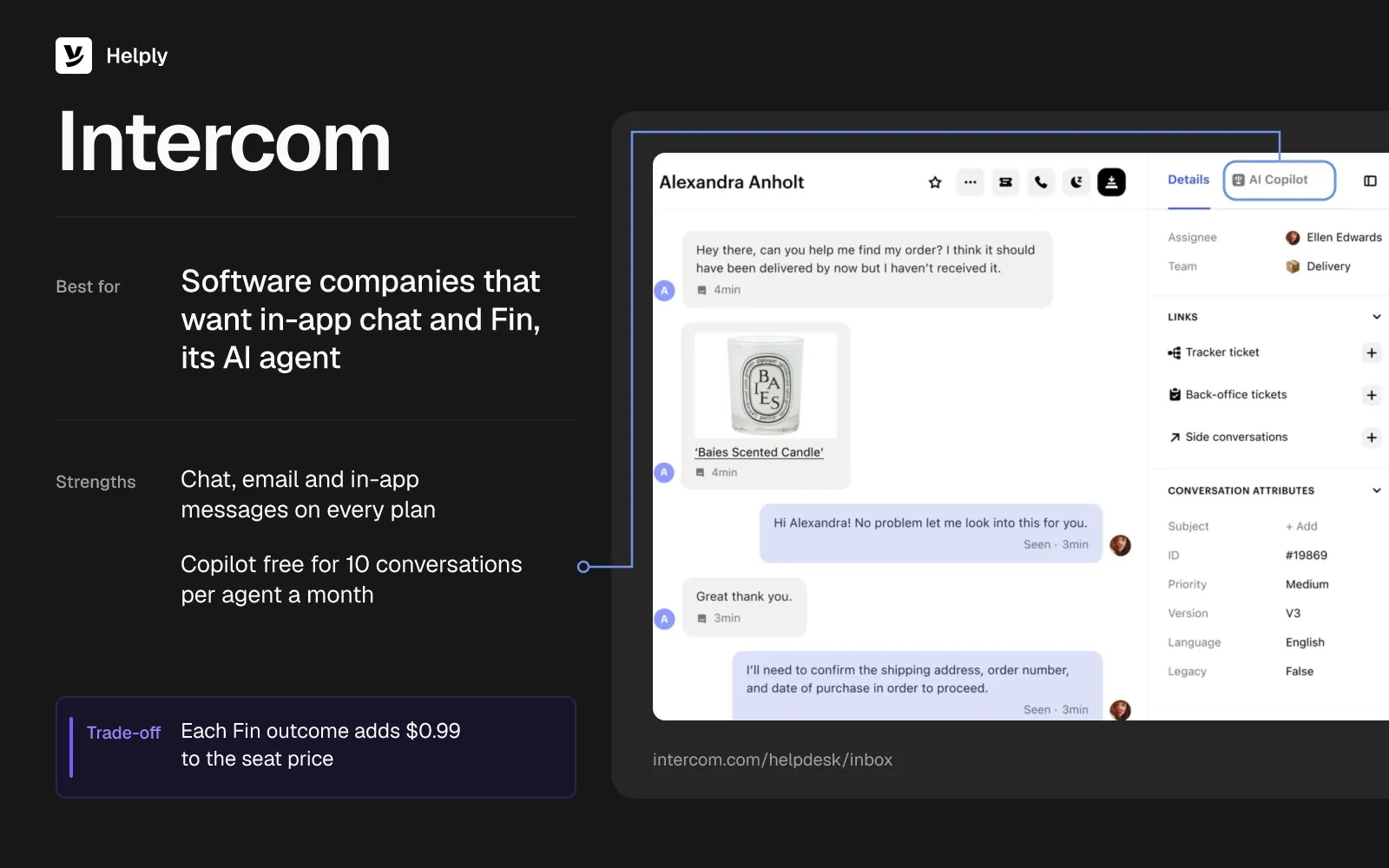
- Chat, email and in-app messages on every plan. SMS, WhatsApp and phone run pay-as-you-go.
- Lite seats on Advanced and Expert. Advanced bundles 20 free Lite seats and Expert 50, though only Full seats send messages.
- Copilot, free for 10 conversations. Past 10 conversations per agent a month, it costs $35 an agent ($29).
Pricing
Intercom's Expert plan lists at $139 a seat a month ($132 billed yearly), Advanced at $99 ($85) and Essential at $39 ($29). For new customers, Essential drops to $29 ($19) while they keep the subscription.
Each Fin outcome costs $0.99. Intercom's 14-day trial needs no card.
Pros
- Fin takes most of one team's inbox. In a G2 review of Fin, a mid-market insurance company said the AI handles 61% of its inbox.
- No charge for handoffs. Intercom bills nothing when Fin can't answer or a customer asks for a person.
- Refunds on reopened conversations. Intercom refunds the outcome if the customer writes in again.
Cons
- Outcome bills grow with volume. At 500 Fin outcomes a month, five Essential seats reach $690 ($640) at list price.
- Some Fin usage is hard to cap. A marketing director on TrustRadius said they can't cap Fin's Qualification setup without pausing its Outcome setup by hand.
- Email arrives by forwarding. You forward support email from your current address into Intercom; on Front, you connect the Gmail or Office 365 account itself.
Best For
Software companies that want in-app chat and an AI agent billed per outcome.
Intercom or Helply?
Five Intercom Essential seats list at $195 ($145), and 500 Fin outcomes add $495, for $690 ($640) in all. Helply includes AI credits in its plan price, and a drafted reply from the Assist Agent uses 2 credits. Intercom fits in-app chat led by Fin, while Helply covers email and chat with AI inside the plan; see Helply vs. Intercom.
| Helply | Intercom | |
|---|---|---|
| People | Plus: up to 5 agents; Team: 10 | $39 ($29) a seat on Essential at list price |
| AI billing | Credits per action from the plan's pool | $0.99 per Fin outcome |
| Five people, AI on 1,000 conversations, half resolved | About 6,000 of Team's 15,000 credits | $690 ($640) |
| Free trial | Free 14-day trial, no card needed | A 14-day trial, no card |
8. Crisp: Best for Chat-First Teams on One Workspace Price
Crisp prices per workspace instead of per seat. Its Hugo AI agent runs on monthly usage credits that each paid plan includes.
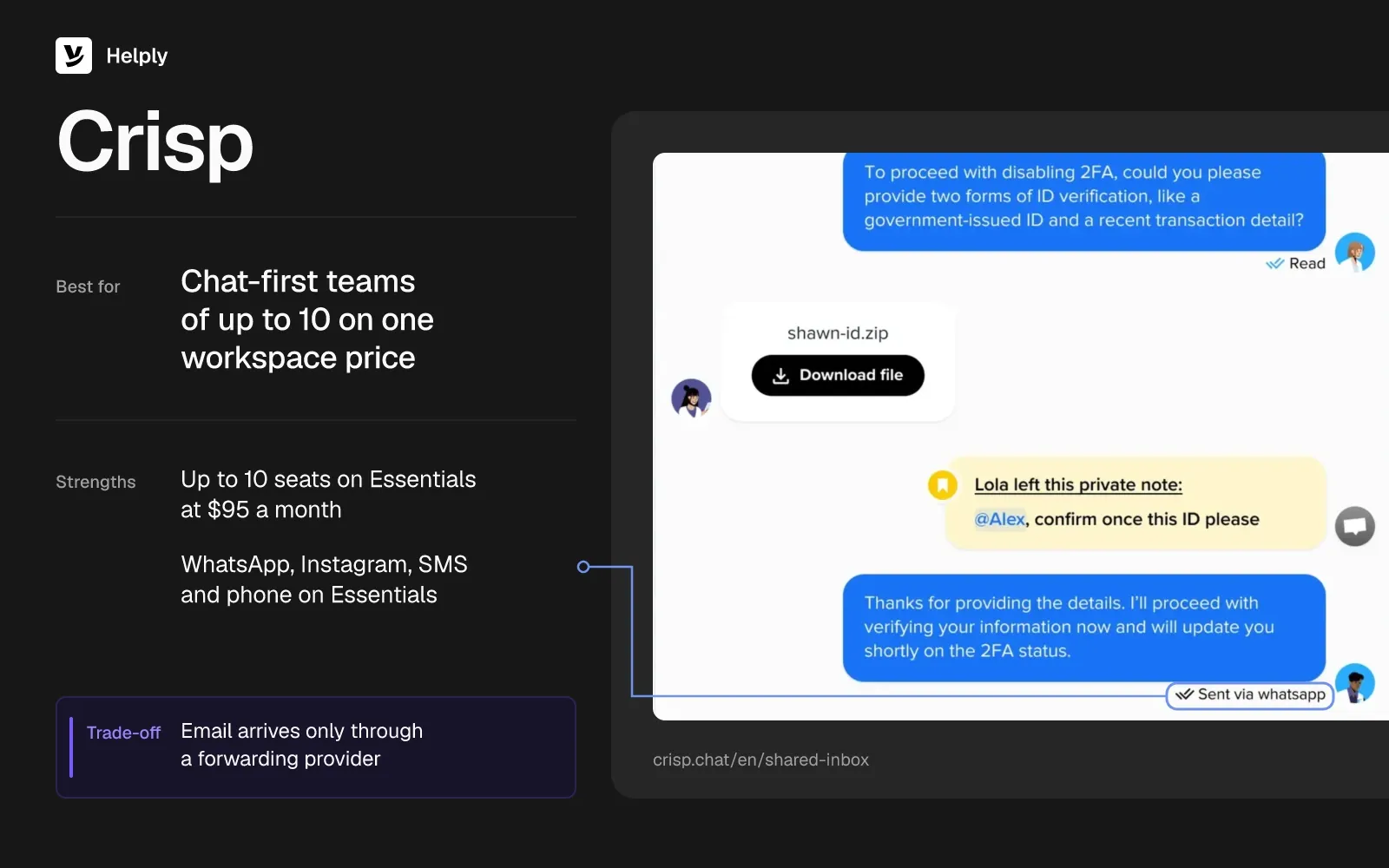
- Seats bundled per plan. Mini includes 4 seats, Essentials 10 and Plus 20.
- Hugo from Mini. Plans include $5, $25 or $75 of AI credits a month, which Crisp estimates at about 90, 450 or 1,350 automated conversations.
- More channels and routing on Essentials. The $95 plan adds WhatsApp, Instagram, SMS, phone and round robin.
- A free plan for chat. Free covers 2 seats and the chat widget, with no AI credits.
Pricing
Crisp's Mini plan costs $45 a month, Essentials $95 and Plus $295, per workspace. Crisp offers yearly billing in the app but publishes no yearly price.
By Crisp's own estimate, a Hugo conversation costs five to ten cents. Once the month's credits run out, Hugo stops and hands conversations to your team, unless Pay-As-You-Go is on. Every plan has a 14-day trial with no card.
Pros
- A CEO calls the pricing simple. On Capterra, they liked that Crisp doesn't charge extra for every feature.
- Fewer queries for agents. A travel company's product manager on Capterra said Crisp's AI cut queries to agents by 40%.
Cons
- Email needs a forwarding provider. Crisp receives support email only through a provider that forwards it. Front skips that step by connecting the Gmail or Office 365 account.
- Included AI covers part of the queue. By Crisp's estimate, Essentials' $25 of credits buys about 450 automated conversations a month.
- Thin agent reporting. The travel company's product manager on Capterra missed a view of what each agent did during the day.
Best For
Chat-first teams of up to 10 that want one workspace price.
Crisp or Helply?
With Hugo on 1,000 conversations, Crisp Essentials comes to about $120 to $170 a month for up to 10 seats. Helply Team covers 10 agents with 15,000 credits and works on your existing Gmail or Microsoft 365 address. Choose Crisp for chat on a tight budget, and Helply for an email-heavy queue leaving Front.
| Helply | Crisp | |
|---|---|---|
| People | Plus: up to 5 agents; Team: 10 | Essentials: up to 10 seats for $95 a workspace |
| AI billing | Credits per action from the plan's pool | Hugo usage credits, $25 a month included |
| Five people, AI on 1,000 conversations, half resolved | About 6,000 of Team's 15,000 credits | About $120 to $170 |
| Free trial | Free 14-day trial, no card needed | A 14-day trial, no card; Free plan for chat |
How Do You Move off Front Without Losing Conversation History?
Move in stages, starting with the mailbox customers already write to.
- Keep the address customers know. Connect the same Gmail or Microsoft 365 mailbox to the new tool before anything else.
- Bring supported history across. Helply's Front migration connects your Front workspace and moves supported conversation history, inboxes and customer information.
- Validate on live email. Run the new setup on incoming conversations and check routing and replies before you switch every channel.
- Cut over channel by channel. Move chat, SMS and other channels once email routing and replies check out.
For Sender.net, Helply's team managed the move off Front and kept the full conversation archive.
When Is Front Still the Right Choice?
- A small team on one channel. Five email-only Starter seats cost $175 ($125) a month while AI stays off. Autopilot on 1,000 conversations would take that to $815 ($765).
- Collaboration beyond support. Guests comment on shared conversations without a license, which suits teams that pull sales or ops into threads.
- No plan for AI on customer conversations. Without Copilot or Autopilot, five Professional seats cost $425 ($325).
- SSO on a mid-tier plan. Professional includes SSO and SCIM at $85 ($65) a seat, and Helply puts SSO on Growth.
Once you pass 10 seats or add a second channel, you move up to Professional at $85 ($65) a seat.
Keep Paying Front by the Seat, or Move to a Front Alternative with Included AI Credits?
For a shared inbox under Front Professional's price, five people pay $150 ($120) on Missive or $175 ($125) on Hiver before AI. Freshdesk runs ticketing from $115 ($95) for five, Help Scout starts on a free plan, and Crisp Essentials covers 10 seats for $95. Zendesk and Intercom suit larger or chat-led teams that accept AI billed per resolution or outcome.
Helply fits teams that want the inbox, the help desk and an AI agent that can resolve conversations on one monthly price. On Team, reps six through ten add no extra charge, and every rep's AI drafts come from the same pooled credits. Sender.net's support tooling spend fell by about 85% after it swapped Front's per-seat pricing for Helply.
AI work draws on credits already in the plan, so the invoice carries no Copilot line or per-conversation Autopilot charge. A single conversation never passes 15 credits, and AI on 1,000 conversations uses about 6,000 of Team's 15,000.
Five people with AI on 1,000 conversations, half of them resolved, pay $1,165 ($1,065) on Front Professional with Copilot and Autopilot. Helply Team covers the same work within its plan price, and Team includes free migration to bring supported Front history across.
Start with one Gmail or Microsoft 365 support mailbox. Connect it to Helply and leave your other channels on Front until you're ready to move them.
Frequently asked questions
Front costs $35 a seat a month on Starter and $85 on Professional ($25 and $65 billed yearly). Enterprise costs $105 a seat a month, billed yearly only, and Copilot adds $20 a seat a month on Starter and Professional.
No. Front's paid plans start at $35 a seat a month ($25 billed yearly), and its 14-day trial gives Professional features without a card.
Yes, for Copilot and Autopilot. Copilot adds $20 a seat a month on Starter and Professional; Autopilot bills $0.39 a handoff or $0.89 a resolution.
For email support, Help Scout's Free plan comes closest: 5 users and 1 inbox, capped at 100 contacts each month. Crisp's Free plan covers 2 seats of live chat, and Freshdesk's Free Program gives 2 agents 6 months at no cost.
Help Scout's Free plan costs nothing for 5 users on email, with 1 inbox and 100 contacts a month. With AI on 1,000 conversations, Crisp Essentials runs about $120 to $170. Five Missive Starter users pay $90 ($70), though rules and AI need Productive.
Yes, at list prices. Missive Productive costs $30 a user a month ($24 billed yearly), against $85 ($65) for Front Professional. Missive Starter costs $18 ($14) for up to 5 users, against $35 ($25) for Front Starter.
Front suits email-first teams that collaborate in a shared inbox, and Zendesk suits larger teams that need structured ticketing. Front Professional includes SLAs at $85 a seat ($65), and Zendesk's SLA policies start on Suite Professional at $149 an agent ($115).
Front suits teams that share one support mailbox: it adds assignment, internal comments and shared drafts to a Gmail or Office 365 account. Front Starter costs $35 a seat a month ($25 billed yearly) on top of your email plan.
Yes. Helply, Missive and Hiver Omni connect existing Gmail and Outlook accounts, so customers keep writing to the same address.
Front Starter allows up to 10 seats and Professional up to 50, with a one-license minimum on both. Plans apply to the whole organization, so an 11th seat means Professional for everyone.
About 6,000 credits, if AI resolves around half of them, or about 6 credits a conversation. That total fits inside Team's 15,000 but not Plus's 5,000.
About the author

Jared Scheel
Co-founder & CTO
Keep reading

Customer Support Dashboard Examples for Teams, Managers and Executives
Konrad Janczyk · 8 min read
9 HubSpot Service Hub Alternatives That Keep Your CRM
Bildad Oyugi · 12 min read